Freedom251 › Infrastructure as Code Tools
OpenStack Heat
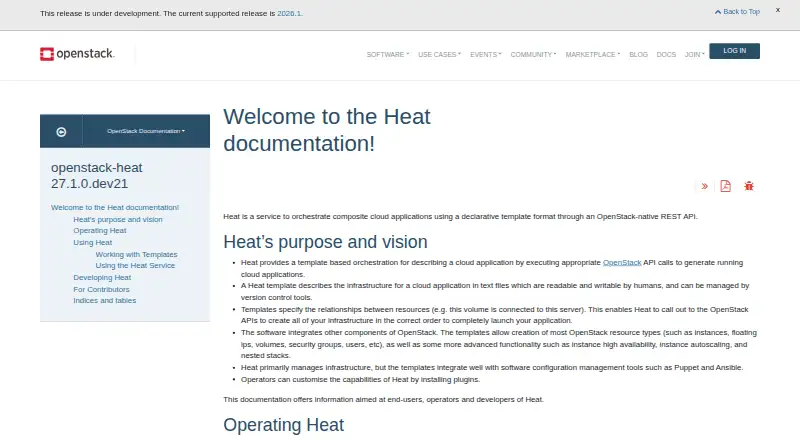
What OpenStack Heat is
OpenStack Heat coordinates cloud applications by translating declarative templates into resources in an OpenStack environment. Its templates are human-readable text files that describe infrastructure and how resources relate to one another; teams can manage those files with version control. Heat uses HOT templates written in YAML and also accepts AWS CloudFormation templates. A template can create OpenStack instances, floating IPs, volumes, security groups and users.
The service exposes an OpenStack-native REST API and a CloudFormation-compatible Query API. Users can also reach it through a command-line interface, RESTful queries or the OpenStack dashboard. Orchestration capabilities include instance high availability and autoscaling, as well as nested stacks. Templates can integrate with Puppet and Ansible, and operators can add plugins to customize Heat.
Heat is free, open source under the Apache 2.0 license, and runs on Linux in a self-hosted OpenStack cloud. It requires an existing working environment with Compute, Image Service and Identity installed. Setup instructions cover Red Hat Enterprise Linux, CentOS, Ubuntu and Debian, with installation steps differing by distribution.
Who it suits
Heat suits OpenStack operators and developers who want to define cloud infrastructure as version-controlled templates. It is also useful for teams that need orchestration features such as autoscaling, high availability or nested stacks.
What it does well
- Defines infrastructure and resource relationships in version-control-friendly templates
- Supports HOT YAML and AWS CloudFormation template formats
- Can create instances, floating IPs, volumes, security groups and users
- Includes instance high availability, autoscaling and nested stacks
- Integrates templates with Puppet and Ansible
- Free and licensed under Apache 2.0
What to know first
- Requires an existing OpenStack environment with Compute, Image Service and Identity
- Installation steps vary by Linux distribution
Limits
Heat is free, but it requires a working OpenStack environment with Compute, Image Service and Identity already installed. Installation and configuration vary by distribution.
Plans
| Plan | Billed and limits | Price |
|---|---|---|
| OpenStack Heat | Requires a working OpenStack environment with Compute, Image Service and Identity · Installation and configuration vary by distribution | Free |
As docs.openstack.org lists them, read 9 Oct 2026. The maker's own page has the final word.
Getting started
- Open the Heat documentation website
- Prepare a working OpenStack environment with Compute, Image Service and Identity
- Follow the installation guidance for your Linux distribution
- Use HOT YAML or AWS CloudFormation templates to define resources
- Access Heat through its CLI, RESTful queries or the OpenStack dashboard
Verdict
Choose Heat if you need template-based orchestration in an existing OpenStack environment, including resource creation and instance scaling or availability features. Its main prerequisite is a working OpenStack installation, so it is not a standalone way to orchestrate cloud resources.
Questions
How much does OpenStack Heat cost?
Heat is free, listed as free.
Is Heat open source?
Yes. The OpenStack project is provided under the Apache 2.0 license.
What platforms does Heat support?
It is listed for API, Linux and self-hosted use, with OpenStack as its supported cloud.
What template formats can Heat use?
It runs HOT templates written in YAML and also supports AWS CloudFormation templates.
What does Heat require before installation?
A working OpenStack environment with Compute, Image Service and Identity already installed.
How can users access Heat?
Through a command-line interface, RESTful queries or the OpenStack dashboard.
Facts from OpenStack Heat's own pages
- Access
- Heat can be accessed through a CLI, RESTful queries and the OpenStack dashboard web interface. · docs.openstack.org, 9 Oct 2026
- Advanced orchestration
- Heat supports instance high availability, instance autoscaling and nested stacks. · docs.openstack.org, 9 Oct 2026
- APIs
- The service provides an OpenStack-native REST API and a CloudFormation-compatible Query API. · docs.openstack.org, 9 Oct 2026
- Audience
- The documentation is aimed at end users, operators and developers of Heat. · docs.openstack.org, 9 Oct 2026
- Deployment requirement
- Installation assumes a working OpenStack environment with Compute, Image Service and Identity already installed. · docs.openstack.org, 9 Oct 2026
- Extensibility
- Operators can customize Heat capabilities by installing plugins. · docs.openstack.org, 9 Oct 2026
- Integrations
- Heat templates integrate with configuration management tools such as Puppet and Ansible. · docs.openstack.org, 9 Oct 2026
- License
- The OpenStack project is provided under the Apache 2.0 license. · docs.openstack.org, 9 Oct 2026
- Purpose
- Heat orchestrates composite cloud applications from declarative templates through an OpenStack-native REST API. · docs.openstack.org, 9 Oct 2026
- Resource types
- Templates can create OpenStack resources including instances, floating IPs, volumes, security groups and users. · docs.openstack.org, 9 Oct 2026
- Supported install guidance
- The installation documentation links instructions for Red Hat Enterprise Linux and CentOS, Ubuntu and Debian, and says installation varies by distribution. · docs.openstack.org, 9 Oct 2026
- Template formats
- Heat runs HOT templates written in YAML and also supports AWS CloudFormation templates. · docs.openstack.org, 9 Oct 2026
- Templates
- Heat templates describe infrastructure and resource relationships in human-readable text files that can be managed with version control. · docs.openstack.org, 9 Oct 2026
Where OpenStack Heat stands on Freedom251
- Infrastructure as Code Tools#10 of 31
- Orchestration / Provisioning Software#11 of 27
- Infrastructure Automation#11 of 24
- IT Configuration Management Software#14 of 27