Freedom251 › Screen Capture Software

OpenCapture
What OpenCapture is
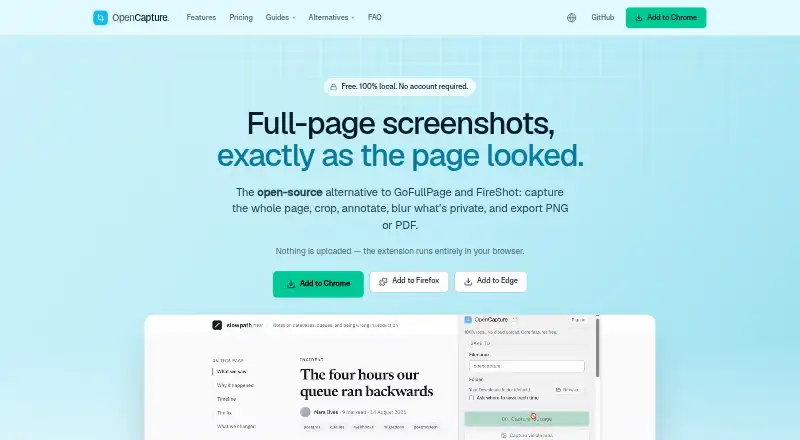
OpenCapture is a browser extension for capturing webpages as images, editing them, and exporting the results. It supports full-page, visible-area, and selected-area captures, so users can capture a page beyond just its visible section. The editor offers cropping, drawing, text, shapes, blur, and unlimited undo, with PNG or PDF export. Captures are rendered and edited in the browser rather than uploaded. The extension says it does not collect captured page content, browsing history, visited URLs, or several other categories of data, including analytics, keystrokes, and passwords. It stores up to the last 50 screenshots and some preferences in browser extension storage; uninstalling removes that data. OpenCapture supports Chrome, Edge, and Firefox under Manifest V3. Its core extension is AGPL-3.0-or-later, while the watermark module is proprietary. The free plan includes the capture, editing, and export tools. The only paid feature is a tiled logo or text watermark, with adjustable opacity, position, and angle; sign-in is needed only for the Supporter watermark. Cloud sharing is not available.
Who it suits
OpenCapture suits people who want to capture and annotate webpages in a browser, then export them as PNG or PDF. It may also suit users who prefer local capture processing and do not need cloud sharing.
What it does well
- Supports full-page, visible-area, and selected-area capture.
- Editor includes blur and unlimited undo.
- PNG and PDF export are available.
- Captures are processed in the browser, not uploaded.
What to know first
- Cloud sharing is not available.
- Only the tiled watermark is paid.
- Stores up to the last 50 screenshots.
- Watermark module is proprietary.
Plans
| Plan | Billed and limits | Price |
|---|---|---|
| Free | Full-page and visible-area capture · crop, draw, text, shapes, blur · unlimited undo · PNG or PDF export | Free |
| Supporter | Paid once per account; no subscription; credits never expire · Everything in Free · tiled logo or text watermark · adjustable opacity, position, and angle | $51,000, paid once |
As opencapture.app lists them, read 11 Oct 2026. The maker's own page has the final word.
Verdict
OpenCapture provides free browser-based capture, editing, and export tools, with a paid tiled watermark as its sole paid feature. Its lack of cloud sharing and limited local screenshot storage are worth noting.
Facts from OpenCapture's own pages
- Browser availability
- OpenCapture supports Chrome, Edge, and Firefox under Manifest V3. · opencapture.app, 11 Oct 2026
- Capture modes
- It supports full-page, visible-area, and selected-area captures. · opencapture.app, 11 Oct 2026
- Data collection
- The extension says it does not collect captured page content, browsing history, visited URLs, analytics, telemetry, crash reports, keystrokes, form data, passwords, or advertising identifiers. · opencapture.app, 11 Oct 2026
- Editing and export
- The editor supports cropping, drawing, text, shapes, blur, unlimited undo, and PNG or PDF export. · opencapture.app, 11 Oct 2026
- Local processing
- Captures are rendered and edited in the browser, and screenshots are not uploaded. · opencapture.app, 11 Oct 2026
- Local storage
- The extension stores up to the last 50 screenshots, save preferences, and a rating prompt flag in browser extension storage; uninstalling removes that data. · opencapture.app, 11 Oct 2026
- Notable limitation
- Tiled watermarks are the only paid feature; the other tools are free. · opencapture.app, 11 Oct 2026
- Open source
- The core extension is licensed AGPL-3.0-or-later, while the watermark module is a separate proprietary component. · opencapture.app, 11 Oct 2026
- Sign-in and payment
- Sign-in is needed only for the Supporter watermark, and payments are handled by a payment processor on the account server rather than inside the extension. · opencapture.app, 11 Oct 2026
- Sign-in options
- The stated sign-in options are Google, a crypto wallet using SIWE, and Nostr. · opencapture.app, 11 Oct 2026
- Support
- Users can contact OpenCapture by email at [email protected] or open a GitHub issue. · opencapture.app, 11 Oct 2026
- What it does
- OpenCapture is a browser extension for capturing full webpages as a single image, then cropping, annotating, and exporting them. · opencapture.app, 11 Oct 2026
Where OpenCapture stands on Freedom251
- Screen Capture Software#22 of 61