Freedom251 › Screen Capture Software
Lenscap
What Lenscap is
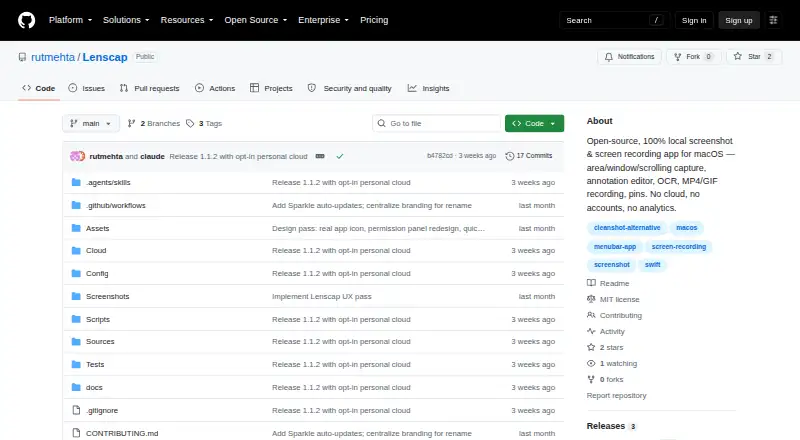
Lenscap is a free, open-source macOS app for local screenshots and screen recordings, with an optional personal cloud library. It captures areas, windows, full screens, timed images, and experimental scrolling screenshots. Capture Text uses Apple’s Vision framework to recognize text from a selected area and copy it to the clipboard. Recordings can be saved as H.264 MP4 with optional system audio; GIF recordings are limited to 30 seconds and a 960-pixel maximum long side. Its annotation editor includes drawing, text, blur or pixelation, cropping, background styling, undo, redo, copying, and saving. The history browser indexes the last 300 captures, stored by default in ~/Pictures/Lenscap. Exports include PNG, JPEG, MP4, and GIF. Optional cloud uploads require a Neon project deployed and connected by the user; there is no hosted backend. Without that connection, captures remain local, and the project says it has no analytics or telemetry.
Who it suits
Lenscap suits Mac users who need screenshots, recordings, OCR, annotation, and multiple export formats. It is also useful for people who prefer local storage or are willing to connect their own Neon project for cloud sharing.
What it does well
- Free and open-source
- Supports scrolling screenshots
- OCR copies recognized text to clipboard
- Annotation editor includes blur and pixelate
- Exports PNG, JPEG, MP4, and GIF
What to know first
- Requires macOS 14.0 or later
- Prebuilt DMG is for Apple Silicon Macs
- GIF recordings capped at 30 seconds
- Cloud storage is beta and needs your Neon project
Limits
GIF recordings are limited to 30 seconds and a 960-pixel maximum long side. The history browser indexes the last 300 captures. Cloud uploads do not backfill existing history; the cloud feature is in beta, and local originals are recommended.
Plans
| Plan | Billed and limits | Price |
|---|---|---|
| Lenscap | Open-source macOS app · personal cloud requires your own Neon project | Free |
As github.com lists them, read 9 Oct 2026. The maker's own page has the final word.
Getting started
- Download the DMG from the project website, or follow the instructions to build the native app from source.
- Use macOS 14.0 or later; the prebuilt DMG is for Apple Silicon Macs.
- Grant Screen Recording permission to capture.
- Grant Accessibility permission if you want scrolling capture.
- Save captures locally, or deploy and connect your own Neon project for optional cloud uploads.
Verdict
Lenscap offers broad capture, editing, OCR, and export tools without a hosted service requirement. Its macOS version, GIF limits, permissions, and user-managed cloud setup define the practical boundaries.
Questions
How much does Lenscap cost?
The listed Lenscap plan is free.
Which Macs can run it?
Lenscap requires macOS 14.0 or later. Its prebuilt DMG is for Apple Silicon Macs.
Does Lenscap have a hosted cloud service?
No. Optional cloud uploads use a Neon project that you deploy and connect; Lenscap does not provide a hosted backend.
Where are captures saved?
Captures are saved locally by default, in ~/Pictures/Lenscap. Without a connected personal cloud, capture data stays local.
What can Lenscap export?
Its listed export formats are PNG, JPEG, MP4, and GIF.
Who makes Lenscap?
The repository identifies Rut Mehta as the copyright holder of the project’s MIT-licensed code.
Facts from Lenscap's own pages
- Capture
- It supports area, window, fullscreen, timed, and experimental scrolling screenshots. · github.com, 9 Oct 2026
- Cloud access
- The personal cloud stores captures in a private Neon bucket, and the device token is kept in the macOS login Keychain. · github.com, 9 Oct 2026
- Cloud limitations
- Cloud uploads do not backfill existing history, and the documentation says cloud storage is in beta and recommends keeping local originals. · github.com, 9 Oct 2026
- Cloud sharing
- Copy Share Link creates a seven-day read URL, and anyone holding the URL can access that capture while it remains valid. · github.com, 9 Oct 2026
- Distribution
- The project provides a downloadable DMG and instructions to build the native app from source. · github.com, 9 Oct 2026
- Editing
- The annotation editor includes drawing and text tools, blur or pixelate, crop, background styling, undo and redo, and copy or save actions. · github.com, 9 Oct 2026
- Integrations
- Optional cloud uploads use a Neon project that the user deploys and connects; Lenscap does not provide a hosted backend. · github.com, 9 Oct 2026
- Local history
- The history browser indexes the last 300 captures, and the default save folder is ~/Pictures/Lenscap. · github.com, 9 Oct 2026
- Maker
- The repository identifies Rut Mehta as the copyright holder of the project’s MIT-licensed code. · github.com, 9 Oct 2026
- OCR
- Capture Text uses Apple’s Vision framework to recognize text from a selected area and copy it to the clipboard. · github.com, 9 Oct 2026
- Permissions
- Screen Recording permission is required for captures; Accessibility permission is optional for scrolling capture. · github.com, 9 Oct 2026
- Privacy
- Without a connected personal cloud, capture data stays local; the project says it has no analytics or telemetry. · github.com, 9 Oct 2026
- Purpose
- Lenscap is an open-source macOS screenshot and screen-recording app that saves captures locally and offers an optional personal cloud library. · github.com, 9 Oct 2026
- Recording
- Screen recordings can be saved as H.264 MP4 with optional system audio, while GIF recordings have a 30-second cap and a 960-pixel maximum long side. · github.com, 9 Oct 2026
- System requirements
- Lenscap requires macOS 14.0 or later, and its prebuilt DMG is for Apple Silicon Macs. · github.com, 9 Oct 2026
Where Lenscap stands on Freedom251
- Screen Capture Software#19 of 61