Freedom251 › Online Notary Software

Notarize
What Notarize is
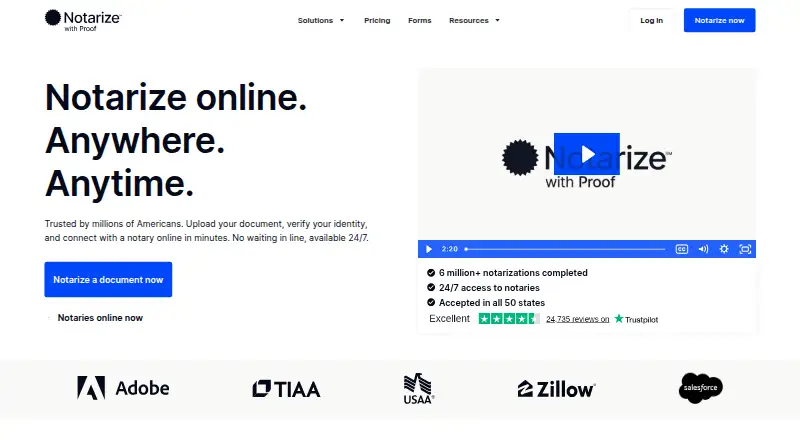
Notarize lets people complete an online notarization by uploading a document, confirming their identity, and meeting a notary over video. The signer uploads the complete document as a PDF or DOCX, answers security questions, and provides a photo of an unexpired ID before connecting. After the session, the completed document can be downloaded or shared. The Notarize Network offers access to on-demand notaries 24/7, and the service says online notarizations are accepted in all 50 states. Individual service includes unlimited document uploads. Multiple signers can participate on one device, join at the same time from separate devices, or attend separate meetings. A first-seal individual notarization costs $25, paid once; additional seals are $15, paid once, additional signers $10, paid once, and on-demand witnesses $15, paid once. The free Notary Network membership and eSign for $4, paid once are also listed. Available on web, iOS, and Android, Notarize supports document scanning or upload, video notarization, and access to notarized files.
Who it suits
Notarize suits individuals who need to complete a notarization remotely, including transactions with multiple signers. Businesses can use its combined notarization, eSignature, and identity verification offering, or its Salesforce and Adobe Sign integrations.
What it does well
- On-demand notaries are available 24/7
- Unlimited document uploads for individual service
- Supports multiple ways for signers to join
- Available on web, iOS, and Android
What to know first
- Documents must be uploaded as PDF or DOCX
- Additional seals, signers, and witnesses cost extra
- Business pricing varies
Limits
Individual notarization costs $25, paid once for the first seal. Additional seals cost $15, paid once, additional signers $10, paid once, and on-demand witnesses $15, paid once.
Plans
| Plan | Billed and limits | Price |
|---|---|---|
| Notary Network membership | join for free | Free |
| Additional signer | per additional signer | $10, paid once |
| On-demand witness | per witness | $15, paid once |
| Additional seal | per additional seal | $15, paid once |
| Individual notarization | first seal · $15 per additional seal · $15 per on-demand witness · $10 per additional signer | $25, paid once |
| eSign | per transaction · unlimited signers | $4, paid once |
| Business | varied pricing | On request |
As notarize.com lists them, read 7 Oct 2026. The maker's own page has the final word.
Getting started
- Visit the Notarize website or open its iOS or Android app.
- Join the free Notary Network membership.
- Upload the complete document as a PDF or DOCX.
- Complete the identity checks with security questions and a photo of an unexpired ID.
- Meet a notary over video, then download or share the completed document.
Overview
Notarize is an online service for completing notarizations through identity checks and a video meeting with a notary. It suits individuals who need a document handled remotely and businesses that want notarization inside existing signing workflows. Its flexible signer arrangements and round-the-clock notary access are useful, but the per-transaction charges can grow as participants or seals are added.
Key features
The individual process accepts a full document in PDF or DOCX, checks identity with security questions and a photo of an unexpired ID, then connects the signer with a notary by video. The completed document can be downloaded or shared. Unlimited uploads remove a document-count constraint, while the required file formats may rule out a document that cannot be supplied in either one.
Notaries are available on demand 24/7, and Notarize says its online notarizations are accepted in all 50 states. That combination is well suited to signers who need scheduling flexibility, though acceptance still depends on the requirements of the transaction.
Multiple signers can participate on one device, join at the same time from separate devices, or attend separate notary meetings. This accommodates people in different places or with different schedules, but the additional-signer fee means that flexibility is not necessarily inexpensive.
The service supports electronic notarization, audio-video sessions, and storage of notarized records. iPhone, iPad, and Android apps support uploading or scanning documents, completing video notarizations, and accessing notarized files; mobile web is also supported.
For organizations, the business offering combines online notarization, eSignature, and identity verification, with varied pricing. Notarize for Salesforce supports initiating, managing, and completing notarizations in Salesforce, with status tracking and completed records stored there. The Adobe Sign integration brings notarization initiation, document status, and completed documents into Adobe Sign workflows. These integrations are most relevant to teams already working in those platforms.
Notarize says its Proof platform encrypts data in transit and at rest, maintains comprehensive logs, and uses controls informed by NIST and SOC 2, alongside third-party audits and penetration testing. Those are meaningful safeguards for sensitive documents, though they are company-described security measures rather than a substitute for assessing an organization's own requirements.
Pricing
The Notary Network membership is free to join, but it is not the same as a free notarization: individual transactions are priced separately. Individual notarization costs $25, paid once for the first seal. Each additional seal costs $15, paid once, each additional signer costs $10, paid once, and an on-demand witness costs $15, paid once. The total can therefore exceed the starting price when a transaction needs more participants, seals, or a witness.
eSign is $4, paid once and includes unlimited signers. It is the lower-cost option for a transaction needing e-signatures, but it is not the listed price for a notarization. Business pricing is custom pricing, with varied pricing for the combined offering, so organizations should weigh the integration benefits against their expected transaction needs.
Platforms
Notarize supports web, Android, and iOS, including iPhone and iPad apps and mobile web. That gives individual signers a choice of browser or mobile device for the document and video workflow.
Who it's for
Notarize is a strong fit for individuals who need remote notarization, want access to on-demand notaries at any hour, and can budget for the base transaction plus any additional charges. It also suits businesses seeking notarization, eSignature, and identity checks together, particularly those using Salesforce or Adobe Sign. It is a weaker fit for anyone who needs a fixed all-in fee for a multi-signer transaction or whose workflow depends on documents outside PDF and DOCX.
Pros and cons
- Pros: 24/7 on-demand notaries and stated acceptance across all 50 states make remote scheduling practical for a broad range of signers.
- Pros: Unlimited individual-service document uploads and several ways for multiple signers to join accommodate varied transaction logistics.
- Pros: Salesforce and Adobe Sign integrations can keep notarization status and completed documents within those workflows.
- Cons: The 25.00 USD per-transaction starting charge rises with additional signers, seals, and witnesses, making the final cost less predictable for complex signings.
- Cons: The individual upload workflow requires a full PDF or DOCX document, limiting flexibility for other file formats.
Alternatives
Compare online notary software if you want to consider services beyond Notarize.
Secured Signing is worth considering if a free account with three documents per month or support for a wider range of platforms matters more than Notarize's stated unlimited uploads.
NotaryCentral may suit users who want to start with a free RON-signing allowance or e-journal option, and it also offers a free trial.
BlueNotary is an alternative for notaries seeking unlimited general notary work, an electronic journal, and session recordings stored for 10 years on its free Basic GNW plan.
Online Notary Center offers a free business-standard option with per-document and additional-participant charges, so compare its fee structure with Notarize's before choosing.
Notaron may be a better fit for a web- or API-based workflow seeking a free notary plan with general notary work, BYOC, BYORO, and a digital seal.
OneNotary is another option for pay-as-you-go online notarizations starting at $25, paid once, with seven days of document storage in its listed plan.
Proof Notarize may suit growing teams looking for a monthly Pro+ plan with API access, custom branding, and advanced transaction forms and signing rules, alongside transaction fees.
DocuSign eSignature is an alternative to consider when the priority is sending, signing, and managing agreements through e-signature workflows.
Verdict
Choose Notarize if you need a remote notarization workflow with flexible signer participation, round-the-clock notary access, and mobile or desktop support. Its strongest case is the end-to-end path from identity verification to a completed document, with business integrations for Salesforce and Adobe Sign. Look elsewhere if additional transaction charges make the price unsuitable or if your signing process cannot use PDF or DOCX.
Verdict
Notarize provides a remote video-notary process with identity checks and document download or sharing. Review the per-transaction and additional-participant charges before starting.
Questions
Is there a free option?
Yes. Notary Network membership is free. Individual notarization and eSign have per-transaction charges.
How much does an individual notarization cost?
It costs $25, paid once for the first seal. Each additional seal is $15, paid once, each additional signer is $10, paid once, and each on-demand witness is $15, paid once.
Which devices can I use?
Notarize is available on web, iOS, and Android. Mobile apps support document upload or scanning, video notarization, and access to notarized files.
What file formats can I upload?
The signer workflow accepts a full document in PDF or DOCX format.
Does Notarize work with Salesforce or Adobe Sign?
Notarize for Salesforce supports initiating, managing, and completing notarizations within Salesforce, with status tracking and storage of completed notarizations. The Adobe Sign integration supports starting remote notarizations, tracking document status, and accessing completed documents within Adobe Sign workflows.
What does the business offering include?
It combines online notarization, eSignature, and identity verification. Pricing varies.
Facts from Notarize's own pages
- Adobe Sign integration
- The Notarize integration lets Adobe Sign users initiate remote online notarizations, track document status, and access completed documents within Adobe Sign workflows. · notarize.com, 7 Oct 2026
- Availability
- The Notarize Network offers access to on-demand notaries 24/7. · notarize.com, 7 Oct 2026
- Business offering
- The business offering combines online notarization, eSignature, and identity verification, with varied pricing. · notarize.com, 7 Oct 2026
- Company identity
- The company's official name is Notarize, Inc., doing business as Proof.com, and its registered address is in Boston, Massachusetts. · support.proof.com, 7 Oct 2026
- Coverage
- The service says its online notarizations are accepted in all 50 states. · notarize.com, 7 Oct 2026
- Document uploads
- The individual service includes unlimited document uploads. · notarize.com, 7 Oct 2026
- File format
- The signer workflow calls for uploading the full document in PDF or DOCX format. · notarize.com, 7 Oct 2026
- Headquarters
- Boston, Massachusetts, United States · notarize.com, 28 Sept 2026
- Identity verification
- Notarize describes identity checks using security questions and a photo of an unexpired ID before the signer connects with a notary. · notarize.com, 7 Oct 2026
- Mobile apps
- Notarize offers an iPhone and iPad app and an Android app for uploading or scanning documents, completing video notarization, and accessing notarized files. · apps.apple.com, 7 Oct 2026
- Multiple signers
- Multiple signers can complete a transaction together on one device, at the same time on separate devices, or in separate notary meetings. · notarize.com, 7 Oct 2026
- Salesforce integration
- Notarize for Salesforce lets users initiate, manage, and complete online notarizations within Salesforce, track status, and store completed notarizations there. · notarize.com, 7 Oct 2026
- Security
- The company says the Proof platform uses encryption for data in transit and at rest, comprehensive logging, and controls informed by NIST and SOC 2, with third-party audits and penetration testing. · notarize.com, 7 Oct 2026
- Service
- Notarize is an online notarization service that lets users upload a document, verify their identity, and connect with a notary online. · notarize.com, 7 Oct 2026
- Workflow
- Users upload a full document as a PDF or DOCX, verify identity, meet a notary over video, and can download or share the completed document. · notarize.com, 7 Oct 2026
Where Notarize stands on Freedom251
- Online Notary Software#3 of 22