Freedom251 › Legal Notarization Software

Notary Hub
What Notary Hub is
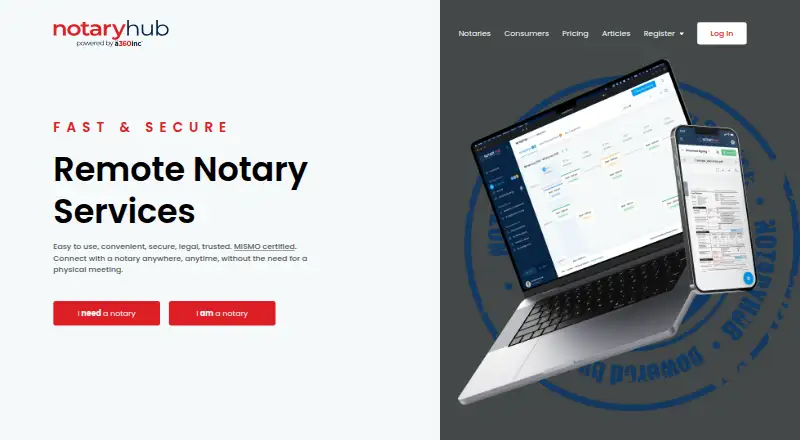
Notary Hub is a web platform for remote online notarization, connecting consumers with licensed notaries authorized to notarize remotely. Users upload and schedule documents, review them with a notary through live video and document sharing, then sign and download the completed document. Document preparation, upload, sharing, notarization, and download tools support that workflow. The service uses identity verification, digitally authenticated signatures, and embedded digital fingerprints; Notary Hub says uploaded files are available only to the user and their notary. The maker says its platform is MISMO certified, covering credential analysis, borrower identification, audio and video quality, and secure record storage. Notaries are vetted and listed as available 24/7. Free consumer account signup is available, while notarization costs $21 for the first seal and $15 for each additional seal. Corporate plans start at $19 a month for one notary user, with session packages and extra users costing more. Corporate customers can let staff notarize without constituents being prompted to pay.
Who it suits
It suits consumers who need to notarize documents remotely and companies whose staff perform notarizations for constituents. Availability is limited to the states listed by the maker.
What it does well
- Live video and real-time document sharing
- Identity verification and digitally authenticated signatures
- Notaries listed as available 24/7
- Customer support by chat, email, and toll-free line
What to know first
- Notarization costs $21 for the first seal
- Approved only in the states listed by the maker
- Corporate plans auto-renew and are non-refundable
- Corporate X.509 certificate costs $60–$195
Limits
Consumer signup is free, but notarization costs $21 for the first seal and $15 for each additional seal. The Corporate RON monthly subscription is $19 a month and includes one notary user; session packages and additional users cost extra. Corporate session packages include 20, 50, or 100 sessions monthly, with $4.99 overage per session.
Plans
| Plan | Billed and limits | Price |
|---|---|---|
| Consumer account | Account signup is free; notarization is charged per document; standard price is $21 for the first seal and $15 for each additional seal | Free |
| Additional Corporate Notary user | Monthly per additional Notary · Optional additional user | $10 a month |
| Corporate RON — 100 sessions | Monthly pre-paid RON-arizaton sessions · 100 RON sessions each month; overage $4.99 each | $100 a month |
| Corporate RON — annual base subscription | 1 Year annual base subscription · Includes 1 Notary user; session package and extra users cost extra | $120 a year |
| Corporate RON — monthly subscription | Monthly subscription · Includes 1 Notary user; session package and extra users cost extra | $19 a month |
| Corporate RON — 4-year term subscription | 4 Year term subscription · Includes 1 Notary user; session package and extra users cost extra | $240, paid once |
| RON Pro Yearly | yearly ($27.08/month equivalent) · 1 free RON signing monthly · $5 per signing for up to 3 stamps · $9 per signing for 4+ stamps · storefront · booking, upload and payment collection | $325 a year |
| RON Pro Monthly | monthly · 1 free RON signing monthly · $5 per signing for up to 3 stamps · $9 per signing for 4+ stamps · storefront · booking, upload and payment collection | $35 a month |
The first 8 of 11 plans, as notaryhub.com lists them, read 8 Oct 2026. The maker's own page has the final word. Every plan
Getting started
- Open the Notary Hub website in a web browser, including a mobile browser if preferred.
- Create a free consumer account, or select a Corporate RON subscription for company staff.
- Upload and schedule the document for notarization.
- Review the document with a notary using live video and real-time sharing.
- Sign the document and download the completed file.
Overview
Notary Hub is a web-based remote online notarization service that connects people with licensed notaries for video signings. It fits individuals who need an occasional notarization and organizations whose own staff handle recurring signings. The main trade-off is clear: the workflow is focused and well-protected, but consumer seals and corporate usage add-ons can raise the total cost.
Key features
One workflow covers document preparation, upload, scheduling, real-time document sharing, live video, signing, and downloading the completed file. That concentration is useful when the job is to finish a notarization rather than manage documents generally. Notary Hub says its notaries are vetted, licensed, authorized for remote online notarization, and available 24/7, a practical advantage for urgent or after-hours signings.
Identity verification, digitally authenticated signatures, and embedded digital fingerprints are built into the service. Uploaded files are said to be accessible only to the user and that user's notary. Notary Hub also describes its platform as MISMO certified for credential analysis, borrower identification, audio and video quality, and secure record storage. It partners with SSL.com for X.509 digital-signing certificates that lock completed documents. These controls suit sensitive transactions, although users still need to confirm that remote notarization is allowed for their state and document type.
Corporate RON allows employees to perform notarizations without constituents being asked to pay fees during the process. RON Pro gives notaries control over standard or custom signing prices and lets them retain up to 100% of constituent fees, making it more relevant to independent notaries than to a customer simply seeking a single seal. Support includes live chat, email, a toll-free phone line, video tutorials, FAQs, and best-practice guides.
Pricing
The free Consumer account costs nothing to open, but notarization is pay per document: $21 for the first seal and $15 for each additional seal. It is the straightforward choice for occasional users; repeated multi-seal work can become costly compared with a session package.
Corporate plans separate the base subscription, sessions, and additional users:
| Plan | Price | What it includes |
|---|---|---|
| Corporate RON — monthly subscription | $19 a month | One notary user; session package and extra users cost extra |
| Corporate RON — 20 sessions | $50 a month | 20 prepaid RON sessions monthly; $4.99 per overage session |
| Corporate RON — 50 sessions | $60 a month | 50 prepaid sessions monthly; $4.99 per overage session |
| Corporate RON — 100 sessions | $100 a month | 100 prepaid sessions monthly; $4.99 per overage session |
| Additional Corporate Notary user | $10 a month | Optional additional notary, billed monthly |
| Corporate RON — annual base subscription | $120 a year | One notary user; sessions and extra users cost extra |
| Corporate RON — 4-year term subscription | $240, paid once | One notary user; sessions and extra users cost extra |
Prepaid session counts are aggregated across an account's notary users, which helps teams share capacity but makes per-user allocation less distinct. Corporate subscriptions are non-refundable and auto-renew. A required SSL.com X.509 certificate costs $60–$195, depending on a one-year or four-year term. Corporate plans therefore suit organizations able to commit to recurring volume and renewal terms; smaller teams should compare the per-seal consumer route before adding subscriptions and certificates.
Platforms
Notary Hub runs on the web, including mobile web support. Its published RON approval list covers AK, AZ, FL, IA, ID, IL, KS, KY, MD, MI, MO, ND, NE, NM, NV, NY, OH, OK, OR, PA, TN, TX, UT, VA, WA, and WI. Anyone outside those states, or handling a document with special jurisdiction rules, should verify eligibility before paying.
Who it's for
Choose it for occasional personal notarizations when a live, 24/7 notary and a downloadable completed document matter, or for companies that want employees to notarize without charging constituents at the signing. Independent notaries may value RON Pro's pricing control and fee retention. It is less suitable for users who need broad document-management features or organizations with unpredictable volume that cannot benefit from prepaid sessions.
Pros and cons
- Pros: End-to-end preparation, scheduling, video, signing, and download in one workflow.
- Pros: Identity checks, digital fingerprints, MISMO certification, and restricted file access address important security and record concerns.
- Pros: Vetted notaries are described as available 24/7, with multiple support channels and learning materials.
- Cons: Consumer pricing is per seal, so several seals on one document increase the bill.
- Cons: Corporate pricing stacks subscriptions, session overages, extra users, and a separately priced certificate.
- Cons: Non-refundable, auto-renewing corporate terms require careful volume planning.
Alternatives
For a broader directory of category options, see Legal Notarization Software and Online Notary Software.
- Secured Signing is the better fit if you want Android, iOS, macOS, Windows, API, and web coverage plus a free account capped at three documents monthly.
- NotaryCentral suits users seeking free RON signings, a free e-journal option, and a free trial.
- Online Notary Center is an alternative for $25-per-document business notarization or a one-off individual session.
- BlueNotary is worth considering for unlimited general notary work on its free Basic GNW plan and long-term session-recording storage.
- Notaron offers free general-notary features with BYOC and BYORO options.
- OneNotary is suited to pay-as-you-go users who want online notarizations starting at $25 and seven days of storage.
- Proof Notarize targets growing teams needing API access, custom branding, advanced forms, and signing rules.
- Ronary is another paid option across Android, iOS, and web.
Verdict
Notary Hub is a sensible choice for consumers who want a complete, security-conscious remote signing and for companies that can forecast session volume and need staff-led notarizations. Its strongest reason to choose it is the unified workflow backed by identity controls and round-the-clock notary access. Look elsewhere if you need multi-platform breadth, highly flexible low-volume pricing, or corporate terms without renewal and certificate commitments.
Verdict
Notary Hub brings document preparation, remote notarization, and completed-document downloads into one web workflow. Check state availability and the per-seal or corporate costs before choosing it.
Questions
Is Notary Hub free?
Consumer account signup is free, but notarization is charged per document: $21 for the first seal and $15 for each additional seal. Corporate RON plans have separate subscription and session costs.
What does the Corporate RON subscription cost?
The monthly base subscription is $19 a month and includes one notary user. Session packages and extra users cost extra; listed session packages range from $50.00 to $100 a month.
Which platforms does Notary Hub support?
It is available on the web and supports mobile web access.
Where is the RON platform approved?
The maker lists AK, AZ, FL, IA, ID, IL, KS, KY, MD, MI, MO, ND, NE, NM, NV, NY, OH, OK, OR, PA, TN, TX, UT, VA, WA, and WI.
Who makes Notary Hub?
The site footer identifies it as powered by a360, and its privacy policy identifies A360 Notary Solutions, Inc. as doing business as Notary Hub.
What support does Notary Hub offer?
The maker says support is available through live chat, email, and a toll-free support line. It also offers video tutorials, FAQs, and best-practice guides.
Facts from Notary Hub's own pages
- Availability
- The homepage says its vetted RON notaries are online and available 24/7. · notaryhub.com, 15 Oct 2026
- Certificate cost
- The Corporate RON page says a required X.509 certificate from SSL.com costs $60–$195 depending on the one-year or four-year certificate term. · app.notaryhub.com, 8 Oct 2026
- Certificate partner
- Notary Hub says it partners with SSL.com for X.509 digital document-signing certificates used to lock completed documents. · app.notaryhub.com, 8 Oct 2026
- Certificate requirement
- The onboarding flow requires a state RON endorsement and a digital document-signing certificate. · app.notaryhub.com, 15 Oct 2026
- Cloud deployment
- The vendor describes Notary Hub as a 100% cloud-based platform. · notaryhub.com, 15 Oct 2026
- Company experience claim
- LinkedIn says the platform was developed from more than 30 years of experience in the notary business. · linkedin.com, 15 Oct 2026
- Company identity
- The site footer identifies Notary Hub as powered by a360, and its privacy policy identifies A360 Notary Solutions, Inc. as doing business as Notary Hub. · notaryhub.com, 8 Oct 2026
- Company profile
- LinkedIn lists Notary Hub powered by a360 as a privately held legal-services company headquartered in Seattle, Washington, with 2–10 employees. · linkedin.com, 15 Oct 2026
- Compliance claim
- Notary Hub states that it is MISMO certified for the Remote Online Notarization standard. · notaryhub.com, 15 Oct 2026
- Corporate subscription terms
- Corporate subscription prices are non-refundable, subscriptions auto-renew, and prepaid session counts are aggregated across the account’s notary users. · app.notaryhub.com, 8 Oct 2026
- Corporate use
- The Corporate RON subscription supports company staff performing notarizations without constituents being prompted to pay fees. · notaryhub.com, 8 Oct 2026
- Corp RON management
- Corp RON provides a centralized control panel, shared prepaid-session pool and Team Signings dashboard. · notaryhub.com, 15 Oct 2026
- Corp RON seats
- Corp RON includes one notary seat and lists each additional notary at $23 per month. · notaryhub.com, 15 Oct 2026
- Custom pricing
- Self RON subscribers can create custom price levels and choose whether clients pay through Notary Hub or off platform. · docs.notaryhub.com, 15 Oct 2026
- Digital signatures
- Notary Hub applies digitally authenticated signatures and digitally embedded fingerprints to notarized documents. · notaryhub.com, 15 Oct 2026
- Documentation
- The Knowledge Center advertises quick-start guides, complete user guides, compliance guidance, troubleshooting, FAQs and mobile/desktop instructions. · docs.notaryhub.com, 15 Oct 2026
- Document preparation
- Built-in document-preparation tools let users prepare documents before a signing. · notaryhub.com, 15 Oct 2026
- Document tools
- The platform includes document preparation tools and supports document upload, sharing, notarization, and download. · notaryhub.com, 8 Oct 2026
- Identity and document security
- The service uses identity verification, digitally authenticated signatures, and embedded digital fingerprints; the site says uploaded files are available only to the user and their notary. · notaryhub.com, 8 Oct 2026
- Identity verification
- The platform uses identity verification technology and knowledge-based authentication before signing sessions. · notaryhub.com, 15 Oct 2026
- Install model
- Notary Hub can be installed as a progressive web app from app.notaryhub.com using Chrome, Edge or Safari on supported devices. · nh-public-landing-dev.notaryhub.com, 15 Oct 2026
- Known-to-me mode
- A notary can mark a personally known participant to bypass the standard automated identity-authentication step. · docs.notaryhub.com, 15 Oct 2026
- Leadership fact
- NALA identifies Terry Robinson as Notary Hub by Everything Legal's CEO and says he has more than 30 years of industry experience. · nala.org, 15 Oct 2026
- Limit: notifications
- The same Reddit report cites incorrect template instructions, duplicate data entry during booking and cancellation emails that sent clients to a general notary search instead of the original notary. · reddit.com, 15 Oct 2026
Where Notary Hub stands on Freedom251
- Legal Notarization Software#3 of 23
- Online Notary Software#4 of 22