Freedom251 › Container Build Tools
Nixpacks
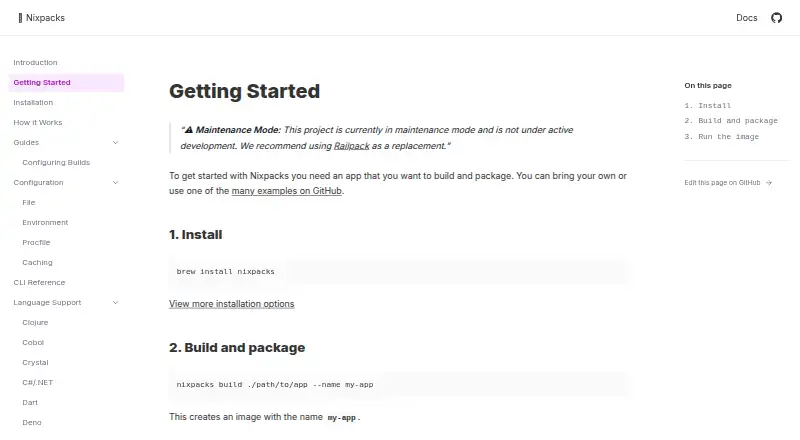
What Nixpacks is
Nixpacks takes an application source directory and produces an OCI-compliant image for deployment. It analyzes the directory, matches language providers, suggests Nix packages and install, build, and start commands, then builds with Docker BuildKit. Providers include Clojure, .NET, Deno, Elixir, Go, Java, Node, PHP, Python, Ruby, Rust, Swift, and Zig. Users can override suggestions, add Nix or Apt packages, change commands, and configure builds with TOML, JSON, environment variables, or CLI flags. Install and build directories are cached by default, with controls for cache keys or disabling caching. Plans can be saved and reused. Nixpacks is open source, available as a Railway builder and GitHub Action, and runs on Linux, macOS, Windows, and self-hosted setups. Docker is required to build and run images. The project is in maintenance mode and recommends Railpack.
Who it suits
It suits developers who want provider-based container builds from source directories and control over packages, commands, and caching. Teams using Railway or GitHub Actions can use its listed integrations.
What it does well
- Open-source and free
- Detects multiple programming languages
- Supports customizable packages and commands
- Offers reusable build plans
- Available on major desktop platforms
What to know first
- Project is in maintenance mode
- Docker is required
- One build cannot produce multiple architectures
- Railpack is the recommended replacement
Limits
Nixpacks cannot build multiple architectures in one build, so each architecture requires a separate build before creating a multi-architecture image. The project is in maintenance mode rather than active development.
Getting started
- Install Nixpacks through Homebrew, MacPorts, Scoop, MSI, Debian packages, shell scripts, or source
- Provide an application source directory
- Install or access Docker for image building and running
- Let the matching provider generate a build plan
- Adjust packages, commands, caching, or configuration as needed
- Build the OCI image with Docker BuildKit
Verdict
Nixpacks provides configurable, provider-driven image builds with Docker and reusable plans. Its maintenance status and single-architecture build limit should shape decisions about new deployments.
Questions
Is Nixpacks free?
Yes. Nixpacks is free and open source.
Which platforms support Nixpacks?
It supports Linux, macOS, Windows, and self-hosted setups.
Does Nixpacks require Docker?
Yes. Docker is required to build and run the output image.
Which languages have providers?
Listed providers include Clojure, .NET, Deno, Elixir, Go, Java, Node, PHP, Python, Ruby, Rust, Swift, and Zig.
Can build commands be customized?
Yes. You can override provider suggestions, add Nix or Apt packages, and change build and start commands.
Can one build target multiple architectures?
No. Nixpacks requires separate builds for each architecture.
Facts from Nixpacks's own pages
- Architecture limit
- Nixpacks does not support building multiple architectures in one build; separate builds are required before creating a multi-architecture image. · nixpacks.com, 4 Oct 2026
- Automatic detection
- Language providers are matched against the app source directory and suggest Nix packages and install, build, and start commands. · nixpacks.com, 4 Oct 2026
- Build limitation
- Nixpacks does not support producing multiple architectures in a single build. · nixpacks.com, 9 Oct 2026
- Build process
- It generates a reproducible build plan from detected language providers and uses Docker BuildKit to create an OCI image. · nixpacks.com, 9 Oct 2026
- Caching
- Providers cache directories during install and build phases by default, and users can change the cache key or disable caching. · nixpacks.com, 4 Oct 2026
- Configuration
- Builds can be customized with Nixpacks TOML or JSON configuration files, environment variables, or CLI flags. · nixpacks.com, 9 Oct 2026
- Customization
- Users can override provider suggestions, add Nix or Apt packages, and customize build and start commands. · nixpacks.com, 4 Oct 2026
- Distribution
- Install options include Homebrew and MacPorts for macOS, Scoop and MSI packages for Windows, Debian packages, shell scripts, and building from source. · nixpacks.com, 9 Oct 2026
- GitHub Actions
- The documentation includes a GitHub Actions deployment guide for Nixpacks. · nixpacks.com, 9 Oct 2026
- Installation platforms
- Installation options include macOS through Homebrew or MacPorts, Windows through Scoop or MSI releases, and Debian or Ubuntu through .deb releases. · nixpacks.com, 4 Oct 2026
- Integrations
- Nixpacks is available as a builder on Railway and Coolify. · nixpacks.com, 9 Oct 2026
- Language support
- The documentation lists providers for languages including Python, Node, Go, Java, Ruby, Rust, and Swift. · nixpacks.com, 9 Oct 2026
- Maintenance status
- Nixpacks is in maintenance mode and is not under active development; its documentation recommends Railpack as a replacement. · nixpacks.com, 9 Oct 2026
- Open source
- The project describes itself as open source on GitHub and says it was started by Railway. · nixpacks.com, 9 Oct 2026
- Packages and commands
- Users can add Nix or Apt packages and override build and start commands. · nixpacks.com, 9 Oct 2026
- Purpose
- Nixpacks analyzes an application source directory and produces an OCI-compliant image that can be deployed anywhere. · nixpacks.com, 9 Oct 2026
- Python support
- The Python provider detects files such as main.py, requirements.txt, pyproject.toml, and Pipfile, and supports multiple package managers including pip, Poetry, PDM, and uv. · nixpacks.com, 9 Oct 2026
- Reproducible plans
- A build plan can be saved and reused later to build the image with the same configuration. · nixpacks.com, 4 Oct 2026
- Runtime requirement
- Building and running the output image uses Docker, and the documentation describes image creation with docker build. · nixpacks.com, 4 Oct 2026
Where Nixpacks stands on Freedom251
- Container Build Tools#22 of 34