Freedom251 › Board Management Software

Nasdaq Boardvantage
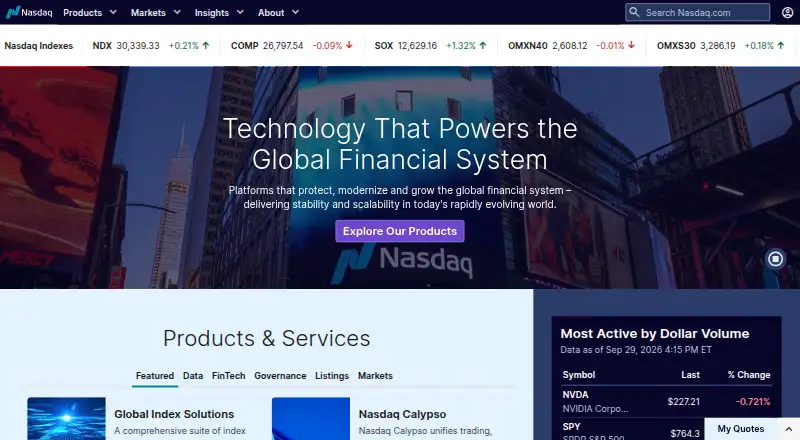
What Nasdaq Boardvantage is
Nasdaq Boardvantage is a board portal for directors, executives, and governance teams, including corporate secretaries and administrators. It brings meeting creation, distribution, and board materials into one system, with paperless workflows before, during, and after meetings. AI summarization tools are available for board materials. A dashboard provides meeting materials, calendars, and updates, while native tools support approvals and voting. Nasdaq lists Google Drive, Microsoft Outlook, DocuSign, Zoom, and Microsoft Teams among its integrations. Security controls include permissions, multifactor authentication, single sign-on, and remote purge of materials and notes. Nasdaq says Boardvantage is SOC 2 Type II audited and ISO 27001 certified, with independently audited processes. The Android app supports online and offline document review, collaboration, approvals, e-signatures, surveys, and secure email. The listed iOS app says it is no longer supported after March 31, 2026, and directs users to Nasdaq Boardvantage Go. Nasdaq advertises 24/7 support and a free self-guided product tour. Pricing is available on request; no free software plan or trial is stated.
Who it suits
Boardvantage is designed for directors, executives, and governance teams, including corporate secretaries and administrators. It suits organizations that need board meeting materials and workflows on web or Android; the listed iOS app is no longer supported after March 31, 2026.
What it does well
- Paperless workflows span before, during, and after meetings.
- Dashboard includes meeting materials, calendars, and updates.
- Native tools support approvals and voting.
- Android supports offline document review.
- Nasdaq advertises 24/7 support.
What to know first
- Pricing is available on request.
- The listed iOS app is no longer supported after March 31, 2026.
- No free software plan or trial is stated.
Limits
The listed plan is paid, with pricing available on request. Nasdaq offers a free self-guided tour, but no free software plan or trial is stated.
Plans
| Plan | Billed and limits | Price |
|---|---|---|
| Nasdaq Boardvantage | Transparent all-inclusive pricing · no hidden fees or upcharges · scalable across entities, subsidiaries, committees, and teams | On request |
As nasdaq.com lists them, read 4 Oct 2026. The maker's own page has the final word.
Getting started
- Visit the Nasdaq Boardvantage website.
- Request pricing for the paid service.
- Take Nasdaq's free self-guided product tour.
- Access the service on the web or Android.
- For iOS, use the Nasdaq Boardvantage Go app directed to by the listed app.
Verdict
Boardvantage brings meeting materials, approvals, voting, and governance workflows into a board portal. Check the iOS app status before choosing it, and request pricing from Nasdaq.
Questions
How much does Nasdaq Boardvantage cost?
Pricing is available on request. Nasdaq describes its plan as all-inclusive, with no hidden fees or upcharges, and scalable across entities, subsidiaries, committees, and teams.
Is there a free plan or trial?
No software free plan or trial is stated. Nasdaq offers a free self-guided product tour.
Which platforms are supported?
The service is listed for Android, iOS, and web. The listed iOS app is no longer supported after March 31, 2026, and directs users to Nasdaq Boardvantage Go.
What does the Android app support?
It supports online and offline document review, collaboration, approvals, e-signatures, surveys, and secure email.
Which services does it integrate with?
Nasdaq lists Google Drive, Microsoft Outlook, DocuSign, Zoom, and Microsoft Teams.
What security credentials and controls are listed?
Nasdaq says Boardvantage is SOC 2 Type II audited and ISO 27001 certified, with independently audited processes. Controls include permissions, multifactor authentication, single sign-on, and remote purge of materials and notes.
Facts from Nasdaq Boardvantage's own pages
- Collaboration
- The dashboard provides access to meeting materials, calendars, and updates, while native tools support approvals and voting. · nasdaq.com, 4 Oct 2026
- Free tour
- Nasdaq offers a free self-guided product tour; the page does not state that the software itself has a free plan or free trial. · nasdaq.com, 4 Oct 2026
- Integrations
- Nasdaq lists Google Drive, Microsoft Outlook, DocuSign, Zoom, and Microsoft Teams among its integrations. · nasdaq.com, 4 Oct 2026
- Intended users
- Nasdaq describes the product as designed for directors, executives, and governance teams, including corporate secretaries and administrators. · nasdaq.com, 4 Oct 2026
- iOS app status
- The listed Nasdaq Boardvantage iOS app says it is no longer supported after March 31, 2026, and directs users to the Nasdaq Boardvantage Go app. · apps.apple.com, 4 Oct 2026
- Meetings
- It supports paperless workflows before, during, and after meetings, with AI summarization tools for board materials. · nasdaq.com, 4 Oct 2026
- Mobile access
- The Android app supports online and offline document review, collaboration, approvals, e-signatures, surveys, and secure email. · play.google.com, 4 Oct 2026
- Product
- Nasdaq Boardvantage is a board portal that brings meeting creation, distribution, and board materials into one system for directors, executives, and governance teams. · nasdaq.com, 4 Oct 2026
- Security certifications
- Nasdaq says Boardvantage is SOC 2 Type II audited and ISO 27001 certified, and that its processes are independently audited. · nasdaq.com, 4 Oct 2026
- Security controls
- The platform offers permission controls, multifactor authentication, single sign-on, and remote purge of materials and notes. · nasdaq.com, 4 Oct 2026
- Support
- Nasdaq advertises 24/7 Boardvantage support and provides a support email and regional phone contacts. · nasdaq.com, 4 Oct 2026
Where Nasdaq Boardvantage stands on Freedom251
- Board Management Software#23 of 30
- Board Portal Software#26 of 32
- Agenda Tools#18 of 20
- Meeting Management Software#34 of 36