Mindwtr
What Mindwtr is
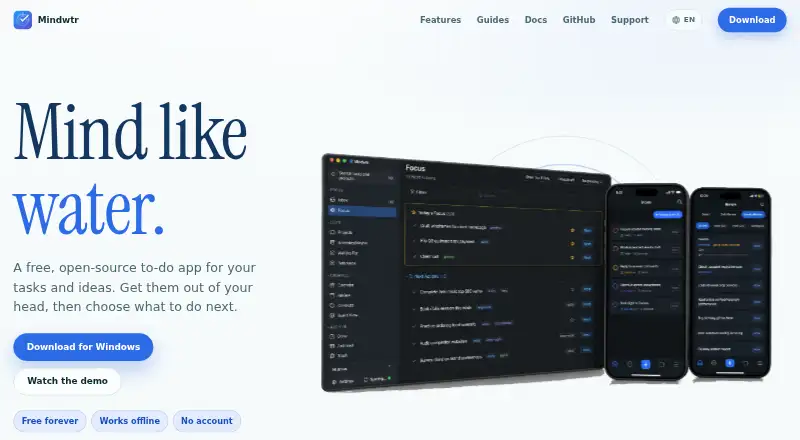
Mindwtr is a free, open-source to-do app for managing personal tasks with the Getting Things Done (GTD) workflow. It takes work from capture into guided inbox processing and project organization, then supports daily and weekly reviews and next actions filtered by context. Its Focus view combines a time-based agenda with next actions; projects, a calendar and a Kanban-style board offer other ways to plan. The app also includes global search, audio capture, reusable lists, attachments, Markdown notes and recurring tasks, with an optional Pomodoro timer. It can import tasks from Todoist, TickTick, DGT GTD and OmniFocus, and use external calendars and ICS feeds.
Tasks and other app data are stored locally. For optional sync, users choose a service such as iCloud, Dropbox, WebDAV, files or a self-hosted server. Mindwtr says the developer cannot access data synced directly between a device and its chosen storage provider. Optional AI is off by default and sends requests directly from the device to a selected provider or local model. Mindwtr runs on the web, Windows, macOS, Linux, iOS and Android; offline access is available on web and mobile. The maker describes it as a one-person app, without shared workspaces, task assignments or team discussion.
Who it suits
Mindwtr suits an individual who wants to manage tasks through GTD steps, reviews and context-based next actions. It also fits someone who wants local data storage and control over whether and where to sync.
What it does well
- Free, open-source app with offline access on web and mobile.
- Supports capture, guided processing, projects and daily or weekly reviews.
- Imports tasks from Todoist, TickTick, DGT GTD and OmniFocus.
- Stores data locally and offers optional sync through user-chosen services.
- Optional AI is off by default and can use a local model.
What to know first
- Designed for one person, not shared team workspaces or assignments.
- Optional sync requires choosing and using a storage service.
Limits
The free plan costs nothing and is free forever and works offline. The app is intended for one person and does not provide shared workspaces, task assignments or team discussion.
Plans
| Plan | Billed and limits | Price |
|---|---|---|
| Free | Free forever · works offline · no account | Free |
As mindwtr.app lists them, read 11 Oct 2026. The maker's own page has the final word.
Getting started
- Open the web app or use Mindwtr on Windows, macOS, Linux, iOS or Android.
- Start capturing tasks and process them through the guided inbox.
- Organize tasks into projects, then use reviews and context-filtered next actions.
- Choose whether to sync through a supported service or self-hosted server.
Verdict
Pick Mindwtr if you want a free GTD-based task manager for personal use, with local storage and optional sync. Look elsewhere if you need shared workspaces, task assignments or team discussion.
Questions
How much does Mindwtr cost?
The Free plan costs nothing and is free forever.
Does Mindwtr work offline?
Yes. Offline access is available on web and mobile.
Which platforms does Mindwtr support?
It supports web, Windows, macOS, Linux, iOS and Android.
Is Mindwtr open source?
Yes, Mindwtr is open source.
Can I sync my data?
Sync is optional and can use services such as iCloud, Dropbox, WebDAV, files or a self-hosted server.
Is Mindwtr made for teams?
No. It is described as suited to one person, not shared workspaces, assignments or team discussion.
Facts from Mindwtr's own pages
- AI
- Optional AI features use the user’s chosen provider or local model; AI is off by default, and requests go directly from the device to the selected provider. · mindwtr.app, 11 Oct 2026
- Analytics
- Some builds may send a daily anonymous usage heartbeat, and supported builds provide a setting to disable future heartbeat analytics. · mindwtr.app, 11 Oct 2026
- Calendar sync
- Yes · mindwtr.app, 22 Sept 2026
- Data and sync
- Tasks and other app data are stored locally; optional sync can use user-chosen services such as iCloud, Dropbox, WebDAV, files, or a self-hosted server. · docs.mindwtr.app, 11 Oct 2026
- Focus and planning
- Focus combines a time-based agenda with next actions, and the app also offers projects, a calendar, and a Kanban-style board. · mindwtr.app, 11 Oct 2026
- Free plan
- Yes · mindwtr.app, 22 Sept 2026
- Imports and calendars
- Mindwtr can import tasks from Todoist, TickTick, DGT GTD, and OmniFocus, and can use external calendars and ICS feeds. · mindwtr.app, 11 Oct 2026
- Integrations
- Optional integrations include Apple Shortcuts and Siri, Obsidian, a local REST API, an MCP server, email capture, and Jira automation capture. · docs.mindwtr.app, 11 Oct 2026
- Intended user and limit
- Mindwtr describes itself as suited to one person and says it is not designed for shared workspaces, task assignments, or team discussion. · mindwtr.app, 11 Oct 2026
- Offline access
- web_and_mobile · mindwtr.app, 22 Sept 2026
- Other features
- Features include global search, audio capture, an optional Pomodoro timer, reusable lists, attachments, Markdown notes, and recurring tasks. · mindwtr.app, 11 Oct 2026
- Platforms
- The maker lists apps for Windows, macOS, Linux, iOS, and Android; its download page lists TestFlight beta access for iOS and Android beta access through Google Play. · mindwtr.app, 11 Oct 2026
- Privacy
- Mindwtr says the developer does not have access to data synced directly between a device and the user’s chosen storage provider. · mindwtr.app, 11 Oct 2026
- Purpose
- Mindwtr is a free, open-source to-do app built around the Getting Things Done (GTD) workflow. · docs.mindwtr.app, 11 Oct 2026
- Recurring tasks
- Yes · mindwtr.app, 22 Sept 2026
- Support
- Users can report bugs or request features through GitHub, send in-app feedback, or contact support by email; Discord is available for community discussion. · mindwtr.app, 11 Oct 2026
- Supported platforms
- web,windows,macOS,Linux,iOS,Android · mindwtr.app, 22 Sept 2026
- Task reminders
- Yes · mindwtr.app, 22 Sept 2026
- Web and self-hosting
- The maker documents browser access as a PWA and Docker deployment for the PWA and self-hosted sync server. · mindwtr.app, 11 Oct 2026
- Workflow
- It supports capturing tasks, guided inbox processing, project organization, daily and weekly reviews, and context-filtered next actions. · mindwtr.app, 11 Oct 2026
Where Mindwtr stands on Freedom251
- To-do list apps#18 of 150