Freedom251 › Mind mapping tools

MindMapVault
What MindMapVault is
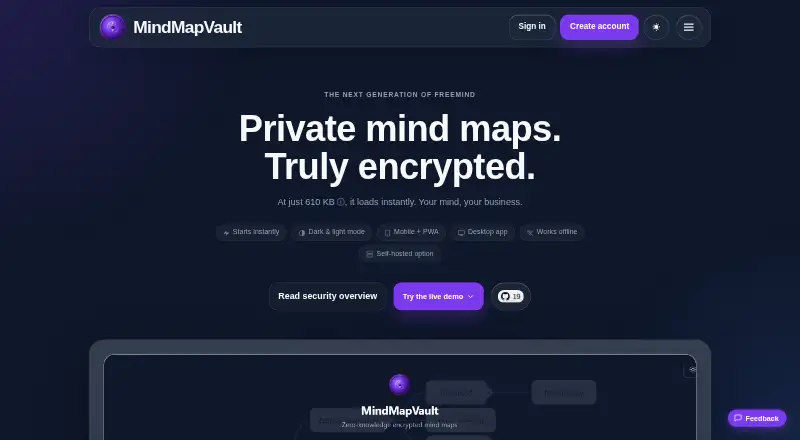
MindMapVault is an encrypted vault for creating, editing, and storing mind maps, notes, attachments, and relationships between maps. For cloud use, content is encrypted on the device with AES-256-GCM before upload; the server stores ciphertext. Its hybrid key encapsulation combines X25519 and ML-KEM-768. Cloud Free includes 25 MB of encrypted storage, three active shares, five published maps, and a 5 MB largest-file limit. Cloud Pro costs $50 per year and offers 1 GB of encrypted storage, 100 active shares, effectively unlimited published maps, and a 50 MB largest-file limit. Free desktop-local and self-hosted options are also available. The desktop app works offline without an account or server and keeps data on the device; the self-hosted server is deployed with Docker and has no team management or enterprise controls. The web app can be installed as a PWA on iPhone and Android, with offline use supported through service-worker caching. Import formats include FreeMind, Freeplane, WiseMapping, XMind, and Markdown; exports include JSON, Markdown, FreeMind, PNG, and PDF. There is no real-time collaboration, and existing encrypted vault content cannot be recovered if credentials are lost.
Who it suits
MindMapVault suits people who want encrypted mind maps across cloud, desktop, or self-hosted setups. It may fit solo users or organizations using the on-premise offering’s SSO and automation integrations.
What it does well
- Encrypts map content on-device before cloud upload
- Supports offline desktop use without an account or server
- Imports from FreeMind, Freeplane, WiseMapping, XMind, and Markdown
- Exports to JSON, Markdown, FreeMind, PNG, and PDF
- Free desktop-local and self-hosted options
What to know first
- No password recovery for existing encrypted vault contents
- No real-time collaboration
- Self-hosted server has no team management or enterprise controls
- Cloud Free limits storage to 25 MB
Limits
Cloud Free allows 25 MB of encrypted storage, three active shares, five published maps, and a largest single file of 5 MB. Cloud Pro allows 1 GB, 100 active shares, effectively unlimited published maps, and files up to 50 MB. The self-hosted server edition has no team management or enterprise controls.
Plans
| Plan | Billed and limits | Price |
|---|---|---|
| Cloud Pro | $50 / year · 1 GB encrypted storage · 100 active shares · effectively unlimited published maps · largest file 50 MB | $50 a year |
| Desktop Local + Self-Hosted | Free · Windows and Linux desktop builds · self-hosted Docker deployment | Free |
| On-Premise Installation | Contact us · Private Docker or Kubernetes deployment · SAML/OIDC SSO · REST API and webhooks · rollout support and production SLAs | On request |
| Cloud Free | $0 / year · 25 MB encrypted storage · 3 active shares · 5 published maps · largest file 5 MB | On request |
As mindmapvault.com lists them, read 4 Oct 2026. The maker's own page has the final word.
Getting started
- Open the MindMapVault website for cloud access.
- Choose Cloud Free or Cloud Pro for cloud use.
- Install the web app as a PWA on iPhone or Android if you want mobile access.
- Use the free desktop-local option for offline-only storage without an account or server.
- Deploy the self-hosted server with Docker, PostgreSQL, and S3-compatible storage if you want to host it yourself.
MindMapVault is a mind-mapping app for keeping maps, notes and related files in cloud storage, on a desktop or on a self-managed server. It is best suited to people who prioritize data control over live teamwork and can safeguard their credentials. Its strongest case is the choice of encrypted and offline deployments; its sharpest limitation is that lost credentials can mean lost vault contents.
Overview
Maps can contain notes, attachments and relationships, making MindMapVault useful for organizing connected material rather than just drawing diagrams. Cloud, local desktop and self-hosted options serve different needs, but they are not interchangeable: the desktop app is offline-only, and the self-hosted server lacks team management and enterprise controls.
There is no real-time collaboration, so teams that need to edit maps together as changes happen should look elsewhere. Solo planning and private knowledge work are a more natural fit.
Key features
Cloud map content is encrypted on the device with AES-256-GCM before upload, while the server stores ciphertext. The security overview also describes hybrid key encapsulation combining X25519 and ML-KEM-768. These measures suit users who want encrypted cloud storage, but there is no password recovery for existing encrypted vaults: losing the credentials makes their contents inaccessible. This demands careful credential management.
Self-hosted imports include FreeMind, Freeplane, WiseMapping, XMind and Markdown; exports include FreeMind, Freeplane, WiseMapping and XMind. The Docker deployment uses PostgreSQL and S3-compatible storage, which gives technically equipped users a route to run the server themselves. Its lack of team management and enterprise controls makes it a poor substitute for the separate on-premise offering when organizational administration matters.
The FOSS desktop app runs offline without an account or server and keeps data on the user's device. The web app can be installed as a PWA on iPhone and Android, with offline use supported through service-worker caching. AI assistance is supported, though no further capabilities are described.
Pricing
| Plan | Price | What it includes |
|---|---|---|
| Cloud Free | free | 25 MB encrypted storage, 3 active shares, 5 published maps and a 5 MB largest-file limit |
| Cloud Pro | $50 a year | 1 GB encrypted storage, 100 active shares, effectively unlimited published maps and a 50 MB largest-file limit |
| Desktop Local + Self-Hosted | free | Windows and Linux desktop builds and self-hosted Docker deployment |
| On-Premise Installation | Custom pricing | Docker or Kubernetes deployment, SAML/OIDC SSO, REST API, webhooks and deployment support |
Cloud Free is suitable for a small personal vault, but its 25 MB storage cap, three shares and five published maps constrain larger collections and sharing. Cloud Pro raises those ceilings substantially for $50 a year; its 1 GB quota and 50 MB file limit still matter if maps carry many large attachments. The free desktop and self-hosted route avoids a stated subscription price, but requires choosing between a device-bound offline app and operating a server. On-premise is the option for organizations needing SSO, automation interfaces and deployment support, at custom pricing.
Platforms
MindMapVault supports web, Windows, macOS, Linux, iOS and Android, as well as self-hosting. The FOSS desktop app is specifically described for Windows and Linux. Mobile users can install the web app as a PWA on iPhone or Android and use it offline through caching.
Who it's for
Choose MindMapVault if encrypted map storage, local offline use or running your own server matters more than live co-editing. The free cloud tier gives individuals a way to start with modest storage and sharing limits; the desktop route suits users who want maps kept on their own device. Organizations needing SSO and deployment support should consider on-premise, while those needing team controls from a self-hosted server should not assume this edition provides them.
MindMapVault is maintained by solo developer Kornel. Non-urgent replies may take a few days, and there is no general support team or ticketing system. That is a relevant constraint for users who depend on a staffed support channel; the on-premise offer separately includes priority support and SLAs for production incidents.
Pros and cons
Pros
- Device-side AES-256-GCM encryption and ciphertext storage suit users seeking encrypted cloud maps.
- Cloud, local offline and self-hosted paths let users choose where maps are stored.
- Import support covers Markdown and four named mind-mapping formats, with exports to four formats.
- The on-premise offer includes SSO, REST API, webhooks, deployment guidance, priority support and incident SLAs.
Cons
- No password recovery means lost credentials can make existing encrypted vault contents inaccessible.
- No real-time collaboration makes it unsuitable for groups that need simultaneous map editing.
- The self-hosted server has no team management or enterprise controls.
- General support is from a solo maintainer, with non-urgent replies potentially taking a few days and no ticketing system.
- The free cloud tier's 25 MB storage, 5 MB file cap, 3 active shares and 5 published maps are restrictive for growing projects.
Alternatives
For a broader comparison, browse Mind Mapping Software.
Consider EdrawMind if you want a freemium option with a free trial across Android, iOS, Linux, macOS, web and Windows; its free plan has 100 MB storage and 100 topics. GoMind is another freemium choice, with a free tier described as including core mind mapping, rich notes and layouts, and import and export workflows. Mindomo may suit readers looking for a freemium app with a free trial across mobile, desktop and web platforms.
Thortspace is worth considering if a free license centered on public spheres suits your work. Xmind offers a free tier for exploring classic and essential mind-mapping features, with 10 online maps and a 3-day version. Comapping is an option for readers considering a 1-user online personal edition at $25 a year or a desktop license.
ideaBraid may fit readers who want a free reader for opening, zooming and searching maps, pitch mode, and export to PNG, PDF, Markdown, OPML, ICS and CSV. Mapify is another freemium option with a free trial and a free tier that includes AI credits and document-to-map and YouTube-to-map allowances.
Verdict
MindMapVault is a strong choice for individuals who want encrypted maps and a genuine choice between cloud, offline desktop and self-hosted storage. Its device-side encryption and deployment flexibility are the reasons to choose it. Look elsewhere if simultaneous collaboration, recoverable passwords, self-hosted team administration or a staffed general support channel is essential.
Verdict
MindMapVault provides encrypted map storage with cloud, local desktop, and self-hosted options. Before relying on an encrypted vault, users should account for the lack of password recovery and real-time collaboration.
Questions
Is MindMapVault free?
Yes. Cloud Free costs $0 and has the listed storage, sharing, published-map, and file-size limits. Desktop Local + Self-Hosted is also listed as free.
How much does Cloud Pro cost?
Cloud Pro costs $50 per year. It includes 1 GB encrypted storage, 100 active shares, effectively unlimited published maps, and a 50 MB largest file.
Which platforms can I use?
Listed platforms include web, Windows, macOS, Linux, iOS, Android, and self-hosted. The desktop-local app is described as offline-only, and the web app can be installed as a PWA on iPhone and Android.
Can I import or export maps?
The self-hosted page lists imports from FreeMind, Freeplane, WiseMapping, XMind, and Markdown, and exports to FreeMind, Freeplane, WiseMapping, and XMind. Listed export formats also include JSON, Markdown, PNG, and PDF.
Does MindMapVault support real-time collaboration?
No. Real-time collaboration is listed as unavailable.
Can I recover a vault if I lose my credentials?
No. The maker says there is no password recovery for existing encrypted vault contents, so losing credentials makes that content inaccessible.
Facts from MindMapVault's own pages
- AI assistance
- Yes · mindmapvault.com, 20 Sept 2026
- Encryption
- The security overview says map content is encrypted on the device with AES-256-GCM before upload, and the server stores ciphertext. · mindmapvault.com, 4 Oct 2026
- Enterprise support
- The on-premise pricing page lists deployment guidance, rollout support, priority support, and SLAs for production incidents. · mindmapvault.com, 4 Oct 2026
- Export formats
- JSON,Markdown,FreeMind (.mm),PNG,PDF · mindmapvault.com, 20 Sept 2026
- Free plan
- Yes · mindmapvault.com, 20 Sept 2026
- Import and export
- The self-hosted page lists imports from FreeMind, Freeplane, WiseMapping, XMind, and Markdown, and exports to FreeMind, Freeplane, WiseMapping, and XMind. · mindmapvault.com, 4 Oct 2026
- Integrations
- The on-premise offering lists SSO integration through SAML or OIDC, plus a REST API and webhooks for automation. · mindmapvault.com, 4 Oct 2026
- Mapping features
- The product supports mind maps, notes, attachments, and map relationships. · mindmapvault.com, 4 Oct 2026
- Mobile access
- The maker says the web app can be installed as a PWA on iPhone and Android and supports offline use through service-worker caching. · mindmapvault.com, 4 Oct 2026
- Offline mode
- Yes · mindmapvault.com, 20 Sept 2026
- Offline use
- The FOSS desktop app is described as offline-only, requiring no account or server and keeping data on the user's device. · mindmapvault.com, 4 Oct 2026
- Password recovery
- The maker says there is no password recovery for existing encrypted vault contents, so losing the credentials makes that content inaccessible. · mindmapvault.com, 4 Oct 2026
- Supported platforms
- web,windows,macos,linux,ios,android,self_hosted · mindmapvault.com, 20 Sept 2026
- Post-quantum cryptography
- The security overview says its hybrid key encapsulation combines X25519 and ML-KEM-768. · mindmapvault.com, 4 Oct 2026
- Product
- MindMapVault is an end-to-end encrypted mind-mapping vault for creating, editing, and storing mind maps. · mindmapvault.com, 4 Oct 2026
- Real-time collaboration
- No · mindmapvault.com, 20 Sept 2026
- Self-hosted limits
- The self-hosted server page says the server edition has no team management or enterprise controls. · mindmapvault.com, 4 Oct 2026
- Self-hosted requirements
- The self-hosted server uses PostgreSQL and S3-compatible storage and is offered as a Docker deployment. · mindmapvault.com, 4 Oct 2026
- Support
- The contact page says MindMapVault is maintained by solo developer Kornel, non-urgent replies may take a few days, and there is no general support team or ticketing system. · mindmapvault.com, 4 Oct 2026
Where MindMapVault stands on Freedom251
- Mind mapping tools#15 of 72
- Mind Mapping Software#22 of 72