Freedom251 › Mind Mapping Software
Freeplane
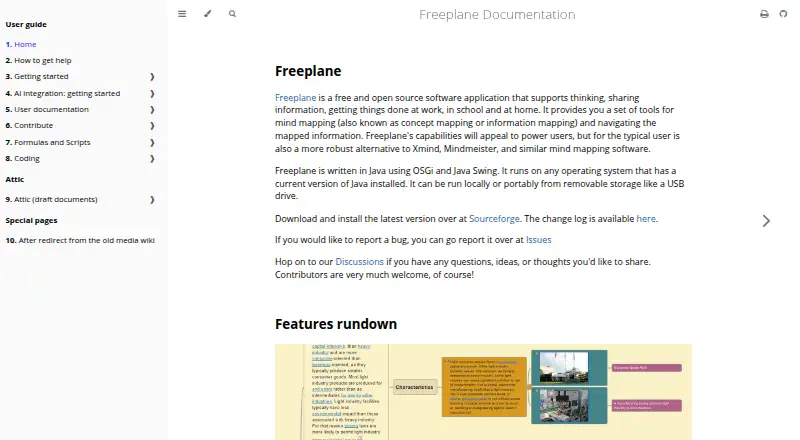
What Freeplane is
Freeplane is a free, open-source application for creating mind maps and navigating information arranged in maps. It is intended for work, school, and home, and runs on Windows, macOS, and Linux when a compatible Java runtime is available. It works offline, can run locally, and can also be carried on removable storage such as a USB drive. A presentation mode is available, and the application includes AI assistance in recent versions.
Maps can be exported to formats including Markdown, Asciidoc, PDF, HTML, SVG, PNG, JPEG, OPML, and LaTeX, as well as office and project formats. Add-ons can extend or customize the software, although add-ons are not necessarily supplied by Freeplane’s core developers. AI setup documentation covers OpenRouter, Gemini, and Ollama. AI integration begins with version 1.13.1, while several newer AI features require version 1.13.3 or later. Depending on the provider and configuration, map content sent to AI may leave the machine; permissions for AI tools can be configured. The non-commercial project offers community discussions for usage and feature questions, plus separate places to report bugs and request features.
Who it suits
Freeplane suits people who want a desktop mind-mapping tool for work, school, or home, especially those who need offline use, presentation mode, or varied export formats. The project describes it as appealing to power users and as a robust alternative for typical mind-mapping users.
What it does well
- Free and open source, with offline use.
- Runs on Windows, macOS, and Linux with compatible Java.
- Exports to formats including Markdown, PDF, HTML, and SVG.
- Can run portably from removable storage.
- Provides presentation mode and AI assistance.
What to know first
- Real-time collaboration is not available.
- Bundled macOS distributions require macOS 14 or later.
- Linux distributions require Java 11 to 21.
- Some AI features require versions 1.13.3 or later.
Plans
| Plan | Billed and limits | Price |
|---|---|---|
| Freeplane | Free and open source application · runs on operating systems with a compatible Java runtime | Free |
As freeplane.org lists them, read 9 Oct 2026. The maker's own page has the final word.
Getting started
- Visit https://freeplane.org/.
- Choose a Windows, macOS, or Linux distribution suited to your system.
- Check the Java requirement for your platform; macOS bundles use Java 21, while Linux distributions require Java 11 to 21.
- Install the application or use a portable distribution where available.
- For AI assistance, use a supported recent version and configure OpenRouter, Gemini, or Ollama if desired.
Verdict
Choose Freeplane if you want an open-source mind-mapping application that works offline and exports to many formats. Look elsewhere if real-time collaboration is essential, or consider the platform and Java requirements before installing.
Questions
Is Freeplane free and open source?
Yes. It is a free and open-source application; its listed plan is free.
Which platforms does it support?
It supports Windows, macOS, and Linux when a compatible Java runtime is available. Bundled macOS distributions require macOS 14 or later, and Linux distributions require Java 11 to 21.
Can Freeplane work offline?
Yes. Offline mode is supported, and the application can run locally or portably from removable storage.
Does it support real-time collaboration?
No. Real-time collaboration is not available.
What formats can it export?
Its listed formats include Markdown, Asciidoc, PDF, OPML, LaTeX, JPEG, PNG, SVG, XML, HTML, and office and project formats.
How does its AI assistance work?
AI integration is available starting with version 1.13.1, and several newer AI features require version 1.13.3 or later. Setup documentation describes OpenRouter, Gemini, and Ollama; map content sent to AI may leave the machine depending on the provider and setup.
Facts from Freeplane's own pages
- Add-ons
- Add-ons extend or customize Freeplane and can provide functions or bundles of functions bound to menu items. · docs.freeplane.org, 9 Oct 2026
- AI assistance
- Yes · docs.freeplane.org, 20 Sept 2026
- AI data and controls
- The documentation says map content sent to AI may leave the machine depending on provider and setup, and AI tool permissions can be configured. · docs.freeplane.org, 9 Oct 2026
- AI integration
- AI integration is available starting with Freeplane 1.13.1, while several newer AI features require version 1.13.3 or later. · docs.freeplane.org, 9 Oct 2026
- AI providers
- The AI setup documentation describes configuring OpenRouter, Gemini, or Ollama as providers. · docs.freeplane.org, 9 Oct 2026
- Audience
- The project describes its capabilities as appealing to power users and says it is also a robust alternative for typical users of mind mapping software. · docs.freeplane.org, 9 Oct 2026
- Export formats
- Asciidoc,MediaWiki,Markdown,XBEL,Twiki,PDF,OPML,LaTeX,JPEG,PNG,SVG,XML,XHTML,HTML,Microsoft Excel 2003,Word 2003,Project 2003,OpenOffice,TaskJuggler,Freeplane 1.1 · docs.freeplane.org, 20 Sept 2026
- Free plan
- Yes · docs.freeplane.org, 20 Sept 2026
- Linux
- Linux distributions include a Debian installer and a ZIP archive, both requiring Java 11 to 21. · docs.freeplane.org, 9 Oct 2026
- macOS
- Bundled macOS distributions use Java 21 and require macOS 14 or later. · docs.freeplane.org, 9 Oct 2026
- Offline mode
- Yes · docs.freeplane.org, 20 Sept 2026
- Supported platforms
- windows,macos,linux · docs.freeplane.org, 20 Sept 2026
- Portability
- Freeplane can run locally or portably from removable storage such as a USB drive. · docs.freeplane.org, 9 Oct 2026
- Presentation mode
- Yes · docs.freeplane.org, 20 Sept 2026
- Purpose
- Freeplane is a free and open source application for mind mapping and navigating mapped information, aimed at use at work, school, and home. · docs.freeplane.org, 9 Oct 2026
- Real-time collaboration
- No · docs.freeplane.org, 20 Sept 2026
- Support
- Freeplane is a non-commercial project that provides community discussions for feature and usage questions and separate places to report bugs and request features. · docs.freeplane.org, 9 Oct 2026
- Technology
- Freeplane is written in Java using OSGi and Java Swing. · docs.freeplane.org, 9 Oct 2026
- Third-party add-ons
- The documentation notes that add-ons are not necessarily provided by Freeplane core developers. · docs.freeplane.org, 9 Oct 2026
- Windows
- Windows downloads include installers with or without embedded Java and a portable distribution. · docs.freeplane.org, 9 Oct 2026
Where Freeplane stands on Freedom251
- Mind Mapping Software#12 of 72
- Mind mapping tools#12 of 72
- Mind Map Tool#6 of 27