Freedom251 › Mind Mapping Software

Comapping
What Comapping is
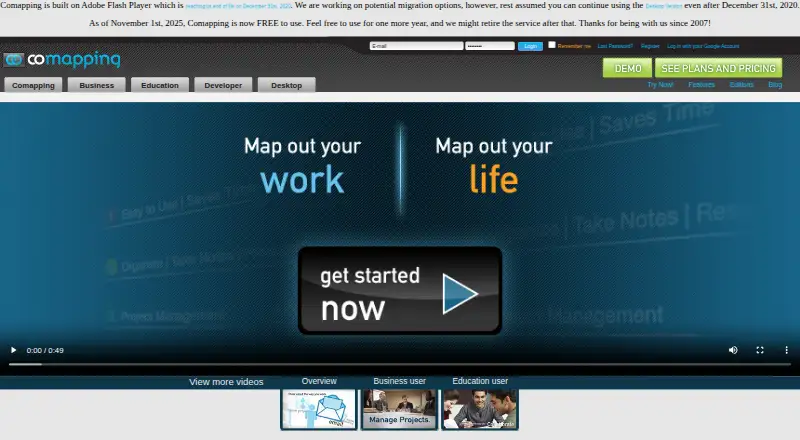
Comapping is mind mapping software for taking notes, organizing information, planning and sharing. Its visual maps connect information blocks, and users can drag topics to rearrange them. Notes can include file attachments of any format. Real-time collaboration supports up to 20 active collaborators on a map, with built-in chat; the software also includes task management with on-demand status emails and online presentations. The desktop app works offline and is available for Windows and Mac, alongside web, Linux and macOS platforms. The API reference describes importing Comapping, MindManager, FreeMind and OPML files, and exporting maps in formats including HTML, RTF, MPX, CSV and OPML. The FAQ says map changes are saved to the server, with hourly backups kept for two months, and that user information is not shared with third parties. Comapping became free to use on November 1, 2025, but its pricing page says the service might be retired after one year. The site also says the software is built on Adobe Flash Player, which reached end of life on December 31, 2020.
Who it suits
Comapping may suit individuals, project teams, teachers, classrooms, departments and organizations looking to map and share information. Its offline desktop mode may also suit people who need to work without a connection.
What it does well
- Maps support up to 20 active collaborators.
- Notes can include files of any format.
- Desktop app supports offline work.
- Includes task management and online presentations.
- Free to use, with possible retirement caveat.
What to know first
- Service might be retired after one year.
- Built on Adobe Flash Player, which reached end of life.
- Personal Edition — Desktop listed at $49 a month.
Limits
Comapping became free to use on November 1, 2025, and the pricing page says the service might be retired after one year. The personal online edition is listed at $25 a year for 1 user; the desktop edition is listed at $49 a month for a permanent desktop license and 1 user.
Plans
| Plan | Billed and limits | Price |
|---|---|---|
| Personal Edition — Online | billed annually · 1 user | $25 a year |
| Personal Edition — Desktop | Permanent desktop license · 1 user | $49 a month |
| Team/Professor Group Edition — Online, 5 users | 5 users | On request |
| Team/Professor Group Edition — Desktop, 5 users | 5 users | On request |
| Team/Professor Group Edition — Online, 15 users | 15 users | On request |
| Team/Professor Group Edition — Desktop, 15 users | 15 users | On request |
| Team/Professor Group Edition — Online, 25 users | 25 users | On request |
| Team/Professor Group Edition — Desktop, 25 users | 25 users | On request |
The first 8 of 13 plans, as comapping.com lists them, read 20 Sept 2026. The maker's own page has the final word. Every plan
Getting started
- Visit https://www.comapping.com/.
- Choose the free Comapping plan or review the listed personal editions.
- Use Comapping on the web, or use its desktop application on Windows or Mac for offline work.
- Invite collaborators to a map, up to 20 active collaborators per map.
Verdict
Comapping brings mapping, collaboration, tasks and presentations into one tool, with desktop offline use. Its stated possible retirement and Flash basis are important limitations to consider.
Questions
Is Comapping free?
Yes. The Comapping plan is listed as free. The pricing page says it became free to use on November 1, 2025, and the service might be retired after one year.
What platforms does it support?
The listed platforms are web, Windows, macOS and Linux. The desktop application supports offline work on Windows and Mac.
How many people can collaborate on a map?
Up to 20 active collaborators can work on one map in real time. Built-in chat is included.
What does the personal edition cost?
Personal Edition — Online is listed at $25 a year for 1 user. Personal Edition — Desktop is listed at $49 a month for a permanent desktop license and 1 user.
Can Comapping import and export maps?
The API reference describes importing Comapping, MindManager, FreeMind and OPML files, and exporting to HTML, RTF, MPX, CSV and OPML. The listed export format is .comap.
What does Comapping say about backups and privacy?
Its FAQ says map changes are saved to the server, with hourly backups kept for two months. It also says user information is not shared with third parties.
Facts from Comapping's own pages
- Collaboration
- The product supports real-time collaboration for up to 20 active collaborators on one map and includes built-in chat. · comapping.com, 7 Oct 2026
- Collaborator limit
- 20 · comapping.com, 20 Sept 2026
- Export formats
- .comap · comapping.com, 20 Sept 2026
- Files
- Users can attach any file format to notes and keep notes and files together. · comapping.com, 7 Oct 2026
- Free plan
- Yes · comapping.com, 20 Sept 2026
- Import and export
- The API reference describes importing Comapping, MindManager, FreeMind, and OPML files and exporting maps to formats including HTML, RTF, MPX, CSV, and OPML. · comapping.com, 7 Oct 2026
- Intended users
- The pricing page describes editions for personal use, project teams and professors, classrooms and departments, and companies or universities. · comapping.com, 7 Oct 2026
- Legacy requirement
- The site says Comapping is built on Adobe Flash Player and notes Flash reached end of life on December 31, 2020. · comapping.com, 7 Oct 2026
- Mind maps
- Its visual mind mapping interface shows connections between blocks of information and supports dragging topics to reorganize them. · comapping.com, 7 Oct 2026
- Offline mode
- Yes · comapping.com, 20 Sept 2026
- Offline use
- The desktop application supports working offline and is available for Windows and Mac. · comapping.com, 7 Oct 2026
- Supported platforms
- web,windows,macos,linux · comapping.com, 20 Sept 2026
- Presentation mode
- Yes · comapping.com, 20 Sept 2026
- Privacy
- The FAQ says Comapping does not share user information with third parties. · comapping.com, 7 Oct 2026
- Purpose
- Comapping is online mind mapping software for managing and sharing information, taking notes, planning, and organizing. · comapping.com, 7 Oct 2026
- Real-time collaboration
- Yes · comapping.com, 20 Sept 2026
- Security and backups
- The FAQ says map changes are saved to the server and server backups are made hourly and kept for two months. · comapping.com, 7 Oct 2026
- Service outlook
- The pricing page says Comapping became free to use on November 1, 2025, and the service might be retired after one year. · comapping.com, 7 Oct 2026
- Support
- The FAQ directs users to contact its Customer Service team for help with performance questions. · comapping.com, 7 Oct 2026
- Tasks and presentations
- Features include task management with on-demand status emails and online presentations. · comapping.com, 7 Oct 2026
Where Comapping stands on Freedom251
- Mind Mapping Software#4 of 72
- Mind Map Tool#3 of 27
- Mind mapping tools#17 of 72