Freedom251 › File transfer services

MASV
by MASV
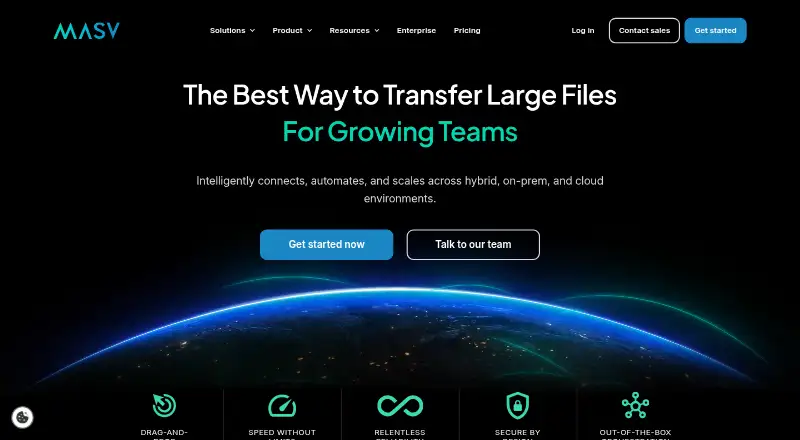
What MASV is
MASV is a managed file transfer service for sending, receiving, and automating the delivery of large files. It offers web, desktop, API, Linux, macOS, and Windows options. Transfers automatically resume after interruptions through checkpoint restart. Users can create branded browser upload portals and route contributor files to one or multiple destinations. The desktop app supports channel bonding, uploads of files as they grow, and transfer optimization for 10 Gbps+ connections. Listed integrations include Amazon S3, Backblaze, Box, Dropbox, Frame.io, Google, and IBM Cloud Object Storage. MASV says transfers use TLS 1.2+ encryption in transit and AES-256 encryption at rest; security controls include SSO, MFA, role-based permissions, password protection, download limits, and expiry dates. The On-Demand plan includes 15 GB of transfers free each month, then charges $0.25 per GB; a credit card is required. Files are stored free for five days, after which storage costs $0.07 per GB per month. MASV offers a free trial and was founded in 2019 in Ottawa, Ontario, Canada.
Who it suits
MASV may suit solo filmmakers and creators, post-production studios, broadcast networks, and data-heavy industries such as geospatial. Its portals and routing may be useful when collecting files from contributors.
What it does well
- Transfers resume automatically after interruptions.
- Branded portals route uploads to one or multiple destinations.
- Desktop app supports growing-file uploads.
- Lists integrations with major cloud storage services.
- Includes 15 GB of free transfers monthly.
What to know first
- On-Demand requires a credit card.
- Transfers beyond the monthly allowance cost $0.25 per GB.
- Storage costs $0.07 per GB per month after five days.
Limits
On-Demand includes 15 GB free transfer each month; after that, transfers cost $0.25 per GB. Uploaded files are stored free for five days, then storage costs $0.07 per GB per month. The plan requires a credit card.
Plans
| Plan | Billed and limits | Price |
|---|---|---|
| On-Demand | per GB after first 15 GB each month · 15 GB free monthly · no contract · unlimited transfer volume · 5 days storage free | $0.25 a month |
| Annual Subscription — 250 GB | Billed monthly with 12-month commitment. · 250 GB included/month · $0.23/GB · overages at discounted rate | $58 a month |
| Annual Subscription — 500 GB | Billed monthly with 12-month commitment. · 500 GB included/month · $0.22/GB · overages at discounted rate | $110 a month |
| Annual Subscription — 1 TB | Billed monthly with 12-month commitment. · 1 TB included/month · $0.21/GB · overages at discounted rate | $215 a month |
| Annual Subscription — 2 TB | Billed monthly with 12-month commitment. · 2 TB included/month · $0.20/GB · overages at discounted rate | $410 a month |
| Annual Subscription 500 GB | monthly with annual commitment · 500 GB included · $0.22/GB · 5 days storage free | $110 a month |
| Pre-Buy Credits — 5 TB | One-time purchase. · 5 TB · $0.24/GB · credits valid for 180 days | $1,229, paid once |
| Pre-Buy Credits 5 TB | one-time purchase · 5 TB credits · $0.24/GB · credits valid 180 days | $1,229, paid once |
The first 8 of 17 plans, as masv.io lists them, read 15 Oct 2026. The maker's own page has the final word. Every plan
Getting started
- Visit the MASV website.
- Choose the On-Demand plan or a listed subscription or credit option.
- Use the web service or choose a desktop app for a supported platform.
- Create a branded upload portal if contributors need to send files.
- Connect a listed integration or use the API as needed.
MASV is a managed large-file transfer service for organizations that send, receive, and automate substantial data deliveries. It suits filmmakers, production teams, broadcasters, and data-heavy businesses that need contributor portals and dependable transfers. The trade-off is usage-based pricing: transfer volume, overages, and storage can become significant operating costs.
Overview
MASV combines a desktop application, web portals, and API access for sending and receiving large files. Branded browser upload portals let outside contributors submit material that can be routed to one or multiple destinations, creating a repeatable intake workflow for studios and networks. Checkpoint restart automatically resumes an interrupted transfer instead of requiring the entire file to start again.
Connections to Amazon S3, Backblaze, Box, Dropbox, Frame.io, Google, and IBM Cloud Object Storage fit workflows that already use those repositories. MASV states that transfers are protected with TLS 1.2 or higher in transit and AES-256 at rest. It also states SOC 2 Type II compliance, ISO 27001:2022 certification, TPN verification, and support for HIPAA-compliant transfers. SAML-based SSO, MFA, role-based permissions, password protection, download limits, and expiry dates provide practical control over who can access deliveries and for how long.
Key features
- Contributor portals: Branded upload pages give clients and freelancers a browser-based way to submit files, while routing to several destinations can reduce manual redistribution.
- Resumable delivery: Checkpoint restart is especially useful for long transfers over unreliable connections, although it does not eliminate transfer fees.
- High-throughput desktop transfers: The desktop app supports Multiconnect channel bonding, Growing Files real-time uploads, and optimization for 10 Gbps-plus connections. These capabilities target production environments with fast networks rather than casual sharing.
- Automation and integrations: API access and cloud-storage integrations support automated handoffs into existing pipelines. Download tracking adds visibility into recipient activity.
- Security administration: Encryption, identity controls, permissions, passwords, download limits, and expiry dates make MASV more suitable for governed business transfers than a basic send-a-link service.
Pricing
MASV uses a freemium model. The On-Demand plan is billed pay as you go at $0.25 per GB after the first 15 GB free each month. It requires a credit card, has no contract, imposes no sending-volume limit, and includes five days of free storage per file. After that period, storage costs $0.07 per GB per month. This is the sensible entry point for irregular large deliveries, but recurring volume makes monthly costs less predictable.
Annual subscriptions are billed monthly with a 12-month commitment: 250 GB costs $58 a month and includes a $0.23/GB rate; 500 GB costs $110 a month at $0.22/GB; 1 TB costs $215 a month at $0.21/GB; and 2 TB costs $410 a month at $0.20/GB. Each includes its stated monthly allowance, with overages at a discounted rate. These tiers suit teams able to forecast volume and accept a year-long commitment.
Pre-buy credits require one upfront payment: 5 TB is $1,229 a month, 10 TB is $2,355 a month, and 25 TB is $5,632 a month, each including the stated capacity. The Platform plan has custom pricing for usage of 10 TB or more per month. Enterprise accounts receive dedicated onboarding and support.
Platforms
MASV supports web, Windows, macOS, Linux, and API access. A desktop app serves high-throughput transfers, while browser portals help contributors upload without installing software.
Who it's for
Solo filmmakers and creators can use On-Demand when occasional projects need large-file delivery. Post-production studios and broadcast networks gain more from portals, routing, resumable transfers, and integrations. Geospatial and other data-heavy industries are better candidates for the annual, pre-buy, or Platform arrangements, where predictable capacity matters. Organizations needing managed access controls or HIPAA-compliant transfers have stronger reasons to choose MASV than people merely exchanging small files.
Pros and cons
- Pros: Resumable checkpoint transfers reduce disruption; branded portals streamline external uploads; API, download tracking, and multiple cloud integrations support automation; extensive security and compliance controls fit regulated workflows; Windows, macOS, Linux, web, and API coverage accommodates mixed teams.
- Cons: On-Demand requires a credit card and charges $0.25 per GB after 15 GB monthly; storage fees begin after five free days; annual tiers require a 12-month commitment; pre-buy plans require an upfront payment. Those terms can make MASV uneconomical for small or unpredictable sharing needs.
Alternatives
For a free Windows client supporting SFTP, FTP, FTPS, SCP, WebDAV, and S3, WinSCP is a better fit than MASV's usage-based service. FileZilla Client is another free choice for FTP, FTPS, and SFTP across Windows, macOS, and Linux. Choose SendSafely when a small 50 MB-per-month personal allowance or its $10.00 USD monthly Basic tier is sufficient. TransferNow suits simpler transfers, with a free 5 GB-per-transfer limit and seven-day availability. ExaVault is worth considering for a self-hosted appliance supporting up to 50 users on its free plan. OnionShare is a free, privacy-focused alternative. Tresorit targets encrypted storage and sharing, while CrushFTP is a paid server-oriented option. Browse Secure File Transfer Software, File Sharing Software, or File transfer services for broader comparisons.
Verdict
Choose MASV if your work involves repeated, high-volume deliveries and needs resumable transfers, branded intake portals, automation, and governed access. Its strongest justification is workflow reliability across large files and outside contributors. Look elsewhere if you mostly send small files, need fixed low costs, or cannot accept storage charges and annual commitments.
Verdict
MASV focuses on large-file delivery with resumable transfers, upload portals, and multiple platform options. Check the included monthly transfer volume and storage period against your file workflow.
Questions
How much does MASV cost?
On-Demand includes 15 GB free transfer each month, then charges $0.25 per GB. Annual subscriptions are listed from $58 a month for 250 GB included, with a 12-month commitment.
Does MASV have a free plan or trial?
Yes. The On-Demand plan includes 15 GB free transfer each month, and a free trial is available. On-Demand requires a credit card.
Which platforms does MASV support?
MASV lists web, desktop, API, Linux, macOS, and Windows options.
What integrations does MASV list?
Listed integrations include Amazon S3, Backblaze, Box, Dropbox, Frame.io, Google, and IBM Cloud Object Storage.
How long are files stored free?
Uploaded files are stored free for five days. After that, storage costs $0.07 per GB per month.
Where is MASV based?
MASV was founded in 2019 and is headquartered in Ottawa, Ontario, Canada.
Facts from MASV's own pages
- Access controls
- Security features include SAML-based SSO, MFA, role-based permissions, password protection, download limits, and expiry dates. · masv.io, 3 Oct 2026
- Agent
- MASV Agent is a headless cross-platform service controlled through CLI and local REST API for uploads, downloads, automations and storage connections. · developer.masv.io, 15 Oct 2026
- API
- MASV exposes a REST API for teams, portals, packages and file transfers at api.massive.app/v1. · developer.masv.io, 15 Oct 2026
- API access
- Yes · masv.io, 21 Sept 2026
- Audience
- MASV describes use by solo filmmakers and creators, post-production studios, broadcast networks, and data-heavy industries such as geospatial. · masv.io, 3 Oct 2026
- Automation
- MASV provides no-code workflow automation and system-to-system routing to storage destinations. · masv.io, 15 Oct 2026
- Browser requirement
- The web app supports current Chrome and Firefox, while Chrome is required for all features including zipless downloading. · help.massive.io, 15 Oct 2026
- Company facts
- LinkedIn lists MASV as privately held, founded in 2019, headquartered in Ottawa and employing 11–50 people. · linkedin.com, 15 Oct 2026
- Company identity
- The legal entity is MASV Inc., with a registered Ottawa, Ontario address. · lei.bloomberg.com, 15 Oct 2026
- Compliance
- The company states that MASV is SOC 2 Type II and ISO 27001:2022 certified, HIPAA compliant and TPN verified. · masv.io, 15 Oct 2026
- Custom branding
- Yes · masv.io, 21 Sept 2026
- Desktop app
- Yes · masv.io, 21 Sept 2026
- Desktop features
- The desktop application adds upload and download automations, pause/resume, channel bonding, growing files and MASV Express zero-wait delivery. · getapp.com, 15 Oct 2026
- Desktop requirements
- Minimum desktop requirements include macOS 14, Windows 11 or specified Linux distributions, 64-bit dual-core CPU and 8 GB RAM. · help.massive.io, 15 Oct 2026
- Developer SDK
- The Web Uploader SDK is published as @masvio/uploader and supports queued files, pause, cancel, finalize, progress events and performance statistics. · developer.masv.io, 15 Oct 2026
- Documentation depth
- Developer documentation includes Agent guides, API reference, Web SDK uploader and downloader guides, tutorials, solutions and webhook material. · developer.masv.io, 15 Oct 2026
- Download tracking
- Yes · masv.io, 21 Sept 2026
- Founded
- 2019 · masv.io, 23 Sept 2026
- Free plan
- Yes · masv.io, 21 Sept 2026
- Funding
- Dealroom lists Connetic Ventures as an investor in a June 2020 late-VC round with undisclosed amount. · app.dealroom.co, 15 Oct 2026
- Headquarters
- Ottawa, Ontario, Canada · masv.io, 23 Sept 2026
- Integrations
- Documented storage integrations include Amazon S3, Google Drive, Dropbox, OneDrive, Google Cloud Storage, Box, Backblaze B2, Azure, Synology, QNAP and Qumulo. · masv.io, 15 Oct 2026
- Licence
- MASV terms grant a limited non-transferable internal licence and explicitly state that no source-code rights are granted. · masv.io, 15 Oct 2026
- Limit: automation customization
- A G2 reviewer said automation could not route individual files to different destinations based on sender. · g2.com, 15 Oct 2026
Where MASV stands on Freedom251
- File transfer services#6 of 105
- High Speed File Transfer Software#1 of 15
- Secure File Transfer Software#4 of 28
- File Sharing Software#11 of 47