Freedom251 › Interactive Map Software
MapChart
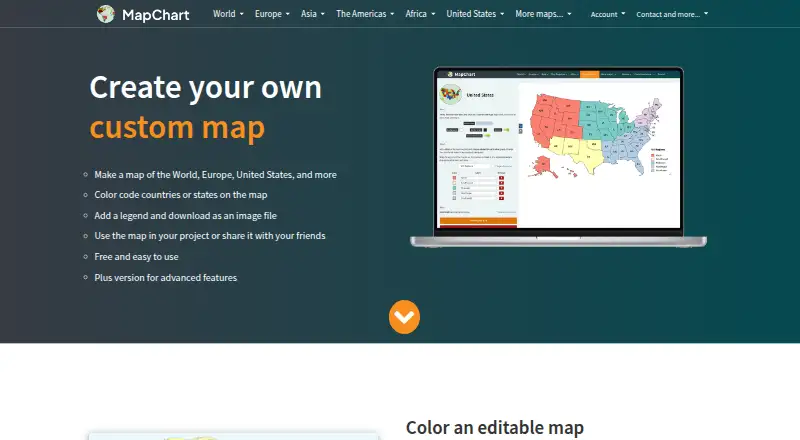
What MapChart is
MapChart is a map-making service for coloring countries or states and downloading the result as an image. Its library has more than 100 maps covering the world, continents, countries, subdivisions, and fantasy settings. Users can adjust colors, patterns, backgrounds, borders, and legends; hide areas; zoom; and save configurations to continue later. Selected maps support importing data from Excel. The website offers free high-resolution image downloads, and maps made with MapChart carry a CC BY-SA 4.0 license. Official Google Sheets and Airtable add-ons create maps from spreadsheet or base data and insert or display them in those services. MapChart also has iOS and Android apps for making, previewing, sharing, and downloading maps as PNG images. Website configurations can be transferred to the mobile apps or back as text files. The free plan includes the main map-making tools and maps. Mobile Premium costs €4.99, paid once, Mobile Premium Max costs €8.99, paid once, and MapChart Plus costs $39.99 a year.
Who it suits
MapChart suits people making maps for classrooms, journals, scientific papers, research, presentations, infographics, games, or travel. Spreadsheet users can also use the Google Sheets and Airtable add-ons to make and display maps from their data.
What it does well
- More than 100 maps are available
- Free high-resolution downloads on the website
- Offers Google Sheets and Airtable add-ons
- Configurations transfer between web and mobile
- Maps use a CC BY-SA 4.0 license
What to know first
- MapChart Plus has no trial
- Plus has no team plan
- Plus costs $39.99 a year
- Selected maps only support Excel imports
Limits
The Free plan includes the main map-making tools and maps. Mobile Premium Max adds unlimited saved configurations and My Palette colors, no ads, and all maps, tools, and extras; MapChart Plus is limited to 1,000 map configurations and 1,000 palette colors or patterns, and has no team plan.
Plans
| Plan | Billed and limits | Price |
|---|---|---|
| Free | All maps · all tools and extras · 25 saved configurations · 25 My Palette colors | Free |
| MapChart Plus | billed annually · No ads · account-saved maps · saved palettes · cross-device access · iOS app access | $39.99 a year |
| Mobile Premium | 4.99 € · one-time purchase · Unlimited saved configurations · unlimited My Palette colors · all maps, tools and extras | €4.99, paid once |
| Premium | one-time purchase · All maps · all tools and extras · unlimited saved configurations · unlimited My Palette colors | €4.99, paid once |
| Mobile Premium Max | 8.99 € · one-time purchase · Unlimited saved configurations · unlimited My Palette colors · no ads · all maps, tools and extras | €8.99, paid once |
| Premium Max | one-time purchase · All maps · all tools and extras · unlimited saved configurations · unlimited My Palette colors · no ads | €8.99, paid once |
As mapchart.net lists them, read 14 Oct 2026. The maker's own page has the final word.
Getting started
- Visit the MapChart website or get the official Android or iOS app.
- Start with the Free plan, which includes the main map-making tools and maps.
- Choose a map and customize its appearance, or import Excel data on a supported map.
- Download the map image, or use a Google Sheets or Airtable add-on to create and display maps there.
- For paid features, choose Mobile Premium, Mobile Premium Max, or MapChart Plus.
Overview
MapChart is a visual map maker for coloring countries, states, and other regions, then exporting the result as an image. It is best suited to teachers, researchers, presenters, and hobbyists who need a labeled thematic map without building geographic data layers. The free editor is unusually capable for image-based work, while paid plans matter mainly when you need larger saved-work quotas, synchronization, or ad-free mobile use.
Key features
A library of more than 100 world, continent, country, subdivision, and fantasy maps provides useful starting outlines for lessons, papers, sales decks, infographics, games, and travel plans. You can set colors and patterns, change backgrounds, borders, and legends, hide regions, zoom, and save a configuration for later editing. This is a focused cartographic canvas rather than a full GIS: it emphasizes communicating a chosen classification or value visually.
Free high-resolution image downloads make the service practical for print and presentation materials. Maps created with MapChart are licensed under CC BY-SA 4.0, so projects that require a different licensing arrangement should account for that condition before publication.
Selected maps accept Excel imports. Official add-ons for Google Sheets and Airtable can create maps from spreadsheet or base data and insert or display them in those tools, which is useful when a map belongs beside an existing table. Excel support is not universal across the library, so data-driven workflows should confirm that their chosen map is supported.
The iOS and Android apps handle map creation, previewing, sharing, and PNG downloads. Website configurations can be exported as text files and moved into the mobile app, or sent back to the website. That transfer method supports cross-device continuity, although it is less seamless than account-based synchronization.
Pricing
The Free plan costs nothing and includes the main map-making tools and maps. It is the sensible choice for occasional image exports and classroom or personal projects, especially because high-resolution downloads are free.
Mobile Premium costs €4.99, paid once, a one-time purchase. It adds unlimited saved configurations, unlimited My Palette colors, and all maps, tools, and extras. Choose it when your priority is removing mobile limits without taking on a subscription.
Mobile Premium Max costs €8.99, paid once. It includes the same unlimited configurations, palette colors, maps, tools, and extras, plus no ads. The extra purchase is justified for frequent mobile use where advertising is distracting.
MapChart Plus costs $39.99 a year, billed annually. It allows up to 1,000 map configurations and up to 1,000 palette colors or patterns, removes ads, syncs saved maps and palettes, and includes iOS app access. There is no team plan, so organizations needing shared seats or collaborative administration should look elsewhere. Plus has no trial; a 14-day no-questions-asked refund policy limits the risk of subscribing. Plus support handles account issues and bugs by email, with replies expected within 1–3 days.
Platforms
MapChart runs on the web and has official Android and iOS apps. Website-to-mobile configuration transfer uses text files, while Plus provides saved-map and palette sync and iOS access. Payments and subscription processing for Plus are handled by Gumroad; account settings include email or password changes and account deletion.
Who it's for
Educators can build classroom maps quickly, and researchers or journal authors can produce customized figures without learning a larger mapping suite. Sales teams, infographic makers, game designers, and travelers benefit from the broad outline library and image export. It is less suitable for teams that need roles, private collaboration, embedded maps, or extensive geographic analysis: access is public, data refresh is manual, and there are no embed options.
Pros and cons
Pros
- More than 100 map types cover common geographic levels and fantasy use cases.
- Colors, patterns, legends, borders, backgrounds, hidden areas, and zoom support clear visual customization.
- Free high-resolution downloads keep core publishing costs low.
- Google Sheets, Airtable, and selected Excel workflows connect maps to tabular data.
- Android and iOS apps extend creation and PNG sharing beyond the browser.
Cons
- Excel import works only with selected maps, limiting some data workflows.
- CC BY-SA 4.0 licensing may not fit every publication or commercial requirement.
- MapChart Plus caps configurations and palette items at 1,000 and offers no team plan.
- There is no trial, and cross-device transfer outside Plus relies on text-file export and import.
- Public access, manual refresh, and no embedding make it a poor fit for live or controlled-distribution maps.
Alternatives
Interactive Map Software and Map Creation Software provide broader category comparisons.
Pick Datawrapper instead when you need web publishing and embedding alongside charts, maps, and tables; its free plan includes PNG downloads with attribution.
Felt is the better alternative for unlimited personal maps and sharing, with a free plan and a trial, although its free personal tier does not allow your own data-file uploads.
Choose Mapotic for place-based maps with 100 places, custom fields, data layers, filters, ratings, and comments on its free builder.
BatchGeo suits large marker datasets and team sharing; its Pro plan supports 100,000 markers per map, 10 users, password protection, Street View, and several exports.
EasyMapMaker is preferable for pin maps with a defined free allowance of 250 pins per map and 20 maps per day.
Use Mapbox Studio when you need custom tileset-oriented mapping within the Mapbox ecosystem.
MapTiler Cloud fits hosted or API-driven projects with storage, session, request, and upload quotas.
Modest Maps is a free library option when you want a lightweight mapping foundation without stated plan limits.
Verdict
MapChart is a strong choice for individuals who need polished, downloadable thematic maps quickly and at little cost. Choose it for its extensive outline library, granular visual controls, and free high-resolution exports. Look elsewhere if your project depends on team accounts, embedded or live maps, unrestricted Excel coverage, or a license other than CC BY-SA 4.0.
Verdict
MapChart provides a broad map library, customization controls, spreadsheet add-ons, and mobile apps, with a free option for core map-making. Check the license and plan limits before choosing a paid tier, especially if you need team access or Excel imports across maps.
Questions
Is MapChart free?
Yes. Its Free plan costs nothing and includes the main map-making tools and maps.
What do the paid plans cost?
Mobile Premium costs €4.99, paid once, and Mobile Premium Max costs €8.99, paid once. MapChart Plus costs $39.99 a year.
Is there a free trial for MapChart Plus?
No. MapChart Plus has no trial. The site offers a 14-day no-questions-asked refund policy.
Which platforms does MapChart support?
MapChart is available on web, Android, and iOS. Its official mobile app supports making, previewing, sharing, and downloading maps as PNG images.
Can I use MapChart with spreadsheets?
Selected maps support Excel data imports. Official add-ons for Google Sheets and Airtable create maps from spreadsheet or base data and insert or display them in those services.
Is MapChart open source, and who makes it?
Maps created with MapChart are licensed under CC BY-SA 4.0. MapChart is made by Minas, a self-taught web and app developer and geography enthusiast from Greece.
Facts from MapChart's own pages
- Airtable integration
- The official Airtable extension creates maps from base records, displays them beside the table, and downloads PNG images. · airtable.mapchart.net, 14 Oct 2026
- Color and pattern tools
- Users can choose custom colors, colorblind-friendly palettes, dots and stripe patterns, backgrounds, borders, fonts, and legend styling. · mapchart.net, 14 Oct 2026
- Company origin
- The About page says MapChart has existed since 2014. · mapchart.net, 14 Oct 2026
- Configuration files
- Map settings can be saved and restored through MapChart configuration text files, with drag-and-drop loading supported. · mapchart.net, 14 Oct 2026
- Cross-device work
- Map configurations can be exported as text files from the website and imported into the mobile app, or transferred back to the website. · app.mapchart.net, 5 Oct 2026
- Data import
- Selected maps support importing data from Excel. · mapchart.net, 5 Oct 2026
- Documentation and support
- Documentation consists of a feature tutorial, FAQ, changelog, bug-report button, and email support requesting browser, operating-system, and reproduction details. · mapchart.net, 14 Oct 2026
- Editing controls
- Maps support hiding regions, isolating countries or states, zooming, rearranging legend rows, and coloring subdivisions in bulk. · mapchart.net, 14 Oct 2026
- Editing features
- Users can customize colors, patterns, backgrounds, borders, and legends, hide map areas, zoom, and save work to continue later. · mapchart.net, 5 Oct 2026
- Export
- The website offers free high-resolution image downloads, and maps made with the service are licensed under CC BY-SA 4.0. · mapchart.net, 5 Oct 2026
- Export formats
- The editor can export high-resolution PNG, JPEG, SVG, and rasterized PDF files. · ohmymaps.com, 14 Oct 2026
- Founded
- 2014 · mapchart.net, 28 Sept 2026
- Google Sheets integration
- The official Google Sheets add-on creates maps from spreadsheet columns, inserts them into sheets, or downloads PNG files. · sheets.mapchart.net, 14 Oct 2026
- Independent comparison
- Oh My Maps describes MapChart as a capable free map-coloring tool and says it offers broader regional map coverage than its own four-editor product. · ohmymaps.com, 14 Oct 2026
- Independent comparison limit
- Oh My Maps says MapChart's paid tier gates account saving, while its own editor keeps all features free without an account. · ohmymaps.com, 14 Oct 2026
- Independent comparison strength
- Oh My Maps says MapChart supports ten world projections and exports PDF or files up to 10,000 pixels on the long edge. · ohmymaps.com, 14 Oct 2026
- Integrations
- MapChart provides official add-ons for Google Sheets and Airtable to create maps from spreadsheet or base data and insert or display the maps there. · sheets.mapchart.net, 5 Oct 2026
- Intended users
- The maker describes use in classrooms, journals, scientific papers, market research, sales presentations, infographics, map games, and travel maps. · mapchart.net, 5 Oct 2026
- iOS requirement
- The Apple listing requires iOS 15.0 or later and identifies the app as designed for iPhone and iPad. · apps.apple.com, 14 Oct 2026
- Limit: export layout
- Justuseapp reviewers criticized mobile export because fitting a readable map and non-overlapping legend onto a phone view can be difficult. · justuseapp.com, 14 Oct 2026
- Limit: map granularity
- Justuseapp reviewers requested custom borders, partial-country painting, selective label removal, and more complete subdivision coverage. · justuseapp.com, 14 Oct 2026
- Limit: missing custom borders
- Apple reviewers requested user-drawn borders, flags, images, and the ability to represent partial territorial changes. · apps.apple.com, 14 Oct 2026
- Limit: regional coverage
- A Google Play reviewer wanted more detailed subdivision maps outside North America and Europe, especially in western and central Asia. · play.google.com, 14 Oct 2026
- Limit: saved-map reliability
- An Apple reviewer reported maps disappearing after closing the app and difficulty reopening saved configurations. · apps.apple.com, 14 Oct 2026
Where MapChart stands on Freedom251
- Interactive Map Software#9 of 40
- Map Creation Software#7 of 26