Freedom251 › Data Visualization Software

Flourish
by Flourish
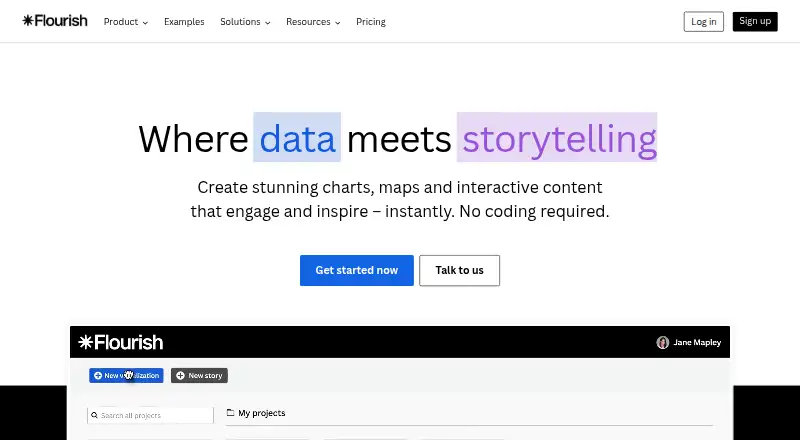
What Flourish is
Flourish is a no-code tool for making interactive data visualizations and stories, including charts and maps. Its library contains more than 50 chart types and templates, such as line and bar charts, interactive maps, hierarchy graphs, survey results, and Sankey diagrams. Templates can include tooltips, filters, and animations; Publisher and Enterprise plans also include scrollytelling.
Published visualizations can be embedded on websites with responsive code or shared through a unique URL. Flourish can refresh visualizations from publicly accessible CSV files at regular intervals, and Publisher adds live updates from Google Sheets or CSV. Presenter, available with Canva Business or Enterprise, supports interactive charts in Canva designs and PowerPoint. Enterprise includes an API for creating and editing visualizations and connecting them to databases, live feeds, webpages, and tools such as R, Tableau, Jupyter, and Observable. Presenter, Publisher, and Enterprise offer PNG and JPEG exports and usually SVG; Publisher adds HTML export for self-hosting. The free plan costs nothing and includes unlimited projects, with attribution on published visualizations.
Who it suits
Flourish describes its free plan as suitable for learning and exploring, Presenter for individuals creating presentations and reports, and Publisher for professionals and teams publishing online. Enterprise is aimed at organizations needing security, control, and support.
What it does well
- More than 50 chart types and templates
- Published projects can be embedded or shared by URL
- Free plan includes unlimited projects and stories
- Publisher supports live updates from Google Sheets or CSV
What to know first
- Free published visualizations include Flourish attribution
- Scrollytelling is limited to Publisher and Enterprise
- Presenter requires Canva Business or Enterprise
Limits
The Free plan provides unlimited projects and stories, the full template range, and public publishing and embeds with attribution. The listed Free plan details do not include export or self-hosting features.
Plans
| Plan | Billed and limits | Price |
|---|---|---|
| Free | Unlimited projects and stories · Full template range · Public publishing and embeds with attribution | Free |
| Publisher | Custom contract and invoicing · Team collaboration · No-attribution website embeds · Scrollytelling · Live updates via Google Sheets or CSV · HTML export | On request |
| Presenter | Available with a Canva Business or Enterprise plan; billed via Canva · Interactive charts in Canva and PowerPoint · Image and SVG export | On request |
| Enterprise | Custom contract and invoicing · Advanced security and access controls · SSO · Multiple custom themes · Live rendering API · Dedicated account manager and priority support | On request |
As flourish.studio lists them, read 3 Oct 2026. The maker's own page has the final word.
Getting started
- Open https://flourish.studio/.
- Choose Free, Presenter, Publisher, or Enterprise according to the intended use.
- Create a visualization using one of the available templates.
- Publish it and share its unique URL or embed it on a website.
- For live data, use a publicly accessible CSV file; Publisher also supports Google Sheets or CSV updates.
Flourish is a no-code workspace for turning data into interactive charts, maps and narrative visualizations. It is best suited to presenters, publishers and teams that need web-ready graphics without building a charting stack. Its free tier is a useful way to learn, while professional publishing, automation and governance require a paid plan.
Overview
The platform combines a broad visual template library with tools for interactive presentation. More than 50 chart types cover line and bar charts, maps, hierarchy diagrams, survey outputs and Sankey flows, giving analysts and editorial teams a practical starting point for varied datasets. Tooltips, filters and animation let readers inspect a result instead of receiving only a static image.
Projects can be shared through a unique URL or placed in a site with responsive embed code. Flourish can also refresh a visualization from a publicly accessible CSV on a schedule. That makes it useful for recurring updates, although the more convenient Google Sheets and CSV live-update workflow belongs to Publisher.
Key features
Stories and publishing
Publisher and Enterprise add scrollytelling for guided, chapter-like narratives. Free users can publish and embed, but public work carries Flourish attribution, which can undermine a client-facing or publication-branded presentation. Private projects remain unpublished until the owner chooses to release them.
Presentations, exports and integrations
Presenter works with Canva Business or Enterprise and supports interactive charts in Canva designs and PowerPoint. Presenter, Publisher and Enterprise can export PNG, JPEG and, in most cases, SVG; Publisher also adds HTML export for self-hosting. Enterprise's API can create and edit visualizations dynamically and connect databases, live feeds and tools such as R, Tableau, Jupyter and Observable. That is the tier for automated production rather than occasional manual chart work.
Security and support
Flourish reports ISO 27001 certification, encryption in transit and at rest, and primary hosting in the EEA on AWS. Enterprise adds password rules, mandatory two-factor authentication, approval policies, session controls and SAML single sign-on. Publisher and Enterprise teams receive live onboarding and advanced training; Enterprise also includes tailored sessions and a dedicated customer-success manager.
Pricing
| Plan | Price | Best for |
|---|---|---|
| Free | free | Learning and exploration; unlimited projects and stories, the full template range, and public publishing with attribution. |
| Presenter | Custom pricing | Individuals creating presentations and reports; Canva Business or Enterprise access, interactive Canva and PowerPoint charts, and image/SVG export without Flourish attribution in those apps. |
| Publisher | Custom pricing | Professionals and teams publishing online; collaboration, custom themes, Google Sheets or CSV live updates, and HTML self-hosting. |
| Enterprise | Custom pricing | Organizations needing control; advanced security, SSO and password policies, a live-rendering API, dedicated account management and priority support. |
Free is unusually open for experimentation because projects and stories are unlimited, but attribution and the absence of team, branded-theme and self-hosting features make it a poor final destination for client work. Presenter is the focused choice for slide and design workflows; Publisher earns its higher tier when several people maintain a publishing operation or data must stay current. Enterprise is justified by security and automation requirements rather than by the template catalogue alone.
Platforms
Flourish is offered on the web, with API, extension and self-hosted options. Presenter connects the workflow to Canva and PowerPoint, while Publisher's HTML export supports hosting a project yourself.
Who it's for
Choose Free for learning, prototypes and exploratory stories. Presenter fits individuals producing reports or presentations. Publisher is aimed at professional publishers and collaborating teams that need branded, frequently refreshed web graphics. Enterprise suits organizations where identity controls, approval and programmatic rendering are mandatory.
Pros and cons
Pros
- More than 50 templates span standard charts, maps and specialist forms such as Sankey diagrams.
- Responsive embeds, unique URLs and scheduled CSV refreshes support practical web publishing.
- Publisher and Enterprise combine scrollytelling with live data and, for Publisher, self-hosted HTML.
- Enterprise provides a substantial security and integration layer, including SAML SSO and an API.
Cons
- Free public visualizations display attribution, limiting polished branded use.
- Scrollytelling, collaboration, custom themes and convenient live updates are not part of Free.
- Presenter depends on Canva Business or Enterprise for its Canva workflow.
- All paid plans use custom pricing, making budget comparison difficult before contacting Flourish.
Alternatives
Datawrapper is a stronger fit when you want charts, maps and tables with web publishing, embedding and PNG downloads on its free plan. Understand suits a reader prioritizing free scrollytelling, CSV upload and manual entry with unlimited stories. ArcGIS StoryMaps is worth considering for map-led stories. BStreams is an option for a small collaborative setup with a stated storage allowance. Datastory fits teams seeking a free allowance of visualizations and AI credits. Graphtelling targets lightweight chart creation with a low-cost Pro tier. Infogram offers interactive charts and maps for users comfortable with project and page limits. Juicebox is the alternative when the need is paid, search-oriented data work rather than Flourish-style storytelling.
For broader browsing, see Data Storytelling Tools, Data Visualization Software, Map Creation Software, Infographic Software and Interactive Map Software.
Verdict
Flourish is a strong recommendation for anyone who needs varied interactive visuals published online without coding, especially teams willing to use Publisher or Enterprise. Its main reason to choose is the combination of templates, embeds, storytelling and live-data paths. Look elsewhere if attribution-free free publishing, transparent paid pricing or a simpler single-purpose chart tool matters more than that breadth.
Verdict
Flourish covers chart creation, interactive stories, and publishing, with additional collaboration, export, and security options on paid plans. The free plan has unlimited projects, but published visualizations carry attribution.
Questions
Does Flourish have a free plan?
Yes. Free costs nothing and includes unlimited projects and stories, the full template range, and public publishing and embeds with attribution.
What does Presenter include?
Presenter is available with Canva Business or Enterprise and supports interactive charts in Canva designs and PowerPoint. It includes image and SVG export, with no Flourish attribution in Canva or PowerPoint.
Which plans support self-hosting?
Publisher includes HTML export for self-hosting.
Can Flourish visualizations use live data?
Flourish can update visualizations from publicly accessible CSV files at regular intervals. Publisher includes live updates via Google Sheets or CSV.
What export formats are available?
Presenter, Publisher, and Enterprise users can export projects as PNG, JPEG, or, in most cases, SVG. Publisher also includes HTML export.
Who makes Flourish?
The maker is Flourish, whose headquarters are at 33-35 Hoxton Square, London, UK. The maker was founded in 2018.
Facts from Flourish's own pages
- API and integrations
- The Enterprise-level Flourish API can dynamically create and edit visualizations and connect them to databases, live data feeds, webpages, or tools including R, Tableau, Jupyter, and Observable. · helpcenter.flourish.studio, 3 Oct 2026
- Canva and PowerPoint
- Presenter is available with Canva Business or Enterprise and supports interactive charts in Canva designs and PowerPoint; Publisher and Enterprise users also get the Flourish app in Canva. · flourish.studio, 3 Oct 2026
- Enterprise controls
- Enterprise security features include password policies, enforced two-factor authentication, approval policies, session-duration controls, and SAML-based SSO. · flourish.studio, 3 Oct 2026
- Exports and self-hosting
- Presenter, Publisher, and Enterprise users can export projects as PNG, JPEG, or, in most cases, SVG; Publisher also includes HTML export for self-hosting. · flourish.studio, 3 Oct 2026
- Founded
- 2018 · flourish.studio, 23 Sept 2026
- Free plan
- Yes · flourish.studio, 19 Sept 2026
- Free-plan publishing limit
- Free projects are private until published, and published visualizations include Flourish attribution. · flourish.studio, 3 Oct 2026
- Interactive storytelling
- Templates support interactive elements such as tooltips, filters, and animations, and Publisher and Enterprise plans include scrollytelling. · flourish.studio, 3 Oct 2026
- Live data
- Flourish can update visualizations from publicly accessible CSV files at regular intervals; Publisher includes live updates via Google Sheets or CSV. · flourish.studio, 3 Oct 2026
- Security
- Flourish says it is ISO 27001 certified, encrypts visualizations in transit and at rest, and hosts customer projects primarily in the EEA on AWS. · flourish.studio, 3 Oct 2026
- Sharing
- Published visualizations can be embedded in websites using a responsive embed code, and each project has a unique URL. · flourish.studio, 3 Oct 2026
- Support and training
- Publisher and Enterprise teams receive live onboarding and advanced training videos; Enterprise customers also receive tailored sessions and a dedicated customer success manager. · flourish.studio, 3 Oct 2026
- Templates
- The product offers more than 50 chart types and templates, including line charts, bar charts, interactive maps, hierarchy graphs, survey results, and Sankey diagrams. · flourish.studio, 3 Oct 2026
- What it does
- Flourish is a no-code tool for creating interactive data visualizations and stories, including charts and maps. · flourish.studio, 3 Oct 2026
- Who it is for
- Flourish describes Free as suitable for learning and exploring, Presenter for individuals making presentations and reports, Publisher for professionals and teams publishing online, and Enterprise for organizations needing security, control, and support. · flourish.studio, 3 Oct 2026
Where Flourish stands on Freedom251
- Data Visualization Software#7 of 98
- Data Storytelling Tools#2 of 22
- Interactive Map Software#6 of 40
- Map Creation Software#4 of 26
- Infographic Software#12 of 42