Freedom251 › Data Storytelling Tools

ArcGIS StoryMaps
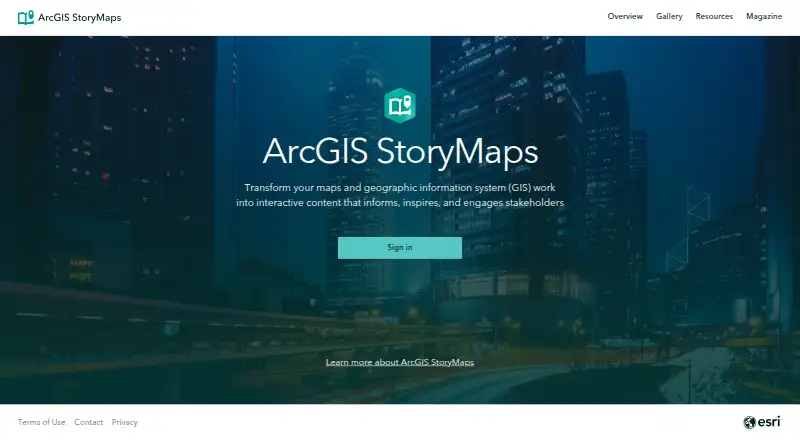
What ArcGIS StoryMaps is
ArcGIS StoryMaps is a web-based tool for presenting maps, apps, and multimedia through narrative formats. Authors can create stories, slide-based briefings, mobile-first frames, and collections, then apply reusable themes. The builder supports configured 2D web maps and 3D web scenes, along with ArcGIS apps created by organization members. Stories can incorporate existing ArcGIS maps and scenes, Esri demographic and lifestyle data, and curated maps from ArcGIS Living Atlas. Published items can be shared with an organization, selected groups, or everyone; organization members can co-author through groups. Changes save automatically, and authors can republish edits when they are ready to make them visible. Creator, Professional, and Professional Plus user types can create stories, while Viewer, Contributor, and Mobile Worker can view shared content but not create it. A free public account and a 21-day trial are listed, though public accounts have usage limits and lack some advanced features.
Who it suits
It suits organizations and individuals who want to present maps and multimedia as stories or briefings. Creation is for Creator, Professional, and Professional Plus user types; other listed user types can view shared content but cannot create it.
What it does well
- Supports 2D maps and 3D web scenes
- Published items can be shared with groups or everyone
- Organization members can co-author through groups
- Changes save automatically
- Builder supports listed WCAG 2.1 features
What to know first
- Viewer, Contributor, and Mobile Worker cannot create
- Public accounts lack some advanced features
- Uploaded media and story data use storage credits
- Premium content in published items can consume credits per view
Limits
The free public account has usage limits and does not include some advanced features, including web embeds, custom themes, templates, translated story links, analytics, and advanced embedding. Viewer, Contributor, and Mobile Worker user types can view shared content but cannot create it. Uploaded media and story data use ArcGIS Online file storage credits, and published content with premium content can consume credits per view.
Plans
| Plan | Billed and limits | Price |
|---|---|---|
| Public account | Free account for individuals; usage limits apply; some advanced features unavailable; content is not indexed by search engines | Free |
As storymaps.arcgis.com lists them, read 2 Oct 2026. The maker's own page has the final word.
Getting started
- Open the ArcGIS StoryMaps website.
- Use a public account for individual access, or use a Creator, Professional, or Professional Plus user type for full storytelling capabilities.
- Choose a story, briefing, mobile-first frame, or collection format.
- Add maps, scenes, ArcGIS apps, or other listed ArcGIS content.
- Publish and share with your organization, groups, or everyone.
- Republish saved edits when you are ready for them to appear.
Overview
ArcGIS StoryMaps is a web-based publishing tool for shaping maps, apps, and multimedia into narrative stories and briefings. It suits organizations and creators who need geospatial storytelling, especially teams already working with ArcGIS content. Its strongest case is combining configured maps and scenes with flexible narrative formats; account type and public-account restrictions can narrow what creators can do.
Key features
Authors can build stories, slide-based briefings, mobile-first frames, and collections, then apply reusable themes. That range supports both a guided, scrollable narrative and a more presentation-oriented sequence. Collections can also bring StoryMaps together with ArcGIS dashboards, instant apps, and Survey123 forms.
The builder can configure 2D web maps and 3D web scenes, embed ArcGIS apps made by organization members, and draw on existing ArcGIS maps and scenes, Esri demographic and lifestyle data, and curated ArcGIS Living Atlas maps. This makes it a natural fit for work whose point depends on location or spatial context. It is less compelling if the project is primarily about charts rather than maps.
Published work can be shared with an organization, selected groups, or everyone. Organization members can co-author through groups. Automatic saving reduces the risk of losing changes, while the option to republish edits only when ready gives authors control over when changes become visible.
Accessibility-oriented builder support includes semantic structure, color contrast, keyboard navigation, and alternative text, aligned with WCAG 2.1-related features. Uploaded media and story data consume ArcGIS Online file storage credits; published content with premium content can also consume credits per view. Those costs matter for media-heavy or widely viewed work.
Pricing
The Public account is free. It is for individuals who want to create and share stories without a paid user type, but usage limits apply, some advanced features are unavailable, and its content is not indexed by search engines. Public accounts cannot use some advanced capabilities, including web embeds, custom themes, templates, translated story links, analytics, and advanced embedding.
A 21-day trial is offered. Creator, Professional, and Professional Plus user types provide full storytelling capabilities. Viewer, Contributor, and Mobile Worker user types can view shared content but cannot create stories, so they are not substitutes for a creator account. Check the applicable user type and credit use before committing to a publishing workflow.
Platforms
ArcGIS StoryMaps is web-based. ArcGIS Enterprise includes it starting at version 10.8.1, with deployment possible in disconnected environments. That gives enterprise users an option for environments that cannot rely on a public cloud connection.
Who it's for
Choose it if your work needs maps or 3D scenes embedded in a structured narrative, or if a group needs to co-author and distribute content through ArcGIS organization controls. Its collections and reuse of ArcGIS resources are particularly useful when a story must sit alongside dashboards, apps, or survey forms.
Look elsewhere if you need a public-account workflow with custom themes, web embeds, analytics, or search-engine indexing, or if your readers need to create rather than view and their user type does not permit authoring. Credit consumption should also factor into plans for high-volume or premium-content publishing.
Pros and cons
- Geospatial storytelling: Configurable 2D maps and 3D scenes, plus ArcGIS data sources, support stories where place is central.
- Flexible presentation: Stories, briefings, mobile-first frames, and collections accommodate different ways of guiding an audience.
- Team publishing controls: Group co-authoring and organization-, group-, or public-sharing options help teams manage collaboration and reach.
- Public-account restrictions: Search indexing and several advanced creation and embedding features are unavailable, limiting the free option for public-facing projects.
- Credit exposure: Storage and premium-content views can consume credits, so publishing costs may depend on content and audience.
- Authoring depends on user type: Viewer, Contributor, and Mobile Worker users can view shared stories but cannot create them.
Alternatives
Datawrapper is worth considering when charts, maps, and tables with web publishing and embedding are a better fit than ArcGIS-centered narrative mapping; its free plan includes PNG downloads and shows attribution.
Understand may suit a single editor who wants unlimited stories, CSV upload or manual data entry, public sharing, and scrollytelling on its free Starter plan.
BStreams offers a web-based free Basic plan with one collaborator, 50 MB storage, a 3 MB upload limit, and a watermark; it is an option when those stated limits fit the project.
ChartWeave may fit chart-led projects: its free plan includes five projects, 18 chart types, and 1 GB storage.
Datastory is another web-based option, with a free Starter plan that includes 10 data visualizations, up to three team members, 100 AI credits per month, and unlimited open-data downloads.
Flourish is an alternative for projects built around templates: its free plan offers unlimited projects and stories, the full template range, and public publishing and embeds with attribution.
Graphtelling has a free plan with three charts total, 50 one-time AI actions, JPEG export only, and Graphtelling branding; consider it if those constraints suit the work.
Infogram offers a Basic plan with one user, 35+ interactive chart types, up to 10 projects, five pages per project, 13 map types, and online publishing.
Verdict
ArcGIS StoryMaps is the right choice for creators and teams who need maps, scenes, and ArcGIS resources to carry a shareable narrative. Its format flexibility, group co-authoring, and controlled republishing make it a strong geospatial publishing option. Choose another tool if you need a public-account feature set without its restrictions, straightforward chart-focused publishing, or a workflow that avoids ArcGIS credit use.
Verdict
ArcGIS StoryMaps brings maps, apps, and multimedia into shareable narrative formats, with group-based co-authoring and automatic saving. Check account type and public-account limitations before choosing it for creating or publishing work.
Questions
Is ArcGIS StoryMaps free?
A free public account is available for individuals, with usage limits and some advanced features unavailable. A 21-day trial is also listed.
What platforms does it support?
ArcGIS StoryMaps is listed as a web platform.
Which account types can create stories?
Creator, Professional, and Professional Plus user types provide full storytelling capabilities. Viewer, Contributor, and Mobile Worker can view shared content but cannot create it.
Can teams collaborate on a StoryMap?
Published items can be shared with an organization or specific groups, and organization members can co-author through groups.
Can StoryMaps run without a connected environment?
ArcGIS StoryMaps is included with ArcGIS Enterprise starting at version 10.8.1 and can be deployed in disconnected environments through ArcGIS Enterprise.
What can a public account not do?
Public accounts cannot use some advanced features, including web embeds, custom themes, templates, translated story links, analytics, and advanced embedding. Public-account content is not indexed by search engines.
Facts from ArcGIS StoryMaps's own pages
- Accessibility
- The story builder supports WCAG 2.1 related features including semantic structure, color contrast, keyboard navigation, and alternative text. · doc.arcgis.com, 2 Oct 2026
- Account requirements
- Creator, Professional, and Professional Plus user types provide full storytelling capabilities; Viewer, Contributor, and Mobile Worker can view shared content but cannot create it. · doc.esri.com, 2 Oct 2026
- Content formats
- It supports stories, slide-based briefings, mobile-first frames, collections, and reusable themes. · doc.esri.com, 2 Oct 2026
- Credit usage
- Uploaded media and story data use ArcGIS Online file storage credits, and published content containing premium content can consume credits per view. · doc.esri.com, 2 Oct 2026
- Enterprise deployment
- ArcGIS StoryMaps is included with ArcGIS Enterprise starting at version 10.8.1, and can be deployed in disconnected environments through ArcGIS Enterprise. · doc.arcgis.com, 2 Oct 2026
- Founded
- 1969 · storymaps.arcgis.com, 28 Sept 2026
- Included maps
- Stories can use existing ArcGIS web maps and scenes, Esri demographic and lifestyle data, and curated maps from ArcGIS Living Atlas. · esri.com, 2 Oct 2026
- Integrations
- Collections can bundle StoryMaps with ArcGIS content such as dashboards, instant apps, and Survey123 forms. · doc.esri.com, 2 Oct 2026
- Maker
- Esri was established in 1969 and is headquartered in Redlands, California, USA. · esri.com, 2 Oct 2026
- Maps and apps
- Authors can configure 2D web maps and 3D web scenes in the builder and embed ArcGIS apps created by organization members. · doc.esri.com, 2 Oct 2026
- Public account limits
- Public accounts cannot use some advanced features, including web embeds, custom themes, templates, translated story links, analytics, and advanced embedding. · doc.esri.com, 2 Oct 2026
- Publishing
- Changes are automatically saved, and edits to a published item can be republished when ready to make them visible. · doc.esri.com, 2 Oct 2026
- Security and privacy
- For the StoryMaps assistant, prompts are not used to train or improve Esri or third-party models and are not stored or shared without explicit permission. · doc.esri.com, 2 Oct 2026
- Sharing and collaboration
- Published items can be shared with an organization, specific groups, or everyone, and organization members can co-author through groups. · doc.esri.com, 2 Oct 2026
- What it does
- ArcGIS StoryMaps is a web-based tool for sharing maps, apps, and multimedia in narrative form. · doc.esri.com, 2 Oct 2026
Where ArcGIS StoryMaps stands on Freedom251
- Data Storytelling Tools#4 of 22
- Geo Tools#5 of 26
- Map Creation Software#8 of 26