Freedom251 › Marketing Analytics Software

Databox
by Databox
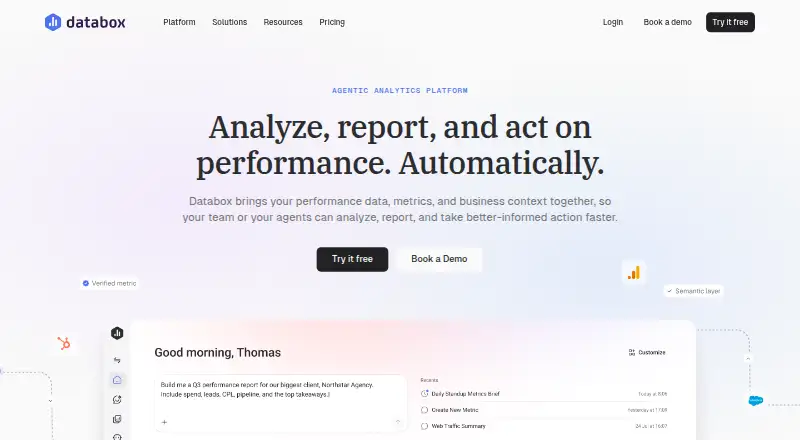
What Databox is
Databox is a web-based, cloud analytics platform for viewing business data through dashboards and reports. Data refreshes hourly, and the service lists scheduled reports, embedded analytics, and natural-language queries among its capabilities. Its free plan is available forever and includes one user, three data sources, one dashboard, 10 custom metrics, and 50 AI credits per month. Paid plans are billed annually: Analyst costs $71 a month and includes one user, five data sources, and 150 monthly AI credits. Team Core costs $199 a month for three users, 10 data sources, and 500 monthly AI credits. Team Scale costs $319 a month for 10 users, 30 data sources, and 1,000 monthly AI credits. Agency starts at $79 a month, billed annually, plus client packs as you grow; it lists unlimited users, 20 data sources, and 300 monthly AI credits. A Custom plan has no listed price and includes flexible AI credits, setup and integration services, and embedded engineer support. Databox is headquartered in Boston, Massachusetts.
Who it suits
Databox suits people who want web-based dashboards and reports with hourly data refreshes. Its plans range from a free single-user option to team and agency tiers with larger data-source allowances.
What it does well
- Hourly data refresh
- Scheduled reports are available
- Supports embedded analytics
- Natural-language queries are available
- Free plan includes one dashboard
What to know first
- Free plan allows three data sources
- Free plan is limited to one user
- Paid plans listed here are billed annually
Limits
The Free plan includes one user, three data sources, 50 AI credits per month, and one dashboard and report. Its maximum sync frequency is daily; Analyst, Team, and Custom plans list hourly maximum sync frequency.
Plans
| Plan | Billed and limits | Price |
|---|---|---|
| Free | free forever · 1 user · 3 data sources · 1 dashboard/report · 10 custom metrics · 50 AI credits/month · daily sync | Free |
| Analyst | billed annually · 1 user · 5 data sources · 150 AI credits/month · hourly sync · API access · MCP server | $71 a month |
| Team Core | billed annually · 3 users · 10 data sources · 500 AI credits/month · hourly sync | $199 a month |
| Team Scale | billed annually · 10 users · 30 data sources · 1,000 AI credits/month · hourly sync | $319 a month |
| Agency | billed annually plus account packs · Unlimited users · 20 data sources · 300 AI credits/month · bulk actions · custom templates · cross-account reporting | $79 a month |
| Custom | More users, data sources and AI credits · embedded engineer · setup, integration and optimization services | On request |
As databox.com lists them, read 20 Oct 2026. The maker's own page has the final word.
Getting started
- Visit https://databox.com/.
- Choose the Free plan or a paid plan; the Free plan is listed as free forever.
- Connect data sources such as Google Analytics 4, HubSpot, Google Sheets, or Facebook Ads.
- Build dashboards and reports, or use the AI Analyst to ask questions about metrics, goals, and historical data.
- Use the web service or API to access Databox.
Databox is a cloud-based, web analytics and dashboard platform for bringing data sources into a shared view. It suits solo users, teams, and agencies that want scheduled reporting and hourly refreshes, with natural-language queries and embedded analytics among its capabilities. Its appeal is a free starting tier and distinct seat and source allowances; the main trade-off is that growing past those caps means moving to a paid plan.
Overview
Databox is offered on a freemium model and runs in the cloud. Hourly refreshes make it a fit for readers who want data updated during the day, while scheduled reports can reduce the need to assemble updates manually. Embedded analytics and natural-language queries broaden its use beyond dashboard viewing, though the published plan allowances still matter: data-source limits range from three on Free to 30 on Team Scale, and higher needs may call for custom pricing.
Key features
- Hourly refresh: Data refreshes hourly, a useful cadence for monitoring metrics without promising real-time updates.
- Scheduled reports: Supports scheduled reporting, which suits recurring updates for individuals or teams.
- Embedded analytics: Analytics can be embedded, making Databox relevant when reporting needs to appear within another experience.
- Natural-language queries: Users can query data in natural language; AI-credit allowances vary by plan, so frequent use should be weighed against the monthly cap.
Pricing
Databox has a free plan and a 14-day trial for paid plans. Paid prices below are monthly rates billed annually unless otherwise stated.
- Free — free, billed free forever: 1 user, 3 data sources, 50 AI credits/mo, 1 dashboard, and 10 custom metrics. It is a practical way for an individual to start, but the one-dashboard and three-source caps constrain broader reporting.
- Analyst — $71 a month, billed annually: 1 user, 5 data sources, and 150 AI credits/mo. This raises source and AI allowances for a solo user, but does not add a second seat.
- Team Core — $199 a month, billed annually: 3 users, 10 data sources, and 500 AI credits/mo. It is the entry point for a small group that needs shared access and more sources.
- Team Scale — $319 a month, billed annually: 10 users, 30 data sources, and 1,000 AI credits/mo. The larger allowances suit teams consolidating more sources, at a substantially higher annual commitment than Team Core.
- Agency — $79 a month, billed annually, starting at: Unlimited users, 20 data sources, 300 AI credits/mo, plus client packs as you grow. Each client pack covers 1 client and 5 data sources per client pack. This is structured for agencies managing multiple clients, but client capacity grows through packs rather than being unlimited by default.
- Custom — custom pricing: More users, more data sources, flexible AI credits, setup and integration services, and embedded engineer support. It is aimed at organizations whose needs exceed the standard allowances.
The lower-cost paid route, Analyst, increases allowances but remains limited to one user. Teams should compare seat and source counts before choosing between Team Core and Team Scale; agencies should account for client packs as they grow.
Platforms
Databox is available on the web and is deployed in the cloud. Readers seeking a listed mobile or self-hosted option should look elsewhere.
Who it's for
Databox is best suited to individuals and organizations that need recurring dashboards and reporting across a defined number of data sources. Free works for a single user with modest needs; Analyst serves a solo user who needs more sources or AI credits; Team plans fit shared use; and Agency is oriented toward client work. It is less suitable when the required seat, source, or AI-credit volume exceeds the standard plans and custom pricing is not a fit.
Pros and cons
- Pros: A free-forever tier includes a dashboard, custom metrics, and AI credits, so an individual can begin without a paid commitment.
- Pros: Hourly refreshes, scheduled reports, embedded analytics, and natural-language queries cover several common reporting needs.
- Pros: Plans distinguish solo, team, and agency use through explicit user and source allowances.
- Cons: Free is capped at one user, three sources, and one dashboard, limiting its usefulness for wider reporting.
- Cons: Paid plans are billed annually, and Analyst remains a one-user plan despite increasing source and AI-credit allowances.
- Cons: Agency pricing starts at $79 a month and adds client packs as needs grow, so the base plan does not itself cover unlimited clients.
Alternatives
For different pricing structures or deployment needs, consider Singular, Definite, Improvado, Power My Analytics, Adzooma, Triple Whale, Octoboard, and Planful.
Marketing Analytics Software, Business Intelligence Tools, and Data Visualization Software are useful category lists for comparing options.
Verdict
Choose Databox if you want cloud dashboards with hourly refreshes, scheduled reports, and a clear path from a free individual tier to team or agency plans. Its strongest case is the combination of reporting capabilities and tiered source and seat allowances. Look elsewhere if you need more than one user on the lower-cost paid plan, or if annual billing and the standard plan caps do not suit your requirements.
Verdict
Databox offers a free entry point with dashboard, metric, source, and AI-credit limits, alongside annual paid plans for individual users, teams, and agencies. Check the plan allowances against the number of users and data sources you need.
Questions
Is Databox free?
Yes. Its Free plan is listed as free forever and includes one user, three data sources, 50 AI credits per month, and one dashboard and report.
What do Databox paid plans cost?
Analyst costs $71 per month, Team Core costs $199 per month, and Team Scale costs $319 per month, each billed annually. Agency starts at $79 per month, billed annually, plus client packs as you grow.
Does Databox offer a free trial?
Yes. Databox lists a 14-day trial.
Which platforms does Databox support?
Databox lists web and API platforms, and describes its deployment as cloud-based.
What data sources can Databox connect to?
Databox says it connects to more than 130 tools, databases, spreadsheets, and APIs. Examples include Google Analytics 4, HubSpot, Google Sheets, and Facebook Ads.
Who makes Databox?
Databox is made by Databox, Inc., headquartered in Boston, Massachusetts, USA.
Facts from Databox's own pages
- AI analyst
- Genie answers business questions in natural language and produces performance summaries. · databox.com, 20 Oct 2026
- API
- The REST API can create datasets, ingest data, update metrics and automate account workflows. · developers.databox.com, 20 Oct 2026
- Automation
- Databox describes agents and routines that automate recurring analysis and workflows under user oversight. · databox.com, 5 Oct 2026
- Automations
- Routines schedule recurring analysis, while skills and agents can automate repeated work under user oversight. · databox.com, 20 Oct 2026
- Company
- Databox, Inc. lists its address as 6 Liberty Square, Boston, Massachusetts, USA. · databox.com, 5 Oct 2026
- Company founding and headquarters
- LinkedIn lists Databox as founded in 2012 and headquartered in Boston, Massachusetts. · linkedin.com, 20 Oct 2026
- Company legal name
- Crunchbase identifies the company as Databox, Inc. · crunchbase.com, 20 Oct 2026
- Company size
- LinkedIn lists Databox in the 51–200 employee range. · linkedin.com, 20 Oct 2026
- Dashboards
- Users can build interactive dashboards from templates or customize them to visualize performance. · databox.com, 20 Oct 2026
- Deployment
- cloud · databox.com, 21 Sept 2026
- Embedded analytics
- Yes · databox.com, 21 Sept 2026
- Forecasting and benchmarks
- The mobile listing describes forecasting future metric outcomes and benchmarking against similar companies. · play.google.com, 20 Oct 2026
- Free plan
- Yes · databox.com, 21 Sept 2026
- Free plan limits
- The Free plan lists one user, three data sources, 50 AI credits per month, and one dashboard and report. · databox.com, 5 Oct 2026
- Goals
- Databox lets teams set goals from historical data and monitor progress in dashboards and its mobile app. · databox.com, 20 Oct 2026
- Headquarters
- Boston, Massachusetts, USA · databox.com, 28 Sept 2026
- Integrations
- Databox advertises connections to more than 130 tools plus spreadsheets, databases and warehouses. · databox.com, 20 Oct 2026
- Intended users
- Databox describes its product for growing businesses, agencies, and AI implementers. · databox.com, 5 Oct 2026
- Investors
- Crunchbase lists nine investors, including Founder Collective and Gary Hromadko, while the company names Founder Collective, Accomplice and Techstars on its about page. · crunchbase.com, 20 Oct 2026
- Licence
- The terms reserve Databox technology and intellectual property to the company and grant only a limited internal-business-use right, indicating proprietary software. · databox.com, 20 Oct 2026
- Limit: integration depth
- TrustRadius reviewers request more direct integrations and deeper options for services such as ActiveCampaign and Intercom. · trustradius.com, 20 Oct 2026
- Limit: pricing
- GetApp reviewers say the free tier is useful for small businesses, but paid plans and advanced features can feel expensive. · getapp.com, 20 Oct 2026
- Limit: reliability and support
- G2 and Trustpilot reviews include reports of broken templates or metrics, slow fixes, recurring breakage and difficult support experiences. · g2.com, 20 Oct 2026
- Limit: syncing and customization
- GetApp summarizes complaints about restricted customization and occasional synchronization problems. · getapp.com, 20 Oct 2026
Where Databox stands on Freedom251
- Marketing Analytics Software#1 of 50
- Kpi Tracking#1 of 21
- KPI Software#1 of 20
- Business Intelligence Tools#7 of 89
- Data Visualization Software#9 of 98
- Dashboards#4 of 30
- Realtime Dashboards#3 of 19