Freedom251 › Interactive Map Software

BatchGeo
What BatchGeo is
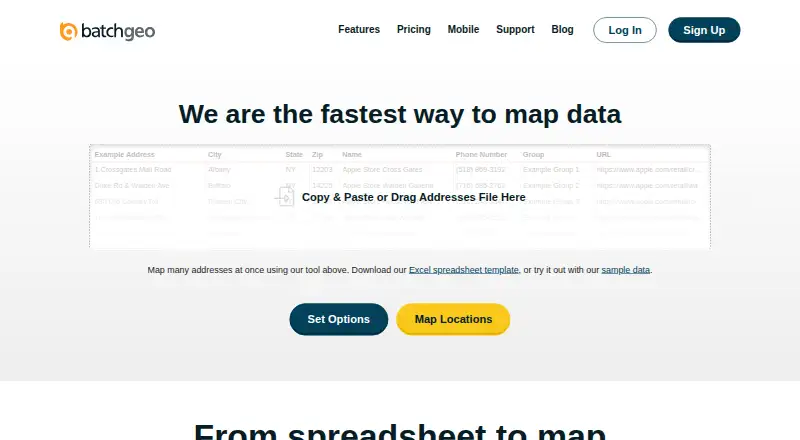
BatchGeo turns spreadsheet data into interactive maps by geocoding locations and plotting them on Google Maps. Users can paste addresses, intersections, cities, states, postal codes, or coordinates, then group and filter results to examine geographic patterns. Maps can show markers or boundaries and be embedded on websites using HTML. The free tier supports up to 250 rows per map; its listed plan also allows saving maps for up to 30 days, up to 1000 geocoding per month, and up to 100 map views. Pro adds route optimization for up to 23 locations, Street View integration, and PDF, PNG, and KML exports. Pro costs $99 a month. Maps can be public, unlisted, subscription-accessible, or password-protected with Pro. BatchGeo notes that technical users may still uncover hidden locations when address hiding is enabled. The native iOS app provides map access, location search, filtering, and driving directions, while Android users are directed to mobile-optimized maps. The service has a support center with articles on map creation, accounts, mobile features, and Pro features.
Who it suits
BatchGeo suits people who want to map spreadsheet locations without cartography, programming, or GIS training. Its described use cases include sales, real estate, store locators, and data analysis.
What it does well
- Accepts addresses, postal codes, and coordinates.
- Supports marker and boundary maps.
- Saved maps can be embedded with HTML.
- Native iOS app includes location search and directions.
What to know first
- Free-tier maps support up to 250 rows.
- Pro costs $99 a month.
- Android users get mobile-optimized maps rather than a native app.
- Hidden locations may still be uncovered by technical users.
Limits
The free tier supports maps with up to 250 rows. The listed Free Plan allows saving maps for up to 30 days, up to 1000 geocoding per month, and up to 100 map views.
Plans
| Plan | Billed and limits | Price |
|---|---|---|
| Free Plan | monthly · 250 geocodes/month · 50 map views/month · 90-day map storage · basic data selection | Free |
| BatchGeo Pro | 100,000 markers per map · Password protected · 10 users included · Street View integration · PDF, PNG, KML export | $99 a month |
| Pro Plan | monthly · 10 users · 100,000 markers/map · 25,000 views/month · 250,000 geocodes/month · PDF/PNG/KML export · Street View · heat maps · 25-point route optimization · password protection | $99 a month |
As batchgeo.com lists them, read 15 Oct 2026. The maker's own page has the final word.
Getting started
- Open the BatchGeo website.
- Copy location data from a spreadsheet, including addresses or coordinates, and paste it into BatchGeo.
- Create a map and use grouping or filtering to explore the data.
- Save the map; the Free Plan allows saving for up to 30 days.
- Use the iOS app to access maps on iOS, or open mobile-optimized maps on Android.
- Choose Pro at $99 a month for its listed features, including password protection and exports.
BatchGeo is a spreadsheet-to-map tool for people who need to plot and share location data without cartography or GIS training. It is strongest for straightforward mapping and filtering; manual refresh and tier limits make it a weaker fit for constantly changing or sensitive datasets.
Overview
Paste spreadsheet records into BatchGeo and it geocodes supported locations onto Google Maps. Grouping and filtering help make geographic patterns easier to inspect, while marker and boundary maps provide different ways to present the data. Saved maps can be embedded on a website, but updates to the source spreadsheet do not flow through automatically: map data refresh is manual.
Key features
BatchGeo accepts addresses, intersections, cities, states, postal codes, and coordinates. That range supports use cases such as sales territories, real estate, store locators, and location analysis without requiring programming or GIS expertise. It is a practical route from a spreadsheet to a shareable map, rather than a substitute for an automated data pipeline.
Maps can be public, unlisted, available to subscription users, or password-protected with Pro. Treat address hiding cautiously: technically capable viewers may still uncover locations. BatchGeo stores map data on its servers; it says Pro traffic uses encrypted protocols and its servers are patched, firewalled, and periodically scanned and audited.
Pro adds Google Maps Street View, PDF, PNG, and KML exports, and route optimization for up to 23 locations. These tools help with map sharing and short route planning, but the route cap makes it unsuitable for larger routing jobs.
Pricing
The Free Plan is listed without a price and includes saving maps for up to 30 days, up to 1,000 geocoding operations per month, and up to 100 map views. The features FAQ separately caps free maps at 250 rows of data. This is enough for occasional, small maps, but the short retention period and view ceiling limit its use for durable or widely shared projects. A free trial is also offered.
BatchGeo Pro costs $99 a month. It allows up to 100,000 markers per map, includes 10 users, and adds password protection, Street View, PDF, PNG, and KML exports. Pro is the clear fit when maps exceed the free row cap, need stronger access control, or must be exported. The stated allowance of 5,000 viewers per month is relevant for public-facing embeds; custom branding and API access are not offered.
Platforms
BatchGeo supports web, Android, and iOS. Its native iOS app lets users access maps, search locations, filter data, and get driving directions; Android users are directed to mobile-optimized maps rather than a native app.
Who it's for
BatchGeo suits people in sales, real estate, store-location planning, or analysis who already have location data in a spreadsheet and need a map they can filter or embed. It is less appropriate when data must stay synchronized automatically, when hidden addresses need robust confidentiality, or when a project needs API access or custom branding.
Pros and cons
- Pros: Broad location-field support and spreadsheet input make it straightforward to turn existing records into maps without GIS training.
- Pros: Grouping, filtering, and marker or boundary views support exploration as well as presentation.
- Pros: Pro combines 10-user access, password protection, exports, Street View, and a generous per-map marker allowance.
- Cons: Manual refresh means spreadsheet changes require a separate map update.
- Cons: The free tier's 250-row map cap, 30-day saving window, and 100 monthly views constrain sustained use.
- Cons: Address hiding is not dependable protection against technically capable viewers, and the product has no API access or custom branding.
Alternatives
Choose Datawrapper if charts and tables alongside maps, web publishing, embedding, and PNG downloads are more important than BatchGeo's spreadsheet-location workflow; its free plan shows attribution. Felt is worth considering for unlimited maps and sharing on its free Personal plan, though that plan excludes own data-file uploads and is for personal use only.
Mapotic may suit a community or place-focused map: its free Map Builder plan includes 100 places, custom fields, layers, filters, ratings, and comments, with ads possible. EasyMapMaker is another free option for smaller pin maps, with 250 pins per map, 20 maps a day, and seven unique groups on Basic.
Mapbox Studio is a free starting point for Mapbox users, but related API and custom tileset usage may be billed separately. MapChart is an alternative for readers seeking another free map-making option. MapTiler Cloud may fit testing, personal, or non-commercial projects needing hosted storage and API requests, with its free plan capped at 5 GB storage, 5,000 sessions per month, 100,000 API requests per month, and 100 uploads per month. NextGIS Web is an alternative for readers comparing a web GIS with annual plans and layer-oriented allowances.
For broader comparisons, browse Interactive Map Software or Map Creation Software.
Verdict
Choose BatchGeo if your priority is converting spreadsheet locations into maps you can filter, embed, and share without GIS skills. Its Pro plan is compelling when you need larger maps, exports, or password protection, but look elsewhere for automatic data refresh, an API, custom branding, or stronger assurance that hidden addresses stay private.
Verdict
BatchGeo provides a direct path from spreadsheet locations to embeddable interactive maps, with grouping and filtering tools. Check the free-tier limits and map privacy options before choosing a plan.
Questions
Does BatchGeo have a free plan?
Yes. The free tier supports maps with up to 250 rows; the listed Free Plan also allows saving maps for up to 30 days, up to 1000 geocoding per month, and up to 100 map views.
How much does BatchGeo Pro cost?
BatchGeo Pro costs $99 a month.
What does Pro include?
Pro includes up to 100,000 markers per map, password protection, 10 users, Street View integration, and PDF, PNG, and KML exports. Its route optimization supports up to 23 locations.
Which mobile platforms can use BatchGeo?
BatchGeo offers a native iOS app for accessing maps, searching locations, filtering data, and getting driving directions. Android users are directed to mobile-optimized maps.
Can saved maps be embedded on a website?
Yes. Saved maps can be embedded using HTML embed code.
How can map access be controlled?
Maps can be public, unlisted, available to subscription users, or password-protected with Pro. BatchGeo says technical users may still uncover hidden locations on maps with address hiding enabled.
Facts from BatchGeo's own pages
- Analysis
- Users can group and filter map data, explore geographic trends, and create marker or boundary maps. · batchgeo.com, 2 Oct 2026
- API status
- An official blog post describes a BatchGeo developer API as an idea being considered, rather than documenting a released API. · blog.batchgeo.com, 15 Oct 2026
- App changelog
- Recent iOS releases list fixes for session-invalid errors, password-character login failures, hidden-map handling, logout issues and deep-link loading. · apps.apple.com, 15 Oct 2026
- App complaints
- App Store reviewers report that the app stopped working, support email was ineffective and saved maps sometimes appeared on the website but not in the app. · apps.apple.com, 15 Oct 2026
- App purpose and requirement
- The iOS app is a companion for viewing saved maps and requires iOS/iPadOS 15 or later. · apps.apple.com, 15 Oct 2026
- Audience
- The company describes BatchGeo as usable without cartography, programming, or GIS training and highlights sales, real estate, store locator, and data analysis use cases. · batchgeo.com, 2 Oct 2026
- Boundary maps
- Boundary mode aggregates records by government or postal boundaries and shades regions according to values. · api.batchgeo.com, 15 Oct 2026
- Company founding
- BatchGeo says it was founded in 2006 by a team of GIS experts. · batchgeo.com, 15 Oct 2026
- Company headquarters
- The company says it is located in Vancouver, Washington, north of Portland, Oregon. · batchgeo.com, 15 Oct 2026
- Data privacy modes
- Saved maps can be public, unlisted, restricted to subscription users or password protected on Pro. · api.batchgeo.com, 15 Oct 2026
- Embedding
- Saved maps provide iframe embed code for placement on websites. · api.batchgeo.com, 15 Oct 2026
- Encryption claim
- The product states that data is encrypted in transit and at rest. · api.batchgeo.com, 15 Oct 2026
- Exports
- Pro maps can be exported as PDF, PNG or KML files. · batchgeo.com, 15 Oct 2026
- Founded
- 2006 · batchgeo.com, 28 Sept 2026
- Free-tier limit
- The features FAQ says the free tier supports maps with up to 250 rows of data. · batchgeo.com, 2 Oct 2026
- Headquarters
- Vancouver, Washington, United States · batchgeo.com, 28 Sept 2026
- Heat maps
- The product offers a heat-map layer for visualizing location density. · batchgeo.com, 15 Oct 2026
- Input formats
- The service accepts Excel XLS/XLSX, CSV, Google Sheets and tab-delimited text, plus direct pasted or manually entered locations. · api.batchgeo.com, 15 Oct 2026
- Inputs
- It accepts data copied from spreadsheets and supports addresses, intersections, cities, states, postal codes, and coordinates. · batchgeo.com, 2 Oct 2026
- Integrations
- Independent software listings identify Microsoft Excel, Google Maps and Google Docs as integrations or connected products. · getapp.com, 15 Oct 2026
- Legal entity
- The website footer and terms identify the maker as BatchGeo LLC. · batchgeo.com, 15 Oct 2026
- Licence
- BatchGeo is proprietary web software; its terms grant only a limited, revocable access licence and prohibit copying, reverse engineering, hosting or commercial exploitation of the site. · batchgeo.com, 15 Oct 2026
- Limit: advanced functionality
- G2 reviewers say the product has fewer customization and analytics capabilities than more advanced GIS tools. · g2.com, 15 Oct 2026
- Limit: interface and editing
- GetApp reviews mention slow behavior, a less flexible interface and the need to re-upload data when source files change. · getapp.com, 15 Oct 2026
Where BatchGeo stands on Freedom251
- Interactive Map Software#2 of 40
- Map Creation Software#2 of 26