kepler.gl
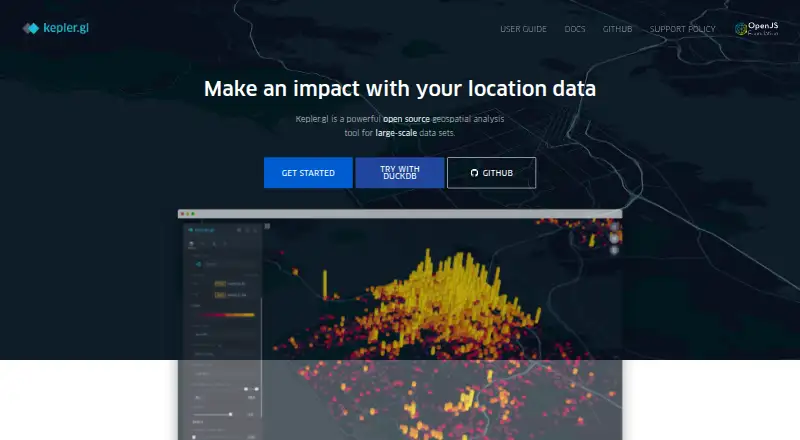
What kepler.gl is
kepler.gl is a free, open-source web application for visual exploration and analysis of large-scale geolocation data. Built on MapLibre GL and deck.gl, it can render millions of points and perform spatial aggregations in the browser. Users can upload CSV or GeoJSON files, start with sample data, or use formats such as DataFrame, GeoDataFrame, and WKT. Documented visualization layers include points, arcs, lines, grids, polygons, clusters, icons, hexbins, heatmaps, H3, S2, trips, and vector and raster tiles. Analysis tools include filters, time playback, a SQL Data Explorer, an AI Assistant, 3D maps, and split maps. The demo app works client-side and keeps uploaded data in the browser rather than sending or storing it on backends. Maps can be exported as images, CSV, or JSON, and shared through a public URL using Dropbox. kepler.gl is also a React component built with Redux that can be embedded and customized in React-Redux applications. It supports Mapbox and MapLibre base maps and provides integration points for optional commercial backends. The project is MIT-licensed, with no paid plans or pricing stated. An application using kepler.gl needs a Mapbox account and access token, according to its API setup guide.
Who it suits
kepler.gl may suit people exploring large geolocation datasets in a browser, as well as developers embedding customizable maps in React-Redux applications. Its documentation also covers Jupyter Notebook use.
What it does well
- Free and MIT-licensed.
- Can render millions of points in-browser.
- Includes multiple map layers and analysis tools.
- Demo app keeps uploaded data in the browser.
What to know first
- An application using it needs a Mapbox account and token.
- The demo app has no backend.
- JupyterLab users need to install its extension.
Limits
The demo app runs client-side and has no backend, though optional commercial backend integrations are available. API setup requires a Mapbox account and access token.
Plans
| Plan | Billed and limits | Price |
|---|---|---|
| Open-source software | MIT-licensed software · no paid plans or pricing stated on the pages reviewed | Free |
As kepler.gl lists them, read 9 Oct 2026. The maker's own page has the final word.
Getting started
- Open https://kepler.gl/.
- Upload a CSV or GeoJSON file, or choose sample data.
- For Jupyter Notebook use, follow the documented kepler.gl guide.
- For JupyterLab use, install the JupyterLab extension.
- For an API application, obtain a Mapbox account and access token.
Verdict
kepler.gl offers a broad set of browser-based mapping and analysis tools without a paid plan. Developers should note the Mapbox account and token requirement for an application using its API.
Questions
Is kepler.gl free?
Yes. It is MIT-licensed open-source software, and no paid plans are stated.
What platforms does it support?
The listed platforms are API, self-hosted, and web.
What data can I import?
The getting-started guide covers CSV and GeoJSON uploads or sample data. Jupyter documentation also lists DataFrame, GeoDataFrame, and WKT.
Can I use it with Jupyter?
Yes. There is a Jupyter Notebook guide; JupyterLab users need to install the extension.
Does it have a backend?
The demo app is client-side and does not send or store uploaded data on backends. Optional commercial backend integrations are available.
What is the API requirement?
An application using kepler.gl needs a Mapbox account and access token.
Facts from kepler.gl's own pages
- Analysis tools
- The user guide describes filters, time playback, SQL Data Explorer, an AI Assistant, 3D maps, and split maps. · docs.kepler.gl, 9 Oct 2026
- Data formats
- The Jupyter guide lists CSV, GeoJSON, DataFrame, GeoDataFrame, and WKT as supported data formats. · docs.kepler.gl, 9 Oct 2026
- Data handling
- The save-and-export guide says the demo app is client-side only, keeps uploaded data in the browser, and does not send or store user data on backends. · docs.kepler.gl, 9 Oct 2026
- Data import
- The getting-started guide says users can upload CSV or GeoJSON files or use sample data. · docs.kepler.gl, 9 Oct 2026
- Embeddable
- Kepler.gl is a React component that uses Redux and can be embedded and customized in other React-Redux applications. · docs.kepler.gl, 9 Oct 2026
- Exports and sharing
- The demo app guide describes exporting maps as images, CSV data, and JSON, and sharing a public URL through Dropbox. · docs.kepler.gl, 9 Oct 2026
- Jupyter integration
- The documentation provides a kepler.gl Jupyter Notebook guide and says JupyterLab users need to install the JupyterLab extension. · docs.kepler.gl, 9 Oct 2026
- License
- The project license is MIT. · github.com, 9 Oct 2026
- Map providers
- The release notes state that both Mapbox and MapLibre base maps are supported. · docs.kepler.gl, 9 Oct 2026
- Notable requirement
- The API setup guide says an application using kepler.gl needs a Mapbox account and access token. · docs.kepler.gl, 9 Oct 2026
- Purpose
- Kepler.gl is a web-based application for visual exploration and analysis of large-scale geolocation data. · docs.kepler.gl, 9 Oct 2026
- Rendering
- Built on MapLibre GL and deck.gl, it can render millions of points and perform spatial aggregations in the browser. · docs.kepler.gl, 9 Oct 2026
- Storage integrations
- The cloud-provider documentation says the application has no backend but provides integration points for optional commercial backends. · docs.kepler.gl, 9 Oct 2026
- Visualization layers
- Documented layer types include point, arc, line, grid, polygon, cluster, icon, hexbin, heatmap, H3, S2, trip, vector tile, and raster tile layers. · docs.kepler.gl, 9 Oct 2026
Where kepler.gl stands on Freedom251
- GIS Software#12 of 64
- Interactive Map Software#10 of 40
- Geo Tools#9 of 26
- Map Creation Software#9 of 26