Freedom251 › Email marketing tools
Mailtrain
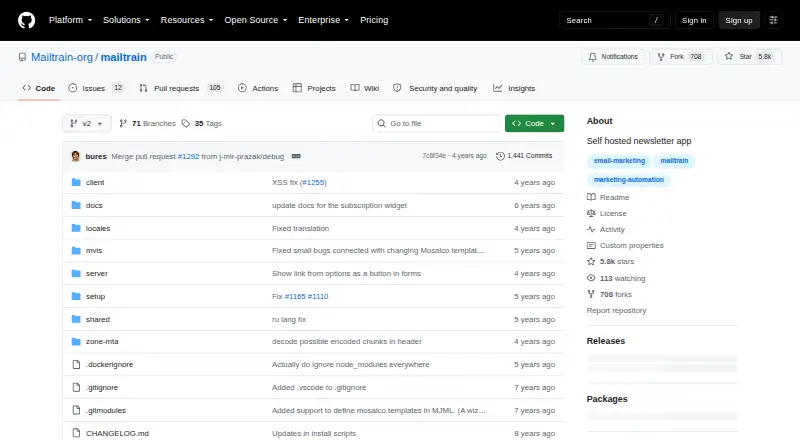
What Mailtrain is
Mailtrain is a free, self-hosted newsletter application built on Node.js and MySQL or MariaDB. It manages subscriber lists with segmentation and custom fields, and supports triggered and RSS campaign automation. Users can create email templates, including MJML-based templates, and generate custom reports. Multiple users can have granular permissions and flexible sharing, while hierarchical namespaces provide another way to organize larger setups. Mailtrain includes Zone-MTA for mail delivery setup. Its security design separates trusted, sandbox, and public endpoints to help avoid XSS attacks in multi-user environments. The Docker configuration supports LDAP authentication and CAS, with an optional API access token setting. Deployment options include Docker Compose or direct installation on CentOS 7 or Ubuntu 18.04 LTS. Version 2 requires Node.js 14 or later and MySQL 8 or later, or MariaDB 10 or later; the recommended minimum hardware is 2 vCPU and 4096 MB RAM. It is distributed under the GPL-V3.0 license. Docker users should set ADMIN_PASSWORD because the default password is test.
Who it suits
It suits organizations that want to host their own newsletter application and manage subscriber lists, campaigns, and user permissions. It requires the listed software versions and recommended minimum hardware.
What it does well
- Supports subscriber segmentation and custom fields
- Automates triggered and RSS campaigns
- Includes Zone-MTA for mail delivery setup
- Free under the GPL-V3.0 license
What to know first
- Requires Node.js 14 or later
- Requires MySQL 8 or later, or MariaDB 10 or later
- Recommended minimum is 2 vCPU and 4096 MB RAM
- Docker users should change the default password
Plans
| Plan | Billed and limits | Price |
|---|---|---|
| Mailtrain v2 | Self-hosted; recommended minimum 2 vCPU · 4096 MB RAM | Free |
As github.com lists them, read 5 Oct 2026. The maker's own page has the final word.
Getting started
- Open the Mailtrain project website on GitHub.
- Choose a deployment route: Docker Compose or direct installation on CentOS 7 or Ubuntu 18.04 LTS.
- Provide Node.js 14 or later and MySQL 8 or later, or MariaDB 10 or later.
- Plan for the recommended minimum of 2 vCPU and 4096 MB RAM.
- For Docker, set ADMIN_PASSWORD.
Mailtrain is a self-hosted newsletter application for teams that want to manage subscribers and automate campaigns on infrastructure they control. It suits organizations comfortable maintaining a Node.js and MySQL or MariaDB deployment. Its breadth of list, access, and reporting controls is appealing, but the runtime and recommended hardware make it a more involved choice than a hosted service.
Overview
Mailtrain combines subscriber management, campaign automation, templates, and reporting in one application. List segmentation and custom fields support more tailored audiences, while triggered and RSS campaigns can automate some recurring sends. Zone-MTA is included to reduce mail-delivery setup, though the self-hosted deployment still carries infrastructure responsibilities.
Multi-user controls are a notable strength for teams: granular permissions, flexible sharing, and hierarchical namespaces help organize access across groups. Separate trusted, sandbox, and public endpoints are designed to help avoid XSS attacks in multi-user settings. These controls make Mailtrain more compelling for collaborative or enterprise-style setups than a simple single-user newsletter tool.
Key features
- Subscriber lists: Manage lists, segment subscribers, and use custom fields to organize audiences.
- Campaign automation: Triggered and RSS campaigns support automated newsletter workflows.
- Templates and reports: Email templates include MJML-based options, and custom reports provide reporting flexibility.
- Team access: Multiple users can work with granular permissions, sharing, and hierarchical namespaces.
- Mail delivery: Zone-MTA aims to make delivery setup close to zero-configuration.
- API and authentication: The Docker configuration can enable an API access token and supports LDAP authentication and CAS.
Pricing
Mailtrain v2 costs nothing. The plan is self-hosted and includes a newsletter website, custom domain, and API access. There is no free trial because the offering is free; the tradeoff is that users provide and maintain the deployment rather than paying for a hosted service.
The practical cost is operational: Mailtrain v2 requires Node.js 14 or later and MySQL 8 or later, or MariaDB 10 or later, and the recommended minimum hardware is 2 vCPU and 4096 MB RAM. Docker Compose deployment is documented, as is direct installation on CentOS 7 or Ubuntu 18.04 LTS. Docker users should set ADMIN_PASSWORD; its default is test.
Platforms
Mailtrain is available as a web application and supports API use on Linux and self-hosted deployments. Its Node.js and database requirements, plus the recommended hardware, make it a fit for users who can provision and administer a server rather than those seeking a ready-to-use hosted platform.
Who it's for
Mailtrain is best for organizations that want control over newsletter infrastructure and need list segmentation, automated campaigns, custom reporting, and shared access controls. Hierarchical namespaces and granular permissions suit teams with more than one user or distinct groups. It is less appropriate for readers who want to avoid server administration or do not have capacity for its runtime and hardware requirements.
Pros and cons
- Pro: List segmentation, custom fields, triggered and RSS campaigns, templates, and custom reports cover a broad newsletter workflow.
- Pro: Granular permissions, sharing, namespaces, LDAP, and CAS support collaborative deployments with varied access needs.
- Pro: A free self-hosted plan includes a newsletter website, custom domain, and API access.
- Con: Users must run and maintain the application, database, and server; the recommended minimum is 2 vCPU and 4096 MB RAM.
- Con: Docker deployments need an explicit password change from the default test value before use.
Alternatives
Choose listmonk if you want free, open-source self-hosted software across Linux, macOS, and Windows, and can use its required PostgreSQL database. Substack is a hosted web and mobile alternative with a free-to-start plan and no platform fees, tiers, or contracts.
Sympa is another free self-hosted option if its administrator-managed mail, database, and web server components suit your environment. Audienceful may fit readers who prefer a hosted web service with a free tier capped at 1,000 contacts, one team collaborator, and one automated journey. Curated is worth considering for a hosted newsletter workflow with a free tier for 0–1,500 subscribers and a free trial.
Email Fast offers a hosted free plan with 2,500 emails per month, unlimited contacts and subscribers, and one sending domain. LetterBucket provides a hosted free plan for up to 1,000 subscribers and unlimited posts. phpList offers a Forever Free plan with 300 messages and unlimited subscribers. For broader comparisons, see Newsletter Platforms and Email Marketing Software.
Verdict
Choose Mailtrain if you want a free, self-hosted newsletter system with substantial list, campaign, reporting, and multi-user controls, and can support its server requirements. Look elsewhere if you want to avoid administering a Node.js and database deployment or need a hosted service.
Verdict
Mailtrain provides list management, campaign automation, reporting, and multi-user controls in a self-hosted package. Account for its runtime and hardware requirements, and set ADMIN_PASSWORD when using Docker.
Questions
How much does Mailtrain cost?
Mailtrain v2 is listed as free plan.
Is Mailtrain open source?
Yes. It is distributed under the GPL-V3.0 license.
Which platforms does Mailtrain support?
Its listed platforms are API, Linux, self-hosted, and web.
What does Mailtrain require?
Version 2 requires Node.js 14 or later and MySQL 8 or later, or MariaDB 10 or later. The recommended minimum hardware is 2 vCPU and 4096 MB RAM.
Can Mailtrain use a custom domain and API access?
Yes. Custom domain support and API access are listed.
How can Mailtrain be deployed?
The project documents Docker Compose deployment and direct installation on CentOS 7 or Ubuntu 18.04 LTS.
Facts from Mailtrain's own pages
- API
- The Docker configuration has an optional setting for an API access token. · github.com, 5 Oct 2026
- Authentication
- The Docker configuration supports LDAP authentication and CAS. · github.com, 5 Oct 2026
- Campaigns
- Mailtrain includes triggered and RSS campaign automation. · github.com, 5 Oct 2026
- Deployment
- The project documents deployment with Docker Compose and direct installation on CentOS 7 or Ubuntu 18.04 LTS. · github.com, 5 Oct 2026
- Enterprise organization
- It supports hierarchical namespaces for enterprise-level situations. · github.com, 5 Oct 2026
- Free plan
- Yes · github.com, 23 Sept 2026
- Hardware
- The recommended minimum hardware is 2 vCPU and 4096 MB RAM. · github.com, 5 Oct 2026
- License
- Mailtrain is distributed under the GPL-V3.0 license. · github.com, 5 Oct 2026
- Lists
- Mailtrain supports subscriber list management, list segmentation, and custom fields. · github.com, 5 Oct 2026
- Mail delivery
- Mailtrain includes Zone-MTA for close-to-zero setup of mail delivery. · github.com, 5 Oct 2026
- Notable setup requirement
- The project warns that Docker users should set ADMIN_PASSWORD because the default password is test. · github.com, 5 Oct 2026
- Product
- Mailtrain is a self-hosted newsletter application built on Node.js and MySQL or MariaDB. · github.com, 5 Oct 2026
- Reporting
- Mailtrain includes custom reports. · github.com, 5 Oct 2026
- Reports
- It includes custom reports. · github.com, 5 Oct 2026
- Requirements
- Mailtrain v2 requires Node.js 14 or later and MySQL 8 or later, or MariaDB 10 or later. · github.com, 5 Oct 2026
- Security
- The project says its separate trusted, sandbox, and public endpoints help avoid XSS attacks in multi-user settings. · github.com, 5 Oct 2026
- Security design
- Mailtrain separates trusted, sandbox, and public endpoints to help avoid XSS attacks in multi-user settings. · github.com, 5 Oct 2026
- Templates
- Mailtrain supports email templates, including MJML-based templates. · github.com, 5 Oct 2026
- User access
- It supports multiple users with granular permissions, flexible sharing, and hierarchical namespaces. · github.com, 5 Oct 2026
- Users and access
- It supports multiple users with granular permissions and flexible sharing. · github.com, 5 Oct 2026
Where Mailtrain stands on Freedom251
- Email marketing tools#21 of 189
- Email Marketing Software#37 of 189
- Newsletter Platforms#10 of 30