Freedom251 › Virtualization Management Software

LXD
What LXD is
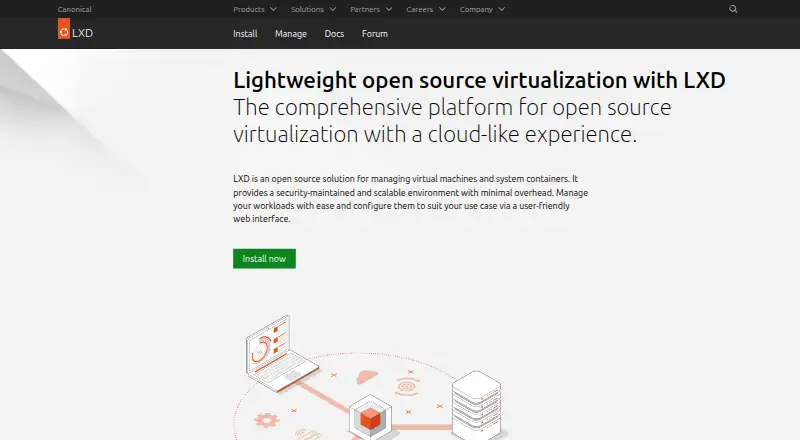
LXD is an open-source platform for managing system containers and virtual machines on Linux. It combines LXC-based containers with KVM-based virtual machines and supports images for many Linux distributions as well as Windows virtual machines. Administrators can use the command line, REST API, web UI, or third-party tools; a single RESTful API supports local and remote access. An official web UI is available by default starting with LXD 5.21.0 LTS. Features include resource limits, scheduled and expiring snapshots, projects, hardware passthrough, live migration, and advanced networking. Containers run unprivileged by default, while virtual machines support UEFI Secure Boot and vTPM. LXD can scale from a laptop to data-center workloads, and its documentation describes clusters of up to 50 servers with thousands of instances. Integrations include Juju, MAAS, Ansible, Terraform, Puppet Bolt, and Packer. Canonical offers commercial support through Ubuntu Pro; enterprise workstation and server plans are listed at $25 a year and $500 a year, respectively.
Who it suits
LXD suits Linux users managing containers and virtual machines through command-line, API, web, or third-party interfaces. Its stated scaling and integration options also suit deployments ranging from a laptop to data-center clusters.
What it does well
- Combines LXC system containers and KVM virtual machines.
- Supports images for Linux distributions and Windows virtual machines.
- Offers CLI, REST API, web UI, and third-party management.
- Unprivileged containers are the default.
- Includes snapshots, live migration, and advanced networking.
What to know first
- Supported host OS is Linux.
- Desktop GUI is listed as unavailable.
- Commercial Ubuntu Pro enterprise plans are separately priced.
Plans
| Plan | Billed and limits | Price |
|---|---|---|
| LXD open source | KVM-based virtual machines · system containers · self-hosted deployment | Free |
| Ubuntu Pro Personal | Up to 5 physical Ubuntu systems · unlimited VMs or containers | Free |
| Ubuntu Pro Enterprise workstation | per workstation · Security and compliance subscription · optional support | $25 a year |
| Ubuntu Pro Enterprise server | per server · Security and compliance subscription · optional support | $500 a year |
As canonical.com lists them, read 30 Sept 2026. The maker's own page has the final word.
Getting started
- Open the LXD website
- Choose the free open source plan or an Ubuntu Pro plan
- Deploy LXD on a Linux host using a self-hosted setup
- Manage instances through the CLI, REST API, web UI, or a third-party tool
- Connect supported integrations such as Juju, MAAS, Ansible, or Terraform if needed
LXD is an open-source platform for administering Linux system containers and KVM virtual machines. It is best suited to Linux operators who need both workload types under one management layer and want to automate or scale beyond a single host. Its breadth and free core are compelling; Linux-only hosting and the absence of a desktop GUI make it a poor fit for users seeking a conventional desktop virtualization app.
Overview
LXD combines LXC-based system containers with KVM-based virtual machines, so teams can manage workloads with different isolation needs through one platform. It supports images for many Linux distributions and Windows virtual machines. Windows is a supported guest, not a container type or host platform.
Operators can use the CLI, REST API, web UI, or third-party tools. The single RESTful API works over HTTP for local and remote access, which gives automation a consistent management path. An official web UI is available by default starting with LXD 5.21.0 LTS. That range of interfaces serves both direct administration and integrated workflows, though it does not amount to a desktop GUI.
Key features
- Workload and resource management: Resource limits, projects, scheduled and expiring snapshots, hardware passthrough, live migration, and advanced networking address needs beyond basic instance creation. This makes LXD more suitable for ongoing infrastructure operations than a simple local VM launcher.
- Security controls: Containers run unprivileged by default; virtual machines support UEFI Secure Boot and vTPM. These defaults and VM options help operators manage security boundaries, but do not remove the need to configure workloads appropriately.
- Automation and integrations: Integrations for Juju, MAAS, Ansible, Terraform, Puppet Bolt, and Packer connect LXD to provisioning and infrastructure workflows. Teams already using these tools can incorporate it without limiting management to the native interfaces.
- Scaling and support: LXD can scale from laptop containers to thousands of instances in a data center; its documentation describes clusters of up to 50 servers. LTS releases arrive every two years and receive five years of standard support. Documentation, a discussion forum, tutorials, and GitHub contribution channels provide community support; Canonical offers commercial support through Ubuntu Pro.
Pricing
The core LXD open-source plan is free and includes KVM-based virtual machines, system containers, and self-hosted deployment. It is the natural starting point for users who want the platform without a subscription charge.
Ubuntu Pro Personal costs free and covers up to five physical Ubuntu systems with unlimited VMs or containers. That cap makes it a fit for personal use across a small number of Ubuntu hosts, but not for a larger fleet.
For paid Ubuntu Pro options, Enterprise workstation costs $25 a year, billed per workstation, and includes a security and compliance subscription with optional support. Enterprise server costs $500 a year, billed per server, with the same subscription and optional support. The workstation plan fits workstation deployments; the server plan is priced per server, so costs grow with the number of covered machines. Both are Ubuntu Pro subscriptions rather than a price for LXD's open-source core. LXD has a free trial, though no trial length or terms are stated.
Platforms
LXD is hosted on Linux and supports self-hosted deployment, with API and web access. It does not provide a desktop GUI or Windows containers. Windows virtual machines are supported as guests, but organizations needing a Windows host or Windows containers should choose another platform.
Who it's for
LXD suits Linux administrators, infrastructure teams, and developers who want to manage containers and VMs together, particularly where REST API access, automation integrations, and scaling from a laptop to a clustered environment matter. Its free core is useful for self-hosted deployments that can be operated on Linux. It is less suitable for desktop users who want a native GUI or teams whose host environment is not Linux.
Pros and cons
- Pros
- One platform handles LXC-based system containers and KVM VMs, reducing the need to separate those workloads across management systems.
- A single local-and-remote REST API, multiple interfaces, and integrations with common infrastructure tools support varied administration and automation needs.
- The free open-source plan includes self-hosted deployment, while the free Ubuntu Pro Personal option covers up to five physical Ubuntu systems with unlimited VMs or containers.
- Unprivileged containers by default, VM security features, and five years of standard LTS support provide useful operational foundations.
- Cons
- Linux is the only supported host OS, ruling it out for teams that need Windows hosting.
- No desktop GUI is provided, so users expecting a conventional desktop virtualization application may find the management model unsuitable.
- Ubuntu Pro Personal is capped at five physical Ubuntu systems; enterprise subscriptions are billed per workstation or server, so wider coverage adds per-machine cost.
Alternatives
For broader virtualization management options, browse Virtualization Management Software, Container Engines, or Container Runtime Software.
- Proxmox VE is another freemium option with a free plan and support across Linux, Windows, Android, web, API, and self-hosted platforms. Choose it when those platform options better match your environment.
- Virtuozzo Infrastructure offers a free self-install plan capped at 96 physical cores and 1TB of storage, plus a 30-day hosted trial. Consider it when those explicit capacity bounds or a hosted trial fit your evaluation.
- ZStack offers a free ZSphere plan with unlimited server deployment and full features for three months. It may suit a time-limited evaluation of broad server deployment.
- Apache CloudStack is free, open-source IaaS cloud software with Linux, API, web, and self-hosted platforms. Choose it when an IaaS cloud focus is a closer match.
- ManageIQ is free open-source software, though its Docker and Vagrant downloads are intended for proof-of-concept and non-production use. That stated limitation matters if evaluating those downloads for production.
- oVirt is a free community virtualization solution with production use stated for version 4.5.7. Consider it if that community edition fits your needs.
- PegaProx is free forever, self-hosted, and has the same features for all users with no paid tier. It is an option for readers seeking that stated no-tier pricing model.
- VMware Workstation Pro is free with no subscription or license key required for 64-bit Intel or AMD PCs running Windows or Linux hosts. Choose it when those host platforms and PC requirements fit.
Verdict
Choose LXD if you want a free, self-hosted Linux platform that brings system containers and KVM virtual machines together, with an API and integrations suited to automation and growth. Look elsewhere if you need Windows hosting or a desktop GUI; those are the clearest limits on its otherwise broad management scope.
Verdict
LXD provides a single open-source platform for managing both containers and virtual machines, with several interfaces and integrations. Linux host support and the listed Ubuntu Pro options are key considerations.
Questions
Is LXD free?
The LXD open source plan is free. Ubuntu Pro Personal is also listed as free for up to 5 physical Ubuntu systems, with unlimited VMs or containers.
What does LXD manage?
It manages LXC-based system containers and KVM-based virtual machines. Images are available for many Linux distributions and Windows virtual machines.
Which operating systems can host LXD?
Linux is the supported host operating system. LXD supports self-hosted deployment.
Does LXD have a web interface?
An official LXD UI is available by default starting with LXD 5.21.0 LTS. It can also be managed through a CLI, REST API, and third-party tools.
Is LXD open source?
Yes. The LXD open source plan is listed as free, and LXD is described as an open source solution.
Is commercial support available?
Canonical makes commercial LXD support available through Ubuntu Pro. Enterprise workstation and server subscriptions are listed at $25 a year and $500 a year, respectively.
Facts from LXD's own pages
- Cluster limit
- LXD documentation describes clusters of up to 50 servers with thousands of instances. · canonical.com, 30 Sept 2026
- Commercial support
- Canonical makes commercial LXD support available through Ubuntu Pro. · canonical.com, 30 Sept 2026
- Community support
- LXD provides documentation, a discussion forum, tutorials, and GitHub-based contribution channels. · canonical.com, 30 Sept 2026
- Founded
- 2004 · canonical.com, 28 Sept 2026
- Headquarters
- London, United Kingdom · canonical.com, 28 Sept 2026
- Image support
- LXD supports images for many Linux distributions and Windows virtual machines. · canonical.com, 30 Sept 2026
- Integrations
- LXD integrations are available for Juju, MAAS, Ansible, Terraform, Puppet Bolt, and Packer. · canonical.com, 30 Sept 2026
- Key features
- Key features include resource limits, scheduled and expiring snapshots, projects, hardware passthrough, live migration, and advanced networking. · canonical.com, 30 Sept 2026
- Management interfaces
- LXD can be managed through its CLI, REST API, web UI, and third-party tools. · canonical.com, 30 Sept 2026
- Release support
- LXD LTS releases are created every two years and receive standard support for five years. · canonical.com, 30 Sept 2026
- REST API
- LXD uses a single RESTful API over HTTP for local and remote access. · canonical.com, 30 Sept 2026
- Scaling
- LXD can scale from containers on a laptop to thousands of instances in a data center. · canonical.com, 30 Sept 2026
- Security defaults
- LXD runs unprivileged containers by default and supports UEFI Secure Boot and vTPM for virtual machines. · canonical.com, 30 Sept 2026
- Web UI
- An official LXD UI is available by default starting with LXD 5.21.0 LTS. · canonical.com, 30 Sept 2026
- What it does
- LXD is an open source solution for managing virtual machines and system containers. · canonical.com, 30 Sept 2026
- Workload types
- LXD provides KVM-based virtual machines and system containers based on LXC in one platform. · canonical.com, 30 Sept 2026
Where LXD stands on Freedom251
- Virtualization Management Software#4 of 34
- Container Engines#9 of 31
- Container Runtime Software#10 of 28