Freedom251 › Virtual machine software

VMware Workstation Pro
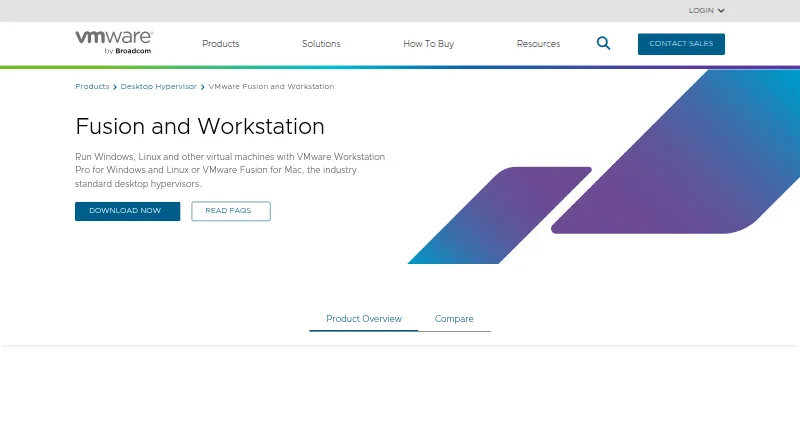
What VMware Workstation Pro is
VMware Workstation Pro runs virtual machines, containers, and Kubernetes clusters locally on Windows or Linux hosts for development, testing, and learning. Its hardware-assisted virtualization runs multiple operating systems on one physical computer, giving each VM virtual CPU, memory, and storage. Users can configure networks and save snapshots to restore as rollback points. Virtual-machine security options include encryption, virtual TPM, and UEFI Secure Boot. Workstation can connect to remote vSphere or ESX servers to manage VMs and physical hosts, and migrate local VMs to a private cloud. The 26H1 Windows release is a 64-bit application and adds remote connectivity to ARM-based ESXi servers; it is available through the Broadcom Support Portal. Workstation Pro is available at no charge for personal, educational, and commercial use, with no subscription or license key required. Free product users are not entitled to Broadcom Global Support Team support and are directed to community forums and self-service resources. VMware says it will continue releasing updates and security patches.
Who it suits
Workstation Pro suits developers, IT professionals, students, and enthusiasts who want to run virtual machines locally on Windows or Linux. It may also suit users who need to connect to remote vSphere or ESX servers.
What it does well
- Runs multiple operating systems on one physical machine.
- Snapshots provide rollback points for virtual machines.
- Supports encryption, virtual TPM, and UEFI Secure Boot.
- No subscription or license key is required.
What to know first
- Free users do not receive Broadcom Global Support Team support.
- Hosts are limited to Windows or Linux.
- Guest architecture is x86_64.
Limits
The free plan has no subscription or license key requirement, but free users are not entitled to Broadcom Global Support Team support. The listed plan is for 64-bit Intel or AMD (x86/x86-64) PCs running Windows or Linux hosts.
Plans
| Plan | Billed and limits | Price |
|---|---|---|
| VMware Workstation Pro | No subscription or license key required · 64-bit Intel or AMD (x86/x86-64) PCs · Windows or Linux hosts | Free |
As vmware.com lists them, read 29 Sept 2026. The maker's own page has the final word.
Getting started
- Visit the VMware Workstation and Fusion website.
- Use a 64-bit Intel or AMD PC with a Windows or Linux host.
- Get the 26H1 release through the Broadcom Support Portal.
- Install Workstation Pro and create virtual machines, containers, or Kubernetes clusters locally.
Overview
VMware Workstation Pro is a desktop hypervisor for running virtual machines on Windows and Linux hosts. It suits developers, IT professionals, students, and enthusiasts who need local environments for development, testing, or learning. Its broad VM controls are compelling at no charge, but users who need direct vendor support should look elsewhere.
Hardware-assisted virtualization lets one physical computer run multiple operating systems, each with virtual CPU, memory, and storage. Workstation can also run containers and Kubernetes clusters locally. That makes it a flexible local lab, though its desktop management model is aimed at work on a host machine rather than a managed service.
Key features
Snapshots give users rollback points when an experiment or configuration change goes wrong. Nested virtualization and GPU acceleration extend the workloads it can accommodate, while advanced networking and custom VM configurations give experienced users more control over how environments are set up and connected.
Encryption, virtual TPM, and UEFI Secure Boot are useful security options for VMs. Workstation can also connect to remote vSphere or ESX servers to manage VMs and physical hosts, and migrate local VMs to a private cloud. Those connections make it a stronger fit for VMware-based workflows than for users who only need standalone local virtualization.
Workstation Pro 26H1 for Windows is a 64-bit application with remote connectivity to ARM-based ESXi servers. Broadcom says product updates and security patches will continue. The release is available through the Broadcom Support Portal.
Pricing
VMware Workstation Pro: free, with no subscription or license key required. The free license covers personal, educational, and commercial use, so there is no paid tier to unlock the core product. It runs on 64-bit Intel or AMD (x86/x86-64) PCs with Windows or Linux hosts.
There is no free trial because the product is free. The important trade-off is support: free users are not entitled to Broadcom Global Support Team support and are directed to community forums and self-service resources instead. That is a sensible fit for users comfortable finding answers themselves, but a drawback for organizations that require vendor-backed assistance.
Platforms
Workstation Pro supports Windows and Linux hosts on 64-bit Intel or AMD PCs, with x86_64 guest architecture. Its desktop interface makes it a local-host tool; remote vSphere or ESX connections extend management to VMware environments, but do not change the supported host platforms.
Who it's for
Choose Workstation Pro for a no-cost local lab, especially if you need snapshots, nested virtualization, GPU acceleration, custom networking, or a route into remote vSphere and ESX management. It is also suited to learning and development work involving multiple operating systems, containers, or Kubernetes clusters. It is a weaker choice when direct vendor support is a requirement, or when you need a managed virtualization service rather than a desktop application.
Pros and cons
- Pro: No-charge licensing for personal, educational, and commercial use removes subscription and license-key costs.
- Pro: Snapshots, nested virtualization, GPU acceleration, and security options cover a broad range of local VM work.
- Pro: Remote vSphere and ESX connections support management of remote VMs and physical hosts, plus migration of local VMs to a private cloud.
- Con: Free users do not receive Broadcom Global Support Team support and must rely on forums and self-service resources.
- Con: Windows and Linux hosts on x86/x86-64 PCs limit its fit for users seeking other host platforms or architectures.
Alternatives
If your need is load balancing rather than local virtualization, AWS Elastic Load Balancing is a different category of tool; its AWS Free Tier includes 750 shared monthly hours for new customers and 15 GB of Classic Load Balancer data processing. For a free Linux or self-hosted load balancer with TCP and HTTP proxying, consider HAProxy Community Edition. IIS Application Request Routing (ARR), Linux Virtual Server, and OpenELB are also free alternatives in the load-balancing category.
For a paid option with a free trial across platforms including Windows, Linux, web, and self-hosted deployments, F5 BIG-IP APM may suit readers evaluating a broader platform. Hetzner Cloud Volumes and Array APV are paid alternatives. Browse Virtual machine software for more products in Workstation Pro's category, or explore Load Balancing Software, Software-Defined Networking Software, Container Networking Software, and Microsegmentation Software. In-Memory Databases covers a separate software category.
Verdict
VMware Workstation Pro is an excellent fit for developers, IT professionals, students, and enthusiasts who want capable local virtualization without a subscription or license key. Its snapshots, security controls, and VMware server connectivity make it more than a basic VM launcher. Choose another product if direct vendor support or a non-Windows/Linux host is essential.
Verdict
Workstation Pro offers local virtualization with snapshots, VM security options, and remote vSphere or ESX connections at no charge. Users who need direct vendor support should note that free product users are directed to forums and self-service resources.
Questions
How much does VMware Workstation Pro cost?
The plan is free. It is available without a subscription or license key for personal, educational, and commercial use.
Which host platforms does it support?
Workstation Pro supports Windows and Linux hosts. The listed plan specifies a 64-bit Intel or AMD PC.
Can it run virtual machines for other operating systems?
It uses hardware-assisted virtualization to run multiple operating systems on one physical machine. The listed guest architecture is x86_64.
Does it include support?
Free product users are not entitled to Broadcom Global Support Team support. VMware directs them to community forums and self-service resources.
Where can I get the 26H1 release?
The 26H1 release is available through the Broadcom Support Portal. The Windows release is a 64-bit application and adds remote connectivity to ARM-based ESXi servers.
Facts from VMware Workstation Pro's own pages
- Downloads
- The 26H1 release is available through the Broadcom Support Portal. · blogs.vmware.com, 29 Sept 2026
- Founded
- 1998 · vmware.com, 28 Sept 2026
- Free plan
- Yes · vmware.com, 20 Sept 2026
- GPU acceleration
- Yes · vmware.com, 20 Sept 2026
- Guest architecture
- x86_64 · vmware.com, 20 Sept 2026
- Headquarters
- Palo Alto, California, United States · vmware.com, 28 Sept 2026
- Host platforms
- Workstation Pro runs on 64-bit Intel and AMD PCs with Windows or Linux operating systems. · vmware.com, 29 Sept 2026
- Intended users
- VMware describes the desktop hypervisor tools as intended for developers, IT professionals, students, and enthusiasts. · vmware.com, 29 Sept 2026
- Latest release
- Workstation Pro 26H1 for Windows is a 64-bit application and adds remote connectivity to ARM-based ESXi servers. · blogs.vmware.com, 29 Sept 2026
- Licensing
- Workstation Pro is available at no charge for personal, educational, and commercial use, with no subscription or license key required. · vmware.com, 29 Sept 2026
- Management interface
- desktop · vmware.com, 20 Sept 2026
- Nested virtualization
- Yes · vmware.com, 20 Sept 2026
- Networking
- Workstation supports advanced networking and custom VM configurations. · vmware.com, 29 Sept 2026
- Purpose
- Workstation lets users run virtual machines, containers, and Kubernetes clusters locally for development, testing, and learning. · vmware.com, 29 Sept 2026
- Security features
- The product supports encryption, virtual TPM, and UEFI Secure Boot for virtual machines. · vmware.com, 29 Sept 2026
- Snapshots
- Users can create VM snapshots and restore them later as rollback points. · vmware.com, 29 Sept 2026
- VM snapshots
- Yes · vmware.com, 20 Sept 2026
- Support
- Free product users are not entitled to Broadcom Global Support Team support; VMware directs them to community forums and self-service resources. · vmware.com, 29 Sept 2026
- Updates
- Broadcom says it will continue releasing product updates and security patches. · vmware.com, 29 Sept 2026
- Virtualization
- The product uses hardware-assisted virtualization to run multiple operating systems on one physical machine, with each VM receiving virtual CPU, memory, and storage. · vmware.com, 29 Sept 2026
- vSphere integration
- Workstation can connect to remote vSphere or ESX servers to manage VMs and physical hosts and migrate local VMs to a private cloud. · vmware.com, 29 Sept 2026
Where VMware Workstation Pro stands on Freedom251
- Virtual machine software#6 of 24
- Hypervisor Software#16 of 26