Freedom251 › Photo Editing Software
Luminance HDR
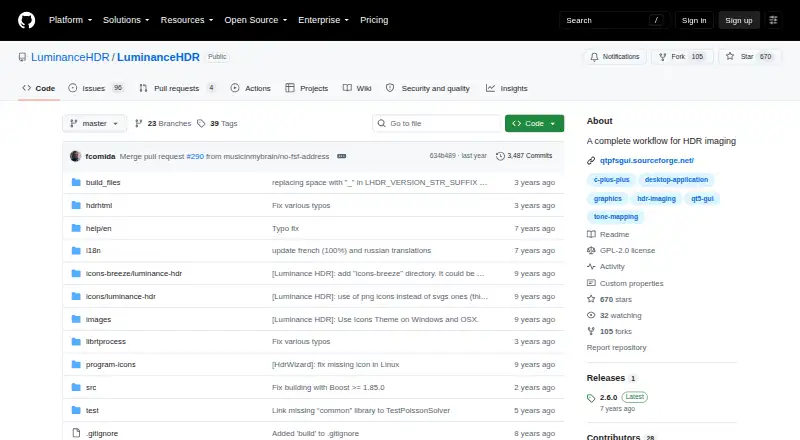
What Luminance HDR is
Luminance HDR is a free graphical application for working through an HDR imaging workflow on Linux, macOS, and Windows. It can create HDR files from JPEG, TIFF, or RAW images of the same scene taken at different exposures. Supported HDR formats include OpenEXR, Radiance RGBE, 16-bit and 32-bit TIFF, RAW, and PFS; supported LDR formats include JPEG, PNG, PPM, PBM, TIFF, and FITS.
The application can load and save HDR files, rotate and resize them, apply tone mapping and projective transformations, and copy EXIF data between image sets. RAW files are treated as HDR through LibRAW. The project lists multiple tone-mapping operators, batch HDR merging, batch tone mapping, a command-line interface, and a color-managed workflow. Version 2.6.0 adds four tone-mapping operators, an HDR Wizard preview, post-processing gamma and saturation, speed improvements, and bug fixes. Luminance HDR is distributed under the GNU General Public License version 2.0, and its documentation provides prebuilt installation options for all three desktop platforms.
Who it suits
Luminance HDR suits desktop users who want to create HDR images from exposures of the same scene or process existing HDR files. Its batch tools and command-line interface may suit users working with multiple images.
What it does well
- Available for Linux, macOS, and Windows.
- Creates HDR files from JPEG, TIFF, or RAW exposures.
- Supports batch HDR merging and batch tone mapping.
- Distributed under the GPL version 2.0.
- Offers a command-line interface and color-managed workflow.
What to know first
- Building from source can require multiple dependencies.
- The application is limited to desktop platforms.
- RAW support uses the LibRAW library.
Plans
| Plan | Billed and limits | Price |
|---|---|---|
| Free and open-source | GPLv2 license · desktop HDR imaging software | Free |
| Free | Open-source desktop HDR imaging · no watermarks · no subscription fees | Free |
As github.com lists them, read 30 Sept 2026. The maker's own page has the final word.
Getting started
- Choose the documented prebuilt installation option for Windows, Linux, or macOS.
- Install the software on the selected desktop platform.
- Load a set of JPEG, TIFF, or RAW images of the same scene taken at different exposures.
- Create an HDR file, then use tone mapping or other editing operations as needed.
Overview
Luminance HDR is a desktop application for assembling and shaping high dynamic range images. It is best suited to photographers who want a dedicated HDR workflow with both merging and tone mapping; its focused purpose is also its main boundary.
For bracketed-image work, it brings the central steps together, from combining exposures to editing and exporting HDR files. It is a less natural fit for someone seeking a broad, general-purpose photo editor.
Key features
Merge and edit HDR images
The application creates HDR files from JPEG, TIFF, or RAW images of the same scene captured at different exposures, and supports both HDR merging and tone mapping. It can save and load HDR files, rotate and resize them, apply projective transformations, and copy EXIF data between image sets. That breadth makes it useful as a focused HDR workstation rather than only a merger, though the feature set remains centered on HDR imaging.
Multiple tone-mapping operators give users different ways to render HDR material for viewing, and the latest release, version 2.6.0, adds four operators, an HDR Wizard preview, and post-processing gamma and saturation controls. Speed improvements and bug fixes are also part of that release.
Formats and workflow
HDR support covers OpenEXR, Radiance RGBE, LogLuv TIFF, 16- and 32-bit TIFF, PFS, and FITS. For LDR images it supports JPEG, PNG, PPM, PBM, TIFF, and FITS. RAW files are handled through LibRAW and treated as HDR, which makes camera originals part of the same workflow.
Batch HDR merging and batch tone mapping can help when processing multiple image sets, while a command-line interface and color-managed workflow serve more structured processes. These are practical additions for repeat work, but users who need a wider range of photography tools should look to a general photo-editing application.
Pricing
Free and open-source: free. The plan is desktop HDR imaging software under the GPLv2 license. There is no paid tier to weigh against it, making it a straightforward choice for users whose needs match its HDR-focused scope.
Platforms
Prebuilt installation options are documented for Windows, Linux, and macOS. The GPLv2 license allows use and modification under its terms. Building from source can involve dependencies including Qt5, Exiv2, Little CMS, JPEG, TIFF, PNG, LibRaw, and OpenEXR, with other optional libraries; that is a consideration for users compiling rather than installing a prebuilt version.
Who it's for
Luminance HDR suits photographers working with bracketed exposures who want merging, RAW handling, tone mapping, and batch operations in one desktop application. It is also a reasonable fit for technically inclined users who value command-line access or a color-managed workflow. It is not the strongest match for someone looking for an all-purpose photo editor or a workflow beyond HDR creation and editing.
Pros and cons
- Pros: Merging and multiple tone-mapping operators cover the core HDR workflow in one tool.
- Pros: RAW support, broad HDR and LDR formats, and batch processing suit varied image sets and repetitive work.
- Pros: Free GPLv2 licensing and documented prebuilt options for three desktop platforms lower the barrier to trying it.
- Cons: Its focus on HDR imaging makes it less suitable as a general photo editor.
- Cons: Source builds may require a substantial set of libraries, which adds setup work for users who cannot use a prebuilt package.
Alternatives
HDR Software is a useful category page for comparing dedicated HDR tools. Photo Editing Software is the broader category to consider if HDR is only one part of a larger editing need.
HDRMerge is another free desktop option under GPL-3.0-or-later, for readers who want to compare a separate HDR tool. PhotomatixCL is a paid alternative with a free plan and free trial; its Lite plan is $19 a month, billed $19 /month, with 1,000 credits monthly for a single system.
SNS-HDR is a freemium option for macOS and Windows users willing to consider a paid plan; its Home plan is €30 a month. ColorForge is a free option spanning web, desktop, and mobile platforms for readers who want an alternative across more device types.
easyHDR offers Home and Commercial licenses with lifetime terms and free updates, for readers comparing license options. HDR Merge Master is another free desktop alternative. Tembrica Video Background Remover is a web-based freemium alternative. Instant Meshes is a free desktop alternative.
Verdict
Choose Luminance HDR if your priority is a free desktop workflow for merging bracketed images, editing HDR files, and batch tone mapping across Windows, Linux, or macOS. Its combination of formats, RAW support, and HDR tools is the central reason to pick it. Look elsewhere if you need a general-purpose photo editor or a tool whose main purpose is not HDR imaging.
Verdict
Luminance HDR provides HDR creation, editing, and batch-processing tools in a free desktop application. Prebuilt installation options are documented for Windows, Linux, and macOS.
Questions
How much does Luminance HDR cost?
It is free. The listed Free and open-source plan is free.
Which operating systems does it support?
The project documents prebuilt installation options for Windows, Linux, and macOS.
Can it work with RAW photos?
Yes. RAW images are supported and handled as HDR through the LibRAW library.
Which image formats does it support?
HDR formats include OpenEXR, Radiance RGBE, LogLuv TIFF, 16/32-bit TIFF, PFS, and FITS. Supported LDR formats include JPEG, PNG, PPM, PBM, TIFF, and FITS.
Is Luminance HDR open source?
Yes. It is distributed under the GNU General Public License version 2.0.
Facts from Luminance HDR's own pages
- API and SDK
- The public repository documents a desktop GUI and build process but does not list a public web API or SDK. · github.com, 15 Oct 2026
- Batch processing
- The manual documents batch tone mapping and batch-oriented HDR workflows. · luminancehdr.readthedocs.io, 15 Oct 2026
- Build and self-hosting
- Developers can clone the source, configure it with CMake, compile with make and install to a chosen prefix. · github.com, 15 Oct 2026
- Build dependencies
- Compilation uses Qt5, Exiv2, Little CMS, JPEG, TIFF, PNG, LibRaw, OpenEXR, FFTW, Boost, GSL and Eigen3, with CFITSIO optional. · github.com, 15 Oct 2026
- Developer community
- In a 2012 SourceForge interview, the project described its developer group as three people. · sourceforge.net, 15 Oct 2026
- Documentation
- The Read the Docs manual covers HDR creation, alignment, anti-ghosting, tone mapping, resizing, batch processing, EXIF copying and preferences. · luminancehdr.readthedocs.io, 15 Oct 2026
- Editing features
- Supported operations include saving and loading HDR files, rotating and resizing HDR files, tone mapping, projective transformations, and copying EXIF data between image sets. · github.com, 30 Sept 2026
- EXIF handling
- A dedicated tool copies EXIF metadata one-to-one between image sets when exposure metadata is missing. · luminancehdr.readthedocs.io, 15 Oct 2026
- Flatpak packaging
- Flathub provides an unverified, community-maintained desktop package with x86_64 and aarch64 builds. · flathub.org, 15 Oct 2026
- Free plan
- Yes · github.com, 20 Sept 2026
- HDR creation
- Users can merge JPEG, TIFF or RAW exposures of the same scene into an HDR file. · github.com, 15 Oct 2026
- HDR formats
- It supports OpenEXR, Radiance RGBE, 16-bit and 32-bit TIFF, RAW, and PFS formats. · github.com, 30 Sept 2026
- HDR input formats
- The project supports OpenEXR, Radiance RGBE, 16/32-bit and LogLuv TIFF, RAW and PFS files. · github.com, 15 Oct 2026
- Homebrew availability
- Homebrew lists Luminance HDR 2.6.0 as an Intel macOS cask and says Apple Silicon requires Rosetta 2. · formulae.brew.sh, 15 Oct 2026
- Image transforms
- Built-in tools rotate, resize and apply projective transformations to HDR images. · github.com, 15 Oct 2026
- Latest release
- GitHub lists version 2.6.0 as the latest release, adding four tone-mapping operators, HDR Wizard preview, post-processing gamma and saturation, speed improvements, and bug fixes. · github.com, 30 Sept 2026
- LDR formats
- It supports JPEG, PNG, PPM, PBM, TIFF, and FITS formats. · github.com, 30 Sept 2026
- LDR output formats
- Supported low-dynamic-range formats include JPEG, PNG, PPM, PBM, TIFF and FITS. · github.com, 15 Oct 2026
- Licence
- The repository identifies the software as GPL-2.0 licensed, and the manual says modified distributed versions must share their source. · github.com, 15 Oct 2026
- License
- The software is distributed under the GNU General Public License version 2.0. · github.com, 30 Sept 2026
- Limit: basic editing
- Clubic said final-image editing is limited to basic operations such as rotation and resizing, requiring another editor for source-image adjustments. · clubic.com, 15 Oct 2026
- Limit: build complexity
- A SourceForge reviewer called Linux installation a nightmare because of dependency and build errors. · sourceforge.net, 15 Oct 2026
- Limit: dated and difficult UI
- Clubic cited an initial learning curve, limited performance on large files and an somewhat dated interface. · clubic.com, 15 Oct 2026
- Limit: highlight artifacts
- A Pixls.us discussion described highlight artifacts and irrecoverable clipping during tone mapping in version 2.5.0. · discuss.pixls.us, 15 Oct 2026
Where Luminance HDR stands on Freedom251
- Photo Editing Software#2 of 160
- HDR Software#2 of 21