Freedom251 › Photo Editing Software

easyHDR
What easyHDR is
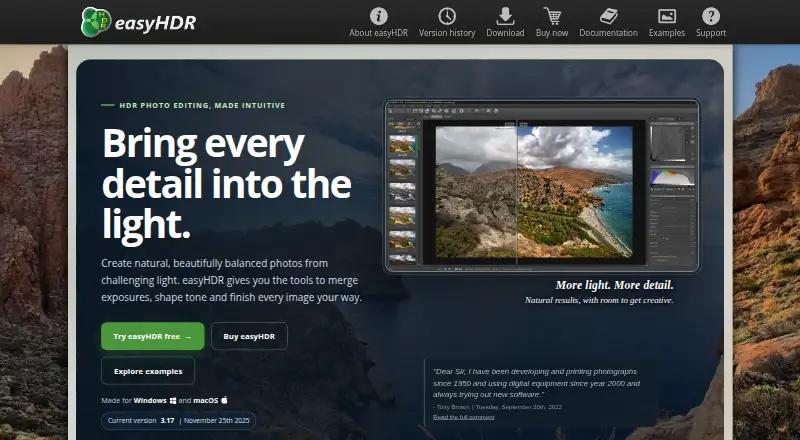
easyHDR is image-processing software for building and tone-mapping HDR images from sequences of photos. It also handles a single photo with its LDR enhancement feature. Its listed methods include True HDR merging, Smart Merge, and image stacking. Editing tools include automatic and manual ghost removal, image alignment, layers, presets, lens correction, and 3D LUT color grading. It imports formats such as JPEG, HEIF/HEIC, AVIF, TIFF, PNG, FITS, OpenEXR, Radiance RGBE, and RAW files through LibRAW. HDR outputs include OpenEXR, Radiance RGBE, and 32-bit TIFF.
The software supports batch processing and command-line options for batch scripts, and installs an Adobe Lightroom plug-in with the application. Current demo builds are listed for Windows 10 and 11 and macOS 11.5 or later; the Windows version can run under Wine on Linux. The demo places watermarks on output photos and disables saving in TIFF and JP2 formats. A separate freeware BASIC 2.13.3 edition is available for Windows, but it is an older, reduced version without layers, batch processing, or the Lightroom plug-in. easyHDR 3 licenses are perpetual, include free updates, and can be used on multiple computers belonging to the registered user. HOME licenses cover non-profit use, while COMMERCIAL licenses cover commercial use. Prices for the listed license plans are not provided.
Who it suits
easyHDR suits photographers who want to merge photo sequences into HDR images or enhance a single photo, with options for RAW files and batch work. It may also suit Lightroom users who want the included plug-in, provided their system is supported directly or can run the Windows version through Wine.
What it does well
- Combines True HDR merging, Smart Merge, and image stacking.
- Processes single photos with LDR enhancement.
- Supports RAW files through LibRAW and multiple HDR output formats.
- Includes batch processing and command-line options.
- Installs an Adobe Lightroom plug-in with the application.
- Perpetual easyHDR 3 licenses include free updates.
What to know first
- Demo outputs are watermarked and cannot be saved as TIFF or JP2.
- Current demo builds are listed for Windows and macOS; Linux use requires Wine.
- The freeware BASIC edition lacks layers, batch processing, and the Lightroom plug-in.
Limits
The demo watermarks output photos and disables TIFF and JP2 saving. The free BASIC 2.13.3 edition omits layers, batch processing, and the Lightroom plug-in.
Plans
| Plan | Billed and limits | Price |
|---|---|---|
| HOME | Single-user license · Non-profit use · Lifetime license · Free updates · Windows and macOS license | On request |
| COMMERCIAL | Single-user license · Commercial use · Lifetime license · Free updates · Windows and macOS license | On request |
| easyHDR 3 COMMERCIAL | Single-user lifetime license for commercial use; free updates · For commercial use · Windows 10 & 11 or macOS 11.5 and above · Same license can be used on multiple computers belonging to the registered user | On request |
| easyHDR 3 HOME | Single-user lifetime license for non-profit use; free updates · For non-profit use · Windows 10 & 11 or macOS 11.5 and above · Same license can be used on multiple computers belonging to the registered user | On request |
As easyhdr.com lists them, read 20 Sept 2026. The maker's own page has the final word.
Getting started
- Visit the easyHDR website.
- Choose a HOME license for non-profit use or a COMMERCIAL license for commercial use.
- Install the application on Windows 10 or 11, or macOS 11.5 or later.
- For Linux, run the Windows version under Wine.
- Import a photo sequence or use LDR enhancement on a single photo.
- Use the installed Lightroom plug-in if you work with Adobe Lightroom.
Verdict
Choose easyHDR if you need HDR merging and tone mapping with RAW support, batch processing, or single-photo enhancement. Check the demo restrictions against your output needs, and compare HOME and COMMERCIAL licensing to your intended use before choosing a license.
Questions
Is easyHDR free?
The current demo is available, and easyHDR BASIC 2.13.3 is freeware for Windows. The BASIC edition is older and has fewer features than easyHDR 3.
What does the demo restrict?
It adds watermarks to output photos and disables saving in TIFF and JP2 formats.
Which platforms can run easyHDR?
The current demo is listed for Windows 10 and 11 and macOS 11.5 or later. The Windows version can also run under Wine on Linux.
Does easyHDR support RAW files?
Yes. It imports RAW formats through LibRAW.
What license plans are available?
HOME licenses are for non-profit use, and COMMERCIAL licenses are for commercial use. easyHDR 3 licenses are perpetual and include free updates.
What does easyHDR cost?
Prices for the listed HOME and COMMERCIAL plans are not provided.
Facts from easyHDR's own pages
- Batch and command line
- The documentation describes batch processing and command-line options for use in batch scripts. · easyhdr.com, 3 Oct 2026
- Demo limits
- The demo adds watermarks to output photos and disables saving in TIFF and JP2 formats. · easyhdr.com, 3 Oct 2026
- Editing tools
- The feature list includes automatic and manual ghost removal, alignment, layers, presets, lens correction, and 3D LUT color grading. · easyhdr.com, 3 Oct 2026
- File formats
- The product imports formats including JPEG, HEIF/HEIC, AVIF, TIFF, PNG, FITS, OpenEXR, Radiance RGBE, and RAW formats through LibRAW. · easyhdr.com, 3 Oct 2026
- Free legacy edition
- easyHDR BASIC 2.13.3 is freeware for Windows, but it is an older, reduced version and does not include features such as layers, batch processing, or the Lightroom plug-in. · easyhdr.com, 3 Oct 2026
- Free plan
- No · easyhdr.com, 20 Sept 2026
- HDR methods
- The feature list names True HDR merging, Smart Merge, and image stacking. · easyhdr.com, 3 Oct 2026
- Integrations
- easyHDR includes a plug-in for Adobe Lightroom, which is installed along with the application. · easyhdr.com, 3 Oct 2026
- License terms
- The easyHDR 3 license is perpetual, includes free updates, and is valid for multiple computers belonging to the registered user. · easyhdr.com, 3 Oct 2026
- Privacy
- The maker says FastSpring administers personal data collected during ordering, the license key contains the buyer's email address, and the email address is not shared with third parties. · easyhdr.com, 3 Oct 2026
- Product
- easyHDR is image-processing software that generates and tone-maps HDR images from photo sequences. · easyhdr.com, 3 Oct 2026
- RAW photo support
- Yes · easyhdr.com, 20 Sept 2026
- Single-image editing
- It can also process a single photo using its LDR enhancement feature. · easyhdr.com, 3 Oct 2026
- Support
- The maker says it aims to reply to support emails within 1–2 days. · easyhdr.com, 3 Oct 2026
- Supported systems
- The current demo is listed for Windows 10 and 11 and macOS 11.5 or later; the Windows version can also run under Wine on Linux. · easyhdr.com, 3 Oct 2026
- Version
- The site lists easyHDR 3.17, dated November 25, 2025, as the current version. · easyhdr.com, 3 Oct 2026
Where easyHDR stands on Freedom251
- Photo Editing Software#23 of 160
- HDR Software#5 of 21