Freedom251 › Photo Editing Software
Photomator
What Photomator is
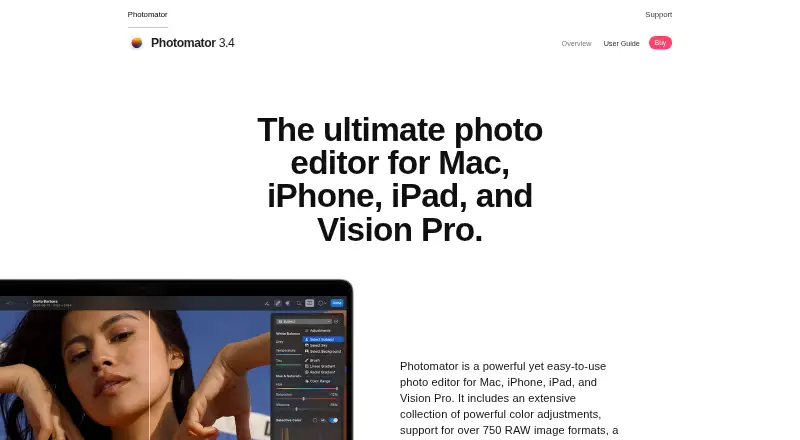
Photomator is a photo editor for Mac, iPhone, iPad, and Apple Vision Pro. It supports more than 750 RAW image formats, including Apple ProRAW, and offers nondestructive controls for brightness, contrast, exposure, curves, and color balance. AI selections can identify subjects, skies, and backgrounds, with masks and brush selections also available. The Repair tool removes small imperfections or entire objects. Listed machine-learning tools include Auto Enhance, Super Resolution, Smart Deband, Denoise, and ML Crop. Photomator works with the Photos library and Apple File System, and can edit files on devices, external drives, and cloud services. Edits sync with Photos or Files; iCloud Drive supports edit syncing across Mac, iPhone, and iPad. The App Store describes it as a free download with in-app purchases. A monthly subscription is listed at $7.99 a month, and an exclusive lifetime offer at $79.99, paid once. Compatibility requirements are iOS 17 or later, iPadOS 17 or later, macOS 13 or later, and visionOS 1 or later for Apple Vision.
Who it suits
Photomator suits Apple-device users who want RAW editing, machine-learning tools, and library or cloud-based workflows. Its support for external drives may also suit people who keep image files outside their device libraries.
What it does well
- Supports over 750 RAW formats, including Apple ProRAW.
- AI selection tools identify subjects, skies, and backgrounds.
- Repair tool can remove objects or small imperfections.
- Edits can sync through iCloud Drive across Apple devices.
- Free download with in-app purchases.
What to know first
- Requires iOS 17, iPadOS 17, macOS 13, or visionOS 1.
- Monthly subscription costs $7.99 a month.
- Exclusive lifetime offer costs $79.99, paid once.
Plans
| Plan | Billed and limits | Price |
|---|---|---|
| Monthly Subscription | Monthly Subscription $7.99 · One license for Mac, iPad, iPhone, and Apple Vision Pro | $7.99 a month |
| Free download | Free · In-App Purchases · App Store listing describes Photomator as free with in-app purchases | Free |
| Lifetime | Lifetime $119.99 · One license for Mac, iPad, iPhone, and Apple Vision Pro | $119.99, paid once |
| Yearly Subscription | Yearly Subscription $29.99 · One license for Mac, iPad, iPhone, and Apple Vision Pro | $29.99 a year |
| Exclusive Lifetime Offer | Exclusive Lifetime Offer $79.99 · One license for Mac, iPad, iPhone, and Apple Vision Pro | $79.99, paid once |
As pixelmator.com lists them, read 9 Oct 2026. The maker's own page has the final word.
Getting started
- Visit https://www.pixelmator.com/photomator.
- Choose the free download or review the in-app purchase options.
- Install it on a supported Mac, iPhone, iPad, or Apple Vision Pro.
- Open photos from the Photos library, Apple File System, a device, an external drive, or a cloud service.
- Use the editing tools and sync edits through Photos or Files, or use iCloud Drive across Mac, iPhone, and iPad.
Overview
Photomator is a photo editor for Apple devices, including Mac, iPhone, iPad, and Vision Pro. It is best suited to photographers who want RAW processing and a broad set of editing tools within an Apple workflow. Its range is a strength; the Apple-only platform scope and paid options make it a poor fit for people who need a cross-platform editor.
Key features
Support for more than 750 RAW formats, including Apple ProRAW, gives photographers flexibility across camera files. Nondestructive controls for brightness, contrast, exposure, curves, and color balance let you revisit tonal and color decisions without altering the original image. This is a useful foundation for careful editing, rather than a one-click-only workflow.
AI can select subjects, skies, and backgrounds, with masks and brush selections available for more direct control. The Repair tool removes small imperfections or entire objects. Machine-learning features also include Auto Enhance, Super Resolution, Smart Deband, Denoise, and ML Crop, giving Photomator tools for cleanup and enhancement alongside conventional adjustments.
The app works with the Photos library and Apple File System, and can edit files on devices, external drives, and cloud services. Edits sync with Photos or Files, while iCloud Drive supports syncing across Mac, iPhone, and iPad. LUT import and export can help photographers carry color looks between Photomator and other image, video, or graphics apps.
Photomator uses Apple technologies including SwiftUI, Core ML, Core Image, and Metal. Its App Store privacy section says purchase history, crash data, and performance data may be collected without being linked to the user.
Pricing
The free download costs nothing and includes in-app purchases. It is the lowest-commitment way to start, but the listing does not describe a free-plan feature allowance or cap.
The Monthly Subscription costs $7.99 a month and includes one license for Mac, iPad, iPhone, and Apple Vision Pro. It suits users who want access across those devices without paying for a lifetime license upfront, but the monthly term means continued access requires ongoing payments. The Yearly Subscription includes Photomator photo-editing features and the Lifetime plan offers lifetime access; both have custom pricing.
The Exclusive Lifetime Offer costs $79.99, paid once and includes one license for Mac, iPad, iPhone, and Apple Vision Pro. It is the clearest option for someone committed to using Photomator across Apple devices who prefers a one-time payment. Unlike the subscription, it avoids a recurring term, but the offer is still limited to one license.
Platforms
Photomator supports iOS, macOS, and Apple Vision Pro. Requirements are iOS 17 or later, iPadOS 17 or later, macOS 13 or later, and visionOS 1 or later for Apple Vision. Those minimums rule out older Apple operating systems, and there is no listed Windows, Android, or Linux version.
Who it's for
Photomator is a strong fit for photographers already working across Apple devices who want RAW support, nondestructive color editing, AI selections, repair, and photo-library syncing in one editor. It is less suitable for mixed-platform teams or anyone who needs an editor on Windows, Linux, or Android.
Pros and cons
- Pros: Support for more than 750 RAW formats, including Apple ProRAW, gives camera users broad file coverage.
- Pros: Nondestructive adjustments, AI selections, masks, brush selections, and object repair cover both fine control and routine cleanup.
- Pros: Photos, Files, and iCloud Drive syncing support an Apple-device workflow, while external drives and cloud services can also be editing locations.
- Cons: The platform requirements are limited to Apple operating systems, so it cannot serve as a shared editor across mixed-device environments.
- Cons: Subscription and lifetime pricing options include custom pricing; the stated monthly price is recurring, and its license covers one user/device license.
Alternatives
Photopea is the alternative to consider if you need broader platform reach: it supports web, desktop, mobile, and self-hosted platforms and has a free editor account. For a RAW-focused free workflow, darktable is a free, open-source photography workflow application and RAW developer for Linux, macOS, and Windows.
GIMP is a free option for GNU/Linux, macOS, and Windows users looking for general image editing software. RawTherapee is another free RAW-oriented choice for those who can do without digital asset management, printing, or uploading features.
PhotoDirector offers a free limited-features plan for macOS and Windows, so it may suit users who want to start on a non-Apple desktop without payment information. VSCO is worth considering for web, iOS, and Android users looking for a free Starter plan with 15 presets or paid preset options.
BeFunky provides basic photo editing tools and export without a subscription on Android, iOS, and web. PhotoPad is a freemium alternative across a wider range of platforms, including desktop, mobile, and web.
Browse more Photo Editing Software or RAW Photo Processing Software.
Verdict
Choose Photomator if you use Apple devices and want broad RAW coverage paired with nondestructive adjustments, AI-assisted selections, repair, and syncing across your Apple workflow. Look elsewhere if you need Windows, Linux, or Android support, or if a clearly priced long-term plan is essential before committing.
Verdict
Photomator combines RAW support, nondestructive adjustments, AI selections, and repair tools for Apple platforms. The free download has in-app purchases, with subscription and lifetime purchase options listed.
Questions
Is Photomator free?
The App Store describes it as a free download with in-app purchases. A Free download plan is listed as free.
How much does Photomator cost?
A monthly subscription is listed at $7.99 a month. An exclusive lifetime offer is listed at 79.99 USD once; yearly subscription and lifetime plans are also listed without prices.
Which devices can run Photomator?
Photomator is for Mac, iPhone, iPad, and Apple Vision Pro. The listed requirements are macOS 13 or later, iOS 17 or later, iPadOS 17 or later, and visionOS 1 or later for Apple Vision.
Does Photomator support RAW files?
Yes. It supports over 750 RAW image formats, including Apple ProRAW.
Can edits sync across Apple devices?
The App Store listing says edits sync with Photos or Files. iCloud Drive supports edit syncing across Mac, iPhone, and iPad.
Who makes Photomator?
The product page lists [email protected] as a contact email and links to a user guide and support site.
Facts from Photomator's own pages
- AI retouching
- Yes · pixelmator.com, 20 Sept 2026
- AI selections
- Photomator can use AI to select subjects, skies, and backgrounds, and also supports masks and brush selections. · pixelmator.com, 9 Oct 2026
- Apple technologies
- Photomator uses Apple technologies including SwiftUI, Core ML, Core Image, and Metal. · pixelmator.com, 9 Oct 2026
- Batch editing
- Photomator can apply workflows to hundreds of photos and copy and paste adjustments between photos. · pixelmator.com, 9 Oct 2026
- Cloud sync
- Yes · pixelmator.com, 20 Sept 2026
- Color adjustments
- It offers nondestructive color adjustments including brightness, contrast, exposure, curves, and color balance. · pixelmator.com, 9 Oct 2026
- Compatibility limits
- The App Store lists requirements of iOS 17 or later, iPadOS 17 or later, macOS 13 or later, and visionOS 1 or later for Apple Vision. · apps.apple.com, 9 Oct 2026
- Integrations
- The App Store listing says edits sync with Photos or Files and that iCloud Drive supports edit syncing across Mac, iPhone, and iPad. · apps.apple.com, 9 Oct 2026
- LUT support
- Photomator can import LUTs from Pixelmator Pro or other image, video, or graphics apps, and export LUTs for use in other apps. · pixelmator.com, 9 Oct 2026
- Machine learning tools
- The product lists Auto Enhance, Super Resolution, Smart Deband, Denoise, ML Crop, and other machine-learning features. · pixelmator.com, 9 Oct 2026
- Masking tools
- Yes · pixelmator.com, 20 Sept 2026
- Photo editing
- Photomator is a photo editor for Mac, iPhone, iPad, and Vision Pro. · pixelmator.com, 9 Oct 2026
- Photo library
- The app works with the Photos library and Apple File System, and supports editing files on devices, external drives, and cloud services. · pixelmator.com, 9 Oct 2026
- Platform
- multi-platform · pixelmator.com, 20 Sept 2026
- Privacy disclosure
- The App Store privacy section says purchase history, crash data, and performance data may be collected without being linked to the user. · apps.apple.com, 9 Oct 2026
- RAW support
- The product page says Photomator supports over 750 RAW image formats, including Apple ProRAW. · pixelmator.com, 9 Oct 2026
- Repair tool
- Its Repair tool can remove small imperfections or entire objects from photos. · pixelmator.com, 9 Oct 2026
- Support
- The product page links to a user guide and support site, and lists [email protected] as a contact email. · pixelmator.com, 9 Oct 2026
Where Photomator stands on Freedom251
- Photo Editing Software#21 of 160
- Photography Software#10 of 28
- RAW Photo Processing Software#13 of 24