Freedom251 › Photo Editing Software
RawTherapee
by RawTherapee
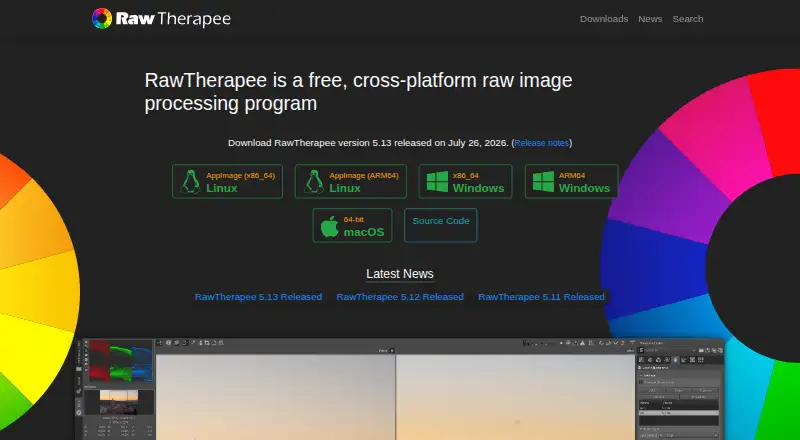
What RawTherapee is
RawTherapee is a free desktop program for developing raw photos on Linux, macOS and Windows. Its non-destructive, 32-bit floating-point engine handles raw files from many digital cameras, including HDR DNG, as well as JPEG, TIFF and PNG images. Users can control demosaicing and development with multiple algorithms, use masking tools and batch process images. Editing parameters can be copied or pasted across files, and the program includes command-line use as well as a graphical interface. RawTherapee can open raw images from GIMP as a plugin and return edited images there, or send processed images to GIMP or another editor in one click. It is released under the GNU General Public License version 3. The project directs users to RawPedia and a community forum for help. It does not include digital asset management, printing or uploading features. For macOS, version 5.13 has different minimum requirements for Apple Silicon and Intel, and must be installed in /Applications to start.
Who it suits
RawTherapee targets photographers from enthusiast newcomers to professionals who want to develop raw images on a desktop. It may be a poor fit for professionals who need built-in asset management, printing or uploading.
What it does well
- Free raw development on Linux, macOS and Windows.
- Non-destructive 32-bit floating-point processing.
- Supports masking and batch editing.
- Can integrate with GIMP or another editor.
- Includes command-line use.
What to know first
- No digital asset management features.
- No printing or uploading features.
- macOS version 5.13 requires installation in /Applications.
- macOS minimum requirements vary by processor type.
Limits
The free plan does not include digital asset management, printing, or uploading. On macOS, version 5.13 requires macOS Tahoe 26.0 or newer on Apple Silicon, or macOS Monterey 12.0 or newer on Intel.
Plans
| Plan | Billed and limits | Price |
|---|---|---|
| Free | free of charge · GPLv3 license · no digital asset management, printing, or uploading features | Free |
As rawtherapee.com lists them, read 30 Sept 2026. The maker's own page has the final word.
Getting started
- Visit the RawTherapee website.
- Choose the download for Linux, macOS, or Windows.
- On macOS, check that version 5.13 matches your processor and operating system requirements.
- Install the macOS application in /Applications.
- Open RawTherapee and develop raw, JPEG, TIFF, or PNG files.
RawTherapee is a free desktop raw developer for photographers who want control over image processing across Linux, macOS and Windows. It suits enthusiasts prepared to work with detailed development controls as well as professionals who need a dedicated raw-processing tool. Its strength is focused, non-destructive development; it is not a complete photo-library or output workflow.
Overview
RawTherapee processes raw files from a broad range of digital cameras, including HDR DNG, and also supports JPEG, TIFF and PNG. Its 32-bit floating-point engine keeps development non-destructive, which is useful when you want to revisit adjustments without changing the source image.
The project dates to 2004 and releases the software as libre software under the GNU General Public License version 3. That combination makes it a no-cost option without a paid tier to weigh against its capabilities. The trade-off is scope: photographers who need digital asset management, printing or uploading will need other tools.
Key features
Raw development and masking
Multiple demosaicing algorithms and detailed development controls give photographers meaningful influence over how raw data becomes an image. This depth favors users who want to shape their rendering, but may be less approachable than a streamlined editor for someone looking for a simple, guided workflow. Masking tools are included; layer editing is not.
Batch work and editor handoff
Batch processing, plus the ability to copy and paste editing parameters between files, reduces repeated work across a set of images. Command-line use is also available alongside the graphical interface, giving the program a route beyond point-and-click editing.
RawTherapee can open raw images from GIMP as a plugin and return the edited image to GIMP. It can also send processed images to GIMP or another editing tool in one click. This makes it more practical as a development stage in a wider editing workflow, though it does not replace the missing library and output features.
Pricing
Free: free. The plan includes RawTherapee under the GPLv3 license, with no digital asset management, printing or uploading features. There are no paid tiers or seat, quota or trial terms to compare; the practical cost is that users needing those broader workflow functions must supply them elsewhere.
Platforms
RawTherapee is desktop software for Linux, macOS and Windows. The macOS 5.13 build requires macOS Tahoe 26.0 or newer on Apple Silicon, or macOS Monterey 12.0 or newer on Intel. It must be installed in /Applications and will not start from another location. Version 5.13 was released on July 26, 2026.
Who it's for
RawTherapee is a strong fit for enthusiasts who want to learn detailed raw development and for professional photographers who need non-destructive processing, broad camera support and batch tools without a software fee. It is a weaker fit for anyone seeking a single application to organize a photo collection, print finished work or upload it.
RawPedia documentation and a community forum are the project's support routes, giving users reference material and a place to seek help as they work through the controls.
Pros and cons
- Pros: Free, GPLv3 software across three desktop platforms, with raw and common non-raw format support.
- Pros: Non-destructive 32-bit floating-point processing, multiple demosaicing options, masking and batch editing provide substantial development control.
- Pros: GIMP integration and one-click handoff to external editors support a larger editing workflow.
- Cons: No layer editing, so users who depend on layered composition will need another editor.
- Cons: No digital asset management, printing or uploading, leaving library and output tasks to other software.
- Cons: Its detailed controls may demand more learning than a streamlined editor, particularly for newcomers.
Alternatives
darktable is another free, GPL version 3-or-later raw developer and photography workflow application for Linux, macOS and Windows; consider it if you want to compare a workflow-oriented option.
vkdt is a free, open-source photography workflow toolbox for Linux, macOS and Windows, an alternative for readers seeking that kind of toolbox.
Canon Digital Photo Professional is free for macOS and Windows and is included in initial software setup for Canon cameras; it suits Canon EOS digital camera and RAW-capable PowerShot owners considering software from that camera ecosystem.
Hasselblad Phocus is free RAW processing software for macOS and Windows and is another option to consider.
Nikon NX Studio is free desktop software for macOS and Windows, with Nikon camera and file-format support that varies; Nikon users can consider it as an alternative.
ART is a free option for Windows, macOS and Linux.
For an option beyond desktop Linux workflows, Darkroom is freemium on macOS and iOS: its Starter plan allows premium tools to be tried for as long as you like, but export requires Darkroom+; its Yearly plan is $39.99 a year, billed yearly.
Photomator is a paid photo editor for macOS and iOS, with monthly, yearly and lifetime plan options.
Browse more RAW Photo Processing Software, Photo Editing Software or Batch Photo Processing Software.
Verdict
Choose RawTherapee if you want free, cross-platform raw development with fine control, non-destructive processing and useful batch tools. Its main reason to choose it is the depth of development without a license cost; its main reason to look elsewhere is the lack of asset management, printing and uploading. Treat it as a capable processing stage, not a complete photo workflow.
Verdict
RawTherapee focuses on image development, with raw support, batch processing and editor integration at no cost. Users needing asset management, printing or uploading will need those features elsewhere.
Questions
How much does RawTherapee cost?
RawTherapee is free: free, billed free of charge.
Which platforms does it support?
It is a desktop program for Linux, macOS, and Windows.
What image formats can it process?
It supports raw files, including HDR DNG, as well as JPEG, TIFF, and PNG.
Is RawTherapee open source?
It is libre software released under the GNU General Public License version 3.
Does it work with GIMP?
Yes. RawTherapee can open raw images from GIMP as a plugin and return the edited image. It can also send processed images to GIMP or another editing tool.
What does it lack for professional workflows?
The project says it does not include digital asset management, printing, or uploading features.
Facts from RawTherapee's own pages
- Batch editing
- Yes · rawtherapee.com, 20 Sept 2026
- Batch processing
- It can batch process developed images and copy or paste editing parameters across files. · rawtherapee.com, 30 Sept 2026
- Command line
- It includes command-line usage in addition to its graphical interface. · rawtherapee.com, 30 Sept 2026
- Demosaicing
- It provides advanced control over demosaicing and development, including multiple demosaicing algorithms. · rawtherapee.com, 30 Sept 2026
- External editors
- It can send processed images to GIMP or another editing tool in one click. · rawtherapee.com, 30 Sept 2026
- Feature limits
- The project says professionals may lack peripheral features such as digital asset management, printing, and uploading. · github.com, 30 Sept 2026
- Founded
- 2004 · rawtherapee.com, 28 Sept 2026
- Free plan
- Yes · rawtherapee.com, 20 Sept 2026
- GIMP integration
- RawTherapee can open raw images from GIMP as a plugin and import the edited image back into GIMP. · rawpedia.rawtherapee.com, 30 Sept 2026
- Image formats
- It supports non-raw JPEG, TIFF, and PNG files. · github.com, 30 Sept 2026
- Installation security
- On macOS, RawTherapee must be installed in /Applications and refuses to start if installed elsewhere. · rawtherapee.com, 30 Sept 2026
- Latest version
- RawTherapee 5.13 was released on July 26, 2026. · rawtherapee.com, 30 Sept 2026
- Layer editing
- No · rawtherapee.com, 20 Sept 2026
- License
- RawTherapee is released as libre software under the GNU General Public License version 3. · github.com, 30 Sept 2026
- macOS requirement
- The macOS 5.13 build requires macOS Tahoe 26.0 or newer on Apple Silicon or macOS Monterey 12.0 or newer on Intel. · rawtherapee.com, 30 Sept 2026
- Masking tools
- Yes · rawtherapee.com, 20 Sept 2026
- Platform
- desktop · rawtherapee.com, 20 Sept 2026
- Processing
- It provides a non-destructive, 32-bit floating-point processing engine. · rawtherapee.com, 30 Sept 2026
- Purpose
- RawTherapee is a free, cross-platform raw image processing program for developing raw files. · rawtherapee.com, 30 Sept 2026
- Raw support
- It supports raw files from a broad range of digital cameras, including HDR DNG files. · github.com, 30 Sept 2026
- Support
- The project directs users to RawPedia documentation and a community forum for help. · rawtherapee.com, 30 Sept 2026
- Target users
- It targets enthusiast newcomers through professional photographers. · rawtherapee.com, 30 Sept 2026
Where RawTherapee stands on Freedom251
- Photo Editing Software#14 of 160
- Photography Software#9 of 28
- RAW Photo Processing Software#11 of 24
- Batch Photo Processing Software#21 of 36