Freedom251 › Photo Editing Software
GIMP
by GIMP
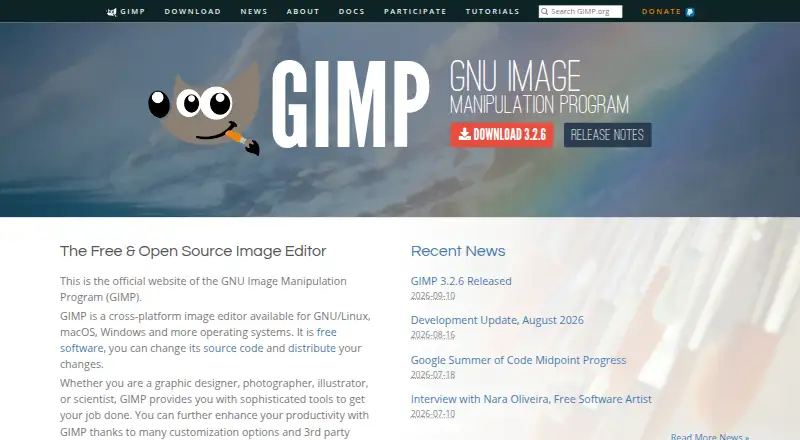
What GIMP is
GIMP is a free image editor for photo retouching, image composition, and image authoring. It offers layer editing, masking tools, and batch editing, and can also be used to make original artwork, icons, graphic design elements, interface art, and mockups. Its tools are intended for graphic designers, photographers, illustrators, and scientists. Users can script image manipulation in languages including C, C++, Python, and Scheme, and extend the program with plug-ins and scripts, including community-created ones.
GIMP 3.2 adds link and vector layers, non-destructive filters for channels, layers, and layer groups, and support for formats including APNG, JPEG 2000 export, and Photoshop PSB export. It includes color management features, and the site recommends workflows with Scribus and Inkscape. Downloads are listed for GNU/Linux, macOS, and Windows. The privacy policy says GIMP has no ads or trackers and does not collect, transmit, share, or use personal data; remote file access and image metadata may still expose information.
Who it suits
GIMP suits people seeking free tools for image editing, original artwork, or scripted image manipulation. Its stated audiences include graphic designers, photographers, illustrators, and scientists.
What it does well
- Free software under the GNU General Public License.
- Includes layer editing, masking, and batch editing.
- Supports plug-ins and scripts for customization.
- Available for GNU/Linux, macOS, and Windows.
What to know first
- RAW photo support is listed as unavailable.
- Windows installer requires version 10 1903 or newer.
- macOS package requires Big Sur or newer.
- GIMP 3.2.0 is the last 32-bit Windows release.
Limits
GIMP is free. GIMP 3.2.0 is the last version distributed as 32-bit for Windows, and the team cannot promise support for building 32-bit GIMP from source.
Plans
| Plan | Billed and limits | Price |
|---|---|---|
| GIMP | Free software under the GNU General Public License · downloadable for GNU/Linux, macOS, Windows and more | Free |
As gimp.org lists them, read 11 Oct 2026. The maker's own page has the final word.
Getting started
- Visit the GIMP website.
- Choose a GNU/Linux, macOS or Windows download.
- Check that your system meets the listed installer minimum for macOS or Windows.
- Install GIMP and use layers, masks, scripts or plug-ins for your image work.
- For questions or comments, use the forums or IRC; report bugs and feature requests through the issue tracker.
GIMP is a free image editor for retouching photos, composing images, and making original artwork. It suits designers, illustrators, and photographers working with images that do not require RAW support. Its strongest case is the range of creative and scripting tools available without a software fee; its clearest limitation is that RAW photography needs another tool.
Overview
GIMP spans photo retouching, image composition, illustration, and design production. It can be used to create icons, graphic elements, interface art, and mockups, making it a practical fit for people whose work crosses between editing and asset creation. That breadth is useful, though readers seeking a focused RAW photography workflow should choose a different editor.
The project dates to 1995 and is distributed under the GNU General Public License. Its privacy policy says the software has no ads or trackers and does not collect, transmit, share, or use personal data. Remote file access can expose an IP address or other connection data, and image files may contain metadata.
Key features
Layers and masks provide control over image composition, while batch editing can help with repeated work across multiple images. GIMP 3.2 adds link and vector layers and non-destructive filters for channels, layers, and layer groups. These capabilities make it suitable for layered projects that may need revision, although they do not fill the RAW support gap.
GIMP supports scripted image manipulation in C, C++, Python, and Scheme, and can be customized with plug-ins and scripts, including community-created additions. That flexibility can suit users who want to adapt repeatable workflows or extend the program. Color management also supports publishing work, with workflows recommended alongside Scribus and Inkscape.
Version 3.2 adds formats including APNG, JPEG 2000 export, and Photoshop PSB export. The downloads page publishes SHA256 hashes for installers and AppImages and links to VirusTotal checks. For questions and comments, the project recommends forums or IRC; software bugs and feature requests go to its issue tracker.
Pricing
GIMP costs nothing. The free software is available under the GNU General Public License and can be downloaded for GNU/Linux, macOS, Windows, and more. There is no free trial because the program is free software; there are no paid tiers or seat limits to weigh against its capabilities.
Platforms
GIMP supports Linux, macOS, and Windows. The installer requires macOS 11 Big Sur or newer, or Windows 10 version 1903 or newer. GIMP 3.2.0 is the last version distributed as 32-bit software for Windows, and the team cannot promise support for building 32-bit GIMP from source, so older 32-bit Windows setups are a poor fit for users who need ongoing version support.
Who it's for
GIMP is a strong choice for graphic designers, photographers, illustrators, and scientists who need image editing, composition, artwork creation, or automation and want to avoid software fees. Its scripting and plug-in support will matter most to users with repeatable or customized workflows. Photographers who rely on RAW files should pair it with a RAW-capable application or choose another editor as their main tool.
Pros and cons
- Pros: Free software under the GNU General Public License gives users broad editing and artwork tools without a subscription cost.
- Pros: Layers, masks, batch editing, and non-destructive filters support complex compositions and revision.
- Pros: Scripting in several languages and community plug-ins allow customization and workflow automation.
- Cons: No RAW photo support makes GIMP unsuitable as a complete editor for RAW-first photography.
- Cons: Windows 32-bit distribution ends with version 3.2.0, limiting users who depend on later 32-bit releases.
Alternatives
Photopea has a free editor account and supports web and mobile platforms as well as desktop systems; consider it if browser access or those platforms fit your workflow better. Its school ad-free access costs $450 a year for the whole school.
darktable is a free, open-source photography workflow application and RAW developer for Linux, macOS, and Windows. Choose it when RAW development is central; GIMP instead covers artwork and image composition.
Photomator is a paid option for Apple platforms, with a monthly subscription at $7.99 a month for one license covering Mac, iPad, iPhone, and Apple Vision Pro. It may suit readers who want an Apple-focused editor and accept a subscription.
RawTherapee is free and supports Linux, macOS, and Windows. Its stated limits include no digital asset management, printing, or uploading features, so it is a narrower alternative for readers prioritizing RAW processing.
PhotoDirector is a freemium alternative for macOS and Windows.
VSCO is a freemium alternative for web, iOS, and Android, with a free Starter plan that includes 15 presets.
BeFunky offers a free plan with basic photo editing tools, limited templates and assets, and export without a subscription.
PhotoPad is a freemium alternative available across desktop, web, and mobile platforms.
For more options, browse Photo Editing Software.
Verdict
Choose GIMP if you want a free, customizable toolkit for image editing, layered composition, and original artwork across Linux, macOS, or Windows. Its mix of scripting, extensibility, and design tools is compelling for users who handle varied visual work. Look elsewhere if RAW support is central to your photography workflow.
Verdict
GIMP combines photo editing, artwork creation, and scripting tools in a free multi-platform program. Check the stated platform requirements and RAW support limitation against your needs.
Questions
How much does GIMP cost?
The listed plan is free.
Is there a free plan or trial?
GIMP is free software; there is no free trial.
Which platforms are supported?
Downloads are listed for GNU/Linux, macOS and Windows. The installer requires macOS 11 Big Sur or newer, or Windows 10 version 1903 or newer.
Is GIMP open source?
GIMP is free software under the GNU General Public License.
Does GIMP support RAW photos?
RAW photo support is listed as unavailable.
What does GIMP say about privacy?
Its privacy policy says the software has no ads or trackers and does not collect, transmit, share or use personal data. Remote file access and image metadata may still expose information.
Facts from GIMP's own pages
- 32-bit limit
- GIMP 3.2.0 is the last version distributed as 32-bit for Windows, and the team says it cannot promise support for building 32-bit GIMP from source. · gimp.org, 11 Oct 2026
- Artwork and design
- GIMP supports original artwork creation and production of icons, graphic design elements, user interface art and mockups. · gimp.org, 11 Oct 2026
- Batch editing
- Yes · gimp.org, 20 Sept 2026
- Download integrity
- The downloads page publishes SHA256 hashes for the listed installers and AppImages and links to VirusTotal checks. · gimp.org, 11 Oct 2026
- Extensibility
- GIMP supports customization through plug-ins and scripts, including community-created ones. · gimp.org, 11 Oct 2026
- File formats
- GIMP 3.2 adds support for formats including APNG, JPEG 2000 export and Photoshop PSB export. · gimp.org, 11 Oct 2026
- Founded
- 1995 · gimp.org, 28 Sept 2026
- Free plan
- Yes · gimp.org, 20 Sept 2026
- Image editing
- GIMP is a freely distributed program for photo retouching, image composition and image authoring. · gimp.org, 11 Oct 2026
- Intended users
- The site describes GIMP as providing tools for graphic designers, photographers, illustrators and scientists. · gimp.org, 11 Oct 2026
- Layer editing
- Yes · gimp.org, 20 Sept 2026
- Masking tools
- Yes · gimp.org, 20 Sept 2026
- Non-destructive editing
- GIMP 3.2 adds link and vector layers, and supports non-destructive filters on channels, layers and layer groups. · gimp.org, 11 Oct 2026
- Platform
- multi-platform · gimp.org, 20 Sept 2026
- Platform support
- The downloads page lists packages for GNU/Linux, macOS and Windows; it states macOS 11 Big Sur or newer and Windows 10 version 1903 or newer for the installer. · gimp.org, 11 Oct 2026
- Privacy caveat
- The policy notes that remote file access can share an IP address or other data as part of the connection, and image files may contain metadata. · gimp.org, 11 Oct 2026
- Publishing workflow
- GIMP provides color management features and the site recommends workflows with Scribus and Inkscape. · gimp.org, 11 Oct 2026
- RAW photo support
- No · gimp.org, 20 Sept 2026
- Scripting
- GIMP supports scripted image manipulation with languages including C, C++, Python and Scheme. · gimp.org, 11 Oct 2026
- Security and privacy
- The privacy policy says GIMP does not collect, transmit, share or use personal data and that the software contains no ads or trackers. · gimp.org, 11 Oct 2026
- Support
- The webmaster page recommends forums or IRC for questions and comments, and the issue tracker for software bugs and feature requests. · gimp.org, 11 Oct 2026
Where GIMP stands on Freedom251
- Photo Editing Software#13 of 159
- Designing Solutions#9 of 29
- Multimedia Software#12 of 28
- Free Tools#14 of 31
- Content Creation tools#16 of 31