Freedom251 › Photo Editing Software

ImageMagick
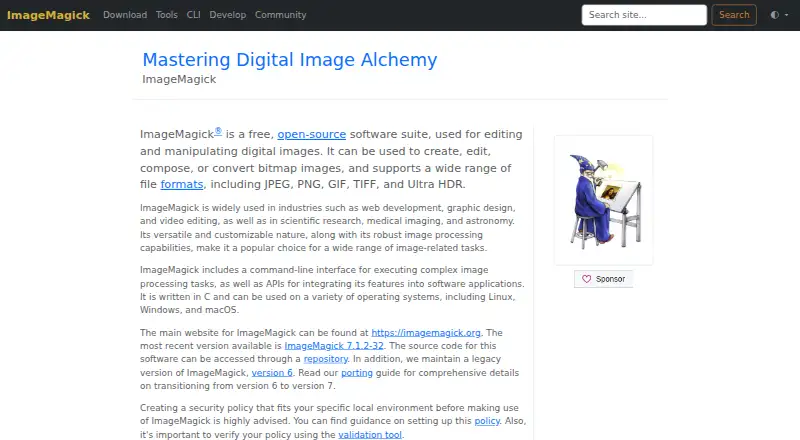
What ImageMagick is
ImageMagick is a free, open-source suite for creating, editing, converting, composing, and manipulating digital images. It reads more than 100 major formats, including JPEG, PNG, GIF, TIFF, and Ultra HDR, and supports output formats such as AVIF, JPEG XL, PDF, and WebP. Tools cover resizing, rotation, cropping, compositing, rendering, animation, color management, and special effects. Command-line tools support scripts and automated processing pipelines, while APIs allow integration into software applications. The project identifies Magick.NET as a .NET wrapper for ImageMagick functionality. It is available for Windows, macOS, and Linux, as well as API and self-hosted use. Linux users should note that the provided AppImage is the only pre-built binary; other distribution builds or custom compile options require building from source. The software is open by default, so its maker advises configuring a local security policy. Commercial use is permitted; redistribution requires attribution and a copy of the license.
Who it suits
ImageMagick suits users who need image conversion or editing, including people building scripted workflows or integrating image processing into applications. It also permits commercial use under its stated license conditions.
What it does well
- Free, open-source image processing suite.
- Reads more than 100 major image formats.
- Command-line tools support automated processing pipelines.
- APIs enable integration into software applications.
- Commercial use is permitted.
What to know first
- Linux offers only an AppImage as a pre-built binary.
- Other Linux builds or custom compile options require building from source.
- Maker advises configuring a local security policy.
Plans
| Plan | Billed and limits | Price |
|---|---|---|
| ImageMagick | Free; available without charge · Free image processing software · commercial use permitted · attribution required for redistribution | Free |
| Free | Personal, internal company, and commercial use · redistribution requires attribution and license copy | Free |
As imagemagick.org lists them, read 2 Oct 2026. The maker's own page has the final word.
Getting started
- Visit https://imagemagick.org/ to access ImageMagick.
- Choose the build route for Windows, macOS, or Linux.
- On Linux, use the provided AppImage or build from source for other distribution builds or custom compile options.
- Configure a security policy for the local environment before use.
- Use command-line tools for scripted processing or APIs to integrate image processing into an application.
ImageMagick is a free, open-source image-processing suite built around command-line tools and APIs. It is strongest for developers and technically confident users who need repeatable image operations or software integration; its breadth is less useful to anyone seeking a guided, visual editor.
Overview
The suite creates, edits, composes, converts and manipulates digital images. It reads more than 100 major formats, including JPEG, PNG, GIF, TIFF and Ultra HDR, and outputs formats such as AVIF, JPEG XL, PDF and WebP. That range makes it a practical choice for workflows handling varied inputs or producing multiple output types.
Bulk resizing and RAW processing are supported, and its batch automation can be fully automated. This favors repeatable processing over one-off edits through a visual interface. The project also identifies Magick.NET as a .NET wrapper for accessing ImageMagick functionality.
Key features
- Image operations: Resize, rotate, crop, composite and apply special effects, alongside animation, color management and rendering. The range goes well beyond simple conversion, though users need to work through command-line tools or integrate an API.
- Automation and APIs: Command-line tools support scripts and automated processing pipelines, while APIs let software applications use ImageMagick’s image-processing capabilities. That makes it a stronger fit for repeatable jobs and development than for casual manual editing.
- Security controls: ImageMagick is open by default, and the maker advises configuring a security policy for the local environment before use. Policy options include open, limited, secure and websafe; policies can restrict memory, disk space, image-sequence length and processing time. This flexibility is valuable in deployments, but it puts configuration responsibility on the user.
- Commercial permission: The license permits personal, internal company and commercial use at no charge. Redistribution requires attribution and a copy of the license, so those terms matter when passing the software along.
Pricing
ImageMagick’s free plan costs nothing and includes free image-processing software with commercial use permitted. There is no software charge for personal or company use. Redistribution carries attribution and license-copy requirements, and the free plan is not a substitute for deployment security configuration.
There is no free trial because the software is already available without charge. No paid tier is needed to access the stated image-processing suite.
Platforms
ImageMagick supports Windows, macOS and Linux, as well as API and self-hosted use. Linux users should note that the maker provides an AppImage as its only pre-built Linux binary; other distribution builds and custom compile options require building from source. That makes Linux access possible, but less turnkey for users who need a distribution-specific package.
Who it's for
Choose ImageMagick if you need broad format support, automated batch work, image transformations, or image-processing capabilities inside an application—and are comfortable with command-line tools or API integration. It is also a compelling option for commercial workflows that need no software purchase. Look elsewhere if you want a guided photo-editing experience or cannot take on the security-policy setup recommended for local use.
Pros and cons
- Pro — Broad format coverage: It reads more than 100 major formats and outputs a range including AVIF, JPEG XL, PDF and WebP, useful for mixed-format workflows.
- Pro — Automation and integration: Scriptable command-line tools, APIs, bulk resizing and fully automated batch processing suit repeatable jobs and software development.
- Pro — No-cost commercial use: Personal, internal company and commercial use are permitted without a software charge.
- Con — Requires technical setup: A command-line-first approach is poorly suited to people who want a guided visual editor, and deployments should be configured with a security policy.
- Con — Linux packaging is limited: The only pre-built Linux binary is an AppImage; other distribution builds require compiling from source.
Alternatives
For a visual batch-processing route, consider Converseen, which is free and supports Linux, macOS and Windows. darktable is another free, cross-platform option: pick it when a photography workflow and RAW development are the priority. For a closely related free image-processing tool with API and self-hosted platforms, GraphicsMagick supports reading, writing and manipulating images in over 92 major formats.
RawTherapee is a free, cross-platform option for RAW-focused work; it does not include digital asset management, printing or uploading features. XnConvert offers free private, educational and nonprofit use, while its company license for 100+ licenses costs 6.50 EUR. Canon Digital Photo Professional is free for compatible Canon EOS digital cameras and PowerShot models with RAW capability, and runs on macOS and Windows.
Fotosizer has a free Standard Edition, plus a Personal license at $11.10, paid once for up to one computer with a lifetime license; its Business 360 plan is also listed. For Fujifilm camera owners, FUJIFILM X RAW STUDIO is a free download for macOS and Windows that requires a compatible FUJIFILM camera connected by USB. Browse more options in batch photo processing software, image converter software or photo editing software.
Verdict
ImageMagick is a strong choice for developers and technically confident users who want broad image operations, automation and commercial use without a software charge. Its command-line orientation is the central reason to choose it for pipelines and integrations; look elsewhere for guided visual editing, and Linux users should be prepared to build from source when the AppImage does not fit.
Verdict
ImageMagick offers broad image-processing tools for command-line workflows and software integrations, without a software charge. Linux users should account for the limited prebuilt option, and deployments should follow the maker’s security-policy guidance.
Questions
Is ImageMagick free?
Yes. The ImageMagick plan is free, and the license permits personal, internal company, and commercial use.
Which platforms does ImageMagick support?
The supported platforms are Windows, macOS, and Linux. The project also lists API and self-hosted use.
Is ImageMagick open source?
Yes. ImageMagick is open-source software.
What formats can ImageMagick read?
It reads over 100 major image formats, including JPEG, PNG, GIF, TIFF, and Ultra HDR.
Can I redistribute ImageMagick?
The license permits redistribution with attribution and a copy of the license.
What Linux download options are provided?
The maker provides an AppImage as its only pre-built Linux binary. Other distribution builds or custom compile options require building from source.
Facts from ImageMagick's own pages
- Animation
- Image sequences can be assembled into animated GIF files. · en.wikipedia.org, 14 Oct 2026
- APIs
- ImageMagick provides APIs for integrating its image-processing features into software applications. · imagemagick.org, 2 Oct 2026
- Automation
- Its command-line tools support scripting and automated image-processing pipelines. · imagemagick.org, 2 Oct 2026
- C++ API
- Magick++ supplies an object-oriented C++ API with STL integration and detailed class and method documentation. · imagemagick.org, 14 Oct 2026
- Color management
- ImageMagick supports color profiles, gamma handling, multiple colorspaces, and deep-color Q8 or Q16 builds. · en.wikipedia.org, 14 Oct 2026
- Command line
- The main interface is the magick command, designed for scripted and batch image processing. · imagemagick.org, 14 Oct 2026
- Commercial use
- The license permits free use for personal, internal company, and commercial purposes, with attribution and license-copy requirements for redistribution. · imagemagick.org, 2 Oct 2026
- Company
- ImageMagick Studio LLC is the organization that designs, maintains, and enhances the software. · imagemagick.org, 14 Oct 2026
- Effects and drawing
- It supports blur, sharpen, tint, thresholding, artistic filters, text, shapes, borders, and frames. · en.wikipedia.org, 14 Oct 2026
- File formats
- ImageMagick supports reading over 100 major image file formats, including JPEG, PNG, GIF, TIFF, and Ultra HDR. · imagemagick.org, 2 Oct 2026
- Format conversion
- It converts images between formats such as JPEG and PNG through the magick utility. · imagemagick.org, 14 Oct 2026
- Format coverage
- The project states that it reads more than 100 major image formats and documents many additional subformats. · imagemagick.org, 14 Oct 2026
- Free plan
- Yes · imagemagick.org, 20 Sept 2026
- Funding
- CheckThat reports no venture funding, valuation, or revenue metrics recorded for the project. · checkthat.ai, 14 Oct 2026
- Headquarters
- An independent company profile identifies ImageMagick Studio LLC as based in Landenberg, Pennsylvania. · checkthat.ai, 14 Oct 2026
- Image features
- Features include animation, color management, image rendering, resizing, rotation, cropping, compositing, and special effects. · imagemagick.org, 2 Oct 2026
- Image transforms
- Built-in operations include resizing, cropping, rotating, flipping, trimming, and canvas changes. · imagemagick.org, 14 Oct 2026
- Integrations
- The project identifies Magick.NET as a .NET wrapper that provides access to ImageMagick functionality. · imagemagick.org, 2 Oct 2026
- Licence terms
- The ImageMagick License permits commercial use, modification, linking with differently licensed code, and redistribution with attribution and a license copy. · imagemagick.org, 14 Oct 2026
- Limit: browser warning
- A GitHub discussion records reports that Chrome displayed dangerous-site warnings for some ImageMagick release-download pages. · github.com, 14 Oct 2026
- Limit: graphical editing
- Wikipedia notes that ImageMagick lacks the robust graphical editing interface offered by applications such as Photoshop or GIMP. · en.wikipedia.org, 14 Oct 2026
- Limit: learning curve
- CheckThat reports steep command-line syntax, dependency management, compatibility differences, and conversion artifacts as recurring challenges. · checkthat.ai, 14 Oct 2026
- Limit: security configuration
- Independent analysis says production use requires careful policy configuration and ongoing vulnerability monitoring. · checkthat.ai, 14 Oct 2026
- Linux distribution
- The project offers AppImage as its only prebuilt Linux binary and otherwise expects users to build from source or use distribution packages. · imagemagick.org, 14 Oct 2026
Where ImageMagick stands on Freedom251
- Photo Editing Software#1 of 160
- File Converter Software#2 of 29
- Batch Photo Processing Software#3 of 36
- Image Converter Software#3 of 36