Freedom251 › Photo Resizing Software
Fotosizer
What Fotosizer is
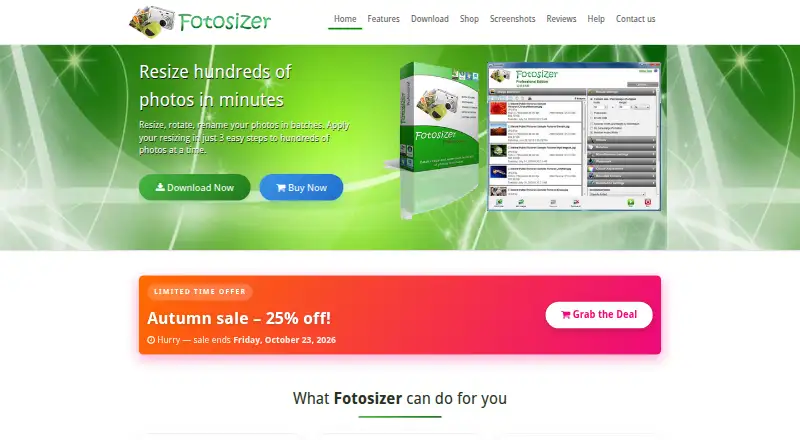
Fotosizer is a Windows application for resizing and preparing groups of images. It can process hundreds of photos in minutes, with batch tools for resizing, rotation, renaming, watermarking, and image optimization. Resize controls include percentage changes, custom dimensions, resizing by one side, padding, aspect-ratio preservation, and cropping. Supported formats are TIFF, JPEG, GIF, BMP, PNG, WMF, EMF, and WEBP, including animated GIFs and multipage TIFFs. The free Standard Edition is available as a download; Professional Edition adds text and image watermarks, color adjustments, rounded corners, and completion actions. In Windows File Explorer, users can select images and choose Fotosizer from the right-click menu. It is available in 35 languages, and the download page lists Windows XP through Windows 11 in 32-bit and 64-bit versions. The Professional lifetime license includes free updates and future versions. The listed paid plans range from $11.10 once for Personal to $5,397.57 once for Enterprise Unlimited.
Who it suits
Fotosizer suits Windows users who want to resize or otherwise process image batches, from individual collections to larger multi-computer use. Its right-click File Explorer option and range of resizing controls may also suit users who prefer to work directly with selected files.
What it does well
- Batch resizing, rotation, renaming, watermarking, and optimization
- Supports eight listed image formats
- Free Standard Edition download
- Available in 35 languages
- Professional lifetime license includes future versions
What to know first
- Windows only; no Mac, Linux, iOS, Android, or Chromebook version
- Professional features require a paid edition
- Paid plans range up to $5,397.57 once
Limits
The free Standard Edition is a free download. Professional editions add text and image watermarks, color adjustments, rounded corners, and completion actions; paid lifetime licenses cover a stated maximum number of computers, except Enterprise Unlimited, which allows unlimited computer installs.
Plans
| Plan | Billed and limits | Price |
|---|---|---|
| Standard Edition | Batch resizing, rotation and destination features | Free |
| Personal | 25% off; shown price $13.88 USD (regular $18.50 USD) · 1 computer · lifetime license | $13.88, paid once |
| Enterprise | 25% off; shown price $1590.71 USD (regular $2120.95 USD) · Up to 350 computers · lifetime license | $1,590.71, paid once |
| Business 360 | 25% off; shown price $26.96 USD (regular $35.95 USD) · Up to 3 computers · lifetime license | $26.96, paid once |
| Home 360 | 25% off; shown price $26.96 USD (regular $35.95 USD) · Up to 3 computers · lifetime license | $26.96, paid once |
| Business | 25% off; shown price $364.46 USD (regular $485.95 USD) · Up to 50 computers · lifetime license | $364.46, paid once |
| Enterprise Plus | 25% off; shown price $4496.96 USD (regular $5995.95 USD) · Up to 1,000 computers · lifetime license | $4,496.96, paid once |
| Business Plus | 25% off; shown price $674.63 USD (regular $899.50 USD) · Up to 150 computers · lifetime license | $674.63, paid once |
The first 8 of 10 plans, as fotosizer.com lists them, read 15 Oct 2026. The maker's own page has the final word. Every plan
Getting started
- Visit the Fotosizer website.
- Download the free Standard Edition or select a paid license.
- Install it on a supported Windows version.
- Select images in Fotosizer, or choose its option from the File Explorer right-click menu.
- Choose a resize method and any other batch operations you need.
Fotosizer is a Windows batch image utility for photographers, office users, and anyone preparing large folders of pictures. It is strongest when repeatable resizing and format handling matter more than cross-platform access or advanced automation.
The free edition is a capable starting point, while lifetime licenses add convenience and professional finishing tools at one-time prices. Mac, Linux, mobile, and Chromebook users should choose another application.
Overview
Fotosizer brings resizing, rotation, renaming, watermarking, and image optimization into one batch workflow. You can select files in Windows File Explorer and invoke Fotosizer from the right-click menu, which reduces friction for occasional jobs. Automation is preset-based, so it fits repeatable routines but is not a substitute for a highly programmable pipeline.
Its format coverage is unusually broad for a focused resizer: TIFF, JPEG, GIF, BMP, PNG, WMF, EMF, and WEBP are supported, including animated GIFs and multipage TIFFs. That makes it suitable for mixed-format folders and document-image work as well as ordinary photographs.
Key features
- Flexible sizing: Resize by percentage, custom dimensions, or a single side; preserve aspect ratio, add padding, or crop. These choices let one preset serve different publication or upload requirements, although you still need to decide which rule fits each batch.
- Batch operations: Resize, rotate, rename, watermark, and optimize many images together. Bulk renaming and preset-based processing are practical for recurring folders, but the workflow is centered on predefined actions rather than open-ended scripting.
- Professional finishing: The Professional Edition adds text and image watermarks, color adjustments, rounded corners, and completion actions. Those additions matter when a batch needs branding or final presentation treatment; basic resizing remains available in the free edition.
- Language and diagnostics: Fotosizer is offered in 35 languages. Device and crash information is collected only when an application error occurs and the user chooses to send a report.
Pricing
Standard Edition costs nothing as a free download. It suits users who need core batch resizing without purchasing professional finishing features.
Personal costs 11.10 USD once for one computer with a lifetime license. Business 360 and Home 360 each cost 21.57 USD once for up to three computers. Startup costs 59.97 USD once for up to 10 computers. These tiers fit individuals, households, and small teams that want permanent use rather than a subscription, with the cheaper Personal tier giving up additional installations.
For larger deployments, Business is 291.57 USD once for up to 50 computers; Business Plus is 539.70 USD once for up to 150; Enterprise is 1,272.57 USD once for up to 350; Enterprise Plus is 3,597.57 USD once for up to 1,000; and Enterprise Unlimited is 5,397.57 USD once for unlimited computer installs. Professional lifetime licenses include free updates and future new versions. Purchases are handled by FastSpring, which means Fotosizer does not receive customers’ credit-card details.
Platforms
Fotosizer runs on Windows XP through Windows 11 in 32-bit and 64-bit versions. There are no Mac, Linux, iOS, Android, or Chromebook versions, making operating-system compatibility the central buying constraint.
Who it's for
Choose Fotosizer for Windows-based photo desks, offices, and home users processing recurring image folders, especially when animated GIFs, multipage TIFFs, or less common Windows formats appear alongside JPEG and PNG. It is less suitable for teams sharing different operating systems or anyone requiring mobile editing, cloud-first access, or automation beyond presets.
Pros and cons
Pros
- Broad support for eight formats, including animated GIFs and multipage TIFFs, helps mixed-format batches.
- Multiple sizing methods, padding, aspect-ratio preservation, and cropping accommodate varied output specifications.
- One-time licenses include lifetime use, updates, and future versions, avoiding recurring renewal costs.
- File Explorer integration makes ad hoc Windows processing quicker.
Cons
- Windows-only availability excludes users on macOS, Linux, mobile, and Chromebook devices.
- Watermarking, color adjustments, rounded corners, and completion actions require the Professional Edition.
- Preset-based automation may feel restrictive for complex, conditional production workflows.
Alternatives
Photo Resizing Software and Batch Photo Processing Software are useful starting points for comparing the wider categories.
- PixelMod is the better choice if you need macOS or web access alongside Windows; its free plan allows unlimited desktop downloads but limits web downloads to five per month and images to 0.5 MP.
- XnConvert suits users who need Linux, macOS, and Windows support, with free private, educational, and nonprofit use.
- Converseen is preferable when you want free, GPL-licensed software across Linux, macOS, and Windows.
- Batch Resize fits iOS and macOS users; its free edition contains advertising, while removing ads costs 34.99 USD once.
- Desqueeze is an iOS alternative with a free Basic plan.
- Photo Size Optimizer is a Mac-only free option with no in-app purchases.
- Cantaloupe is for self-hosted or web-based image serving rather than a desktop batch utility.
- FastStone Photo Resizer is another Windows option that is free for personal and educational use.
Verdict
Fotosizer is a strong pick for Windows users who need dependable batch resizing, broad format support, and lifetime licensing at modest entry prices. Look elsewhere if your workflow spans other platforms or demands automation more flexible than presets.
Verdict
Fotosizer combines batch image processing with flexible resize controls and broad listed format support. The free edition covers basic use, while watermarks, color adjustments, rounded corners, and completion actions are Professional features.
Questions
Is Fotosizer free?
Yes. The Standard Edition is a free download.
What do the paid Fotosizer plans cost?
The listed one-time prices range from $11.10 USD for Personal, covering up to one computer, to $5,397.57 USD for Enterprise Unlimited, covering unlimited computer installs.
Which platforms does Fotosizer support?
The listed supported platform is Windows. The download page lists Windows XP through Windows 11 in 32-bit and 64-bit versions.
Which image formats can Fotosizer process?
It lists TIFF, JPEG, GIF, BMP, PNG, WMF, EMF, and WEBP, including animated GIFs and multipage TIFFs.
What does Professional Edition add?
It adds text and image watermarks, color adjustments, rounded corners, and completion actions.
Who makes Fotosizer?
Fotosizer is a product of FutureFiniti Limited, registered in England and Wales, with its registered office in London.
Facts from Fotosizer's own pages
- Batch processing
- It supports batch resizing, rotation, renaming, watermarking, and image optimization. · fotosizer.com, 5 Oct 2026
- Batch resize controls
- Resizing supports percentages, custom dimensions, one-side sizing, padding, aspect-ratio preservation, presets and cropping. · fotosizer.com, 15 Oct 2026
- Company
- Fotosizer is a product of FutureFiniti Limited, registered in England and Wales, with its registered office in London. · fotosizer.com, 5 Oct 2026
- Effects
- Built-in effects include black and white, negative, sepia, pixelate, vignette, monochrome, Polaroid, vintage, soft, vibrant, Gotham, cold, warm and dark. · fotosizer.com, 15 Oct 2026
- Folder filtering
- Folder imports can be filtered by filename, size, creation date, modification date, or combined/all matching rules. · fotosizer.com, 15 Oct 2026
- Formats
- Supported formats include TIFF, multipage TIFF, JPEG, GIF, animated GIF, BMP, PNG, WMF, EMF and WEBP. · fotosizer.com, 15 Oct 2026
- Headquarters
- The maker lists its registered office at 86-90 Paul Street, London, England, EC2A 4NE. · fotosizer.com, 15 Oct 2026
- Image formats
- Supported formats include TIFF, JPEG, GIF, BMP, PNG, WMF, EMF, and WEBP, including animated GIFs and multipage TIFFs. · fotosizer.com, 5 Oct 2026
- Image selection
- Users can add files, folders, subfolders, drag and drop items, use Windows Explorer context-menu integration and sort the image list. · fotosizer.com, 15 Oct 2026
- Installer automation
- Silent installation supports /S plus switches for shortcuts, automatic updates, Explorer integration, installation directory and product key. · fotosizer.com, 15 Oct 2026
- Languages
- The application lists 35 supported languages, including English, French, German, Spanish, Chinese, Japanese, Arabic and Vietnamese. · fotosizer.com, 15 Oct 2026
- Language support
- Fotosizer is available in 35 languages. · fotosizer.com, 5 Oct 2026
- Licence
- The Standard EULA permits personal and commercial use but grants a non-exclusive, non-transferable licence and prohibits resale, modification, redistribution, sublicensing and reverse engineering. · fotosizer.com, 15 Oct 2026
- License updates
- The Professional lifetime license includes free updates and future new versions without buying the product again. · fotosizer.com, 5 Oct 2026
- Limit: editing depth
- Clubic lists limited editing options, no non-destructive editing and a restricted free edition. · clubic.com, 15 Oct 2026
- Limit: localisation
- Clubic criticizes the dated-looking interface and says the French translations are poor enough that English is easier to understand. · clubic.com, 15 Oct 2026
- Limit: preview expectations
- The SnapFiles reviewer wished for a preview option and said the product did not offer a distinctive feature set. · snapfiles.com, 15 Oct 2026
- Maker
- Fotosizer is a product of independently owned FutureFiniti Limited, registered in England and Wales as company 14824584. · futurefiniti.com, 15 Oct 2026
- Metadata
- Fotosizer can copy JPEG EXIF camera information and preserve selected creation, modification and picture-taken dates. · fotosizer.com, 15 Oct 2026
- Payment handling
- Purchases are handled by FastSpring, and Fotosizer says it does not receive customers’ credit card details. · fotosizer.com, 5 Oct 2026
- Platform limitation
- The help and shop pages say there are no Mac, Linux, iOS, Android or Chromebook versions. · fotosizer.com, 15 Oct 2026
- Praise: speed and quality
- A SnapFiles reviewer gave 4/5, reporting fast processing, preserved quality, drag-and-drop handling and standard resize options. · snapfiles.com, 15 Oct 2026
- Praise: usability
- ComputerBase rated it 3.6/5 from 56 ratings and described the interface and batch workflow as easy for beginners. · computerbase.de, 15 Oct 2026
- Praise: workflow
- Softpedia’s editor rated it 3.5/5 and praised its simple, logical step-by-step handling for resizing, conversion and effects. · softpedia.com, 15 Oct 2026
Where Fotosizer stands on Freedom251
- Photo Resizing Software#7 of 28
- Batch Photo Processing Software#13 of 36