Freedom251 › Photo Resizing Software
Icecream Image Resizer
What Icecream Image Resizer is
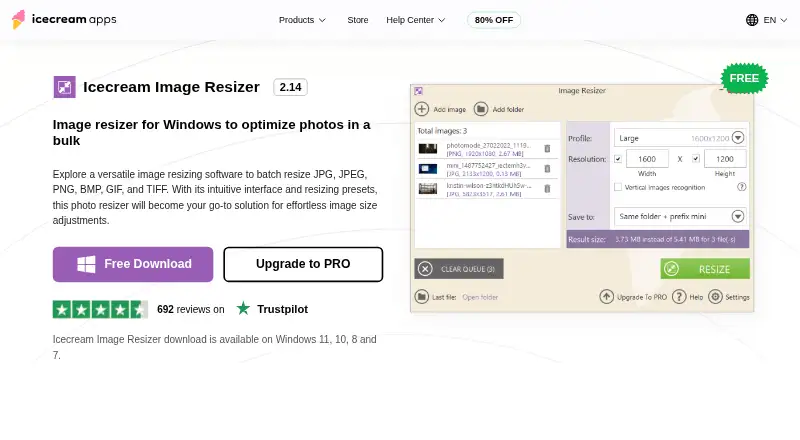
Icecream Image Resizer is Windows software for resizing photos in batches. It works with JPG, JPEG, PNG, BMP, GIF, and TIFF files, and the product listing says there is no limit on the number of pictures users can add for resizing. Choose a preset for email, Facebook, Twitter, or Instagram, or enter custom dimensions. The software can add your logo to resized images and save results in a chosen folder or subfolder; it can also overwrite the originals. The maker lists Windows 7, 8, 8.1, 10, and 11 as supported. A free plan is available, and the listed PRO lifetime license costs $12, paid once. The PRO license does not expire after activation, and a full refund may be requested within 30 days if technical or other problems cannot be resolved. Payments are processed through 2Checkout. The product page lists version 2.14, dated 2/8/2024. Support requests go through the Help Center, with direct support available in English only.
Who it suits
It suits Windows users who need to resize multiple photos at once, apply social or email presets, or use custom dimensions. It may also suit users who want to add a logo or choose where resized images are saved.
What it does well
- Resizes JPG, JPEG, PNG, BMP, GIF, and TIFF files.
- No stated limit on the number of pictures.
- Includes email and social media size presets.
- Can save results or overwrite originals.
- Free plan available.
What to know first
- Available for Windows only.
- Direct support is provided in English only.
- Version 2.14 is dated 2/8/2024.
Limits
The free plan lists the main features as available for free. PRO is listed for unlimited batch resizing; the facts do not state other free-plan quotas.
Plans
| Plan | Billed and limits | Price |
|---|---|---|
| Free | Main features available for free; PRO listed for unlimited batch resizing | Free |
| PRO lifetime license | $12 (shown with ~~$19.95~~) · Lifetime license; resized images in bulk; popular image formats; social media presets; drag and drop workflow | $12, paid once |
As icecreamapps.com lists them, read 2 Oct 2026. The maker's own page has the final word.
Getting started
- Open the Icecream Image Resizer website.
- Use the free plan or choose the PRO lifetime license.
- Install it on a supported Windows version.
- Add the pictures you want to resize.
- Choose a preset or enter custom dimensions, then select where to save the results.
Verdict
Icecream Image Resizer covers batch resizing, preset and custom dimensions, and several output choices on Windows. The free plan is available, while the listed PRO lifetime license costs $12, paid once.
Questions
Is Icecream Image Resizer free?
Yes. A Free plan is listed as free.
How much does the PRO lifetime license cost?
It is listed at $12, paid once, shown with a struck-through $19.95. The license does not expire after activation.
Which image formats does it support?
JPG, JPEG, PNG, BMP, GIF, and TIFF.
Which Windows versions are supported?
The maker lists Windows 7, 8, 8.1, 10, and 11.
Can I resize many pictures in one batch?
Yes. The product page says there is no file-number limit for resizing.
What happens to data sent by the application?
The privacy policy says applications may automatically transmit anonymized device details and statistics about application use.
Facts from Icecream Image Resizer's own pages
- Batch processing
- The product page says users can add as many pictures as needed and states there is no file number limitation for resizing. · icecreamapps.com, 2 Oct 2026
- Compatibility
- The maker lists Windows 7, 8, 8.1, 10, and 11 as supported operating systems. · icecreamapps.com, 2 Oct 2026
- Data protection
- The privacy policy says the company uses administrative and technical safeguards and references GDPR compliance in its security measures. · icecreamapps.com, 2 Oct 2026
- Formats
- It supports JPG, JPEG, PNG, BMP, GIF, and TIFF images. · icecreamapps.com, 2 Oct 2026
- Output options
- Resized images can be saved to a chosen folder or subfolder, or the originals can be overwritten. · icecreamapps.com, 2 Oct 2026
- Payment processing
- The PRO page says payments are processed through 2Checkout and describes the license as never expiring after activation. · icecreamapps.com, 2 Oct 2026
- Presets
- Presets include email, Facebook, Twitter, and Instagram sizes, and users can set custom dimensions. · icecreamapps.com, 2 Oct 2026
- Privacy
- The privacy policy says applications may automatically transmit anonymized data, including device details and statistics about application use. · icecreamapps.com, 2 Oct 2026
- Purpose
- Icecream Image Resizer is Windows software for batch resizing photos. · icecreamapps.com, 2 Oct 2026
- Refund
- The PRO page says a full refund may be requested within 30 days of purchase if technical issues or other problems cannot be resolved. · icecreamapps.com, 2 Oct 2026
- Support
- The Help Center accepts Image Resizer support requests and says direct support is provided in English only. · icecreamapps.com, 2 Oct 2026
- Version
- The product page lists version 2.14, dated 2/8/2024. · icecreamapps.com, 2 Oct 2026
- Watermarks
- Users can place their own logo on resized pictures. · icecreamapps.com, 2 Oct 2026
Where Icecream Image Resizer stands on Freedom251
- Photo Resizing Software#9 of 28