Freedom251 › Photography Software
FUJIFILM X RAW STUDIO
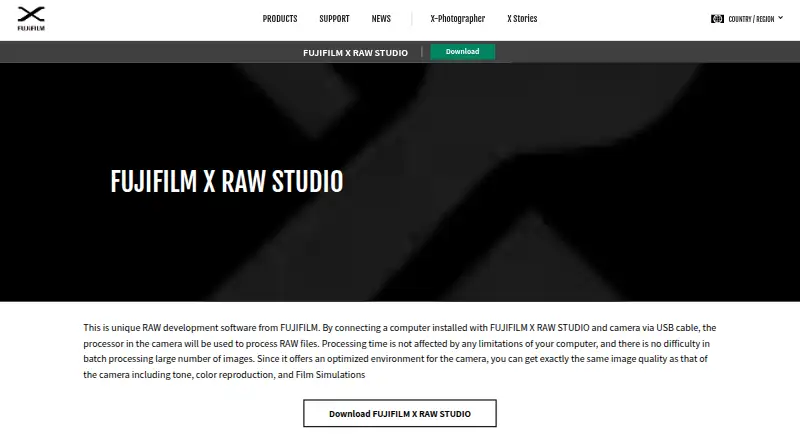
What FUJIFILM X RAW STUDIO is
FUJIFILM X RAW STUDIO converts camera RAW files using the image processor in a compatible FUJIFILM camera connected to a computer over USB. The connected camera is required, and a file can be converted only if it was captured with the same camera model. The software is designed to retain the camera’s tonality, color reproduction, noise reduction, and Film Simulations, including RAW development with the REALA ACE Film Simulation. FUJIFILM says conversion takes nearly the time of taking a photo and does not depend on computer performance. JPEG and TIFF are listed output formats, and the processing workflow is preset-based. Images in the thumbnail list can be dragged to Explorer, and software such as Photoshop can be activated. The free software runs on Windows and macOS. Version 1.28.0 is listed for both systems, last updated October 23, 2025. Windows requirements are Windows 10 or 11, 64-bit, with 4 GB or more RAM recommended; version 1.28.0 can run with macOS Tahoe 26. The license limits use to FUJIFILM products and prohibits redistribution, modification, and reverse engineering.
Who it suits
It suits FUJIFILM camera owners who want to convert RAW files using the image processor in a connected camera. The same camera model must have taken the file and be connected for conversion.
What it does well
- Free for Windows and macOS
- Uses a connected camera’s image processor
- Supports JPEG and TIFF output
- Designed to retain camera color and Film Simulations
- Version 1.28.0 can run with macOS Tahoe 26
What to know first
- Requires a compatible camera connected by USB
- File must come from the connected camera model
- License prohibits redistribution and modification
Limits
Conversion requires a USB-connected camera, and each RAW file must have been taken with the same camera model. The license permits use with FUJIFILM products and prohibits redistribution, modification, and reverse engineering.
Plans
| Plan | Billed and limits | Price |
|---|---|---|
| FUJIFILM X RAW STUDIO | Compatible FUJIFILM camera required · Windows or macOS desktop · Camera must be connected by USB | Free |
As fujifilm-x.com lists them, read 15 Oct 2026. The maker's own page has the final word.
Getting started
- Download the free software for Windows or macOS.
- Connect a compatible FUJIFILM camera to the computer by USB.
- Use a RAW file taken with the same camera model as the connected camera.
- Convert the file to JPEG or TIFF using the preset-based workflow.
FUJIFILM X RAW STUDIO is a free desktop converter for FUJIFILM camera RAW files. It is aimed at photographers who want the rendering of their camera’s processor rather than a computer-generated interpretation. Choose it when camera-matched conversion and FUJIFILM Film Simulations matter more than an all-purpose RAW editor.
Overview
The application develops RAW files through a FUJIFILM camera connected by USB. That design keeps the camera’s tonality, color reproduction, noise reduction and Film Simulations at the center of the result. It is a focused conversion tool, not a general photo-management suite, so it makes most sense in a FUJIFILM-centered workflow.
The decisive restriction is file matching: a RAW image can be converted only when it was captured by the same camera model as the connected camera. Owners of one compatible body get a straightforward workflow; photographers with files from several FUJIFILM models may need to reconnect the appropriate body for each group.
Key features
Conversion work is sent to the camera over USB instead of being calculated by the computer. FUJIFILM says processing takes almost the same time as taking a photograph and does not depend on computer performance. That can reduce the importance of a powerful workstation for this particular task, while making the connected camera an unavoidable part of every conversion session.
The software outputs JPEG and TIFF. Those formats cover common sharing, delivery and further-editing needs, but the feature set described here is centered on RAW development rather than layered retouching or a complete catalog workflow.
REALA ACE Film Simulation is supported for RAW development. Batch automation is preset-based, useful for applying repeatable settings across groups without implying a fully unattended production system. Images in the thumbnail list can be dragged to Explorer, and applications such as Photoshop can be launched, providing practical handoffs to a separate editing workflow.
Pricing
FUJIFILM X RAW STUDIO costs free as a free download. There is no paid tier, quota, seat charge or free-trial period to weigh, and no subscription renewal. The free plan requires a compatible FUJIFILM camera connected by USB, so the zero price does not make it camera-independent.
The download license is nontransferable, nonexclusive and non-redistributable, and it is intended for use with FUJIFILM products. Modification and reverse engineering are prohibited. The software is provided as is, with warranties disclaimed.
Platforms
Version 1.28.0 is offered for Windows and macOS and was updated on October 23, 2025. Windows support covers 64-bit Windows 11 and Windows 10, with 4 GB or more RAM recommended. The macOS release can run on macOS Tahoe 26. A compatible camera and USB connection remain required regardless of operating system.
Who it's for
This is a strong fit for FUJIFILM owners who prefer the color, noise reduction and Film Simulation behavior produced by their camera, and for users whose computers are modest but whose cameras are available during conversion. It also suits photographers who mainly need JPEG or TIFF output and preset-based batches.
Look elsewhere if you need to process files away from the camera, mix RAW files from different camera models in one uninterrupted session, or expect a broad editing and asset-management environment. The camera dependency and narrow output role are fundamental, not optional workflow settings.
Pros and cons
Pros
- Camera-authentic rendering: conversion is designed to retain FUJIFILM tonality, color, noise reduction and Film Simulations.
- Computer performance is less critical: processing runs through the connected camera and is described as taking nearly photo-capture time.
- Free on two desktop platforms: Windows and macOS downloads have no subscription cost.
- Useful workflow handoffs: thumbnails can be dragged to Explorer and passed to applications such as Photoshop.
Cons
- Same-model requirement: each RAW file must match the connected camera model, which complicates mixed-camera archives.
- USB camera dependency: conversion stops when the compatible camera is unavailable or disconnected.
- Focused output: JPEG and TIFF and preset-based batching do not describe a full editing or catalog system.
- Restrictive license: redistribution, modification and reverse engineering are not permitted, and the software is supplied without warranties.
Alternatives
For a broader cross-platform RAW workflow, consider ART, a free GPLv3 open-source RAW processor for Linux, macOS and Windows. darktable is another free, open-source photography workflow application and RAW developer on all three platforms.
RawTherapee is free on Linux, macOS and Windows, but its stated scope excludes digital asset management, printing and uploading. vkdt is a free, open-source photography workflow toolbox for those platforms. dcraw is free for all uses on Linux and Windows.
Camera-brand alternatives include Hasselblad Phocus, free for macOS and Windows, Nikon NX Studio, whose camera and file-format support varies, and OM Workspace, a free macOS and Windows download requiring a camera serial number.
Browse RAW Photo Processing Software, Batch Photo Processing Software and Photo Editing Software for wider categories of tools.
Verdict
Choose FUJIFILM X RAW STUDIO if you own a compatible FUJIFILM camera and want its processor-driven color, noise reduction and Film Simulations in free JPEG or TIFF conversions. Look elsewhere when camera-independent processing, mixed-model archives or a complete editing workflow is more important than matching the camera’s rendering.
Verdict
FUJIFILM X RAW STUDIO’s central requirement is a USB-connected camera of the same model that captured the RAW file. It is a free option for eligible FUJIFILM users who want camera-based RAW conversion.
Questions
How much does FUJIFILM X RAW STUDIO cost?
It is free to download.
Which platforms does it support?
It is available for Windows and macOS. Version 1.28.0 is listed for both.
Does conversion require a camera?
Yes. A digital camera must be connected to the computer by USB. The RAW file must have been taken with the same camera model as the connected camera.
What output formats are supported?
Converted images can be saved as JPEG or TIFF.
What does its license allow?
The license grants a nontransferable, nonexclusive, non-redistributable right to use the software with FUJIFILM products. It prohibits modification and reverse engineering.
Is there a free trial?
There is no free trial offer; the software is free.
Facts from FUJIFILM X RAW STUDIO's own pages
- Adjustment controls
- The guide documents exposure compensation, dynamic range, Film Simulation, grain, white balance, highlight and shadow tone, color, sharpness, noise reduction, lens modulation optimization, color space and rotation controls. · macfilos.com, 15 Oct 2026
- API and SDK
- The official product and download pages describe a desktop USB-camera application and provide no public API or SDK documentation. · fujifilm-x.com, 15 Oct 2026
- Batch conversion
- FUJIFILM states that processing speed is largely independent of computer performance and that large RAW batches can be processed without difficulty. · fujifilm-x.com, 15 Oct 2026
- Battery behavior
- The camera's automatic power-off remains disabled while connected, so FUJIFILM warns users to monitor battery drain and switch the camera off when idle. · fujifilm-x.com, 15 Oct 2026
- Camera compatibility limit
- A RAW file can be converted only when it was taken by the same camera model as the camera connected to the computer. · fujifilm-x.com, 5 Oct 2026
- Camera connection
- A digital camera must be connected to the computer by USB for RAW conversion. · fujifilm-x.com, 5 Oct 2026
- Camera custom settings
- Camera custom settings can be used in X RAW STUDIO, and profiles can be saved back to the camera custom-settings menu on supported models. · dpreview.com, 15 Oct 2026
- Camera-matched output
- FUJIFILM says the workflow reproduces camera tone, color reproduction, noise reduction and Film Simulation results. · fujifilm-x.com, 15 Oct 2026
- Camera processing
- The application sends processing work to the image processor inside the camera instead of relying on the computer processor. · fujifilm-x.com, 15 Oct 2026
- Company founded
- FUJIFILM Holdings Corporation lists January 20, 1934 as its establishment date. · fujifilm.com, 15 Oct 2026
- Company headquarters
- FUJIFILM Holdings Corporation lists its head office at Tokyo Midtown, 9-7-3 Akasaka, Minato-ku, Tokyo, Japan. · fujifilm.com, 15 Oct 2026
- Company legal name
- The maker's holding company is FUJIFILM Holdings Corporation. · fujifilm.com, 15 Oct 2026
- Company size
- The 2024 sustainability report lists 81,690 consolidated company employees as of March 31, 2024. · fujifilm.com, 15 Oct 2026
- Current version
- The official download page lists Windows and Mac version 1.28.0, updated October 23, 2025. · fujifilm-x.com, 15 Oct 2026
- Current versions
- The download page lists version 1.28.0 for both Windows and Mac, last updated October 23, 2025. · fujifilm-x.com, 5 Oct 2026
- External applications
- The guide says images in the thumbnail list can be dragged and dropped to Explorer and software such as Photoshop can be activated. · fujifilm-x.com, 5 Oct 2026
- Founded
- 1934 · fujifilm-x.com, 28 Sept 2026
- Free plan
- Yes · fujifilm-x.com, 20 Sept 2026
- Headquarters
- Tokyo, Japan · fujifilm-x.com, 28 Sept 2026
- Image quality
- The software is designed to retain the camera’s tonality, color reproduction, noise reduction, and Film Simulations. · fujifilm-x.com, 5 Oct 2026
- Installation
- On macOS, installation consists of mounting the downloaded DMG and dragging the application into the Applications folder. · fujifilm-x.com, 15 Oct 2026
- Latest compatibility update
- Version 1.28.0 added compatibility with the FUJIFILM X-T30 III. · fujifilm-x.com, 15 Oct 2026
- Licence
- The licence is proprietary, non-transferable, non-exclusive and non-redistributable, with copyright retained by FUJIFILM. · fujifilm-x.com, 15 Oct 2026
- Licence restrictions
- The licence forbids copying beyond the grant, modification, adaptation, translation, reverse engineering, decompilation and disassembly. · fujifilm-x.com, 15 Oct 2026
Where FUJIFILM X RAW STUDIO stands on Freedom251
- Photography Software#6 of 28
- Batch Photo Processing Software#10 of 36
- RAW Photo Processing Software#7 of 24
- Photo Editing Software#99 of 160