
ColorForge
What ColorForge is
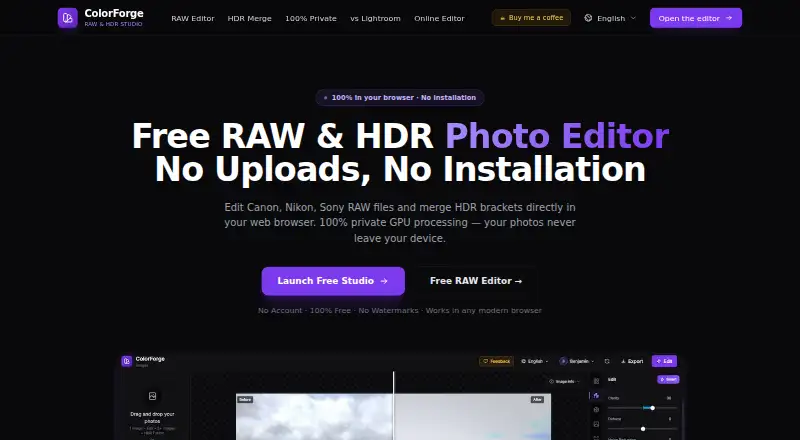
ColorForge is an HDR image-processing tool available on the web, Windows, macOS, Linux, iOS, and Android. It can merge HDR images using both listed merge modes, and it provides multiple tone-mapping controls. RAW file support lets users work with RAW inputs. Finished HDR images can be output as JPEG, PNG, or 16-bit TIFF. ColorForge has a free plan, so the listed pricing model does not require a paid subscription to get started. Its broad platform availability gives users several ways to access the software, while the choice of output formats covers common image files as well as 16-bit TIFF. The available facts describe its HDR merging, tone mapping, RAW support, and file outputs, but do not specify particular editing workflows or additional tools.
Who it suits
ColorForge suits people who want HDR merging and tone-mapping controls across web, desktop, or mobile platforms. It may also suit users who need RAW file support or JPEG, PNG, or 16-bit TIFF output.
What it does well
- Free plan is available.
- Supports RAW files.
- Offers multiple tone-mapping controls.
- Exports JPEG, PNG, and 16-bit TIFF.
- Available on web, desktop, and mobile.
What to know first
- The listed facts do not specify its editing workflow.
- The listed facts do not detail differences between merge modes.
Limits
The Free plan costs nothing and has no watermarks or installation requirement. Offline editing is available after the web app has loaded into the browser cache.
Plans
| Plan | Billed and limits | Price |
|---|---|---|
| Free | No account · no installation · no watermarks · full-resolution export | Free |
As colorforge.studio lists them, read 15 Oct 2026. The maker's own page has the final word.
Getting started
- Open https://colorforge.studio/ in Chrome, Edge, Firefox or Safari.
- Load the web app in the browser.
- Start editing, decoding RAW files, merging HDR exposures or exporting without an account.
- Sign in if you want custom presets saved to an account database; otherwise presets use local browser storage.
ColorForge is a browser-based editor for RAW and HDR photography, aimed at people who want detailed image adjustments without installing desktop software. Its local processing and no-account editing make it a compelling free starting point, though browser support and a narrower photo-editing focus shape who should choose it.
Overview
ColorForge brings RAW decoding, bracketed-exposure merging and tone mapping into a browser workflow. It supports camera formats including CR2, CR3, NEF, ARW, DNG, RAF, ORF and RW2, giving photographers working with several camera systems a broad range of files to start from.
Editing covers exposure, tone curves, HSL adjustments, LUTs and presets. These controls reach beyond simple HDR assembly, but the feature set is centered on image development and HDR rather than a broader suite of photo tools.
Key features
RAW and HDR workflow
ColorForge merges multiple bracketed exposures, including RAW brackets, using GPU processing. Both HDR merge modes are supported, and multiple tone-mapping controls let users shape the result rather than accept a single rendering. This is a strong fit for photographers building HDR images from exposure brackets; it is less compelling for someone seeking a general-purpose editor beyond the stated RAW and HDR tools.
Export and privacy
The RAW editor exports at full native sensor resolution to JPEG, PNG or TIFF without watermarks. HDR output also includes 16-bit TIFF, useful when a higher-bit-depth file is needed for further work. The maker says images are processed on the device and never uploaded to its servers, a meaningful advantage for privacy-conscious users.
The editor can continue working offline after it has loaded into the browser cache. That helps when connectivity drops, but it requires an initial load and is not the same as a separately installed desktop application.
Presets and accounts
Editing, RAW decoding, HDR merging and export do not require an account. Custom preset settings are stored in local browser storage when signed out, or in an account database when signed in. Users can send feedback tickets and feature ideas, but creating a ticket requires Google sign-in.
Pricing
Free — free. The plan includes editing, RAW support, HDR merging and export, with no account requirement, no watermarks and no installation. For an individual photographer exploring HDR or processing occasional files, the absence of a subscription charge and account gate is a substantial advantage.
There is no free trial because the product has a free plan. The stated plan does not attach a seat count or usage quota, so no such cap is part of the described offer. The trade-off is the browser-based workflow and the feature scope described above, rather than a paid tier with expanded capabilities.
Platforms
ColorForge is available on the web and is described as working across Windows, macOS, Linux and ChromeOS. The maker also names iOS and Android among supported platforms. Chrome, Edge, Firefox and Safari are supported modern browsers. This reach makes it accessible across common devices, though the core workflow remains dependent on a supported browser.
Who it's for
Choose ColorForge if you want to develop supported camera RAW files, merge bracketed exposures and export watermark-free images without paying or creating an account. It also suits users who value local image processing or need the option to continue offline after loading the web app.
Look elsewhere if your work calls for a wider editing suite than the exposure, tone-curve, HSL, LUT and preset controls described here, or if you prefer a dedicated desktop HDR application.
Pros and cons
- Pro: RAW, HDR merging and export are free to use without an account, lowering the barrier to trying a complete bracket-to-export workflow.
- Pro: Broad camera RAW support and full native-resolution exports make it useful for photographers with varied files who do not want watermarks.
- Pro: Local processing and cached offline use offer privacy and some resilience when internet access is unavailable.
- Con: The editor is browser-based, so users seeking a dedicated desktop application may prefer another workflow.
- Con: Its stated editing tools focus on RAW development and HDR; users wanting broader photo-editing capabilities should compare other software.
- Con: Creating a support ticket requires Google sign-in, despite the no-account editing workflow.
Alternatives
Browse HDR Software for more options. Choose HDRMerge if you want free, GPL-3.0-or-later desktop software for Windows, macOS or Linux. Luminance HDR is another free, open-source desktop HDR imaging option for those platforms.
Consider PhotomatixCL if its paid plans and credit-based options better fit your workflow. SNS-HDR is another option to compare if its plan structure suits you. easyHDR offers HOME and COMMERCIAL license options for readers considering a desktop alternative. HDR Merge Master is a free alternative for Windows, macOS and Linux. Tembrica Video Background Remover is a web-based alternative. Instant Meshes is a free option for Windows, macOS and Linux.
Verdict
ColorForge is an easy recommendation for photographers who want a free, account-free route from supported RAW files and exposure brackets to watermark-free exports. Local processing and broad platform reach strengthen the case. Choose a different tool if you need a dedicated desktop workflow or a broader editing feature set.
Verdict
ColorForge covers HDR merging, tone mapping, RAW support, and several output formats on a wide range of platforms. Its free plan makes it possible to start without a listed subscription cost.
Questions
How much does ColorForge cost?
The Free plan costs nothing. The pricing model is free.
Do I need an account to edit photos?
No. Editing, RAW decoding, HDR merging and exporting do not require an account. Signed in users can save custom preset settings to an account database; signed out users save them in local browser storage.
Which RAW formats does it support?
It supports CR2, CR3, NEF, ARW, DNG, RAF, ORF and RW2.
What can I export?
The RAW editor exports full native sensor resolution as JPEG, PNG or TIFF without watermarks. HDR output formats include JPEG, PNG and 16-bit TIFF.
Which platforms and browsers are listed?
The listed platforms include web, Windows, macOS, Linux, iOS and Android. The home page names Chrome, Edge, Firefox and Safari as supported modern browsers, and describes browser editor availability on Windows, macOS, Linux and ChromeOS.
Can I use it offline?
The maker says the editor can continue working offline after the web app has loaded in the browser cache.
Facts from ColorForge's own pages
- Account requirement
- Editing, RAW decoding, HDR merging and export are available without registration. · colorforge.studio, 15 Oct 2026
- API and SDKs
- The opened product pages describe browser WebAssembly and WebGL components but do not provide a public API, SDK or self-hosting package. · colorforge.studio, 15 Oct 2026
- Apple listing identity
- The App Store ColorForge listing is an iPhone utility by developer Kazunari Negishi, separate from the browser product identity shown on colorforge.studio. · apps.apple.com, 15 Oct 2026
- Apple platform requirement
- That App Store listing requires iOS 18.6 or later and is marked iPhone-only in its description. · apps.apple.com, 15 Oct 2026
- Apple privacy statement
- Apple’s listing reports that the developer says the app collects no data, with Apple noting the developer-provided information is not verified. · apps.apple.com, 15 Oct 2026
- Browser support
- The site names Chrome, Edge, Firefox and Safari as supported modern browsers. · colorforge.studio, 15 Oct 2026
- Curves and HSL
- The editor provides RGB and per-channel tone curves and an eight-channel HSL mixer. · colorforge.studio, 15 Oct 2026
- Editing
- Features include exposure controls, tone curves, HSL color adjustments, LUTs and presets. · colorforge.studio, 5 Oct 2026
- Export
- The RAW editor exports full native sensor resolution as JPEG, PNG or TIFF without watermarks. · colorforge.studio, 5 Oct 2026
- Export formats
- Exports are available as JPEG, PNG and TIFF, including 16-bit TIFF output for HDR work. · colorforge.studio, 15 Oct 2026
- Export resolution
- The RAW editor exports at full native camera sensor resolution without watermarks. · colorforge.studio, 15 Oct 2026
- Exposure controls
- RAW editing includes exposure, highlights, shadows, whites, blacks, temperature and tint adjustments. · colorforge.studio, 15 Oct 2026
- GPU rendering
- ColorForge uses WebGL 2.0 shaders and a 32-bit floating-point rendering pipeline. · colorforge.studio, 15 Oct 2026
- HDR
- It merges multiple bracketed exposures, including RAW brackets, using GPU processing. · colorforge.studio, 5 Oct 2026
- HDR merging
- ColorForge merges two, three, five or more bracketed exposures, including RAW brackets. · colorforge.studio, 15 Oct 2026
- HDR precision
- RAW brackets are demosaiced and merged in 32-bit precision. · colorforge.studio, 15 Oct 2026
- HDR processing
- HDR fusion runs in custom WebGL GPU shaders using exposure-fusion weighting. · colorforge.studio, 15 Oct 2026
- Installation
- ColorForge runs in the browser without installing desktop software. · colorforge.studio, 15 Oct 2026
- Licence
- The opened product pages do not state an open-source licence or software licence. · colorforge.studio, 15 Oct 2026
- Limit: browser dependence
- The product requires a supported modern browser and its offline mode only works after the web app has loaded into cache. · colorforge.studio, 15 Oct 2026
- Limit: focused toolset
- The listed workflow centers on RAW development, HDR merging, curves, HSL and LUTs rather than catalog management or broad desktop-editing features. · colorforge.studio, 15 Oct 2026
- Limit: paint database
- The App Store listing says its current paint data is centered on Gaia Color and that other manufacturers are planned for later addition. · apps.apple.com, 15 Oct 2026
- LinkedIn business
- The profile describes a patented process that prints custom color cosmetics and product casing together. · linkedin.com, 15 Oct 2026
- LinkedIn company size
- That LinkedIn ColorForge profile lists a company size of 2–10 employees. · linkedin.com, 15 Oct 2026
Where ColorForge stands on Freedom251
- HDR Software#3 of 21