Freedom251 › 3D Sculpting Software
Instant Meshes
What Instant Meshes is
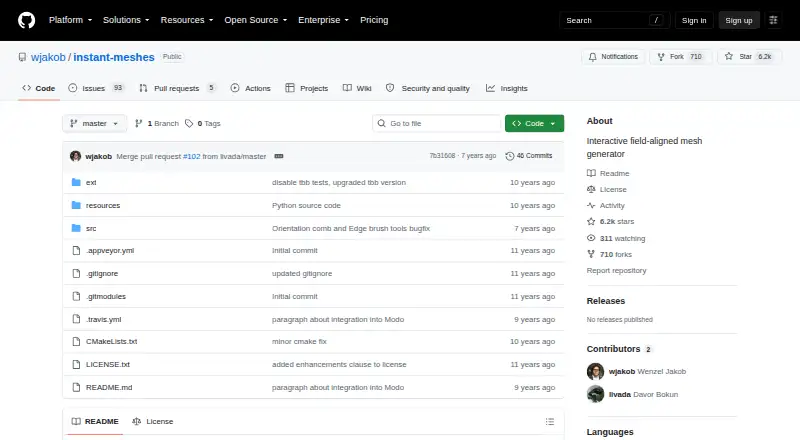
Instant Meshes is free, open-source software for interactive field-aligned mesh generation, available for Linux, macOS, and Windows. Its standard workflow computes an orientation field and then a position field before mesh export is available. Users can adjust fields with brush tools and use the Advanced panel to inspect the input mesh, computed fields, and output mesh. A command-line interface provides controls for thread count, output face or vertex count, edge scale, symmetry types, and point-cloud neighbor count. Precompiled 64-bit Intel binaries are provided for the listed desktop systems. Linux users need zenity installed, and the project’s dataset panel requires a downloaded dataset ZIP with its datasets folder placed beside the application. Building from source requires CMake, plus Xcode on Mac, Visual Studio 2015 on Windows, or GCC on Linux. The project originated with a research publication presented at SIGGRAPH Asia 2015. Its license permits redistribution and use of source and binaries subject to listed conditions; an Issues page is available for project discussions.
Who it suits
Instant Meshes suits people working with field-aligned mesh generation who want a free desktop tool with both visual field editing and command-line options. Users building from source should be prepared to meet the listed platform-specific requirements.
What it does well
- Free and open source
- Available for Linux, macOS, and Windows
- Brush tools support field editing
- Command line offers mesh generation controls
- Issues page supports project discussion
What to know first
- Linux requires zenity
- Dataset panel requires a separate ZIP and folder setup
- Source builds require CMake and platform-specific tools
Plans
| Plan | Billed and limits | Price |
|---|---|---|
| Free | No price or usage limits stated | Free |
As github.com lists them, read 8 Oct 2026. The maker's own page has the final word.
Getting started
- Open the project website on GitHub.
- Download the precompiled 64-bit Intel binary for Windows, Mac OS X, or Linux.
- On Linux, install zenity for the application to run.
- Download the dataset ZIP and place its datasets folder beside the application to use the dataset panel.
- For a source build, install CMake and the toolchain listed for your platform.
Instant Meshes is free, open-source software for interactive, field-aligned mesh generation. It is best suited to people who want control over automatic retopology through editable fields or command-line parameters. Its flexible workflow is a strong fit for technical users, but the Linux dependency and dataset setup make it less convenient when a ready-to-go tool is the priority.
Overview
The workflow computes an orientation field and then a position field before enabling mesh export. This staged approach gives users a chance to inspect and adjust intermediate results rather than accept a single automatic output. Brush tools let users manipulate fields, and the Advanced panel can show information about the input mesh, computed fields, and output mesh.
The project originated in research presented at SIGGRAPH Asia 2015. Modo has used its algorithm for automatic retopology since version 10.2, showing that the method has also been incorporated into a commercial 3D application.
Key features
- Interactive field editing: Brush tools provide a way to intervene in the generated fields. This is useful when users want more control over the result than an automatic process alone provides.
- Advanced-panel visualization: Checkboxes reveal information about the input mesh, computed fields, and output mesh, helping users follow the stages of the process.
- Command-line parameters: Users can set thread count, target face or vertex count, edge scale, symmetry types, and point-cloud neighbor count. The range supports parameterized workflows, but requires comfort with explicit settings.
Pricing
Instant Meshes is free: the Free plan costs nothing, and the project is open source. No usage limits are stated. Its license permits redistribution and use of source and binary forms, with or without modification, subject to the license conditions. There is no paid tier to unlock additional features.
Platforms
Precompiled 64-bit Intel binaries are provided for Windows, Mac OS X, and Linux. Linux users must install zenity for the application to run. The dataset panel also depends on setup: users need to download the dataset ZIP and place its datasets folder beside the application.
Building from source requires CMake, along with Xcode on Mac, Visual Studio 2015 on Windows, or GCC on Linux. These prerequisites are manageable for users familiar with desktop development environments, but make this a less straightforward option for people who expect a simple installation.
Who it's for
Instant Meshes suits 3D artists and technical users who need automatic retopology and value the ability to inspect or edit fields and tune command-line output. It is less suitable for someone seeking a broadly polished sculpting suite or an installation with no extra dependencies or dataset preparation.
Pros and cons
- Pro: Field editing and visualization expose intermediate work, giving users ways to inspect and adjust the generation process.
- Pro: Command-line controls cover thread count, target geometry size, edge scale, symmetry, and point-cloud neighbors, supporting deliberate parameter choices.
- Pro: The software is free and open source, with binaries for three desktop operating systems.
- Con: Linux requires zenity, and the dataset panel needs a separately downloaded folder in the application directory.
- Con: Source builds require platform-specific development tools, adding friction for users who cannot rely on the provided binaries.
Alternatives
For a broader set of 3D sculpting options, browse 3D Sculpting Software. For tools focused on HDR workflows, see HDR Software.
- Mixos Mold is worth considering if you want a freemium sculpting app with unlimited Mold sculpting and every brush and subdivision level on its free plan.
- tamga offers a free desktop, web, educational, and non-profit use plan across iOS, Linux, macOS, web, and Windows.
- AutoRemesher is another free option, with an MIT license and support for Linux, macOS, Windows, and self-hosted use.
- R3DS Wrap may fit students or educational institutions that need a free license for learning purposes; it also offers an indie annual subscription for 99.
- Re:Form has a free plan capped at about 12.5 million triangles and five projects of up to 150 MB each, making its stated project limits a relevant consideration.
- ZBrush provides a free iPad plan with 28 brushes, so it is an option for readers looking specifically for iPad sculpting.
- SculptGL is a free alternative available on the web, as an extension, and on Windows.
- MeshMolder is another option to compare.
Verdict
Choose Instant Meshes if you want free automatic retopology with an inspectable, editable field workflow and useful command-line controls. Look elsewhere if you need a more turnkey setup, especially on Linux, or want a broader sculpting environment rather than a focused mesh-generation tool.
Verdict
Instant Meshes offers an interactive workflow and command-line controls for mesh generation at no listed cost. Account for the Linux dependency and dataset setup if you need those features.
Questions
Is Instant Meshes free?
Yes. Its listed free plan costs nothing, and the project is open source.
Which platforms are supported?
The project lists Windows, macOS, and Linux, with precompiled 64-bit Intel binaries for Windows, Mac OS X, and Linux.
What does the software do?
It generates field-aligned meshes interactively. Its workflow computes orientation and position fields before mesh export.
Does it have command-line options?
Yes. Options include thread count, output face or vertex count, edge scale, symmetry types, and point-cloud neighbor count.
What is needed to use the dataset panel?
Download the dataset ZIP and keep its datasets folder beside the application.
What is required to build from source?
CMake is required, plus Xcode on Mac, Visual Studio 2015 on Windows, or GCC on Linux.
Facts from Instant Meshes's own pages
- Batch options
- The command-line interface includes options for thread count, output face or vertex count, edge scale, symmetry types, and point-cloud neighbor count. · github.com, 7 Oct 2026
- Build requirements
- Building from source requires CMake and, depending on platform, Xcode, Visual Studio 2015, or GCC. · github.com, 8 Oct 2026
- Dataset requirement
- The project instructs users to download a dataset ZIP and keep its datasets folder beside the application for the dataset panel to work. · github.com, 7 Oct 2026
- Downloads
- The project provides 64-bit Intel binaries for Windows, Mac OS X, and Linux. · github.com, 8 Oct 2026
- Field editing
- Brush tools can be used to manipulate fields. · github.com, 8 Oct 2026
- Founded
- 2015 · github.com, 28 Sept 2026
- Input setup
- The README instructs users to place the datasets folder in the same directory as the application for the dataset panel to work. · github.com, 8 Oct 2026
- Integration
- Modo uses the Instant Meshes algorithm for its automatic retopology feature beginning with version 10.2. · github.com, 8 Oct 2026
- License
- The repository license permits redistribution and use of source and binary forms, with or without modification, subject to its stated conditions. · github.com, 8 Oct 2026
- Linux requirement
- On Linux, the program zenity must be installed for Instant Meshes to run. · github.com, 8 Oct 2026
- Purpose
- Instant Meshes is interactive software for generating field-aligned meshes. · github.com, 8 Oct 2026
- Research basis
- The software was developed as part of the publication “Instant Field-Aligned Meshes,” presented at SIGGRAPH Asia 2015. · github.com, 8 Oct 2026
- Research origin
- The software was developed as part of the publication “Instant Field-Aligned Meshes,” presented at SIGGRAPH Asia 2015. · github.com, 7 Oct 2026
- Security
- The GitHub security page says the project has no detected security policy and no published security advisories. · github.com, 7 Oct 2026
- Support
- The license states that contributors are not obligated to provide bug fixes, patches, or upgrades. · github.com, 8 Oct 2026
- Visualization
- The Advanced panel provides checkboxes to visualize information about the input mesh, computed fields, and output mesh. · github.com, 8 Oct 2026
- Workflow
- The standard workflow solves for an orientation field and then a position field before enabling mesh export. · github.com, 8 Oct 2026
Where Instant Meshes stands on Freedom251
- 3D Sculpting Software#5 of 21