Freedom251 › Legal Trial Presentation Software
LIT SUITE
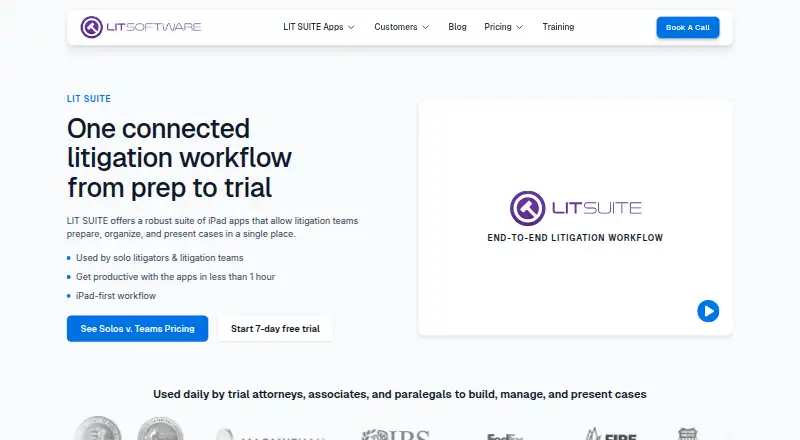
What LIT SUITE is
LIT SUITE is a connected workflow for preparing, organizing, and presenting litigation cases on iOS and macOS. Its subscription includes TrialPad, TranscriptPad, DocReviewPad, TimelinePad, and ExhibitsPad. TrialPad organizes and presents documents, photographs, video, audio, and demonstrative evidence in courtroom or remote settings. TranscriptPad supports testimony work such as designations, issue codes, highlights, redactions, and notes; DocReviewPad applies tags and custom issue codes to pages or entire documents. The Solo Litigator plan costs $50 a month, billed annually via the App Store, for individual use of all five apps. A 7-day trial and free plan are listed. LIT SOFTWARE also offers free licenses to qualifying lawyers and legal teams doing pro bono, legal aid, or nonprofit work for vulnerable or underrepresented people. Case files are stored locally or with a cloud provider chosen by the user, not through LIT SOFTWARE servers. Cloud access uses Apple Files on iPad or Finder on Mac and requires the provider app to be installed and signed in. An App Store subscription can be installed on up to three compatible Apple devices belonging to one individual.
Who it suits
LIT SUITE suits solo litigators and litigation teams, including attorneys, associates, paralegals, and staff, who need tools for case evidence, transcripts, and document review. Free licenses are available to qualifying legal work serving vulnerable or underrepresented people.
What it does well
- Subscription includes five litigation apps.
- TrialPad presents documents, media, and demonstrative evidence.
- TranscriptPad supports designations, highlights, and redactions.
- Case files stay local or with the user's chosen provider.
- Free licenses are offered for qualifying legal work.
What to know first
- Solo Litigator costs $50 a month, billed annually.
- Cloud access requires the provider app and sign-in.
- One individual can install an App Store subscription on up to three devices.
Limits
The Solo Litigator plan is for individual use and can be installed on up to three compatible Apple devices belonging to one person. The 7-day trial is time-limited; the listed team plan has custom pricing.
Plans
| Plan | Billed and limits | Price |
|---|---|---|
| Solo Litigator | Billed annually via the App Store · All five LIT SUITE apps · Individual use | $50 a month |
| Litigation Teams | Custom pricing scoped based on team size and rollout · All five LIT SUITE apps · Centralized license management · MDM-ready for firm-managed devices | On request |
As litsoftware.com lists them, read 2 Oct 2026. The maker's own page has the final word.
Getting started
- Open the LIT SUITE website.
- Choose the Solo Litigator App Store subscription or contact the maker about Litigation Teams.
- Use the 7-day trial if you want to try the subscription first.
- Install the apps on compatible iOS or macOS devices.
- For cloud files, install and sign in to the provider app, then access files through Apple Files or Finder.
LIT SUITE brings five litigation apps together for Apple-based legal teams. It is best suited to litigators who need trial presentation alongside transcript and document workflows; buyers who only need exhibit presentation may prefer a narrower tool.
Overview
The subscription bundles TrialPad, TranscriptPad, DocReviewPad, TimelinePad, and ExhibitsPad for preparing, organizing, and presenting cases. That breadth can reduce the need to piece together separate tools across litigation tasks. The trade-off is a commitment to iOS or macOS, with cloud storage dependent on provider apps and operating-system syncing rather than a direct connection from LIT SUITE.
Key features
Present evidence
TrialPad organizes and presents documents, photographs, video, audio, and demonstrative evidence in courtroom and remote settings. Video playback, evidence annotation, and exhibit management make it relevant to teams that need to work with varied evidence formats, not just display static documents.
Organize testimony and documents
TranscriptPad supports designations, issue codes, highlights, redactions, and notes. DocReviewPad applies tags and custom issue codes to individual pages or entire documents. Together, these functions serve legal teams that need to organize both testimony and case materials within one subscription.
Cloud access and case files
On iPad, cloud storage is accessed through Apple Files; on Mac, through Finder. Examples include iCloud Drive, Box, Dropbox, Citrix Files, Google Drive, and Microsoft OneDrive, but the corresponding provider app must be installed and signed in. Syncing remains under the provider and operating system, so this is not a direct cloud-storage integration. LIT SOFTWARE says its apps do not store, access, or transmit case data through its servers; files stay locally or with the cloud provider the user selects.
Case Files can be shared by USB, AirDrop, or email, with email sharing limited to files under 20 MB. Offline access is limited, so users who depend on uninterrupted offline work should account for that constraint.
Pricing
Solo Litigator costs $50 a month, billed annually via the App Store. It includes all five apps for individual use and suits a solo practitioner who wants the complete workflow. One App Store subscription can be installed on up to three compatible Apple devices belonging to one individual.
Litigation Teams has custom pricing scoped to team size and rollout. It includes all five apps, centralized license management, and MDM readiness for firm-managed devices. Priority support for active teams, optional screen-share sessions, and quarterly team-specific training make this the better fit for firms that need coordinated deployment and team assistance; the custom price means cost depends on the rollout.
A 7-day trial is offered. LIT SOFTWARE also provides free licenses through LIT SUITE For Good to lawyers and legal teams doing pro bono, legal aid, or nonprofit work for vulnerable or underrepresented people.
Platforms
LIT SUITE supports iOS and macOS. Its Apple-only footprint is a natural fit for teams already working on those platforms, but not for organizations that need a Windows or web-based suite. Cloud workflows also require the storage provider’s app and sign-in.
Who it's for
The suite is aimed at solo litigators and litigation teams, including attorneys, associates, paralegals, and staff. Solo users get all five apps under individual use; teams gain centralized license management and team-focused support. It is less suitable for buyers seeking a single-purpose presentation tool, broad platform choice, or full offline access.
Pros and cons
- Pro: Five apps cover trial presentation, transcript work, document review, timelines, and exhibits under one subscription.
- Pro: The team plan adds centralized license management, MDM readiness, priority support, optional screen-share sessions, and quarterly training.
- Pro: Users choose local or third-party cloud storage, and LIT SOFTWARE says case data does not pass through its servers.
- Con: Support is limited to iOS and macOS, excluding teams that need Windows or web access.
- Con: Cloud access requires separate provider apps, while sync is handled by the provider and operating system.
- Con: Offline access is limited, and email sharing is restricted to files under 20 MB.
- Con: The solo subscription is billed annually, while team pricing is custom rather than a fixed published rate.
Alternatives
Legal Trial Presentation Software is a category directory for comparing trial-presentation options.
- Lexel is worth considering for a freemium option spanning iOS, self-hosted, and web platforms; its free Basic Plan includes one user and 3 TB of storage.
- Visiodocs suits buyers seeking a reviewer-focused free tier on macOS, web, or Windows; its free plan allows 1 GB storage and 25 documents in total, with review, annotation, and OCR.
- eTrialToolkit is an alternative for teams considering self-hosted or web-based e-trial software, with free licenses for judges and court registrars.
- Exhibit Presenter Plus may fit Windows users seeking a standalone trial-presentation product, with a free demonstration version and a 99.00 USD one-time plan.
- CaseTestify is a paid web-based alternative.
- Cerulean is a paid web-based alternative.
- Epiq Discover is a paid web-based alternative with flat-rate, per-gigabyte transactional, or subscription pricing.
- Omnigo Trial Presentation Software is a paid web-based alternative.
Verdict
Choose LIT SUITE if you are an Apple-based solo litigator or litigation team that wants presentation, transcript, document, timeline, and exhibit work in one subscription. Its breadth and team provisions are the strongest reasons to choose it; annual solo billing, limited offline access, provider-dependent cloud syncing, and the Apple-only platform range are reasons to look elsewhere.
Verdict
LIT SUITE combines presentation, transcript, document-review, timeline, and exhibit apps for litigation workflows. Consider its annual billing and cloud-access requirements when deciding whether it fits your setup.
Questions
How much does LIT SUITE cost?
Solo Litigator costs $50 a month, billed annually via the App Store. Litigation Teams pricing is custom and scoped to team size and rollout.
Is there a free plan or trial?
A free plan and a 7-day trial are listed. LIT SOFTWARE also offers free licenses to lawyers and legal teams doing qualifying pro bono, legal aid, or nonprofit work for vulnerable or underrepresented people.
Which platforms does it support?
The listed platforms are iOS and macOS.
What apps are included?
The subscription includes TrialPad, TranscriptPad, DocReviewPad, TimelinePad, and ExhibitsPad.
Does it connect directly to cloud storage?
No. Cloud files are accessed through Apple Files on iPad or Finder on Mac, and the provider’s app must be installed and signed in.
Who makes LIT SUITE?
LIT SOFTWARE makes LIT SUITE. It says the apps do not store, access, or transmit case data through its servers.
Facts from LIT SUITE's own pages
- Cloud connection limit
- LIT SUITE does not connect directly to cloud storage providers; users must have the provider app installed and signed in, and cloud sync is controlled by that provider and the operating system. · support.litsoftware.com, 2 Oct 2026
- Data handling
- LIT SOFTWARE says the apps do not store, access, or transmit case data through its servers; case files are stored locally or with a cloud provider selected by the user. · support.litsoftware.com, 2 Oct 2026
- Document review
- DocReviewPad supports tags and custom issue codes for pages or entire documents. · litsoftware.com, 2 Oct 2026
- File sharing
- Case Files can be shared using USB, AirDrop, or email for files under 20 MB. · support.litsoftware.com, 2 Oct 2026
- Free licenses
- Through its LIT SUITE For Good initiative, LIT SOFTWARE offers free licenses to lawyers and legal teams doing pro bono, legal aid, or nonprofit work for vulnerable or underrepresented people. · litsoftware.com, 2 Oct 2026
- Headquarters
- Coral Gables, Florida, United States · litsoftware.com, 28 Sept 2026
- Included apps
- The subscription includes TrialPad, TranscriptPad, DocReviewPad, TimelinePad, and ExhibitsPad. · litsoftware.com, 2 Oct 2026
- Integrations
- Cloud storage is accessed through Apple Files on iPad or Finder on Mac; the maker lists iCloud Drive, Box, Dropbox, Citrix Files, Google Drive, and Microsoft OneDrive as examples. · support.litsoftware.com, 2 Oct 2026
- License limit
- An App Store subscription can be installed on up to three compatible Apple devices belonging to one individual. · support.litsoftware.com, 2 Oct 2026
- Purpose
- LIT SUITE is a connected litigation workflow for preparing, organizing, and presenting cases. · litsoftware.com, 2 Oct 2026
- Supported users
- The maker describes the product as serving solo litigators and litigation teams, including attorneys, associates, paralegals, and staff. · litsoftware.com, 2 Oct 2026
- Team support
- The Litigation Teams plan includes priority support for active teams, optional screen-share sessions, and quarterly team-specific training. · litsoftware.com, 2 Oct 2026
- Transcript work
- TranscriptPad supports designations, issue codes, highlights, redactions, and notes for testimony. · litsoftware.com, 2 Oct 2026
- Trial presentation
- TrialPad organizes and presents documents, photographs, video, audio, and demonstrative evidence in courtroom or remote settings. · apps.apple.com, 2 Oct 2026