Freedom251 › Legal Trial Presentation Software

eTrialToolkit
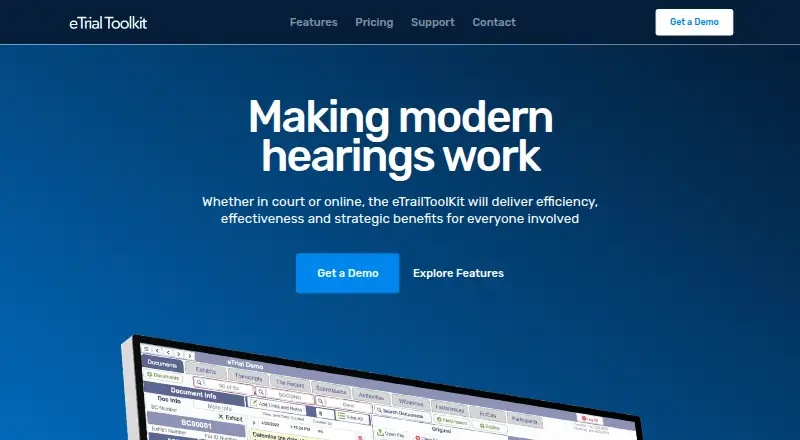
What eTrialToolkit is
eTrialToolkit manages electronic evidence for hearings, including eFiling, presentation and court record management. Users can search case documents by fields such as title, notes and custodian, add evidence during a trial, track exhibits and related court documents, and stamp exhibits in real time. Role-based controls manage access to private and public documents, notes and evidence tags. The toolkit works with video conferencing services including Zoom, Microsoft Teams and WebEx. It can import load files from litigation and eDiscovery software while preserving metadata and coding. Deployment choices include Canadian hosted SaaS, a stand-alone court LAN with supplied hardware, or on-premise installation that can run without internet access. The maker says case size is not limited and there are no per-document fees; pricing for listed software and hosting options is by quote. Judges and court registrars pay no license fees. Each solution includes two hours of training and support per case, and the pricing page advertises personal 24/7 support. The site identifies the product as being from Noticia Solutions and REDI Analysis.
Who it suits
eTrialToolkit is aimed at litigators, court administrators and judges handling evidence for hearings. Its deployment choices may suit courts that need hosted service, a local network setup or offline on-premise operation.
What it does well
- Search case files by title, notes or custodian.
- Role-based access controls cover documents and evidence tags.
- Can run without internet access on-premise.
- No per-document fees; case size is not limited.
- Two hours of training and support per case.
What to know first
- Pricing for software and hosting is by quote.
- Stand-alone court setup requires supplied hardware.
- Support time is limited to two hours per case.
Plans
| Plan | Billed and limits | Price |
|---|---|---|
| Free Licences | Judge and court registrar licences · full hearing control · personalized onboarding · registry exhibit synchronization | Free |
| Stand-Alone Court | Local-area network deployment · hardware included · preloaded records · secure backup · iPads, laptops and monitors | On request |
| Courts and Enterprise | Multiple cases and eHearings · unlimited cases · cloud or local installation · on-premise deployment · no additional data fees | On request |
| eTrialToolkit Software and Hosting (SaaS) | Full functionality · no data fees or surcharges · onboarding support · Canadian-hosted data | On request |
As etrialtoolkit.com lists them, read 15 Oct 2026. The maker's own page has the final word.
Getting started
- Visit the eTrialToolkit website
- Choose Canadian hosted SaaS, a stand-alone court LAN with supplied hardware, or on-premise installation
- Request a quote for the software and hosting or court deployment plan
- Arrange training and support for the case
eTrialToolkit is a court-focused system for managing electronic evidence, hearing presentation, and court records. It is best suited to litigators, court administrators, and judges who need evidence workflows that can run online or within a court’s own infrastructure. Its broad deployment choices and offline option are strengths; organizations should compare the custom-priced solutions against their hosting and support needs.
Overview
The toolkit connects evidence intake, retrieval, presentation, and record management. Staff can upload evidence during a trial, track exhibits and related court documents, and stamp exhibits in real time. Searching by title, notes, or custodian can help courtroom teams locate material by familiar case details. Role-based controls distinguish access to private and public documents, notes, and evidence tags, which suits proceedings where judges, registrars, and litigators need different permissions.
Imports from litigation and eDiscovery software preserve metadata and coding, with named sources including Nuix Discover, Prividox, LitigationToolkit, Axcelerate, SharePoint, Relativity, Everlaw, and EDT Software. The toolkit can open files that the user’s computer can open, widening the range of material it can handle without implying that every file type has a dedicated viewer.
Key features
Exhibit management, annotation, video playback, and transcript support cover several core hearing-presentation tasks. The product also works with video conferencing platforms including Zoom, Microsoft Teams, and WebEx, making it a candidate for hearings that combine evidence presentation with remote attendance. These capabilities are particularly relevant to court teams seeking a hearing-specific workflow rather than a general document repository.
Deployment is a notable strength: organizations can choose Canadian-hosted SaaS, a stand-alone court LAN with supplied hardware, or an on-premise installation that can run without internet access. Full offline access gives courts a route to use the system where connectivity is unavailable or unsuitable, but local installations entail a different infrastructure choice from hosted service.
The maker says case size is not limited and there are no per-document fees or surcharges, which can make costs more predictable for large matters. Every solution includes two hours of training and support per case, and personal 24/7 support is advertised. eTrial data in the hosted option is kept in a secure Canadian datacentre managed by eTrialToolkit. These are useful provisions for court operations, though buyers should establish which deployment and support arrangement fits their requirements.
Pricing
eTrialToolkit uses a freemium model, but its free offer is limited to judge and court registrar licences that carry no licence fee. It does not establish a free tier for every role or for a full court deployment.
- Free Licences: free. Judges and court registrars pay no licence fees; this is the clearest fit for those roles, not necessarily the whole courtroom team.
- eTrialToolkit Software and Hosting (SaaS): custom pricing. This hosted option has no data fees or surcharges, with pricing by quote.
- Stand-Alone Court: custom pricing. It provides local area network deployment with hardware included.
- Courts and Enterprise: custom pricing. It supports unlimited cases with cloud or local installation.
The stated absence of case-size limits and per-document fees is favorable for high-volume matters, but the paid options require a quote, so courts should compare the total cost and deployment terms before choosing.
Platforms
eTrialToolkit supports web and self-hosted deployment and is described as multi-platform. Its range spans managed Canadian SaaS, local court LAN hardware, and on-premise use that can operate without internet access. That flexibility suits institutions with specific hosting or connectivity requirements; organizations seeking a single standard cloud setup may not need the local-installation choices.
Who it's for
The product is aimed at litigators, court administrators, and judges handling electronic evidence in hearings. It is a strong fit for court teams that need exhibit tracking, controlled access, evidence presentation, and the choice of hosted or offline-capable installations. It is less compelling for buyers who need transparent fixed prices before engaging a vendor or do not need court-specific evidence and record workflows.
Pros and cons
- Pro: Evidence search, exhibit handling, annotation, video playback, transcript support, and court records sit within a hearing-focused toolkit, reducing the need to treat presentation as a separate workflow.
- Pro: SaaS, hardware-included LAN, and offline-capable on-premise options accommodate different court infrastructure and connectivity needs.
- Pro: No per-document charges and no case-size limit support cost predictability for large cases.
- Con: Most solutions use custom pricing, so buyers cannot compare the full deployment cost from a published rate.
- Con: The free licences apply to judges and court registrars, not as a general free plan for all users.
- Con: The included training and support allowance is two hours per case, so courts should clarify support arrangements for broader onboarding needs.
Alternatives
For a broader comparison of courtroom presentation tools, browse Legal Trial Presentation Software. Consider these alternatives when their platform or pricing model better matches the job:
- Lexel is a freemium option with a web, iOS, and self-hosted footprint; its free Basic plan includes one user and 3 TB of storage, with files up to 100 GB and 180 days to restore.
- LIT SUITE may suit an individual seeking five litigation apps for iOS or macOS: its Solo Litigator plan is $50 a month, billed annually via the App Store.
- Epiq Discover is a web-based paid option with flat-rate, per-gigabyte transactional, or subscription pricing.
- AgileLaw is worth considering for on-demand depositions across mobile, desktop, and web platforms; its Starter plan is $195 per host session and includes one monthly active host, 5 GB of storage, and one active case.
- iLitigate is an iOS option at $19.99 a month, with discount codes available for multi-user law firms.
- LiveLitigation suits users prioritizing local sessions and offline use: its Local Only plan is $399 a year and includes unlimited local sessions, detailed usage reports, and pay-as-you-go remote usage.
- Case Crafter offers a Basic annual plan at $50 a month, billed as 599 USD yearly, with 10 active cases and unrestricted direct presentation.
- CaseTestify is another web-based paid alternative.
Verdict
eTrialToolkit is a strong choice for courts and litigation teams that need evidence management and hearing presentation alongside flexible, including offline, deployment. The case-size and per-document terms are attractive for substantial matters, but the paid solutions require custom quotes. Choose it when court-specific workflows and infrastructure control matter most; look elsewhere if published pricing or a simpler platform is the priority.
Verdict
eTrialToolkit brings evidence handling and hearing presentation into a court-focused system with several deployment options. Courts should request a quote and weigh the hosting or installation approach against their requirements.
Questions
Is eTrialToolkit free?
Free licenses are listed for judges and court registrars, who pay no license fees.
How much does eTrialToolkit cost?
The software and hosting, stand-alone court, and courts and enterprise plans are priced by quote. The maker says pricing is fixed and predictable, with no per-document fees or case-size limit.
Which platforms and deployment options are supported?
The listed platforms are web and self-hosted. Deployment options include Canadian hosted SaaS, a stand-alone court LAN with supplied hardware, and on-premise installation that can run without internet access.
Which video conferencing platforms does it work with?
The maker names Zoom, Microsoft Teams, and WebEx.
Who makes eTrialToolkit?
The website identifies it as a product of Noticia Solutions and REDI Analysis.
Facts from eTrialToolkit's own pages
- Access controls
- Role-based security controls access to private and public documents, notes, and evidence tags. · etrialtoolkit.com, 29 Sept 2026
- Case-size policy
- The maker says case size is not limited and there are no per-document fees. · etrialtoolkit.com, 15 Oct 2026
- Common evidence book
- All parties can work from a shared digital book of evidence. · etrialtoolkit.com, 15 Oct 2026
- Company founded
- LinkedIn lists noticia LLP/SRL as founded in 2017. · ca.linkedin.com, 15 Oct 2026
- Company headquarters
- LinkedIn lists noticia LLP/SRL headquarters in Ottawa, Ontario. · ca.linkedin.com, 15 Oct 2026
- Company profile
- LinkedIn describes noticia LLP/SRL as a Canadian boutique eDiscovery hosting, implementation and support firm that offers eTrialToolkit among its evidence platforms. · ca.linkedin.com, 15 Oct 2026
- Company size
- LinkedIn lists noticia LLP/SRL as having 11–50 employees. · ca.linkedin.com, 15 Oct 2026
- Court-document management
- The toolkit tracks exhibits, transcripts, pleadings, witnesses, issues and events in one system. · etrialtoolkit.com, 15 Oct 2026
- Custom configuration
- The maker says non-standard features can be added and configurations can be tailored to a court or proceeding. · etrialtoolkit.com, 15 Oct 2026
- Deployment
- Deployments include Canadian-hosted SaaS, a stand-alone court LAN with supplied hardware, and on-premise installations that can operate without internet access. · etrialtoolkit.com, 15 Oct 2026
- Document handling
- The toolkit supports uploading evidence during a trial, tracking exhibits and related court documents, and stamping exhibits in real time. · etrialtoolkit.com, 29 Sept 2026
- Evidence filing
- Users can file evidence before a hearing or upload it while proceedings are underway. · etrialtoolkit.com, 15 Oct 2026
- Evidence search
- Users can search case documents by fields such as title, notes, and custodian. · etrialtoolkit.com, 29 Sept 2026
- Exhibit stamping
- Exhibits can be stamped and endorsed during the hearing. · etrialtoolkit.com, 15 Oct 2026
- File viewing
- The system can display PDFs, native files, video and other files that the user’s device can open. · etrialtoolkit.com, 15 Oct 2026
- Headquarters
- Ottawa, Canada · etrialtoolkit.com, 23 Sept 2026
- Hosting
- The maker says eTrial data is hosted in a secure Canadian datacentre managed by eTrialToolkit. · etrialtoolkit.com, 15 Oct 2026
- Hosting and security
- The maker says eTrial data is hosted in a secure Canadian datacentre managed by eTrialToolkit. · etrialtoolkit.com, 29 Sept 2026
- Implementation time
- The maker says a courtroom can generally be ready within a week after documents are loaded and initial training is completed. · etrialtoolkit.com, 15 Oct 2026
- Imports
- It can import load files from litigation or eDiscovery software while preserving metadata and coding; named sources include Nuix Discover, Prividox, LitigationToolkit, Axcelerate, SharePoint, Relativity, Everlaw, and EDT Software. · etrialtoolkit.com, 29 Sept 2026
- Independent court guidance
- The Ontario Bar Association’s remote-hearings guide lists eTrial Toolkit as an example of trial-presentation software and says listed products are not endorsements. · advocates.ca, 15 Oct 2026
- Independent feature categories
- Capterra lists case notes, document management, legal case management, reporting or analytics and federal-court use among the product’s feature categories. · capterra.com, 15 Oct 2026
- Independent feature evidence
- Capterra states that users can upload evidence from litigation software, make private document notes, present exhibits and stamp exhibits. · capterra.com, 15 Oct 2026
- Independent government procurement
- A Canadian federal procurement document names eTrial Toolkit among reporting, document and video technologies considered for court-related requirements. · canadabuys.canada.ca, 15 Oct 2026