Freedom251 › Legal Deposition Software
CaseTestify
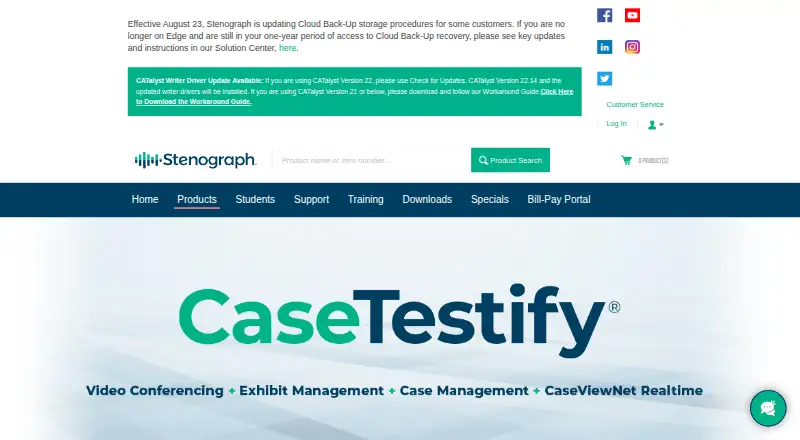
What CaseTestify is
CaseTestify is a web platform for virtual and hybrid legal proceedings, bringing video conferencing, exhibit management, and cloud storage for deposition assets into one service. Participants can upload, preview, share, stamp, and annotate digital exhibits, with private previews and controls over sharing. CaseViewNet integration provides access to the court reporter’s realtime transcript, which participants can view and search. Attorneys can use ViewScript, powered by Stenograph’s Phoenix speech recognition technology, to review testimony text and audio in real time. The platform also routes participants’ audio to MAXScribe through a virtual cable, without third-party audio capture middleware. Stenograph says it encrypts video, audio, exhibits, and other data end-to-end and does not use CaseTestify data, including recordings and MAXScribe integrations, to improve its speech engine or AI. Guests can join by link, but need an account to upload or share exhibits. Browser access is through Google Chrome or Microsoft Edge. Pricing is on request.
Who it suits
CaseTestify is designed for legal-industry participants such as reporters, attorneys, and witnesses. It may suit proceedings that need shared exhibits, realtime transcript access, or testimony review.
What it does well
- Participants can annotate, stamp, preview, and share exhibits.
- Realtime transcript can be viewed and searched.
- ViewScript supports real-time text and audio testimony review.
- Four sidebar rooms support unrecorded off-the-record conversations.
- Phone dial-in is available for audio.
What to know first
- Guests need accounts to upload or share exhibits.
- Phone audio disables browser microphone and speakers.
- After-hours support calls may incur additional charges.
Getting started
- Open the CaseTestify website.
- Use Google Chrome or Microsoft Edge to open a proceeding link.
- Join with a shareable link as a guest, or create an account to upload or share exhibits.
- Join audio in the browser or by phone; phone connection disables browser microphone and speakers.
- Use the proceeding’s exhibit tools, transcript integrations, or View Only Mode as needed.
CaseTestify is a web workspace for virtual and hybrid legal proceedings that combines proceeding video, exhibit control, transcript access and testimony review. It is best suited to reporters, attorneys and witnesses who want those functions coordinated in one session, while teams needing transparent pricing or frictionless guest exhibit sharing should look elsewhere.
Overview
The service brings video conferencing, cloud storage for deposition assets and evidence handling into a single proceeding environment. That combination can reduce the need to move between separate tools during a deposition or hearing. Its browser delivery keeps access straightforward on supported computers, but the product is aimed at organized legal participants rather than anonymous drop-in collaboration: guests may join by link, yet must create an account before uploading or sharing exhibits.
Key features
Exhibits and testimony
Participants can upload, preview, share, stamp and annotate exhibits, with private previews and controls over who receives shared material. PDF, PNG, JPG, DOCX, XLSX and PPTX support covers the file formats most legal teams encounter. View Only Mode lets a participant see shared exhibits and use ViewScript without broader participation, a useful boundary for observers or limited-role attendees.
CaseViewNet integration puts the court reporter’s realtime transcript inside the proceeding, including search. ViewScript, powered by Stenograph’s Phoenix speech recognition technology, lets attorneys review testimony text and audio as it happens. These integrations make the platform more compelling for teams that need an immediate record alongside video and exhibits; teams using a different reporting workflow may gain less from the ecosystem.
Audio, rooms and security
MAXScribe users can send participant audio through a virtual cable, avoiding third-party audio-capture middleware. Phone dial-in provides an alternative when browser audio is impractical, but connecting by phone disables that participant’s browser microphone and speakers. Four sidebar rooms support off-the-record discussions, and those rooms cannot be recorded.
Stenograph says video, audio, exhibits and other data are encrypted end to end. It also says CaseTestify data, including recordings and MAXScribe integrations, is not used to improve its speech engine or AI. Those assurances address confidentiality concerns, although organizations should still evaluate the service against their own security and retention requirements.
Pricing
CaseTestify uses paid, custom pricing. Stenograph directs inquiries to Enterprise Sales at [email protected], so buyers must request a quote rather than select a published tier. That approach may suit firms needing an arranged deployment or commercial terms, but it makes budget comparisons and small-team purchasing harder. No free plan, trial period, seat allowance or usage quota is stated.
Support is available during business hours, 8 a.m.–8 p.m. Central, at 833-373-3553 and [email protected]. After-hours calls may incur additional charges, an important operating consideration for proceedings outside that window.
Platforms
CaseTestify is delivered on the web. Joining instructions specify Google Chrome and Microsoft Edge, giving users a clear browser choice without a desktop installation. Phone audio is supported for dial-in participants, with the browser-audio limitation described above.
Who it's for
Reporters, attorneys and witnesses in virtual or hybrid proceedings are the intended audience. It is particularly well matched to legal teams that rely on realtime transcripts, recorded testimony review, controlled exhibit distribution and MAXScribe. A guest who only needs to view materials can use a shareable link or View Only Mode; a guest who must present evidence will need an account. Buyers seeking a self-serve, low-commitment product should consider the lack of public pricing before engaging sales.
Pros and cons
Pros
- Unified proceeding workspace: Video, exhibits, transcript search and testimony review are coordinated in one web service.
- Strong exhibit controls: Private previews, sharing controls, stamping and annotation support deliberate evidence handling across common office and image formats.
- Reporting integrations: CaseViewNet and MAXScribe connect transcript and audio workflows, with MAXScribe avoiding extra capture middleware.
- Confidentiality positioning: End-to-end encryption is asserted for proceeding data, and Stenograph says customer data is not used to improve its speech or AI systems.
Cons
- Custom pricing only: There is no published price, free tier, trial, seat limit or quota for quick comparison.
- Guest sharing barrier: Link-based guests cannot upload or share exhibits until they create accounts.
- Phone audio trade-off: Dial-in users lose browser microphone and speaker access while connected by phone.
- After-hours support cost: Calls outside the 8 a.m.–8 p.m. Central window may incur extra charges.
Alternatives
For a wider set of trial-presentation products, browse Legal Trial Presentation Software; for deposition-focused options, see Legal Deposition Software.
- Lexel is a freemium option with a free Basic Plan for one user and 3 TB of storage, available on iOS, self-hosted deployments and the web.
- Visiodocs suits reviewers wanting a free, annually invoiced plan with 1 GB storage, 25 total documents, OCR and annotation across macOS, Windows and web.
- eTrialToolkit offers free judge and registrar licences and a self-hosted or web SaaS route.
- Exhibit Presenter Plus is a Windows choice with a free demonstration version and a $99 one-time paid edition.
- LIT SUITE fits iOS and macOS solo litigators seeking five apps for $50 a month, billed annually.
- Cerulean is another paid web option.
- Epiq Discover is a paid web service with flat-rate, per-gigabyte transactional or subscription pricing.
- Omnigo Trial Presentation Software is a paid web alternative.
Verdict
Choose CaseTestify when your legal proceeding depends on integrated video, controlled exhibits, realtime transcript access and testimony review, especially with CaseViewNet or MAXScribe. Look elsewhere if you need published pricing, a free or trial plan, or guests who can present exhibits without registering.
Verdict
CaseTestify combines proceeding video, exhibit handling, transcript access, and testimony review in a web service. Pricing is available from Stenograph Enterprise Sales on request.
Questions
What does CaseTestify cost?
CaseTestify is paid, and pricing is available on request. Stenograph directs inquiries to Enterprise Sales at [email protected].
Can guests join without an account?
Yes. Guests can join through a shareable link, but they cannot upload or share exhibits until they create an account.
Which platforms and browsers does it support?
CaseTestify is a web platform. Stenograph’s joining instructions say proceeding links can be opened in Google Chrome or Microsoft Edge.
What exhibit file types can participants use?
Supported types are PDF, PNG, JPG, DOCX, XLSX, and PPTX.
Does CaseTestify support transcripts and testimony review?
Yes. CaseViewNet integration provides access to the court reporter’s realtime transcript, and ViewScript lets attorneys review text and audio testimony in real time.
Can participants join by phone?
Yes. Phone audio is available, but connecting by phone disables the participant’s browser microphone and speakers while the phone connection is active.
Facts from CaseTestify's own pages
- AI data use
- Stenograph says CaseTestify data, including recordings and MAXScribe integrations, is not used to improve its speech engine or AI. · stenograph.com, 8 Oct 2026
- Browser access
- Stenograph’s joining instructions say users can open proceeding links in Google Chrome or Microsoft Edge. · solutioncenter.stenograph.com, 8 Oct 2026
- Dial-in access
- Participants can join audio by phone; this disables their browser microphone and speakers while connected by phone. · solutioncenter.stenograph.com, 8 Oct 2026
- Digital reporting integration
- MAXScribe integration routes participant audio into MAXScribe without third-party audio capture middleware. · stenograph.com, 8 Oct 2026
- Exhibit tools
- Users can upload, preview, stamp, annotate, share, and retract exhibits, which remain private until shared. · solutioncenter.stenograph.com, 8 Oct 2026
- Guest access limit
- Guest users can join through a shareable link but cannot upload or share exhibits until they create an account. · solutioncenter.stenograph.com, 8 Oct 2026
- Intended users
- Stenograph says the platform is designed for legal-industry participants including reporters, attorneys, and witnesses. · stenograph.com, 8 Oct 2026
- MAXScribe integration
- CaseTestify sends participants’ audio feeds to MAXScribe through a virtual cable, removing the need for third-party audio capture middleware. · stenograph.com, 8 Oct 2026
- Pricing availability
- The product page directs inquiries about CaseTestify to Stenograph Enterprise Sales and does not state a price. · stenograph.com, 8 Oct 2026
- Purpose
- CaseTestify is a cloud-based platform for virtual and hybrid legal proceedings, combining video conferencing, exhibit management, and cloud storage for deposition assets. · stenograph.com, 8 Oct 2026
- Realtime transcript
- CaseViewNet integration lets participants view and search the court reporter’s realtime transcript within CaseTestify. · stenograph.com, 8 Oct 2026
- Sales
- Stenograph directs CaseTestify inquiries to Enterprise Sales at [email protected]. · stenograph.com, 8 Oct 2026
- Security
- Stenograph says CaseTestify encrypts video, audio, exhibits, and other data end-to-end. · stenograph.com, 8 Oct 2026
- Sidebar rooms
- Proceedings provide four sidebar rooms for off-the-record conversations, and the rooms cannot be recorded. · solutioncenter.stenograph.com, 8 Oct 2026
- Support
- CaseTestify support is available at 833-373-3553 and [email protected] during business hours of 8 a.m.–8 p.m. Central; after-hours calls may incur additional charges. · stenograph.com, 8 Oct 2026
- Supported exhibit files
- Supported exhibit file types are PDF, PNG, JPG, DOCX, XLSX, and PPTX. · solutioncenter.stenograph.com, 8 Oct 2026
- Testimony review
- ViewScript, powered by Stenograph’s Phoenix speech recognition technology, lets attorneys review text and audio testimony in real time. · stenograph.com, 8 Oct 2026
- View-only access
- View Only Mode allows a participant to view shared exhibits and access ViewScript. · solutioncenter.stenograph.com, 8 Oct 2026
Where CaseTestify stands on Freedom251
- Legal Deposition Software#17 of 29
- Legal Trial Presentation Software#17 of 24