LightPopup
What LightPopup is
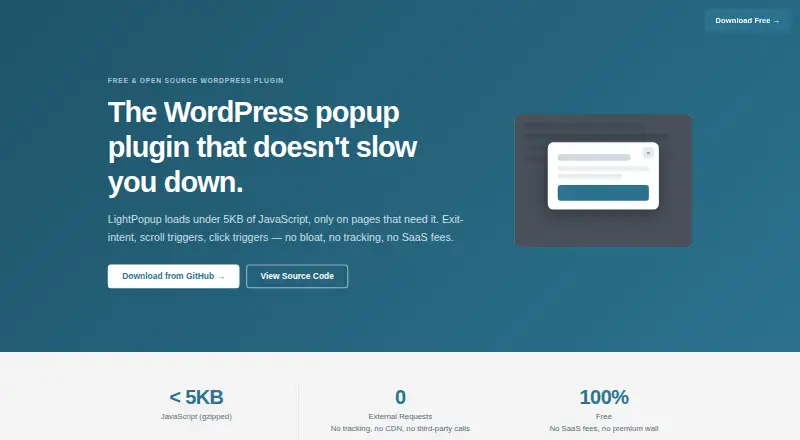
LightPopup is a WordPress plugin for showing popups on a site. A popup can appear when a visitor signals exit intent, waits for a set time, reaches a scroll depth, or clicks an element matching a CSS selector. You can choose which pages or post types can show it, then set its frequency to always or once per session, day, week, month, or forever. Popup content is made in the WordPress block editor, which supports blocks, shortcodes, and form plugins such as WPForms, Contact Form 7, and Gravity Forms. The plugin also supports custom CSS and names WP Super Cache, WP Rocket, and SiteGround Cache as compatible caching tools. Its maker says the JavaScript is under 5KB gzipped and loads only on pages with an active popup. LightPopup uses the native HTML dialog element, and the site describes it as WCAG 2.1 AA compliant. Popups are responsive, with a close button that has a minimum 44px tap target. Dismissal information is kept in localStorage as a popup ID and expiry timestamp, without cookies, personal data, or tracking. Robothead OÜ maintains the open-source project under GPL-2.0-or-later. The plugin is free and distributed as a GitHub release ZIP for upload through WordPress.
Who it suits
LightPopup suits WordPress site owners who want to control popup triggers, audience targeting, and display frequency. It can also suit sites that build popup content with the block editor and use supported form plugins.
What it does well
- Offers four popup trigger types, including exit intent and CSS selector clicks.
- Targets all pages, selected IDs, or selected post types.
- Controls repeat display from every visit to once forever.
- Supports blocks, shortcodes, and named form plugins.
- Uses localStorage for dismissal without cookies or tracking.
- Free, open source, and has no feature gating.
What to know first
- No analytics, conversion metrics, A/B testing, or built-in form builder.
- Requires WordPress and installation of a self-hosted plugin.
Plans
| Plan | Billed and limits | Price |
|---|---|---|
| Free | No premium version · no feature gating · no SaaS subscription | Free |
As lightpopup.com lists them, read 7 Oct 2026. The maker's own page has the final word.
Getting started
- Visit the LightPopup website or its GitHub releases.
- Download a release ZIP.
- In WordPress, upload the ZIP through the plugin uploader.
- Create popup content with the WordPress block editor.
- Set the popup trigger, target pages or post types, and display frequency.
Verdict
Choose LightPopup if you run a WordPress site and need configurable popup triggers, targeting, and frequency without a subscription. Look elsewhere if you need built-in analytics, conversion metrics, A/B testing, or a form builder.
Questions
How much does LightPopup cost?
The Free plan costs nothing. The plan has no premium version, feature gating, or SaaS subscription.
Is LightPopup open source?
Yes. It is released under the GPL-2.0-or-later license.
What platforms does it support?
LightPopup is a self-hosted WordPress plugin.
Which form plugins can be used in a popup?
The site names WPForms, Contact Form 7, and Gravity Forms.
How do I install it?
LightPopup is distributed through GitHub releases. Install it by uploading its ZIP through the WordPress plugin uploader.
Facts from LightPopup's own pages
- Accessibility
- The site says LightPopup uses the native HTML dialog element and is WCAG 2.1 AA compliant. · lightpopup.com, 7 Oct 2026
- Caching
- The site says LightPopup works with WP Super Cache, WP Rocket, and SiteGround Cache. · lightpopup.com, 7 Oct 2026
- Content
- Popup content is created with the WordPress block editor, which supports blocks, shortcodes, and form plugins. · lightpopup.com, 7 Oct 2026
- Distribution
- LightPopup is distributed through GitHub releases and installed by uploading its ZIP through the WordPress plugin uploader. · lightpopup.com, 7 Oct 2026
- Frequency
- Frequency options include always, once per session, once per day, week, or month, and once forever. · github.com, 7 Oct 2026
- Headquarters
- Tallinn, Estonia · lightpopup.com, 28 Sept 2026
- Integrations
- The site names WPForms, Contact Form 7, and Gravity Forms as form plugins that can be used inside popups. · lightpopup.com, 7 Oct 2026
- License
- The site says LightPopup is open source under the GPL-2.0-or-later license. · lightpopup.com, 7 Oct 2026
- Limitations
- The GitHub project says LightPopup has no analytics, conversion metrics, A/B testing, or built-in form builder. · github.com, 7 Oct 2026
- Maker
- LightPopup is built and maintained by Robothead OÜ, a web development agency based in Tallinn, Estonia. · lightpopup.com, 7 Oct 2026
- Mobile
- The site says popups are responsive and the close button has a minimum 44px tap target. · lightpopup.com, 7 Oct 2026
- Performance
- The site says the plugin's JavaScript is under 5KB gzipped and loads only on pages with an active popup. · lightpopup.com, 7 Oct 2026
- Privacy
- The site says the dismiss mechanism stores a popup ID and expiry timestamp in localStorage, with no cookies, personal data, or tracking. · lightpopup.com, 7 Oct 2026
- Purpose
- LightPopup is a WordPress plugin for displaying popups. · github.com, 7 Oct 2026
- Targeting
- Popups can target all pages, selected post or page IDs, or selected post types. · github.com, 7 Oct 2026
- Triggers
- Popups can be triggered by exit intent, time delay, scroll depth, or a click on a CSS selector. · github.com, 7 Oct 2026
Where LightPopup stands on Freedom251
- Popup Software#12 of 28
- Pop-Up Builder Software#13 of 29