Freedom251 › Employee Desktop Monitoring Software
Kickidler
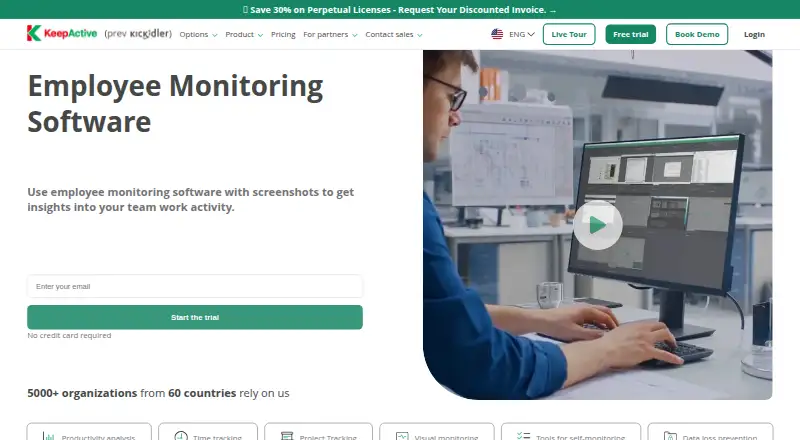
What Kickidler is
Kickidler, which its maker now describes as KeepActive, is workforce analytics software for understanding productivity, employee activity, and operational risk. Its time-tracking tools record work hours and produce timesheets and reports on attendance, application and website use, and productivity. Employee Monitoring adds live screen viewing, screen video and audio recording, remote access, and keystroke activity. The DLP offering includes insider-threat prevention, detection of data misconduct, file-transfer blocking, USB device control, OCR, encrypted quarantine, and SIEM or Syslog integration. The maker offers cloud deployment and on-premise installation, describing the product as originally designed for on-premise use. It lists Windows, GNU/Linux, and Mac OS; on Mac, Grabbers and Viewers run locally, while the server must run on another operating system or in the cloud. Each Grabber gets a seven-day trial by default, or 14 days if a phone number is supplied during registration. Afterward, free use is limited to one monitored computer with restricted features. Annual plans start at $2.75 per month for Time Tracking, with Employee Monitoring at $5.50 per month and AI-Powered Data Loss Protection at $11.00 per month. The company says the platform launched as Kickidler in 2013 and KeepActive 2.0 was released in 2026.
Who it suits
Kickidler suits organizations that need work-hour records, productivity reporting, employee activity monitoring, or data-loss controls. It supports on-premise and cloud deployment, and can monitor remote specialists through real-time screen viewing and remote computer management.
What it does well
- Tracks work hours and generates timesheets and attendance reports.
- Provides live screen viewing, recording, and remote access.
- DLP features include USB control and file-transfer blocking.
- Offers on-premise and cloud deployment.
- A free-use option follows the trial for one monitored computer.
- Lists Windows, GNU/Linux, and Mac OS versions.
What to know first
- Free use is limited to one computer and has restricted features.
- Mac servers must use another operating system or cloud installation.
- Paid plan prices are billed annually.
Limits
After the seven- or 14-day trial, free use covers one monitored computer with limited features. Time Tracking at $2.75 per month covers time tracking, productivity analysis, and website and application tracking.
Plans
| Plan | Billed and limits | Price |
|---|---|---|
| AI-Powered Data Loss Protection | billed annually · Everything in Employee Monitoring · Data loss prevention · Insider threat detection · Continuous data monitoring | $11 a month |
| Time Tracking | Billing options shown: 1 month, 3 months (-10%), 6 months (-20%), 1 year (-30%), 3 years (-40%), or Perpetual; page calculator does not expose a numeric price in the opened page text. · Time and attendance tracking · productivity analysis · apps and websites · self-monitoring tools · activity history · screenshots · real-time monitoring | On request |
| Data Loss Prevention (DLP) | Billing options shown: 1 month, 3 months (-10%), 6 months (-20%), 1 year (-30%), 3 years (-40%), or Perpetual; page calculator does not expose a numeric price in the opened page text. · Employee Monitoring · data misconduct detection · insider threat prevention · file transfer blocking · content-based document DLP · USB device control · OCR · encrypted quarantine · SIEM / Syslog integration | On request |
| Employee Monitoring | Billing options shown: 1 month, 3 months (-10%), 6 months (-20%), 1 year (-30%), 3 years (-40%), or Perpetual; page calculator does not expose a numeric price in the opened page text. · Time Tracking features · live screen monitoring · screen video and audio recording · remote access · violation alerts and history · email reports · keystroke activity | On request |
As kickidler.com lists them, read 20 Sept 2026. The maker's own page has the final word.
Getting started
- Visit https://www.kickidler.com/.
- Register to receive a seven-day Grabber license, or provide a phone number during registration for 14 days.
- Choose cloud deployment or install on-premise.
- Install Grabbers on employee computers; Employee Monitoring Servers and Viewers may be installed in any quantity for free.
- Select a plan for the required time tracking, monitoring, or data-protection features.
Verdict
Choose Kickidler if you need employee time tracking or monitoring, with higher plans adding visual monitoring and data-loss controls. Look elsewhere if the free one-computer option is insufficient and you do not want a paid plan, or if a server must run locally on Mac.
Questions
How much does Kickidler cost?
Annual plans are Time Tracking at $2.75 per month, Employee Monitoring at $5.50 per month, and AI-Powered Data Loss Protection at $11.00 per month.
Is there a free plan or trial?
Each Grabber receives a seven-day free license by default, or 14 days when a phone number is provided during registration. Afterward, free use is available for one computer with limited features.
Which operating systems are supported?
The maker lists Windows, GNU/Linux, and Mac OS. On Mac, only Grabbers and Viewers run locally; the server requires another operating system or cloud installation.
Can Kickidler be self-hosted?
Yes. The maker describes on-premise installation as well as cloud deployment.
What does Employee Monitoring add?
The $5.50-per-month annual plan includes everything in Time Tracking, plus project and task tracking and visual monitoring.
What does the AI-Powered Data Loss Protection plan cost?
It costs $11.00 per month, billed annually, and includes Employee Monitoring features, data loss prevention, insider threat detection, and continuous data monitoring.
Facts from Kickidler's own pages
- Company history
- The company says the platform launched as Kickidler in 2013 and KeepActive 2.0 was released in 2026. · kickidler.com, 9 Oct 2026
- Deployment
- The maker describes both on-premise installation and cloud deployment, and says the product was designed as an on-premise solution. · kickidler.com, 9 Oct 2026
- DLP
- The DLP offering includes insider threat prevention, data misconduct detection, file transfer blocking, USB device control, OCR, encrypted quarantine, and SIEM or Syslog integration. · kickidler.com, 9 Oct 2026
- Free use
- After the 7- or 14-day full-featured trial, the software switches to free use for monitoring one computer with limited features. · kickidler.com, 9 Oct 2026
- GDPR guidance
- The maker says organizations using monitoring should explain personal-data collection and use, create privacy and monitoring policies, and obtain employee monitoring agreements. · kickidler.com, 9 Oct 2026
- Headquarters
- Nicosia, Cyprus · kickidler.com, 28 Sept 2026
- License limit
- Grabbers installed on employee computers are the licensed components, while Employee Monitoring Servers and Viewers can be installed in any quantity for free. · kickidler.com, 9 Oct 2026
- Live monitoring
- Employee Monitoring includes live screen viewing, screen video and audio recording, remote access, and keystroke activity. · kickidler.com, 9 Oct 2026
- Operating systems
- The maker lists Windows, GNU/Linux, and Mac OS versions, with the caveat that on Mac only Grabbers and Viewers run locally and the server must use another OS or cloud installation. · kickidler.com, 9 Oct 2026
- Product purpose
- The maker describes KeepActive, formerly Kickidler, as workforce analytics software for understanding productivity, employee activity, and operational risk. · kickidler.com, 9 Oct 2026
- Remote teams
- The product supports real-time screen viewing of remote specialists and offers remote management of employee computers. · kickidler.com, 9 Oct 2026
- Support setup
- Paid concierge setup includes remote installation help and is listed at $15 for the Employee Monitoring Server and Viewer and $1 per Grabber. · kickidler.com, 9 Oct 2026
- Time tracking
- The product tracks work hours and generates timesheets and reports on attendance, app and website use, and productivity. · kickidler.com, 9 Oct 2026
- Trial
- Each Grabber receives a 7-day free license by default or 14 days when a phone number is provided during registration. · kickidler.com, 9 Oct 2026
Where Kickidler stands on Freedom251
- Employee Desktop Monitoring Software#2 of 20
- Employee Monitoring Software#2 of 17
- User Activity Monitoring Software#2 of 17
- Activity Tracking#3 of 24
- Employee Time Tracking Software#10 of 52