Freedom251 › User Activity Monitoring Software
eMonitor
What eMonitor is
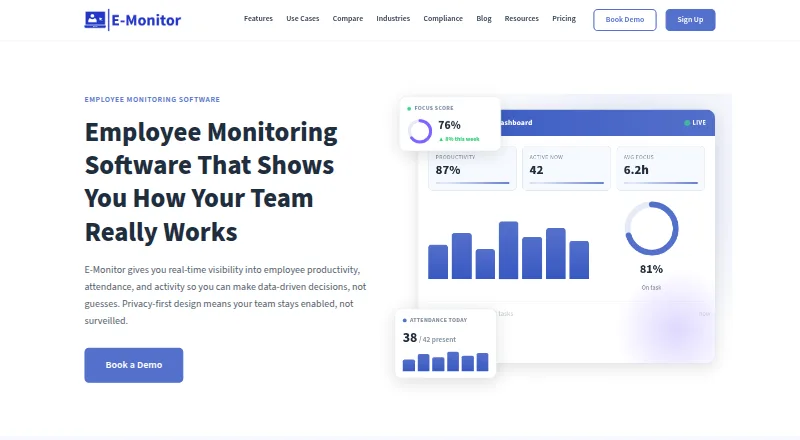
eMonitor provides workforce insights on productivity, attendance, application usage and compliance through a consent-based monitoring framework. It tracks work time, breaks, overtime, clock-ins and outs, absences and shifts. Productivity scores use application activity and active time, with customizable productive and unproductive categories. Screenshot monitoring supports periodic captures, options to blur sensitive content and role-based access. Dashboards, scheduled reports, custom dashboard building and alerts for policy violations or unusual activity help teams review data. The maker says monitoring runs on work devices during working hours, employees can see their own data, and employees are notified before monitoring starts. Agents can be deployed to Windows, macOS, Linux or Chromebook devices. The service is cloud-hosted by default; US, EU and India data residency is offered on Professional and Enterprise, while on-premises deployment is available to Enterprise customers with specific compliance requirements. There is no free plan; a 7-day trial is listed. Starter costs $3.90/user/mo billed annually. The maker says eMonitor is not a dedicated forensic data-loss-prevention platform and is not aimed at deskless workforces without computers.
Who it suits
eMonitor may suit organizations monitoring computer-based work time, application use and attendance with employee visibility and notification. The maker says it is not aimed at deskless workforces without computers.
What it does well
- Tracks shifts, breaks, overtime and attendance events.
- Productivity categories can be customized.
- Screenshots can be blurred and access role-restricted.
- Supports Windows, macOS, Linux and Chromebook deployments.
- Offers multiple data-residency options on higher plans.
What to know first
- No free plan is listed.
- Starter retains data for seven days.
- Not designed for deskless workforces without computers.
- Not a dedicated forensic data-loss-prevention platform.
Limits
The 7-day trial is available, but there is no free plan. Starter is limited to 25 users, two teams, and seven-day data retention; Professional allows up to 10 teams and 90-day retention. Enterprise allows up to 50 teams and custom data retention.
Plans
| Plan | Billed and limits | Price |
|---|---|---|
| Enterprise | Billed annually. $22.90/user/month billed quarterly. · Unlimited users · up to 50 teams · custom data retention · API access · SSO/SAML · dedicated support · dedicated account manager | $13.90 a month |
| Starter | Billed annually. $5.90/user/month billed quarterly. · Up to 25 users · 2 teams · 7-day data retention · time tracking and attendance · app and website tracking · productivity classifications | $3.90 a month |
| Professional | Billed annually. $10.90/user/month billed quarterly. · Unlimited users · up to 10 teams · 90-day data retention · screenshots · activity logs · real-time alerts · custom dashboards | $6.90 a month |
As employee-monitoring.net lists them, read 29 Sept 2026. The maker's own page has the final word.
Getting started
- Visit the eMonitor website.
- Choose a plan; Starter supports up to 25 users, while Professional and Enterprise support unlimited users.
- Start the 7-day trial.
- Deploy the agent to Windows, macOS, Linux, or Chromebook devices through MDM or a self-install link.
- Notify employees before monitoring starts.
Verdict
eMonitor combines attendance tracking, application activity and configurable monitoring controls. It has no free plan, and the maker identifies computer-based work as its fit rather than deskless operations.
Questions
How much does eMonitor cost?
Pricing starts at $3.90/user/mo when billed annually. The listed plan prices are $3.90 a month for Starter, $6.90 a month for Professional, and $13.90 a month for Enterprise; quarterly billing is listed at $5.90, $10.90, and $22.90 per user per month, respectively.
Is there a free plan or trial?
There is no free plan. A 7-day trial is available.
Which platforms does eMonitor support?
The listed platforms are API, Linux, macOS, self-hosted, web, and Windows. The homepage also describes deploying its agent to Windows, macOS, Linux, or Chromebook devices through MDM or a self-install link.
What integrations are listed?
Professional lists HRIS, Slack, and Jira integrations. Enterprise lists Azure SSO integration.
Can eMonitor be self-hosted?
The service is cloud-hosted by default. Enterprise offers on-prem deployment for customers with specific compliance requirements; Professional and Enterprise include US, EU, and India data-residency options.
What does each plan include?
Starter includes time tracking and attendance, app and website tracking, productivity classifications, up to 25 users, two teams, and seven-day data retention. Professional adds screenshots, activity logs, real-time alerts, custom dashboards, unlimited users, up to 10 teams, and 90-day retention. Enterprise includes API access, SSO/SAML, custom retention, unlimited users, and up to 50 teams.
Facts from eMonitor's own pages
- Alerts
- Custom rules can send real-time alerts for policy violations, unusual activity, or security events. · employee-monitoring.net, 29 Sept 2026
- Deployment
- The homepage says the agent can be deployed to Windows, macOS, Linux, or Chromebook devices through MDM or a self-install link, with employees notified before monitoring starts. · employee-monitoring.net, 29 Sept 2026
- Integrations
- The pricing page lists HRIS, Slack, and Jira integrations on Professional, and Azure SSO integration on Enterprise. · employee-monitoring.net, 29 Sept 2026
- Limits and fit
- The maker says eMonitor is not a dedicated forensic data-loss-prevention platform and is not aimed at deskless workforces without computers. · employee-monitoring.net, 29 Sept 2026
- Privacy
- The maker says monitoring runs on work devices during working hours and employees can see their own data. · employee-monitoring.net, 29 Sept 2026
- Productivity analytics
- It scores productivity from application usage and active time using customizable productive and unproductive categories. · employee-monitoring.net, 29 Sept 2026
- Purpose
- eMonitor provides workforce insights on productivity, attendance, application usage, and compliance through a transparent, consent-based monitoring framework. · employee-monitoring.net, 29 Sept 2026
- Reporting
- The platform offers dashboards, scheduled report delivery, custom dashboard building, and role-based data access. · employee-monitoring.net, 29 Sept 2026
- Screenshots
- Screenshot monitoring supports configurable periodic captures, blur options for sensitive content, and role-based access to captured images. · employee-monitoring.net, 29 Sept 2026
- Security
- The maker says data is encrypted at rest and in transit with AES-256, and cites role-based access controls and regular third-party penetration testing. · employee-monitoring.net, 29 Sept 2026
- Self-hosting and residency
- The homepage FAQ says the service is cloud-hosted by default, offers US, EU, and India data-residency options on Professional and Enterprise, and has on-prem deployment for Enterprise customers with specific compliance requirements. · employee-monitoring.net, 29 Sept 2026
- Support
- The pricing page lists standard support on Starter, priority support on Professional, and phone support plus a dedicated account manager on Enterprise. · employee-monitoring.net, 29 Sept 2026
- Time and attendance
- The platform tracks work time, breaks, overtime, clock-ins, clock-outs, absences, and shifts. · employee-monitoring.net, 29 Sept 2026