Freedom251 › Video Editing Software

Kdenlive
by Kdenlive
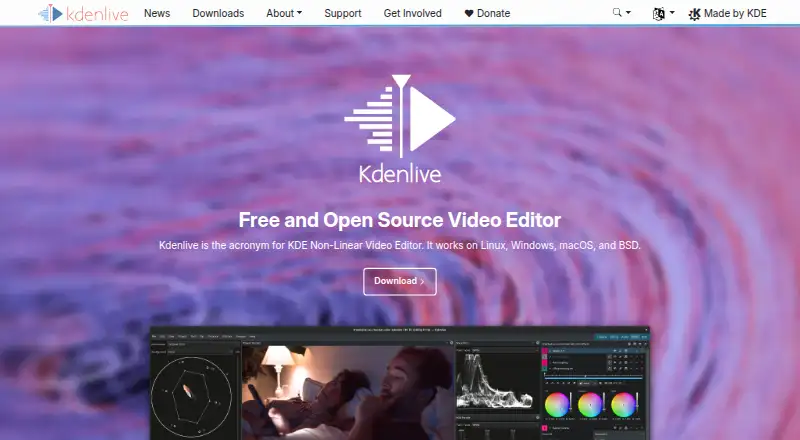
What Kdenlive is
Kdenlive is a free, open-source desktop video editor for Linux, macOS, and Windows. It supports multitrack and 3-point editing, keyframeable effects, non-blocking rendering, and proxy editing for 4K+ footage, as well as 4K export. It handles a wide range of video, audio, and image formats and exports to formats supported by FFmpeg. Subtitling includes AI-supported speech-to-text conversion, and animation can be integrated through Glaxnimate. The Project Bin organizes assets with folders, tags, and multiple bins. Editors can nest sequences, render them independently, and use them to arrange scenes or keep alternate versions in a project. Every sequence in a project must use the same project profile, and sequences cannot be copied directly between projects. Kdenlive is part of the KDE Community, whose legal entity is a German nonprofit. It offers a manual, tutorials, community channels, and bug reporting. The listed Kdenlive plan is free, with no license fees, registrations, subscriptions, or paid-only premium features.
Who it suits
Kdenlive suits people making anything from simple edits to professional projects, especially those who want a desktop editor with multitrack tools and 4K support. It is available on Linux, macOS, and Windows.
What it does well
- Free plan with no license fees or subscriptions
- Supports multitrack and 3-point editing
- Proxy editing supports 4K+ footage
- Includes AI-supported speech-to-text subtitling
- Supports Windows, macOS, and Linux
What to know first
- No web or mobile app
- Sequences in a project share one profile
- Sequences cannot be copied directly between projects
Limits
There is no paid tier required to access features. Within a project, all sequences use the same profile, and sequences cannot be copied directly between projects.
Plans
| Plan | Billed and limits | Price |
|---|---|---|
| Kdenlive | No license fees · no registrations or subscriptions · no premium features requiring payment | Free |
As kdenlive.org lists them, read 5 Oct 2026. The maker's own page has the final word.
Getting started
- Visit https://kdenlive.org/.
- Choose the desktop app for Linux, macOS or Windows.
- Install and open Kdenlive; no registration or subscription is required.
- Create a project and organize its assets in the Project Bin.
Kdenlive is a free, open-source non-linear video editor for desktop systems. It suits editors who want substantial timeline tools without a subscription, from simple cuts to professional projects. Its main trade-off is that every sequence in a project shares one profile, and sequences cannot be copied directly between projects.
Overview
Kdenlive combines multitrack editing, flexible project organization, and export through FFmpeg-supported formats at no license cost. Proxy editing can make work with 4K-and-higher footage more manageable, while 4K export supports high-resolution delivery. The shared sequence profile is a meaningful constraint for projects that need different settings within one project; moving a sequence to another project also requires more than a direct copy.
Kdenlive is part of the KDE Community, whose legal entity is the German nonprofit KDE e.V. KDE says its software generally does not transfer information from users’ devices except after explicit user action; any telemetry is opt-in and disabled by default where present.
Key features
Multitrack and 3-point editing provide the core tools for arranging footage, while keyframeable effects allow changes to be shaped over time. Non-blocking rendering lets editing continue while rendering runs, and proxy editing is useful when working with demanding 4K+ source footage.
The Project Bin supports folders, tags, and multiple bins, giving larger collections of project assets more structure than a single undifferentiated list. Nested sequences can separate scenes or preserve alternate edits, and can be rendered independently. Their common project profile and inability to copy directly across projects make them less flexible when versions need different settings or must move between projects.
Kdenlive includes subtitling with AI-supported speech-to-text conversion and animation integration through Glaxnimate. Its manual describes broad video, audio, and image format support; exports use formats supported by FFmpeg. Support resources include a manual, tutorials, community channels, and bug reporting, a useful mix for users willing to consult documentation or community help.
Pricing
Kdenlive costs nothing. The free plan has no license fees, registration, subscriptions, or premium features that require payment. There is no free trial because the software is free to use. That makes it a straightforward option for individuals and teams who want the editor without recurring software costs; there is no paid tier to unlock additional features.
Platforms
Kdenlive is a desktop app for Linux, macOS, and Windows. It has no web or mobile app, so it is not the choice for browser-based editing or editing on a phone or tablet.
Who it's for
Kdenlive is a strong fit for desktop editors who want multitrack tools, 4K export, and organized projects without paying for a license. Its range covers simple edits as well as professional projects, but editors who need multiple sequence profiles in one project or direct sequence transfers between projects should account for those limits before committing to a workflow.
Pros and cons
- Pro: No license fees, registrations, subscriptions, or paid premium features make the full editor available without a purchase decision.
- Pro: Proxy editing for 4K+ footage, 4K export, and non-blocking rendering support demanding desktop editing workflows.
- Pro: Folders, tags, multiple bins, and nested sequences provide useful ways to organize assets, scenes, and alternate edits.
- Con: Every sequence in a project uses the same profile, limiting projects that need different sequence settings.
- Con: Sequences cannot be copied directly from one project to another, complicating reuse across projects.
- Con: No web or mobile app rules it out for people who need to edit outside a desktop setup.
Alternatives
For another free, open-source desktop editor on Linux, macOS, or Windows, consider Shotcut. Choose Wondershare Filmora if Android, iOS, or web access matters; its free exports are watermarked, while its Basic plan includes 1 GB of cloud storage and 500 free AI Mate conversations.
DaVinci Resolve is another freemium desktop option for Linux, macOS, and Windows, with a free plan described as supporting 60 fps and Ultra HD 3840 x 2160; its Studio version costs $295, paid once. Mistika Boutique offers an educational free plan with all features, H264-only renders, and community support, as well as a paid personal plan.
PhotoDirector has a free plan with limited features and no payment information required. For 360-video software, Reco is a free, open-source desktop option for Linux, macOS, and Windows, while ReShoot 360 has a free version with filters, keyframes and transitions, AI tracking, photo-to-video, and social media presets.
Accessibility Test Framework for Android is another free option, for readers looking for Android accessibility testing rather than video editing. Browse Video Editing Software, 360 Video Software, or Motion Tracking Software to compare category options.
Verdict
Choose Kdenlive if you want a capable, free desktop editor with multitrack tools, 4K export, and project organization that can scale from straightforward cuts to professional work. Its lack of license fees is the clearest reason to choose it; look elsewhere if your workflow depends on different profiles for sequences in one project, direct sequence copying between projects, or web and mobile editing.
Verdict
Kdenlive combines a broad set of editing tools, 4K export, and support for common desktop platforms at no charge. Its sequence profile and copying constraints may matter when organizing complex projects.
Questions
Is Kdenlive free?
Yes. The listed plan costs nothing, with no license fees, registrations or subscriptions.
Which platforms does Kdenlive support?
Kdenlive is a desktop app for Linux, macOS and Windows. It has no web or mobile app.
Is Kdenlive open source?
Yes. It is a free and open source video editor and is part of the KDE Community.
Does Kdenlive support 4K?
It supports proxy editing for 4K and higher-resolution footage, and 4K export.
Can sequences be moved between projects?
Sequences cannot be copied directly from one project to another.
What support resources are available?
Kdenlive provides a user manual, tutorials, community channels and bug reporting.
Facts from Kdenlive's own pages
- Animation integration
- Kdenlive supports animation through integration with Glaxnimate. · docs.kdenlive.org, 5 Oct 2026
- Asset management
- The Project Bin organizes project assets using folders, tags, and multiple bins. · docs.kdenlive.org, 5 Oct 2026
- Desktop app
- Yes · kdenlive.org, 20 Sept 2026
- Editing
- It supports multitrack editing, 3-point editing, non-blocking rendering, keyframeable effects, and proxy editing for 4K+ footage. · docs.kdenlive.org, 5 Oct 2026
- Formats
- The manual lists support for a wide range of video, audio, and image formats, and export to formats supported by FFmpeg. · docs.kdenlive.org, 5 Oct 2026
- Founded
- 2003 · kdenlive.org, 28 Sept 2026
- 4K export
- Yes · kdenlive.org, 20 Sept 2026
- Free plan
- Yes · kdenlive.org, 20 Sept 2026
- Limit
- All sequences in a project use the same project profile, and sequences cannot be copied directly from one project to another. · docs.kdenlive.org, 5 Oct 2026
- Mobile app
- No · kdenlive.org, 20 Sept 2026
- Organization
- Kdenlive is part of the KDE Community, whose legal entity is KDE e.V., a German nonprofit organization. · kdenlive.org, 5 Oct 2026
- Platforms
- The download page offers Windows, Linux, and macOS builds; Windows requires Windows 10 or newer and macOS requires macOS 13 Ventura or newer. · kdenlive.org, 5 Oct 2026
- Privacy
- KDE says its software generally does not transfer information from users’ devices except following explicit user action; any telemetry is opt-in and disabled by default where present. · kde.org, 5 Oct 2026
- Product
- Kdenlive is a free and open source non-linear video editor. · kdenlive.org, 5 Oct 2026
- Sequences
- Sequences can be nested, rendered independently, and used to organize scenes or maintain alternate edit versions within a project. · docs.kdenlive.org, 5 Oct 2026
- Subtitles
- Kdenlive includes subtitling with AI-supported speech-to-text conversion. · docs.kdenlive.org, 5 Oct 2026
- Support
- Kdenlive support resources include a user manual, tutorials, community channels, and bug reporting. · kdenlive.org, 5 Oct 2026
- Web app
- No · kdenlive.org, 20 Sept 2026
- Who it is for
- Kdenlive describes its aim as enabling everybody to produce high quality content and says it supports simple edits through professional projects. · kdenlive.org, 5 Oct 2026
Where Kdenlive stands on Freedom251
- Video Editing Software#17 of 155
- 360 Video Software#8 of 30
- Motion Tracking Software#13 of 40
- Video Creation And Editing Software#13 of 31
- Video Making Software#16 of 31