Freedom251 › Video Editing Software

ApowerEdit
by ApowerEdit
What ApowerEdit is
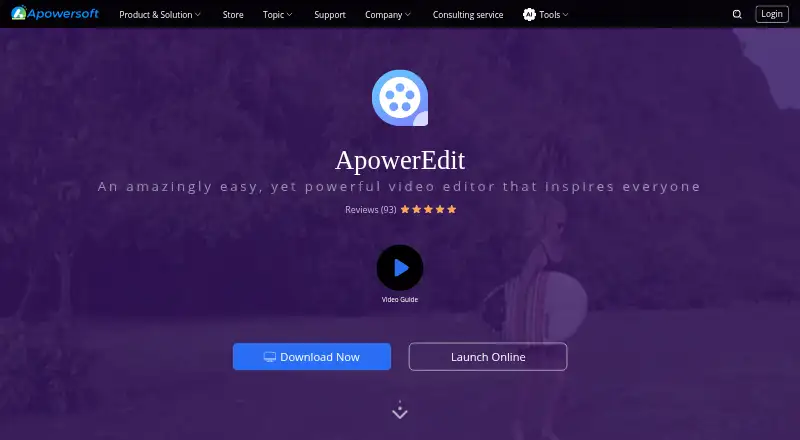
ApowerEdit is a video editor for trimming, cutting, splitting, merging, rotating and mixing clips, changing playback speed, and applying visual and audio effects. Its tools include animated text and titles, overlays, filters, music, narration, animated transitions and mosaic effects. The maker describes uses ranging from education content, software overviews and class training material to publicity films and marketing videos. Edited movies can be exported to device formats, burned to DVD, or uploaded to YouTube, Facebook and Twitter.
The product has desktop and mobile apps and is listed for Android, iOS, macOS, web and Windows. The product page specifies Windows 7/8/10, Mac OS X 10.11 and later, and iOS 9 and later as system requirements. It accepts listed video formats including AVI, MPEG, WMV, MP4 and MOV, audio formats including WAV and MP3, and image formats including BMP, JPG, PNG, GIF, TIF and HEIC. A separate browser editor offers merge, speed change, trim, crop, audio extraction, rotation and video-to-GIF conversion on Windows and Mac computers with an internet connection. ApowerEdit is developed by WANGXU TECHNOLOGY (HK) CO., LIMITED, a Hong Kong company founded in 2010.
Who it suits
ApowerEdit suits people making instructional, training, promotional or marketing videos who need clip editing, titles, effects and export options. Its desktop and mobile apps, plus a separate browser editor for Windows and Mac, provide several ways to work with video.
What it does well
- Edits clips through trimming, splitting, merging, rotation and speed changes.
- Includes titles, overlays, filters, music, narration and transitions.
- Exports to device formats, DVD, YouTube, Facebook and Twitter.
- Supports listed video, audio and image formats.
- Browser editor includes crop, audio extraction and video-to-GIF conversion.
What to know first
- Activation is required to remove all limits.
- The product page lists Windows, Mac and iOS system requirements, not Android requirements.
- The browser editor requires an internet connection.
Limits
The free plan is listed as free. The user guide says an activation code is required to remove all limits; activated exports have no watermark. Monthly licenses have a 7-day money-back guarantee, compared with 30 days for other licenses.
Plans
| Plan | Billed and limits | Price |
|---|---|---|
| Free ApowerEdit | Edit and create your own video | Free |
| Personal Monthly | Auto-Renew. Cancel Anytime. · Personal license | $29.95 a month |
| Personal Annual | Auto-Renew. Cancel Anytime. · Personal license | $39.95 a year |
| Business Annual | Auto-Renew. Cancel Anytime. · Business license | $79.95 a year |
| Business Lifetime (Team) | Price shown per user. · Team licensing | $259.90 a month |
| Lifetime (Team) | Per user; contact sales for 100+ users. · Team license; 1 PC $159.9/user; 2–5 PCs $111.9/user; 6–10 PCs $95.9/user; 11–20 PCs $87.3/user; 21–50 PCs $83.1/user; 51–100 PCs $76.8/user | $159.90, paid once |
| Business Lifetime | Buy once for life-long free service and upgrade. · Business license | $159.90, paid once |
| Personal Lifetime | One-time purchase; free lifetime update and technical support service. · Personal license | $59.95, paid once |
As apowersoft.com lists them, read 21 Sept 2026. The maker's own page has the final word.
Getting started
- Visit https://www.apowersoft.com/video-editor.
- Choose the Free ApowerEdit plan or a listed personal or business plan.
- Use the desktop or mobile app on a listed platform, or open the browser editor on a Windows or Mac computer with an internet connection.
- Import supported video, audio or image files and edit the clips.
- Activate with an activation code to remove all limits; activated exports have no watermark.
- Use the export options to save to device formats, burn a DVD or upload to a listed social platform.
Verdict
Choose ApowerEdit if you need a broad set of clip-editing, title and effects tools with options for exporting or sharing finished movies. Look elsewhere if you need all limits removed without activation or want system requirements specified for Android.
Questions
Is there a free plan?
Yes. Free ApowerEdit is listed as free for editing and creating videos.
What does it cost to get a paid plan?
Listed options include Personal Monthly at $29.95 a month, Personal Annual at $39.95 a year and Personal Lifetime at $99.90 a month. Business Annual is $79.95 a year, while Business Lifetime and Business Lifetime (Team) are each $259.90 a month.
Which platforms does ApowerEdit support?
It is listed for Android, iOS, macOS, web and Windows, with desktop and mobile apps. Product-page system requirements name Windows 7/8/10, Mac OS X 10.11 and later, and iOS 9 and later.
Does the free version have limits?
The guide says an activation code is required to remove all limits. It says activated exports have no watermark.
Can I use ApowerEdit in a browser?
A separate online editor provides merge, speed change, trim, crop, audio extraction, rotation and video-to-GIF conversion. It works in a browser on Windows and Mac computers with an internet connection.
What is the refund period?
The store page states a 30-day money-back guarantee, reduced to 7 days for monthly licenses.
Facts from ApowerEdit's own pages
- Activation limit
- The user guide says an activation code is required to remove all limits, and that activated exports have no watermark. · apowersoft.com, 11 Oct 2026
- Company
- Apowersoft is the brand developed by WANGXU TECHNOLOGY (HK) CO., LIMITED, which the company page says is located in Hong Kong and was founded in 2010. · apowersoft.com, 11 Oct 2026
- Desktop app
- Yes · apowersoft.com, 21 Sept 2026
- Export and sharing
- The product page says edited movies can be exported to formats for devices, burned to DVD, or uploaded to YouTube, Facebook, and Twitter. · apowersoft.com, 11 Oct 2026
- Founded
- 2010 · apowersoft.com, 28 Sept 2026
- Free plan
- Yes · apowersoft.com, 21 Sept 2026
- Headquarters
- Hong Kong · apowersoft.com, 28 Sept 2026
- Input formats
- The product page lists video formats including AVI, MPEG, WMV, MP4, and MOV, audio formats including WAV and MP3, and image formats including BMP, JPG, PNG, GIF, TIF, and HEIC. · apowersoft.com, 11 Oct 2026
- Mobile app
- Yes · apowersoft.com, 21 Sept 2026
- Money-back guarantee
- The store page states a 30-day money-back guarantee, reduced to 7 days for monthly licenses. · apowersoft.com, 11 Oct 2026
- Online editor
- Apowersoft's online editor provides browser-based functions such as merge, speed change, trim, crop, audio extraction, rotation, and video-to-GIF conversion. · apowersoft.com, 11 Oct 2026
- Online editor file retention
- The online editor page says uploaded original videos are permanently deleted from its server within 24 hours after the page is closed. · apowersoft.com, 11 Oct 2026
- Online editor platforms
- The online editor page says the web service works on Windows and Mac computers in a browser with an internet connection. · apowersoft.com, 11 Oct 2026
- Privacy and security
- Apowersoft's privacy policy says it uses technical and organizational measures to help prevent unauthorized access and states that it follows GDPR; it also describes collecting account, usage, and device information. · apowersoft.com, 11 Oct 2026
- Paid from
- 39.9 · apowersoft.com, 21 Sept 2026
- Support
- The guide directs users to submit software logs through Help > Feedback to its ticket system when issues occur. · apowersoft.com, 11 Oct 2026
- Supported systems
- The product page lists Windows 7/8/10, Mac OS X 10.11 and above, and iOS 9 and above as system requirements. · apowersoft.com, 11 Oct 2026
- Titles and effects
- The editor supports text animations, titles, overlays, filters, music, narration, animated transitions, and mosaic effects. · apowersoft.com, 11 Oct 2026
- Use cases
- The maker describes use for education content, software overviews, class training material, publicity films, and marketing videos. · apowersoft.com, 11 Oct 2026
- Video editing
- ApowerEdit edits clips by trimming, cutting, splitting, merging, rotating, mixing, and changing playback speed, with visual and audio effects. · apowersoft.com, 11 Oct 2026
Where ApowerEdit stands on Freedom251
- Video Editing Software#14 of 155