Freedom251 › 360 Video Software
ReShoot 360
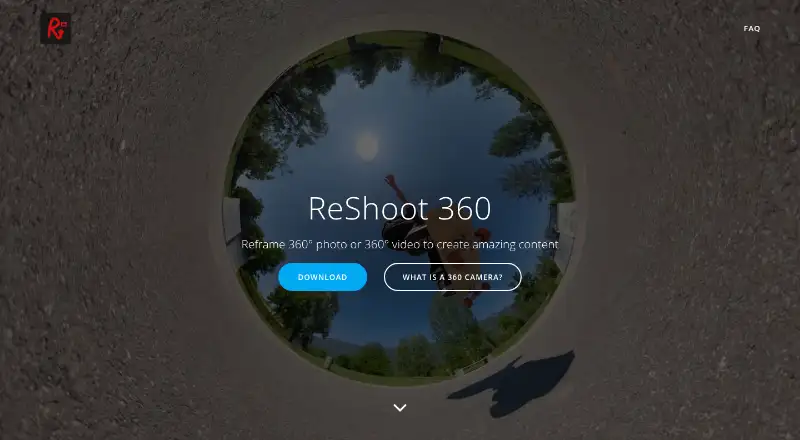
What ReShoot 360 is
ReShoot 360 reframes existing 360-degree photos and videos into conventional photos and videos. It accepts 360-degree camera content and spherical equirectangular files, and lists Insta360 X, GoPro Max, DJI Osmo 360, and Ricoh Theta as compatible cameras. Editing tools include keyframes, transitions, and controls for camera movement. AI Tracking can follow faces, bodies, animals, and more, while social presets prepare exports for TikTok, Instagram, YouTube, X, and Facebook. The free version includes filters, keyframes, transitions, AI tracking, photo-to-video, and social presets. PRO adds photo exports up to 8K, video exports up to 4K at 60 frames per second, and spherical tools for hiding a tripod and straightening the horizon. PRO costs $2.49 a month, $19.99 a year, or 99.99 USD once. The app is listed for Android, iOS, and macOS, though its maker states availability on Android and iOS. It does not capture 360-degree media.
Who it suits
It suits people with existing spherical 360-degree photos or videos who want to reframe them as conventional media. Its listed camera compatibility includes Insta360 X, GoPro Max, DJI Osmo 360, and Ricoh Theta.
What it does well
- Free version includes AI tracking and transitions
- Tracks faces, bodies, animals, and more
- Presets cover TikTok, Instagram, YouTube, X, and Facebook
- PRO supports photos up to 8K
- Maker says it collects no user data
What to know first
- Only spherical equirectangular inputs are supported
- Does not capture 360-degree media
- 360 stitching is not supported
- PRO features require a paid plan
Limits
The free version includes filters, keyframes and transitions, AI tracking, photo-to-video and social presets. Exports up to 8K for photos and 4K at 60 frames per second for video, along with spherical tools, creative effects and Split Pano, are included with PRO plans.
Plans
| Plan | Billed and limits | Price |
|---|---|---|
| Free Version | Filters · keyframes and transitions · AI tracking · photo-to-video · social-media presets | Free |
| ReShoot 360 PRO - Year | yearly · Up to 8K photos · 4K/60fps video · spherical tools · Mirror and Spiral effects · Split Pano | $19.99 a year |
| ReShoot 360 PRO - Month | monthly · Up to 8K photos · 4K/60fps video · spherical tools · Mirror and Spiral effects · Split Pano | $2.49 a month |
| ReShoot 360 PRO | one-time purchase · Up to 8K photos · 4K/60fps video · spherical tools · Mirror and Spiral effects · Split Pano | $99.99, paid once |
As reshoot360.com lists them, read 19 Oct 2026. The maker's own page has the final word.
Getting started
- Visit the ReShoot 360 website.
- Install the app on Android or iOS.
- Import a 360-degree camera file or spherical equirectangular photo or video.
- Use the editor's keyframes, transitions, camera movement controls or AI Tracking.
- Choose the free version or a PRO plan for higher resolution exports and spherical tools.
Verdict
ReShoot 360 is for reframing spherical footage rather than capturing or stitching it. The free version includes several editing tools; higher-resolution exports and spherical tools are part of PRO.
Questions
Is ReShoot 360 free?
Yes. Its Free Version costs nothing and includes filters, keyframes and transitions, AI tracking, photo-to-video and social media presets.
How much does PRO cost?
ReShoot 360 PRO costs $2.49 a month, $19.99 a year or 99.99 USD once.
Which platforms are listed?
The app is listed for Android, iOS and macOS. Its maker states that it is available on Android and iOS.
What files and cameras does it support?
It supports 360-degree spherical equirectangular photos and videos. Listed compatible cameras include Insta360 X, GoPro Max, DJI Osmo 360 and Ricoh Theta.
Does ReShoot 360 capture 360-degree media?
No. It edits existing 360-degree photos and videos.
What does the maker say about privacy?
The app says it collects no user data, shares or sells no user data, and its third-party libraries do not collect user data.
Facts from ReShoot 360's own pages
- AI tracking
- AI tracking can follow faces, bodies, animals and other subjects. · play.google.com, 19 Oct 2026
- Availability
- The maker states that ReShoot 360 is available on Android and iOS. · reshoot360.com, 1 Oct 2026
- Camera compatibility
- The maker says it works with all 360-degree cameras and equirectangular spherical files. · reshoot360.com, 19 Oct 2026
- Capture limitation
- The app edits imported 360 content and does not capture 360 photos or videos. · play.google.com, 19 Oct 2026
- Core purpose
- ReShoot 360 reframes 360-degree photos and videos into traditional videos and photos. · reshoot360.com, 1 Oct 2026
- Creative effects
- PRO includes Mirror and Spiral creative effects. · play.google.com, 19 Oct 2026
- Editing tools
- The editor supports keyframes, transitions and camera movement control. · play.google.com, 1 Oct 2026
- Export limits
- PRO export limits are up to 8K for photos and 4K at 60 frames per second for videos. · apps.apple.com, 19 Oct 2026
- Filters
- Filters provide quick reframing without a complex 360 editing workflow. · reshoot360.com, 19 Oct 2026
- Google Play data disclosure
- Google Play lists no data shared with third parties and no data collected. · play.google.com, 19 Oct 2026
- Headquarters
- Chapareillan, France · reshoot360.com, 28 Sept 2026
- Input-format limit
- The FAQ says only 360-degree equirectangular photos and videos are supported. · reshoot360.com, 19 Oct 2026
- Input limitation
- Only 360-degree, spherical equirectangular videos or photos are supported. · reshoot360.com, 1 Oct 2026
- iOS requirements
- The App Store requires iOS 14 or later and iPadOS 14 or later. · apps.apple.com, 19 Oct 2026
- Keyframes and transitions
- The editor lets users define focus over time with keyframes, camera controls and transition settings. · reshoot360.com, 19 Oct 2026
- Limit: aspect-ratio workflow
- A DashCamTalk test found that output could not retain a 24:9 source ratio and required repackaging in a regular video container for YouTube display. · dashcamtalk.com, 19 Oct 2026
- Limit: export failures
- The independent review summary cites export failures and cases where edited videos could not be saved. · chrome-stats.com, 19 Oct 2026
- Limit: metadata handling
- A user review reports that exports lose original metadata such as capture dates and receive substantially different filenames. · chrome-stats.com, 19 Oct 2026
- Limit: previously purchased features
- App Store reviewers report that updates moved features behind PRO and made previously purchased capabilities unavailable or unclear. · apps.apple.com, 19 Oct 2026
- Limit: subscription gating
- Users repeatedly complain that exporting or basic functions require a paid subscription, with some describing the pricing as expensive for occasional use. · chrome-stats.com, 19 Oct 2026
- Mac requirements
- The App Store lists macOS 11 or later on a Mac with an Apple M1 chip or later. · apps.apple.com, 19 Oct 2026
- Maker identity
- Google Play identifies the developer as MARTIN Loïc Olivier, also shown as Loic Martin on the App Store. · play.google.com, 19 Oct 2026
- Maker location
- Google Play lists the developer address as 5 Allée du Moulin, 38530 Chapareillan, France. · play.google.com, 19 Oct 2026
- Photo to video
- The app animates 360 photos into videos using controlled camera movement. · play.google.com, 19 Oct 2026
Where ReShoot 360 stands on Freedom251
- 360 Video Software#11 of 30