Freedom251 › 360 Video Software
PIXPRO 360 VR Suite
What PIXPRO 360 VR Suite is
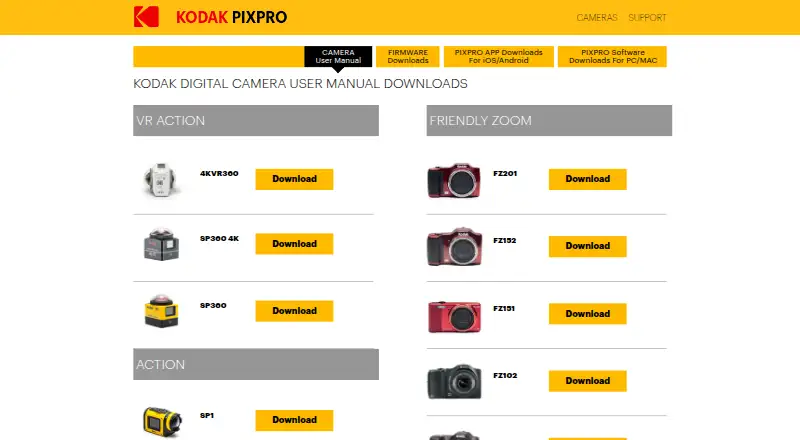
PIXPRO 360 VR Suite is free desktop software for editing and enhancing 360° videos taken with the PIXPRO SP360 Action Camera. It supports the SP360, SP360 4K, and ORBIT360 4K (4KVR360), and includes editing for 360° photos and videos as well as a VR stitching function. It can import footage from a 360 camera and export at resolutions up to 4K. With the SP360 4K and ORBIT360 4K VR cameras, the software also supports Wi-Fi live view, camera control, and recording. PIXPRO 360 VR Suite runs on Windows and macOS. The downloads page lists Mac version 1.9.2.0 and Windows version 1.8.1.2. The listed Mac release implements METAL and includes bug fixes and minor updates. The manual shows Playback and Stitch modes, plus controls labeled SNS Account and Export. Downloading the current version requires an email address. JK Imaging manufactures and sells KODAK PIXPRO branded digital imaging products under a global licensing agreement with Kodak. The maker cautions that compatibility with the latest operating system versions cannot be guaranteed during OS upgrades, and application updates may follow.
Who it suits
PIXPRO 360 VR Suite suits owners of the supported PIXPRO cameras who want desktop tools for 360° photo and video editing, stitching, or exports up to 4K. Users of SP360 4K and ORBIT360 4K VR cameras can also use its listed Wi-Fi live view, camera control, and recording support.
What it does well
- Free desktop software for Windows and macOS.
- Edits 360° photos and videos.
- Includes a 360° VR stitching function.
- Exports at resolutions up to 4K.
- Supports three listed PIXPRO camera models.
What to know first
- Downloading the current version requires an email address.
- Compatibility with the latest operating systems during OS upgrades is not guaranteed.
- Camera control and recording support is listed for two camera models.
Limits
The suite is free. The maker says compatibility with the latest operating system versions cannot be guaranteed during OS upgrades; application updates may follow.
Plans
| Plan | Billed and limits | Price |
|---|---|---|
| PIXPRO 360 VR Suite | Free · Desktop software for editing and enhancing 360° videos | Free |
As kodakpixpro.com lists them, read 3 Oct 2026. The maker's own page has the final word.
Getting started
- Open the PIXPRO downloads page at https://kodakpixpro.com/Europe/support/downloads/.
- Provide an email address to download the current software version.
- Choose the Windows or macOS download for your desktop.
- Use the software with an SP360, SP360 4K, or ORBIT360 4K (4KVR360) camera.
- Import 360° camera footage, then use Playback or Stitch mode as needed.
Verdict
Choose PIXPRO 360 VR Suite if you use an SP360, SP360 4K, or ORBIT360 4K (4KVR360) and want free desktop 360° editing and stitching. Look elsewhere if you need guaranteed compatibility with the latest operating system versions during an OS upgrade.
Questions
How much does PIXPRO 360 VR Suite cost?
It is free desktop software.
Which computers can run it?
The listed desktop platforms are Windows and macOS.
Which cameras does it support?
The suite is listed for SP360, SP360 4K, and ORBIT360 4K (4KVR360).
Can it stitch 360° footage and export in 4K?
It includes a 360° VR stitching function and can export at up to 4K resolution.
What is required to download it?
The downloads page asks for an email address to download the current version.
Who makes KODAK PIXPRO products?
JK Imaging says it manufactures and sells KODAK PIXPRO branded digital imaging products under a global licensing agreement with Kodak.
Facts from PIXPRO 360 VR Suite's own pages
- Camera control
- The suite supports live view via Wi-Fi and camera control and recording for the SP360 4K and ORBIT360 4K VR cameras. · kodakpixpro.com, 3 Oct 2026
- Current listed versions
- The downloads page lists Mac 1.9.2.0 and Windows 1.8.1.2. · kodakpixpro.com, 3 Oct 2026
- Download requirement
- The download page asks for an email address to download the current software version. · kodakpixpro.com, 3 Oct 2026
- Editing
- The suite offers 360° photo and video editing capabilities. · kodakpixpro.com, 3 Oct 2026
- Export and accounts
- The software manual shows Playback and Stitch modes and controls labeled SNS Account and Export. · kodakpixpro.com, 3 Oct 2026
- Headquarters
- Los Angeles, California, United States · kodakpixpro.com, 28 Sept 2026
- Mac update
- The listed Mac release says it implements METAL and includes bug fixes and minor updates. · kodakpixpro.com, 3 Oct 2026
- Maker
- JK Imaging says it manufactures and sells KODAK PIXPRO branded digital imaging products under a global licensing agreement with Kodak. · kodakpixpro.com, 3 Oct 2026
- Operating system compatibility
- The maker says compatibility with the latest operating system versions cannot be guaranteed during OS upgrades and that application updates may follow. · kodakpixpro.com, 3 Oct 2026
- Platforms
- The maker lists Mac compatibility with macOS 10.10 and above and Windows 7 and higher. · kodakpixpro.com, 3 Oct 2026
- Purpose
- The free desktop software is for editing and enhancing 360° videos taken with the PIXPRO SP360 Action Camera. · kodakpixpro.com, 3 Oct 2026
- Stitching
- The suite offers a 360° VR stitching function. · kodakpixpro.com, 3 Oct 2026
- Supported cameras
- The suite is listed for SP360, SP360 4K, and ORBIT360 4K (4KVR360). · kodakpixpro.com, 3 Oct 2026
Where PIXPRO 360 VR Suite stands on Freedom251
- 360 Video Software#10 of 30