Freedom251 › Speech Recognition Software
Kaldi
What Kaldi is
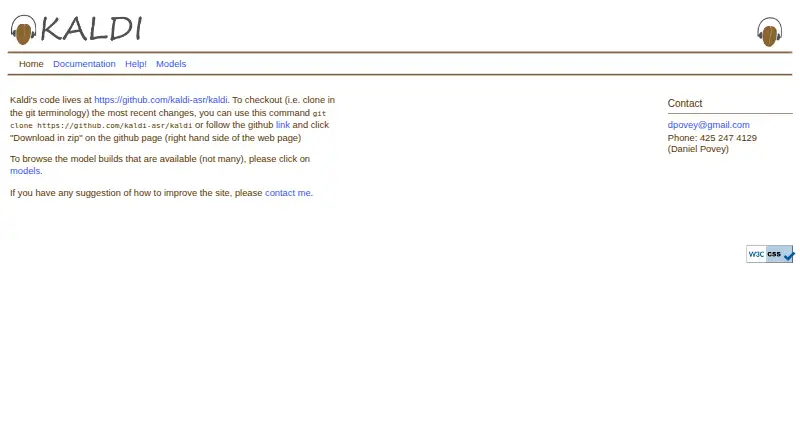
Kaldi is a free, open-source C++ toolkit for speech recognition, aimed at researchers and professionals. Its code and scripts cover techniques including linear transforms, MMI, boosted MMI, MCE discriminative training, and feature-space discriminative training. Kaldi integrates finite-state transducers through OpenFst and includes a matrix library that wraps standard BLAS and LAPACK routines. The project provides example recipes for building recognition systems and downloadable models for speech recognition, speaker identification, speech activity detection, diarization, and language modeling; the models may be used for any purpose. Kaldi is released under Apache License 2.0, which permits commercial use and redistribution. It runs on Linux distributions and Mac OS X, supports Android cross-compilation, and supports WebAssembly for in-browser execution. Windows builds have been made, but example scripts do not work there and compatibility is not actively maintained. Users obtain the current development version by cloning the GitHub repository and following its INSTALL file. Documentation is expert-oriented, and the project directs help requests to its mailing list, with bugs and feature requests handled through GitHub issues.
Who it suits
Kaldi is intended for speech recognition researchers and professionals, including researchers-in-training. It may suit teams seeking a toolkit and example recipes, but the project notes that much of its documentation is written for experts.
What it does well
- Apache License 2.0 permits commercial use
- Includes example recipes for recognition systems
- Models cover recognition, diarization, and speaker identification
- Supports Android cross-compilation and WebAssembly
What to know first
- Windows example scripts do not work
- Windows compatibility is not actively maintained
- Documentation is expert-oriented
- Some example scripts use SRILM, not free for commercial use
Plans
| Plan | Billed and limits | Price |
|---|---|---|
| Kaldi | Apache License 2.0 · use and redistribution permitted, including commercially | Free |
As kaldi-asr.org lists them, read 9 Oct 2026. The maker's own page has the final word.
Getting started
- Clone the Kaldi GitHub repository to obtain the current development version.
- Follow the repository’s INSTALL instructions.
- Use a supported environment such as Linux or Mac OS X; Android cross-compilation is also supported.
- Seek help through the kaldi-help mailing list, or use GitHub issues for bug reports and feature requests.
Kaldi is a C++ toolkit for building speech-recognition systems, aimed at researchers and speech technology professionals. It suits teams that want to develop their own models and workflows, not people looking for a finished transcription app. Its technical range is substantial, but so is the expertise its setup and documentation demand.
Overview
Kaldi combines recognition methods, model archives and deployment options in a free, open-source project. That makes it a strong foundation for custom speech work, including offline and on-device use. It is less suitable when the goal is simply to dictate or transcribe without building and maintaining a system.
The project dates to 2009 and is released under Apache License 2.0, which permits use and redistribution, including commercially. Kaldi is a community project without a single legal owner. That license does not protect users against third-party patent claims, so commercial users should consider their own patent exposure.
Key features
Kaldi provides code and scripts for linear transforms, MMI, boosted MMI, MCE discriminative training and feature-space discriminative training. This range gives researchers options for constructing and adapting recognition systems; it also means users need to make technical choices rather than rely on one packaged workflow.
Finite-state transducer integration through OpenFst and a matrix library wrapping BLAS and LAPACK suit demanding speech-processing work. Example recipes offer starting points for building systems, while downloadable model archives span speech recognition, speaker identification, speech activity detection, diarization and language modeling. The models may be used for any purpose.
Kaldi supports real-time and offline recognition, API access and on-device deployment. It can run on one Unix-like machine, while the documentation describes a Linux cluster with shared storage and optional Nvidia GPUs as an ideal environment. That flexibility is useful for research and custom deployments, but it does not remove the engineering work involved in assembling a system.
Installation starts by cloning the GitHub repository and following its INSTALL instructions. The current development version may contain unfinished or experimental features. Installation and example scripts use Git, bash, Perl, awk, grep and make; some examples also use SRILM, which the documentation says is not free for commercial use.
Pricing
Kaldi costs nothing under Apache License 2.0, with use and redistribution permitted, including commercially. There is no paid plan or free-trial period to weigh against a subscription; the trade-off is that users take on installation, system-building and maintenance themselves.
Platforms
Linux is the best-supported choice: Kaldi runs on Linux distributions and is best tested on Debian and Red Hat Linux. It also runs on Mac OS X, and can be cross-compiled for Android using Android NDK, clang++ and OpenBLAS. The repository also supports WebAssembly for in-browser execution.
Windows is a weak fit. Although Kaldi has been compiled there, its example scripts do not work on Windows and compatibility is not actively maintained. The project also supports Cygwin, but its emphasis on Unix-like tools makes Linux the more dependable environment for those following the examples.
Who it's for
Kaldi is aimed at speech-recognition researchers and researchers-in-training, as well as professionals who need to build or adapt recognition systems. Its documentation is often expert-oriented, so newcomers without a technical background are likely to find the learning and setup burden high. It is not the right choice for users who want an immediately usable dictation or transcription product.
For help, users can turn to the kaldi-help mailing list; bug reports and feature requests belong in GitHub issues. These channels support a community project, rather than a packaged product with a single legal owner.
Pros and cons
- Pros: Apache 2.0 licensing allows commercial use and redistribution, making Kaldi a practical base for custom systems without a software license fee.
- Pros: The methods, recipes and model archives cover several speech and speaker tasks, giving research teams material to build and compare tailored workflows.
- Pros: Support for offline, real-time and on-device recognition, alongside Linux, macOS, Android and browser builds, offers deployment flexibility.
- Cons: Expert-focused documentation and source-based installation put the burden of technical setup and system design on users.
- Cons: Windows compatibility is not actively maintained, and example scripts do not work there, making it a poor platform choice.
- Cons: Some example scripts use SRILM, which is not free for commercial use, and Apache licensing does not resolve third-party patent risk.
Alternatives
Vosk is another free option if offline recognition across mobile and server environments is the priority; its open-source plan covers 10 platforms. CMU Sphinx is worth considering when a free toolkit with a BSD-like license and permitted commercial distribution better fits the project.
Notta suits users who want a transcription service rather than a toolkit to assemble: its free plan includes one seat and 120 transcription minutes per month. Gladia is an alternative with a free plan and trial, plus a paid asynchronous starter plan at $0.61 a month billed flexible pay-as-you-go.
Speechmatics offers a free plan with $100 in credits, two concurrent real-time sessions and a limit of 10 pre-recorded files per second. Superwhisper has a free plan for voice-to-text in any app and meeting recording and transcription. MacWhisper is a macOS- and iOS-focused option, with a free transcription plan and a 64.00 EUR one-time Pro plan that includes 100 languages.
SpeechRecognition is a free Python library for working with supported speech engines and APIs. Browse more options in Speech Recognition Software.
Verdict
Choose Kaldi if you are a speech researcher or professional who wants a free, commercially usable foundation for building and deploying custom recognition systems. Its range of methods, models and deployment targets is the draw. Look elsewhere if you need a ready-to-use transcription app, rely on Windows, or do not want to manage a technically demanding setup.
Verdict
Kaldi offers a broad toolkit and model archives for speech recognition work, with commercial use permitted under Apache License 2.0. Its expert-oriented documentation and limited Windows support are important constraints to consider.
Questions
How much does Kaldi cost?
The listed Kaldi plan costs nothing. It is released under Apache License 2.0, which permits free use and redistribution, including commercially.
What platforms does Kaldi support?
It runs on Linux distributions and Mac OS X, supports Android cross-compilation, and supports WebAssembly for in-browser execution. Windows compatibility is not actively maintained, and its example scripts do not work there.
Can Kaldi be used commercially?
Kaldi is released under Apache License 2.0, which permits commercial use and redistribution. The project also says its downloadable models may be used for any purpose.
What kinds of models are available?
Downloadable archives cover speech recognition, speaker identification, speech activity detection, diarization, and language modeling.
Who is Kaldi intended for?
The project identifies speech recognition researchers and researchers-in-training as its intended audience, and says much of its documentation is written for experts.
How do I install Kaldi?
Clone the Kaldi GitHub repository for the current development version, then follow the instructions in its INSTALL file.
Facts from Kaldi's own pages
- Android and browser builds
- The project repository says Kaldi supports cross-compiling for Android and WebAssembly for in-browser execution. · github.com, 9 Oct 2026
- Android support
- Kaldi supports cross-compiling for Android using Android NDK, clang++, and OpenBLAS. · github.com, 9 Oct 2026
- Audience limit
- The project says much of its documentation is written for experts and identifies speech recognition researchers and researchers-in-training as its intended audience. · kaldi-asr.org, 9 Oct 2026
- Compute environment
- Kaldi can run on a single Unix-like machine, while its documentation describes a Linux cluster with shared storage and optional Nvidia GPUs as an ideal environment. · kaldi-asr.org, 9 Oct 2026
- Download
- The project directs users to clone its GitHub repository to obtain the current development version, which may include unfinished or experimental features. · kaldi-asr.org, 9 Oct 2026
- External dependencies
- Installation and example scripts use tools including Git, bash, Perl, awk, grep, and make; some example scripts use SRILM, which the documentation says is not free for commercial use. · kaldi-asr.org, 9 Oct 2026
- Finite-state transducers
- Kaldi compiles against the OpenFst toolkit and integrates finite-state transducers into its code. · kaldi-asr.org, 9 Oct 2026
- Founded
- 2009 · kaldi-asr.org, 28 Sept 2026
- FST integration
- Kaldi integrates with Finite State Transducers and compiles against the OpenFst toolkit as a library. · kaldi-asr.org, 9 Oct 2026
- Installation
- Users download the current source by cloning the Kaldi GitHub repository and install it using the instructions in the repository's INSTALL file. · kaldi-asr.org, 9 Oct 2026
- Intended audience
- The project says its documentation can be expert-oriented and describes speech recognition researchers and researchers-in-training as its intended audience. · kaldi-asr.org, 9 Oct 2026
- License
- Kaldi is released under Apache License 2.0, which permits free use and redistribution, including for commercial purposes. · kaldi-asr.org, 9 Oct 2026
- Linear algebra
- Kaldi includes a matrix library that wraps standard BLAS and LAPACK routines. · kaldi-asr.org, 9 Oct 2026
- Linux support
- Kaldi runs on any Linux distribution and is best tested on Debian and Red Hat Linux. · kaldi-asr.org, 9 Oct 2026
- macOS support
- Kaldi runs on Mac OS X. · kaldi-asr.org, 9 Oct 2026
- Modeling recipes
- The project provides example recipes for building speech recognition systems and includes models for ASR, speaker identification, speech activity detection, and diarization. · kaldi-asr.org, 9 Oct 2026
- Models
- The site offers downloadable model archives for tasks including speech recognition, speaker identification, speech activity detection, diarization, and language modeling. · kaldi-asr.org, 9 Oct 2026
- Model use
- The models page states that its downloadable models may be used for any purpose. · kaldi-asr.org, 9 Oct 2026
- Operating systems
- Kaldi is best tested on Debian and Red Hat Linux and can run on Linux distributions, Cygwin, or Mac OS X; Windows compatibility is not actively maintained and example scripts do not work there. · kaldi-asr.org, 9 Oct 2026
- Project governance
- Kaldi describes itself as a community project with no single legal owner and says contributors license their work directly under Apache terms. · kaldi-asr.org, 9 Oct 2026
- Purpose
- Kaldi is a C++ toolkit for speech recognition intended for speech recognition researchers and professionals. · kaldi-asr.org, 9 Oct 2026
- Security and patents
- The legal page says Kaldi's use does not protect users against third-party patent claims, including claims by contributors in circumstances described there. · kaldi-asr.org, 9 Oct 2026
- Speech recognition methods
- The project lists code and scripts for standard techniques including linear transforms, MMI, boosted MMI, MCE discriminative training, and feature-space discriminative training. · kaldi-asr.org, 9 Oct 2026
- Support
- Users can seek help through the kaldi-help mailing list, while bug reports and feature requests belong in GitHub issues. · kaldi-asr.org, 9 Oct 2026
Where Kaldi stands on Freedom251
- Speech Recognition Software#8 of 32