Freedom251 › Minecraft Add-on Editors
JsonForge
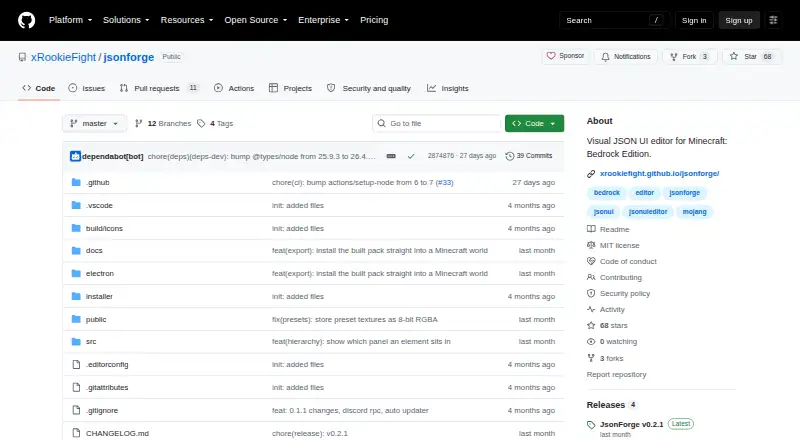
What JsonForge is
JsonForge is a visual editor for building Minecraft Bedrock JSON UI screens and exporting them for resource packs. It runs in modern browsers and as an Electron desktop application on Windows, macOS, and Linux. Users can place interface elements on a canvas, edit their properties, add textures, and inspect the JSON. The editor includes 10 element types, such as panels, images, labels, buttons, toggles, and custom elements. Its dockable workspace includes Toolbox, Hierarchy, Canvas, Properties, Textures, Bindings, and JSON Preview panels. The canvas supports anchors and the game’s nine-slice texture behavior, with an Edit/Preview toggle. Export targets include form screens, HUD overlays, and restyled vanilla scoreboards, with .mcaddon or .mcpack output as applicable. JsonForge includes five ore-UI preset texture sets and Minecraft fonts. Projects can be stored as .jfproject bundles or handled as raw Minecraft Bedrock JSON UI .json files. The desktop app can find worlds on the machine and install exported packs into resource and behavior pack folders. It is free and open source under the MIT license. The guide notes that resource packs can restyle what the game draws but cannot create new values; live text must come from a form script or scoreboard.
Who it suits
JsonForge suits Minecraft Bedrock creators who want to design and export JSON UI screens visually. It is available in a browser or as a desktop app on Windows, macOS, and Linux.
What it does well
- Free and open source under the MIT license.
- Includes 10 interface element types.
- Exports form, HUD, and restyled scoreboard targets.
- Projects can bundle elements, bindings, and textures.
- Desktop app can install packs into local worlds.
What to know first
- Resource packs cannot invent new values.
- Live text requires a form script or scoreboard.
- All script-filled form grid cells use the first button’s style.
Limits
Resource packs can restyle what the game already draws but cannot invent new values; live text must come from a form script or scoreboard. For script-filled form button grids, the drawn layout determines capacity and every grid cell uses the first drawn button's style.
Plans
| Plan | Billed and limits | Price |
|---|---|---|
| Free and open source | Web and Electron app · MIT licensed | Free |
As github.com lists them, read 5 Oct 2026. The maker's own page has the final word.
Getting started
- Open the JsonForge website in a modern browser, or use the desktop application for Windows, macOS or Linux.
- Create a canvas layout with the available interface elements.
- Adjust element properties, textures, bindings and layout in the dockable panels.
- Save the project as a .jfproject file or work with raw Minecraft Bedrock JSON UI .json.
- Export a form screen, HUD overlay or restyled vanilla scoreboard as an applicable .mcaddon or .mcpack.
- On desktop, find a world on the machine and install exported packs into its resource and behavior pack folders.
JsonForge is a visual editor for Minecraft Bedrock UI screens, with browser and desktop editions. It is best for pack creators who want to arrange interface elements on a canvas and export them as add-ons. Its focused export options are useful, but game-driven values and form-grid styling put firm boundaries on what those screens can do.
Overview
JsonForge brings the canvas, element hierarchy, properties, textures, bindings and JSON preview into a dockable workspace. That makes visual layout the natural starting point without cutting off direct work with Minecraft Bedrock JSON UI: projects can be saved as bundled .jfproject files or imported and exported as .json. The bundled format keeps the element tree, bindings and textures together, which is helpful when moving a project as a unit.
The editor is aimed at interface work for resource packs, rather than general-purpose Minecraft add-on creation. Its visual workflow can make screen construction more approachable, but it does not override the game’s rules about what UI values a resource pack can display.
Key features
Canvas and workspace
Ten element types include panels, images, labels, buttons, toggles and custom elements. The canvas supports anchors and scale and uses the game’s nine-slice texture algorithm; an Edit/Preview toggle separates arranging a screen from previewing it. That game-oriented layout model is a practical advantage for UI authors, though it should not be mistaken for a guarantee that every in-game behavior can be authored visually.
Textures, bindings and export
Five ore-UI preset texture sets and Minecraft fonts provide starting assets, and textures can be dropped onto elements or property fields. Per-element binding modes support connecting elements to values, while the export targets cover forms, HUD overlays and a restyled vanilla scoreboard with live names and scores. Depending on the target, exports can produce .mcaddon or .mcpack files.
The guide’s constraints matter for design decisions: a resource pack can restyle what the game already draws, but it cannot invent new values. Live text must come from a form script or scoreboard. For script-filled form button grids, the drawn layout determines capacity, and every cell takes its style from the first drawn button. JsonForge is therefore a better fit for deliberate, game-compatible UI work than for interfaces that depend on arbitrary live data or individually styled grid cells.
Persistence and world installation
IndexedDB persistence and autosave services support continued work in the app. The desktop edition can locate worlds on the machine and install exported packs into their resource and behavior pack folders, reducing manual steps for local workflows. JsonForge is open source under the MIT license; its README welcomes bug reports and pull requests and directs security reports to its security policy rather than public issues.
Pricing
JsonForge is free and open source, with a listed price of $0. The free plan includes the web and Electron app and MIT licensing; there is no free trial because the product is already free. There are no paid tiers described, so the choice is whether its editor and export scope fit the project, not which plan to buy.
Platforms
JsonForge runs in modern browsers and as a native Electron desktop application on Windows, macOS and Linux. The browser option suits users who prefer not to install a desktop app; desktop users also get world discovery and direct pack installation. Both formats support the core visual-editing workflow.
Who it's for
Choose JsonForge if you create Minecraft Bedrock resource-pack UI and want a canvas-based workflow, bundled project files, raw JSON interchange and targeted form, HUD or scoreboard exports. It is especially suitable when the project can work within existing game-drawn values and the form-grid styling rule.
Look elsewhere if the design depends on a resource pack generating new live values, or if every button in a script-filled grid needs its own style. JsonForge’s documented boundaries are central to those decisions, not minor implementation details.
Pros and cons
- Pro: A dockable canvas, hierarchy, properties and JSON preview bring visual editing and direct file work together.
- Pro: Form, HUD and restyled scoreboard targets give Bedrock UI creators concrete export paths, including pack files.
- Pro: The MIT-licensed app is free across web and desktop, with bundled textures and fonts to start from.
- Con: Resource packs cannot create new values; live text must come from a form script or scoreboard.
- Con: Script-filled button grids share the first drawn button’s style, limiting per-cell design.
Alternatives
Browse Minecraft Add-on Editors for a broader set of tools to compare.
- Snowstorm is another free option, with versions across web, mobile, desktop and extension platforms.
- Blockbench is free to use for any type of project and runs on web, mobile and desktop platforms.
- Minecraft Launcher has a free download, but access to games requires ownership or a time-limited demo; choose it for launcher access rather than JsonForge’s UI-authoring workflow.
- Visual Studio Code is a free alternative for readers who prefer a code-editor option.
- mcblend is a free Blender add-on for Linux, macOS and Windows.
- Bedrocken is a free VS Code extension that requires VS Code ^1.87.0.
- Blockception Minecraft Bedrock Development is a free VS Code extension for Minecraft Bedrock Add-ons and Minecraft Education Edition.
- McpeTool is free and MIT-licensed software for readers comparing another open-source option.
Verdict
JsonForge is a strong fit for Minecraft Bedrock pack creators who want visual UI layout, direct JSON interchange and a straightforward route to exporting forms, HUDs or scoreboard restyles. The free MIT-licensed web and desktop editions make it easy to choose the workflow that suits the project. Choose another approach if the UI needs resource-pack-created values or per-cell styling in script-filled button grids.
Verdict
JsonForge provides a visual workflow for creating and exporting Minecraft Bedrock UI, with browser and desktop options. Its guide documents limits around new values and script-filled form button grids.
Questions
How much does JsonForge cost?
The listed plan is free. JsonForge is open source under the MIT license.
Which platforms does JsonForge support?
It runs in modern browsers and as a native Electron desktop application on Windows, macOS and Linux.
What can it export?
Export targets include form screens, HUD overlays and restyled vanilla scoreboards. It produces .mcaddon or .mcpack files as applicable.
Can JsonForge install packs into a Minecraft world?
The desktop app can find worlds on the machine and install exported packs into their resource and behavior pack folders.
Can a resource pack add new live values?
No. The guide says a resource pack can restyle what the game draws, while live text must come from a form script or scoreboard.
Facts from JsonForge's own pages
- Addon export
- Addon export supports form, HUD overlay and restyled vanilla scoreboard targets, producing .mcaddon or .mcpack files as applicable. · github.com, 5 Oct 2026
- Canvas and layout
- The interface has dockable Toolbox, Hierarchy, Canvas, Properties, Textures, Bindings and JSON Preview panels, and a canvas with nine-slice textures and anchors. · github.com, 5 Oct 2026
- Canvas editor
- Users can drag interface elements onto a canvas, edit their properties, add textures, and export JSON UI for resource packs. · github.com, 5 Oct 2026
- Canvas preview
- The canvas uses the game's nine-slice texture algorithm, scale, and anchors, and has an Edit/Preview toggle. · github.com, 5 Oct 2026
- Dockable workspace
- Its dockable layout includes Toolbox, Hierarchy, Canvas, Properties, Textures, Bindings, and JSON Preview panels. · github.com, 5 Oct 2026
- Editor elements
- The editor includes 10 element types, including panels, images, labels, buttons, toggles and custom elements. · github.com, 5 Oct 2026
- Element types
- The editor includes 10 element types, including panels, images, labels, buttons, toggles, and custom elements. · github.com, 5 Oct 2026
- Export targets
- Export targets include form screens, HUD overlays, and a restyled vanilla scoreboard with live names and scores. · github.com, 5 Oct 2026
- Form button limit
- For script-filled form button grids, the drawn layout sets capacity, and all grid cells use the first drawn button's style. · github.com, 5 Oct 2026
- License
- The repository identifies JsonForge as open source under the MIT license. · github.com, 5 Oct 2026
- Persistence
- The listed architecture includes IndexedDB persistence and autosave services. · github.com, 5 Oct 2026
- Platforms
- The README lists Windows installers, macOS DMG, and Linux AppImage and deb packages. · github.com, 5 Oct 2026
- Presets and bindings
- The app bundles five ore-UI texture sets and Minecraft fonts, and provides per-element bindings modes. · github.com, 5 Oct 2026
- Project format
- The .jfproject format bundles an element tree, bindings and textures in one file, while raw Minecraft Bedrock JSON UI can be imported and exported as .json. · github.com, 5 Oct 2026
- Project formats
- JsonForge supports bundled .jfproject files and importing or exporting raw Minecraft Bedrock JSON UI .json files. · github.com, 5 Oct 2026
- Purpose
- JsonForge is a visual editor for building Minecraft Bedrock JSON UI screens and exporting valid JSON UI for resource packs. · github.com, 5 Oct 2026
- Security reporting
- The README directs users to its security policy for security issues and says not to open a public issue. · github.com, 5 Oct 2026
- Support
- The README welcomes bug reports and pull requests and directs security reports to its security policy rather than public issues. · github.com, 5 Oct 2026
- Support and contributions
- The project welcomes bug reports and pull requests. · github.com, 5 Oct 2026
- Textures
- The app bundles five ore-UI preset texture sets and Minecraft fonts, and supports dropping textures onto elements or property fields. · github.com, 5 Oct 2026
- Usage limits
- The guide says a resource pack can restyle what the game already draws but cannot invent new values; live text must come from a form script or scoreboard. · github.com, 5 Oct 2026
- Web and desktop
- It runs in modern browsers and as a native desktop application via Electron. · github.com, 5 Oct 2026
- World install
- The desktop app can find worlds on the machine and install exported packs into their resource and behavior pack folders. · github.com, 5 Oct 2026
Where JsonForge stands on Freedom251
- Minecraft Add-on Editors#6 of 26