Freedom251 › Minecraft Add-on Editors
AddonCrate Studio
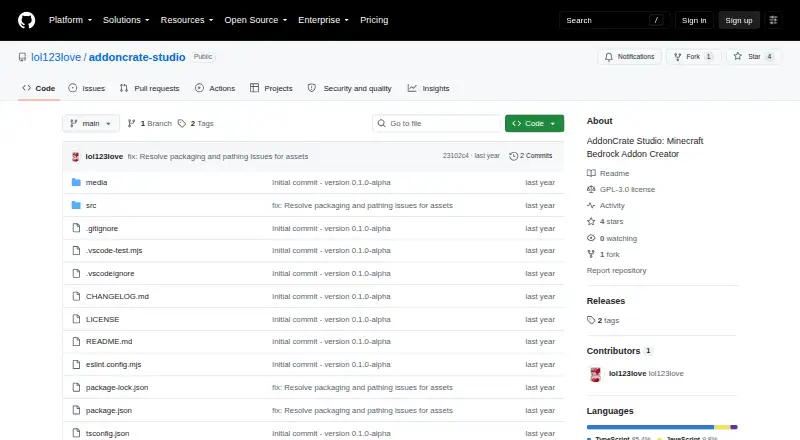
What AddonCrate Studio is
AddonCrate Studio is a Visual Studio Code extension for building and managing Minecraft Bedrock Edition add-ons. Its project creator sets up Behavior Packs, Resource Packs, or both, lets you target Minecraft versions, and generates manifests with UUIDs and dependencies. Projects can optionally include scripting through current @minecraft/server APIs or legacy mojang- APIs, based on the chosen version. You can bring standalone pack folders into a project and export finished projects as .mcaddon files. The 3D viewer opens .geo.json models, suggests textures from the project, and previews animations. A visual editor handles shaped, shapeless, furnace or smelting, smithing transform, smithing trim, and brewing recipes. Form-based tools create items, entities, blocks, and loot tables, while a universal creator supplies boilerplate for supported Bedrock file types. The item registry retrieves and caches vanilla item data and checks projects for custom items. The free, GPL-3.0-licensed extension is available for Windows, macOS, and Linux. Installation is through VS Code's Extensions view; users set a default projects directory.
Who it suits
It suits Minecraft Bedrock add-on creators who work in Visual Studio Code and want tools for packs, recipes, models, and scripting. It runs on Windows, macOS, and Linux.
What it does well
- Creates Behavior Packs, Resource Packs, or both.
- Exports projects as .mcaddon files.
- Previews .geo.json models and project animations.
- Supports several recipe types in a visual editor.
- Free to use under GPL-3.0.
What to know first
- Requires Visual Studio Code.
- Users must configure a default projects directory.
Getting started
- Install AddonCrate Studio from Visual Studio Code’s Extensions view.
- Configure the default projects directory for new projects and the open-project command.
- Create a project and choose Behavior Packs, Resource Packs, or both.
- Select a Minecraft version and optionally include a scripting module.
- Use the project tools to create files, recipes, assets, or models.
Verdict
AddonCrate Studio brings project setup, asset creation, recipe editing, and model previews into a Visual Studio Code workflow. Its version-aware scripting options and pack import and export support are useful for Bedrock add-on creators.
Questions
Is AddonCrate Studio free?
Yes. Its pricing model is free, and it has a free plan.
Which platforms does it support?
It is available as a Visual Studio Code extension on Windows, macOS, and Linux.
What kinds of packs can I create?
The project creator can scaffold Behavior Packs, Resource Packs, or both.
Can I use scripts and target different Minecraft versions?
Yes. New projects can optionally include current @minecraft/server APIs or legacy mojang- APIs according to the selected version, and the tool supports multiple-version targeting.
Is AddonCrate Studio open source?
The GitHub repository identifies it as GPL-3.0 licensed.
How do I install it?
Install it from Visual Studio Code’s Extensions view, then configure a default projects directory.
Facts from AddonCrate Studio's own pages
- 3D models
- Its 3D model viewer opens .geo.json files, suggests textures from the resource pack, and can preview project animations. · github.com, 30 Sept 2026
- 3D model viewer
- Its viewer opens .geo.json models, suggests matching project textures, and can preview project animations. · github.com, 29 Sept 2026
- AddonCrate integration
- The sidebar links to AddonCrate.com to share or discover add-ons. · github.com, 29 Sept 2026
- Asset creators
- Guided creators generate items, entities, blocks, and loot tables with configurable properties and project assets. · github.com, 30 Sept 2026
- Community integration
- The sidebar links to AddonCrate.com to share or discover addons. · github.com, 30 Sept 2026
- Configuration
- Users configure a default projects directory, which is where new projects are created and where the open-project command looks. · github.com, 30 Sept 2026
- File creator
- A universal file creator provides minimal boilerplate for dozens of Bedrock file types grouped into categories such as recipes, entities, world generation, and visuals. · github.com, 30 Sept 2026
- Import and export
- The extension imports standalone behavior or resource pack folders into a project and exports projects as .mcaddon files. · github.com, 30 Sept 2026
- Installation
- The maker’s instructions say to install AddonCrate Studio from Visual Studio Code’s Extensions view. · github.com, 30 Sept 2026
- Intended users
- The project describes itself as a toolset for Minecraft Bedrock add-on creators working in Visual Studio Code. · github.com, 29 Sept 2026
- License
- The repository identifies the project as GPL-3.0 licensed and welcomes contributions. · github.com, 30 Sept 2026
- Minecraft data
- The item registry fetches and caches vanilla Minecraft item data and scans the project for custom items. · github.com, 29 Sept 2026
- Project scaffolding
- Its project creator configures add-on projects, selects Minecraft versions and pack types, and generates manifest files with UUIDs and dependencies. · github.com, 29 Sept 2026
- Project setup
- The project creator scaffolds behavior packs, resource packs, or both, and generates manifest files with UUIDs and dependencies. · github.com, 30 Sept 2026
- Purpose
- AddonCrate Studio is a Visual Studio Code toolset for creating and managing Minecraft Bedrock Edition addons. · github.com, 30 Sept 2026
- Recipe editor
- The visual drag-and-drop recipe editor supports shaped, shapeless, furnace or smelting, smithing transform, smithing trim, and brewing recipes. · github.com, 30 Sept 2026
- Scripting
- New projects can optionally include a scripting module using current @minecraft/server APIs or legacy mojang- APIs, depending on the selected Minecraft version. · github.com, 30 Sept 2026
- Support
- The project directs users to AddonCrate.com/support for issues and support. · github.com, 30 Sept 2026
- Vanilla item data
- The recipe editor fetches and caches vanilla Minecraft item data, and the extension includes a command to clear that cache. · github.com, 30 Sept 2026
Where AddonCrate Studio stands on Freedom251
- Minecraft Add-on Editors#3 of 26