Freedom251 › Minecraft Add-on Editors
Blockception Minecraft Bedrock Development
Visit Blockception Minecraft Bedrock Development Alternatives Pricing
What Blockception Minecraft Bedrock Development is
Blockception Minecraft Bedrock Development is a free extension for developing Minecraft Bedrock Addons and Minecraft Education Edition content. It works with .mcfunction, .json, .lang, and .molang files. JSON tools include validation, completions, hovers, signatures, code lens, code actions, and schemas. For .mcfunction, it offers completion, formatting, diagnostics, navigation to definitions, regions, symbols, syntax highlighting, and validation files; .lang tools include formatting, diagnostics, regions, symbols, and syntax highlighting.
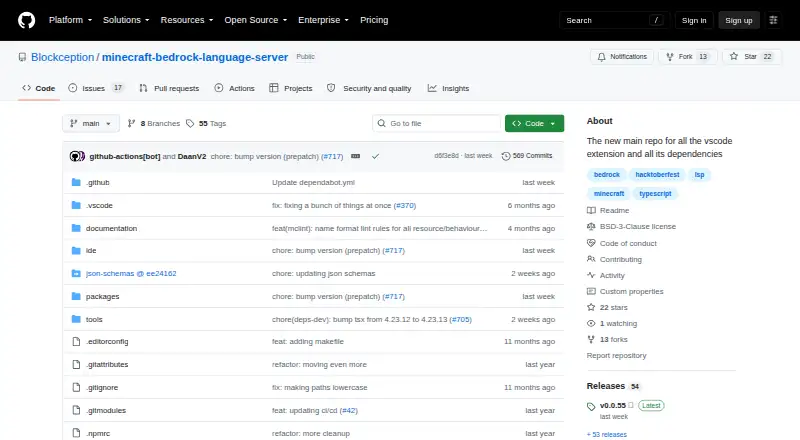
The extension can read .mcattributes, .mcdefinitions, and .mcignore project files. A setting adds Education Edition items, blocks, entities, and commands to code suggestions and debugging. Other settings let users toggle diagnostics and selected completion options. During debugging, inline values can display variable lookups for mcfunction and Molang files, though this is off by default. It is available for Windows, macOS, and Linux. The earlier extension repository was archived on September 28, 2025, and points to Minecraft Bedrock Language Server as its successor.
Who it suits
It suits developers creating Bedrock Addons or Education Edition content who want language tools for the listed file types. The repository points users to documentation and community discussions or issues for questions and support.
What it does well
- Free extension for Bedrock and Education Edition development
- Supports four file types
- JSON tools include validation and schemas
- Can read three project-file types
- BSD 3-Clause licensed
What to know first
- Inline debugging values are off by default
- Earlier extension repository was archived September 28, 2025
Plans
| Plan | Billed and limits | Price |
|---|---|---|
| Minecraft Bedrock Development extension | VS Code extension for Minecraft Bedrock Addons and Minecraft Education Edition | Free |
As github.com lists them, read 30 Sept 2026. The maker's own page has the final word.
Getting started
- Open the Minecraft Bedrock Language Server repository linked as the successor to the archived extension repository.
- Use the extension on Windows, macOS, or Linux.
- Work with behavior packs, resource packs, or skin packs in a code editor.
- Adjust diagnostics, code lens, and completion options in the settings if needed.
- Enable the Education Edition setting to add its items, blocks, entities, and commands to suggestions and debugging.
Verdict
The extension provides format-specific tools for Bedrock and Education Edition projects across Windows, macOS, and Linux. Its earlier repository is archived and points to a successor project.
Questions
How much does the extension cost?
It is free, with a listed price of $0.
Which platforms does it support?
It is available as an extension for Windows, macOS, and Linux.
Which Minecraft files can it work with?
It supports .mcfunction, .json, .lang, and .molang files, and can read .mcattributes, .mcdefinitions, and .mcignore project files.
Is the project open source?
The project is licensed under the BSD 3-Clause License and maintained by Blockception and the open-source community.
Where is the current project home?
The earlier extension repository is archived and points to the Minecraft Bedrock Language Server repository as its successor.
Where can users get help?
The repository points to documentation and says users can raise questions, suggestions, or support requests through an issue or community discussions.
Facts from Blockception Minecraft Bedrock Development's own pages
- Current project home
- The earlier extension repository was archived on September 28, 2025, and points to the Minecraft Bedrock Language Server repository as its successor. · github.com, 30 Sept 2026
- Customization
- Settings can toggle diagnostics for language, mcfunction, JSON, scoreboard objectives, and tags, as well as code lens and selected completion options. · marketplace.visualstudio.com, 30 Sept 2026
- Debugging
- Inline values can show variable lookups for mcfunction and Molang files during debugging, and are off by default. · marketplace.visualstudio.com, 30 Sept 2026
- Documentation and support
- The maker’s repository points users to documentation and says questions, suggestions, or support can be raised through an issue or community discussions. · github.com, 30 Sept 2026
- Education content
- A setting adds Education Edition items, blocks, entities, and commands to code suggestions and debugging. · marketplace.visualstudio.com, 30 Sept 2026
- File support
- It supports .mcfunction, .json, .lang, and .molang files. · marketplace.visualstudio.com, 30 Sept 2026
- JSON tools
- JSON features include validation, completions, hovers, signatures, code lens, code actions, and schemas. · marketplace.visualstudio.com, 30 Sept 2026
- Language file tools
- For .lang files, it provides formatting, diagnostics, regions, symbols, and syntax highlighting. · marketplace.visualstudio.com, 30 Sept 2026
- Maintainers
- The repository says Blockception and the open-source community maintain the project. · github.com, 30 Sept 2026
- mcfunction tools
- For .mcfunction files, it provides completion, formatting, code actions, diagnostics, go to definition, regions, symbols, syntax highlighting, and validation files. · marketplace.visualstudio.com, 30 Sept 2026
- Molang
- The extension highlights Molang in JSON and standalone .molang files, which the page says Minecraft does not officially support. · marketplace.visualstudio.com, 30 Sept 2026
- Open source license
- The maker’s repository says the project is licensed under the BSD 3-Clause License. · github.com, 30 Sept 2026
- Project files
- It can read .mcattributes, .mcdefinitions, and .mcignore project files. · marketplace.visualstudio.com, 30 Sept 2026
- Purpose
- The extension supports Minecraft Bedrock Addons and Minecraft Education Edition development. · marketplace.visualstudio.com, 30 Sept 2026
Where Blockception Minecraft Bedrock Development stands on Freedom251
- Minecraft Add-on Editors#5 of 26