Freedom251 › Image Upscaling Software

Imglarger
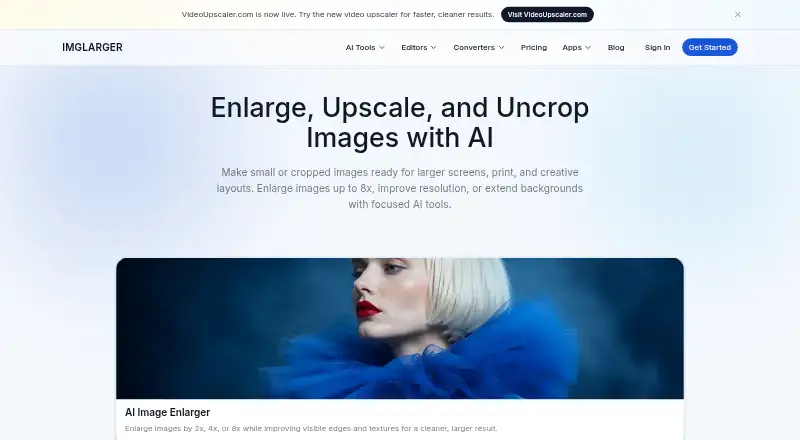
What Imglarger is
Imglarger is an online collection of AI tools for enlarging, upscaling, enhancing, sharpening, uncropping, removing backgrounds, restoring, editing and converting images. AI Image Enlarger offers 2x, 4x and 8x enlargement options depending on the image and plan; AI Image Upscaler increases resolution by 2x or 4x. AI Image Extender uses generative outpainting to expand beyond an image's borders, extend backgrounds and change aspect ratios. Browser editing and conversion tools include batch conversion, optional resizing and ZIP downloads, and do not use credits. The service accepts JPG, JPEG, PNG and WebP and provides before-and-after previews. It is available on the web, Android, iOS and macOS. The Free plan costs nothing and includes 100 monthly credits, one image at a time, a 1024-pixel maximum input side and 2x scaling. Premium costs $9.99 a month; Business costs $19.99 a month. The maker says cloud originals and results are generally deleted within two hours, with an exception for some 8x images.
Who it suits
Imglarger suits people who want image enhancement and conversion tools across web and listed mobile or Mac platforms. Its Free plan is limited to one image at a time, while paid plans list batch processing.
What it does well
- Includes enlargement, upscaling and uncropping tools
- Browser editor and converter do not use credits
- Supports JPG, JPEG, PNG and WebP
- Available on web, Android, iOS and macOS
What to know first
- Free plan allows one image at a time
- Free plan limits input side to 1024 pixels
- Some cloud 8x images may be retained for up to eight hours
Limits
The Free plan includes 100 credits per month, one image at a time, a 1024-pixel maximum input side, and 2x scaling. Premium costs $9.99 a month and includes 2000 credits per month, batch processing, higher input limits, and scaling up to 8x.
Plans
| Plan | Billed and limits | Price |
|---|---|---|
| Premium | $9.99/month · 2000 credits/month · batch processing · higher quality input limits · scale up to 8X · priority processing · no ads | $9.99 a month |
| Business | $19.99/month · 6000 credits/month · batch processing · highest quality limits · scale up to 8X · priority support · no ads | $19.99 a month |
| Free | $0/month · 100 credits/month · single image processing · input max side up to 1024px · scale up to 2X · all converter and editor tools | On request |
As imglarger.com lists them, read 3 Oct 2026. The maker's own page has the final word.
Getting started
- Open imglarger.com or install the Android, iOS, or Mac app.
- Choose the Free plan or a paid plan: Premium is $9.99 a month and Business is $19.99 a month.
- Use the browser tools or app for a supported image format: JPG, JPEG, PNG, or WebP.
- For cloud AI processing, use the applicable enlargement or upscaling tool; the Free plan allows 2x scaling.
Overview
Imglarger brings AI enlargement, restoration, editing and conversion tools together, with browser access and apps for mobile and Mac. Its breadth is useful for people who handle several image tasks, but the free plan’s small input and scale limits make it a poor fit for demanding enlargement work.
Paid plans raise the credit and image-size allowances and add batch processing, while the offline Mac app offers a different option for local processing. The right choice depends on whether you need cloud AI features, broader editing tools or a local workflow.
Key features
AI Image Enlarger offers 2x, 4x and 8x enlargement, depending on the source image and plan; a separate upscaler works at 2x or 4x to reduce visible pixelation and compression artifacts. Free users get only 2x scale, while paid users can reach 8x. That makes the paid tiers more relevant when a larger output matters, though the source image and plan still affect which enlargement options are available.
AI Image Extender uses generative outpainting to expand an image beyond its edges, extend a background or change its aspect ratio. The broader collection also includes sharpening, background removal, restoration and editing. Browser editing and conversion support batch conversion, optional resizing and ZIP downloads without using credits, which helps preserve a quota for AI work.
Batch processing is available on some tools and plans, but focused generative workflows handle one image at a time. Before-and-after previews help assess changes; they do not remove that constraint. Free users are also limited to one image at a time.
Cloud AI originals and results are deleted within two hours, except Enlarger 8x images with history enabled, which may be kept for up to eight hours. The maker says non-cloud features process locally without uploading or retaining files on its servers, and that data transmission uses HTTPS and TLS. Its offline Mac version supports unlimited local processing without cloud uploads, but that local workflow does not describe the cloud AI tools.
Pricing
The Free plan costs nothing and includes 100 credits per month, one image at a time, a 1024px maximum input side and 2X scale. That is enough to explore the tools, but the input cap and lack of batch processing make it restrictive for larger files or queues. The pricing page gives 100 monthly credits, while the apps page says new accounts receive five free credits and may earn more by watching ads.
Premium costs $9.99 a month, billed $9.99/month, and includes 2,000 credits per month, batch processing, higher-quality input limits, scale up to 8X, priority processing and no ads. It is the more practical choice for regular individual use that needs larger inputs or batch work. Business costs $19.99 a month, billed $19.99/month, and raises the allowance to 6,000 credits with the highest quality limits, batch processing, scale up to 8X, priority support and no ads. It better suits heavier workloads that need the larger quota and priority support.
Uploaded images must be under 10 MB and 4,000 pixels on one side; oversized files are automatically resized or compressed. Subscriptions can be canceled anytime, and the maker offers a 7-day refund policy for products and online services. A free trial is offered, but no duration is stated.
Platforms
Imglarger supports Android, iOS, macOS and the web. The offline Mac app’s unlimited local processing may suit people who want to avoid cloud uploads, while browser-based tools suit users who prefer not to rely on a desktop app.
Who it's for
Imglarger suits people who want enlargement alongside editing, restoration and conversion in one service, especially if they need 8x scaling or batch processing on a paid plan. It is less suitable for users who need large inputs on the free tier, or who expect generative workflows to process a batch at once. People prioritizing local processing should consider the offline Mac app, while recognizing that its local-processing claim is distinct from cloud AI work.
Pros and cons
- Pros: A wide set of image tasks—including outpainting and format conversion—reduces the need to switch among separate tools.
- Pros: Browser editing and conversion do not consume credits, and paid plans add batch processing and enlargement up to 8X.
- Pros: The maker says non-cloud features process locally; the offline Mac app supports unlimited local processing without cloud uploads.
- Cons: Free use is capped at 2X, 1024px on the input’s longest side and one image at a time, which narrows its usefulness for larger jobs.
- Cons: Batch processing is limited to some tools and plans, and focused generative workflows remain one image at a time.
- Cons: The free-credit allowance is presented differently across the pricing and apps pages, so users should not assume that the account-starting allowance matches the monthly plan quota.
Alternatives
Real-ESRGAN is the alternative to consider if a free, open-source tool and Linux, macOS, self-hosted, web or Windows availability matter more than Imglarger’s bundled editing and conversion tools.
Cutout.Pro may suit users who want a freemium service with Android, iOS, Linux, macOS, web, Windows and API availability; its listed $5 a month subscription includes 80 credits per month.
Bigjpg is another freemium option, with a free plan that allows 20 pictures per month and up to 4x enlargement, plus offline enlarging; it may fit users who can work within those free-plan limits.
Adima Image Upscaler Pro may fit users who want a Windows or Android option with a free plan that includes 20 free 4x upscales, batch upscale and GPU or CPU support.
NextGenUp is worth considering for users seeking a free, open-source option across Linux, macOS, self-hosted, web and Windows.
Upscal may suit users who prefer iOS, macOS or Windows software with offline processing and no subscription.
Ximilar Image Upscaler is an API and web option; its free plan includes 1,000 API credits per month, while its Business 100K plan costs $69 a month for 100,000 API credits.
AI Upscale is another freemium web alternative.
Browse more options in AI Image Upscalers and Image Upscaling Software.
Verdict
Choose Imglarger if you want a single service for AI enlargement and a range of image editing and conversion tasks, and are willing to pay for larger inputs, higher scale or batch processing. Its free tier is useful for limited work, but the 2X scale, 1024px input-side cap and one-image limit make it a weak choice for demanding jobs. Look elsewhere if you need a free workflow without those constraints, or if you want open-source software or a different platform mix.
Verdict
Imglarger combines AI image workflows with browser editing and conversion tools. The Free plan has defined credit, input-size and scale limits; paid plans add higher allowances and batch processing.
Questions
Is there a free plan?
Yes. The Free plan includes 100 credits per month, one image at a time, input up to 1024 pixels on a side, and 2x scaling.
What does Premium cost?
Premium costs $9.99 a month and includes 2000 credits per month, batch processing, higher input limits, scaling up to 8x, priority processing, and no ads.
Which platforms does Imglarger support?
It is available on the web, Android, iOS, and macOS.
Which image formats can I use?
The listed input formats are JPG, JPEG, PNG, and WebP.
Does Imglarger have a free trial?
Yes, a free trial is listed.
Can I process images locally?
The maker says non-cloud features process locally without uploading or retaining files on its servers. Its offline Mac version supports unlimited local processing without cloud uploads.
Facts from Imglarger's own pages
- AI enlargement
- AI Image Enlarger offers 2x, 4x, and 8x enlargement options, depending on the source image and plan. · imglarger.com, 3 Oct 2026
- Batch processing
- Yes · imglarger.com, 20 Sept 2026
- Billing and refunds
- The maker says subscriptions can be canceled anytime and offers a 7-day refund policy for products and online services. · imglarger.com, 3 Oct 2026
- Desktop app
- Yes · imglarger.com, 20 Sept 2026
- Editing and conversion
- Browser tools support image editing and conversion, including batch conversion, optional resizing, and ZIP download; editor and converter tools do not consume credits. · imglarger.com, 3 Oct 2026
- Encryption
- The privacy policy says data transmission uses HTTPS and TLS protocols. · imglarger.com, 3 Oct 2026
- Free plan
- Yes · imglarger.com, 20 Sept 2026
- Free usage
- The pricing page lists 100 monthly credits on the free plan, while the apps page says new accounts receive five free credits and may earn more by watching ads. · imglarger.com, 3 Oct 2026
- Input formats
- JPG, JPEG, PNG, WebP · imglarger.com, 20 Sept 2026
- Local processing
- The privacy policy says non-cloud features process locally and do not upload or retain files on Imglarger servers. · imglarger.com, 3 Oct 2026
- Maximum scale
- 8x · imglarger.com, 20 Sept 2026
- Mobile and Mac apps
- The maker lists apps for iOS, Android, and Mac, and says its offline Mac version supports unlimited local processing without cloud uploads. · imglarger.com, 3 Oct 2026
- Preview and batch limits
- The site provides before-and-after previews, supports batch processing on some tools and plans, and processes focused generative workflows one image at a time. · imglarger.com, 3 Oct 2026
- Privacy retention
- The privacy policy says cloud AI originals and results are deleted within 2 hours, except Enlarger 8x images with history enabled may be retained for up to 8 hours. · imglarger.com, 3 Oct 2026
- Product
- Imglarger is an online collection of AI tools for image enlargement, upscaling, enhancement, sharpening, uncropping, background removal, restoration, editing, and format conversion. · imglarger.com, 3 Oct 2026
- Paid from
- 9.99 · imglarger.com, 20 Sept 2026
- Support
- The maker lists [email protected] for billing help and privacy or terms questions. · imglarger.com, 3 Oct 2026
- Uncropping
- AI Image Extender uses generative outpainting to expand an image beyond its borders, extend backgrounds, and change aspect ratios. · imglarger.com, 3 Oct 2026
- Upscaling
- AI Image Upscaler increases image resolution by 2x or 4x to reduce visible pixelation and compression artifacts. · imglarger.com, 3 Oct 2026
- Upscaling method
- ai · imglarger.com, 20 Sept 2026
- Usage limits
- The pricing FAQ says uploaded images must be under 10 MB and 4000 pixels on one side; oversized images are automatically resized or compressed. · imglarger.com, 3 Oct 2026
Where Imglarger stands on Freedom251
- Image Upscaling Software#10 of 99
- AI Image Upscalers#5 of 28