Freedom251 › Image Upscaling Software

Adima Image Upscaler Pro
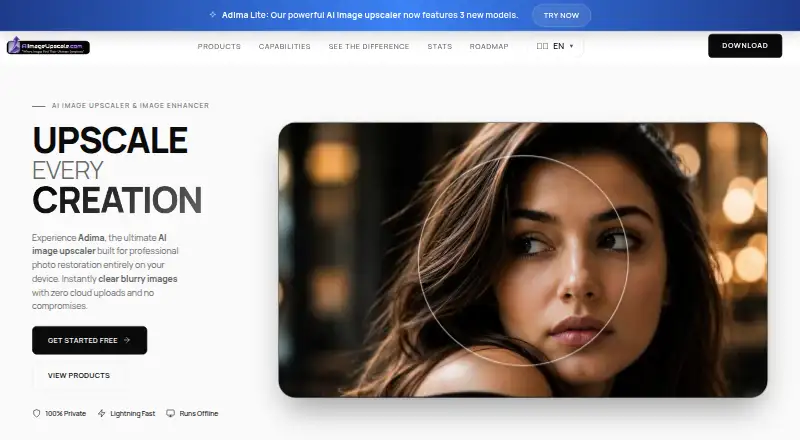
What Adima Image Upscaler Pro is
Adima Image Upscaler Pro enlarges images on Windows and Android, with batch processing and a desktop app. It supports upscaling up to 16 x and exports PNG, JPEG, WEBP, TIFF, BMP, and HDR. The free plan costs nothing and includes 20 4× upscales across six output formats. Video upscaling is not available. Paid choices include packs listed as one-time purchases and plans billed monthly. Fun Pack is $14.99 a month, billed as a one-time purchase, and includes 300 images. Creator Pack is $29.99 a month, also a one-time purchase, with unlimited 4K upscales. Professional at $49.99 a month and Enterprise at $99.99 a month are one-time purchases with unlimited upscales. Monthly-billed choices are Basic Pack at $7.99 a month and Boost Pack at $14.99 a month, each with unlimited 4K upscales, plus Turbo Pack at $34.99 a month with unlimited upscales. The maker was founded in 2024.
Who it suits
It suits Windows and Android users who want to enlarge still images, including in batches. The listed output formats may fit workflows needing PNG, JPEG, WEBP, TIFF, BMP, or HDR.
What it does well
- Batch processing available
- Supports upscaling up to 16 x
- Six listed output formats
- Free plan includes 20 4× upscales
What to know first
- Video upscaling is not available
- Free plan is limited to 20 4× upscales
Limits
The Free plan includes 20 credits, and each processed image uses one credit. Its listed features include three high-quality filters and 20 free 4× upscales; some paid plans list additional allowances and features.
Plans
| Plan | Billed and limits | Price |
|---|---|---|
| Free | $0.00 · 20 free 4x upscales · GPU / CPU supported · 3 high quality filters · 16x upscale · batch upscale | Free |
| Basic Pack | $7.99 / mo Save 37.5% · $4.99 / mo · Unlimited 4k upscales · 3 high quality filters · 16x upscale · batch upscale | $4.99 a month |
| Boost Pack | $14.99 / mo Save 33.5% · $9.99 / mo · Unlimited 4k upscales · Ultra Face Enhancer · 6 high quality filters · 16x upscale · batch upscale | $9.99 a month |
| Turbo Pack | $34.99 / mo Save 42.9% · $19.99 / mo · Unlimited upscales · one-click batch upscale · 4x, 16x upscale · Ultra Face Enhancer · 6 high quality filters | $19.99 a month |
| Creator Pack | $29.99 Save 16.7% · $24.99 OTP · Unlimited 4k upscales · 6 high quality filters · 16x upscale · batch upscale | $24.99, paid once |
| Professional | $49.99 Save 20% · $39.99 OTP · Unlimited upscales · 4x, 16x upscale · Ultra Face Enhancer · 6 high quality filters · batch upscale | $39.99, paid once |
| Enterprise | $99.99 Save 30% · $69.99 OTP · Unlimited upscales · one-click batch upscale · 4x, 16x upscale · Ultra Face Enhancer · 6 high quality filters | $69.99, paid once |
| Fun Pack | $14.99 Save 33.5% · $9.99 OTP · 300 4k upscales · 3 high quality filters · 16x upscale · batch upscale | $9.99, paid once |
As aiimageupscale.com lists them, read 7 Oct 2026. The maker's own page has the final word.
Getting started
- Visit https://www.aiimageupscale.com/.
- Use the Windows app.
- Start with the Free plan, which includes 20 credits.
- Review the available paid plan descriptions if you need more image processing.
Adima Image Upscaler Pro is a Windows and Android app for enlarging and enhancing still images. It best suits photographers, designers, and creators who want local processing, batch work, or portrait restoration. Its 16× ceiling and free allowance are appealing, but the pack prices come with conflicting monthly and one-time terms that buyers should resolve before paying.
Overview
The app enlarges, sharpens, and enhances images, with output described as reaching 16K. It supports batch processing and exports PNG, JPEG, WEBP, TIFF, BMP, and HDR. It does not upscale video, so it is not the right pick for raising the resolution of footage.
Adima says processing runs locally and that images are not uploaded, transmitted, or stored on its servers. That is a practical advantage for people handling sensitive images. Its privacy policy says it may collect account, license, payment, technical, analytics, and advertising information, and names Paddle for payments, Google Analytics for website analytics, and Google AdMob for ads in supported apps. It describes HTTPS, restricted access controls, secure payment providers, trusted infrastructure providers, and regular security improvements as safeguards.
Key features
Upscaling and image quality
Adima says it uses Real-ESRGAN to reconstruct image detail, and offers enlargement up to 16×. Those capabilities suit users seeking substantial enlargement, though the stated ceiling alone does not establish how a particular image will look after processing. Face Boost is designed to restore facial details, eyes, and skin texture in blurry portraits, making it especially relevant to portrait work.
Batch work, formats, and licensing
Batch processing can save time when handling multiple images; the published plan benefits do not establish batch size or whether every tier has the same batch allowance. The six export formats give users flexibility to choose among common image files and HDR. The pricing FAQ says images created or enhanced with Adima AI can be used commercially according to the product license.
Privacy and data
Local image processing is a notable strength, but it does not mean the app collects no information: the policy allows collection of account, license, payment, technical, analytics, and advertising data. Privacy questions can be sent to [email protected].
Pricing
The Free plan costs nothing and includes 20 credits; each processed image uses one credit. Its benefits include 20 free 4× upscales, GPU or CPU support, three high quality filters, 16× upscale, and batch upscale. The credit-based allowance makes it useful for occasional work, but it is finite.
Paid pack terms are not consistent: several options show a monthly price while describing the charge as a one-time purchase. Confirm the payment and renewal terms before buying. The pricing note says paid access starts at $7.99/mo, while the Basic Pack is shown at $4.99 per month with “billed $7.99 / mo” and a 37.5% saving. It includes unlimited 4K upscales, three high quality filters, 16× upscale, and batch upscale. This is the lower-cost paid option for users who do not need the enhanced face tools or more filters.
The Boost Pack is $9.99 per month, shown with “billed $14.99 / mo” and a 33.5% saving. It adds Ultra Face Enhancer and six high quality filters to unlimited 4K upscales, 16× upscale, and batch upscale. It fits portrait users who want those additions. Turbo Pack is $19.99 per month, shown with “billed $34.99 / mo” and a 42.9% saving; it offers unlimited upscales, one-click batch upscale, 4× and 16× options, Ultra Face Enhancer, and six filters. It is the stated option for users who need unlimited rather than 4K-limited upscaling.
Other packs have different terms: Fun Pack is $14.99 a month, billed as a one-time purchase, for 300 images and six output formats. Creator Pack is $29.99 a month, billed as a one-time purchase, for unlimited 4K upscales and six formats. Professional is $49.99 a month and Enterprise is $99.99 a month, each billed as a one-time purchase and offering unlimited upscales and six formats. The stated benefits distinguish these options chiefly by allowance; no further tier-specific features are given.
Platforms
The app is available for Windows and Android, and a desktop app is offered. Windows is the platform explicitly described for the image-enhancement app; the facts do not assign individual features or plan limits by platform.
Who it's for
Photographers, designers, and creators are the intended audience. The free 20-credit tier suits occasional use, while the batch feature and higher allowances make paid options more relevant for recurring image work. Portrait editors have a reason to consider Boost or Turbo for Ultra Face Enhancer. Anyone focused on video upscaling should choose another product.
Pros and cons
Pros
- Up to 16× enlargement and output described as reaching 16K give users a high stated enlargement ceiling.
- Local processing, according to Adima, keeps image files off its servers.
- Batch processing, six export formats, and commercial use under the product license support varied creative workflows.
- The free plan provides 20 credits and includes batch upscale and 16× upscale among its stated benefits.
Cons
- Video upscaling is not supported, ruling it out for footage workflows.
- The free allowance is limited to 20 credits, with one credit consumed per processed image.
- Monthly price labels and one-time purchase billing terms conflict, making the actual payment arrangement unclear until confirmed.
- Batch size and whether all plans share the same batch allowance are not established.
Alternatives
Choose Real-ESRGAN if you want a free, open-source option with Linux, macOS, self-hosted, web, and Windows platforms. Cutout.Pro is a freemium alternative available across Android, API, iOS, Linux, macOS, web, and Windows; its listed subscription includes 80 credits per month for $5 a month. Consider Bigjpg for a freemium option with Android, API, iOS, macOS, web, and Windows support; its free plan allows 20 pictures per month, slow speed, shared server use, a 5MB upload limit, and up to 4× enlargement.
Imglarger may suit users who want a web or mobile-oriented freemium option with a free trial: its free plan gives 100 credits per month, one image at a time, a 1024px maximum input side, and 2× scale. Choose NextGenUp if you want a free, open-source MIT-licensed option with no trial limit or subscription, available on Linux, macOS, self-hosted, web, and Windows. Upscal is an alternative for users seeking image and video enhancement with offline processing and no account requirement on iOS, macOS, or Windows.
Ximilar Image Upscaler is worth considering for API or web use; its free tier provides 1,000 API credits per month and its Business 100K plan costs $69 a month for 100,000 API credits. AI Upscale is another freemium web alternative with a free trial.
For a broader comparison, browse AI Image Upscalers or Image Upscaling Software.
Verdict
Adima Image Upscaler Pro is a sensible choice for Windows or Android users who want local still-image enhancement, batch work, and a stated 16× ceiling, with portrait restoration available on higher packs. The free tier is enough to try a limited workload, but the conflicting billing terms are a real reason to pause before purchasing. Look elsewhere if video upscaling is essential or if you need payment terms that are clear without confirmation.
Verdict
Adima Image Upscaler Pro offers batch image upscaling, multiple output formats, and a free allowance. Note that video is unsupported and some listed packs are one-time purchases despite monthly price terms.
Questions
Is there a free plan?
Yes. The Free plan costs nothing and includes 20 credits. Each processed image uses one credit.
What platforms does it support?
The listed platforms are Android and Windows. The described enhancement features are for the Windows app.
What does the app do?
It enlarges, sharpens, and enhances still images, with upscaling up to 16×. Face Boost is described as restoring facial details, eyes, and skin texture in blurry portraits.
What file formats can it export?
The listed formats are JPG, PNG, BMP, TIFF, WEBP, and HDR.
Can enhanced images be used commercially?
The pricing FAQ says images created or enhanced with Adima AI may be used commercially according to the product license.
What are the paid plan prices?
Listed prices are Basic Pack at $4.99 a month, Fun Pack at 14.99 USD, Boost Pack at $9.99 a month, Creator Pack at 29.99 USD, Turbo Pack at $19.99 a month, Professional at 49.99 USD, and Enterprise at 99.99 USD. The plan descriptions label Fun Pack, Creator Pack, Professional, and Enterprise as one-time purchases.
Facts from Adima Image Upscaler Pro's own pages
- AI method
- The company says its image upscaling uses Real-ESRGAN to reconstruct image detail. · aiimageupscale.com, 7 Oct 2026
- Batch processing
- The Windows app can process multiple images or entire folders in batches. · aiimageupscale.com, 7 Oct 2026
- Collected data
- The privacy policy says it may collect account, license, payment, technical, analytics, and advertising information. · aiimageupscale.com, 7 Oct 2026
- Commercial use
- The pricing FAQ says images created or enhanced with Adima AI can be used commercially according to the product license. · aiimageupscale.com, 7 Oct 2026
- Desktop app
- Yes · aiimageupscale.com, 20 Sept 2026
- Face restoration
- Face Boost is described as restoring facial details, eyes, and skin texture in blurry portraits. · aiimageupscale.com, 7 Oct 2026
- Formats
- The app exports JPG, PNG, BMP, TIFF, WEBP, and HDR images. · aiimageupscale.com, 7 Oct 2026
- Founded
- 2024 · aiimageupscale.com, 28 Sept 2026
- Free plan
- Yes · aiimageupscale.com, 20 Sept 2026
- Integrations
- The privacy policy names Paddle for payments, Google Analytics for website analytics, and Google AdMob for ads in supported apps. · aiimageupscale.com, 7 Oct 2026
- Intended users
- The product FAQ describes the Windows app as designed for photographers, designers, and creators who need professional-quality image enhancement. · aiimageupscale.com, 7 Oct 2026
- Privacy
- The maker says image processing runs locally and user images are not uploaded, transmitted, or stored on its servers. · aiimageupscale.com, 7 Oct 2026
- Purpose
- Adima AI Image Upscaler Pro for Windows enlarges, sharpens, and enhances images up to 16×, with output described as reaching 16K. · aiimageupscale.com, 7 Oct 2026
- Security
- The policy lists HTTPS, restricted access controls, secure payment providers, trusted infrastructure providers, and regular security improvements as safeguards. · aiimageupscale.com, 7 Oct 2026
- Paid from
- 7.99 · aiimageupscale.com, 20 Sept 2026
- Support
- The privacy policy lists [email protected] for privacy requests and questions. · aiimageupscale.com, 7 Oct 2026
- Usage limit
- The FAQ says each processed image uses one credit and the free version includes 20 credits. · aiimageupscale.com, 7 Oct 2026
Where Adima Image Upscaler Pro stands on Freedom251
- Image Upscaling Software#14 of 99
- AI Image Upscalers#4 of 28