Freedom251 › Disk Partition Software

iBeesoft Disk Partition Wizard
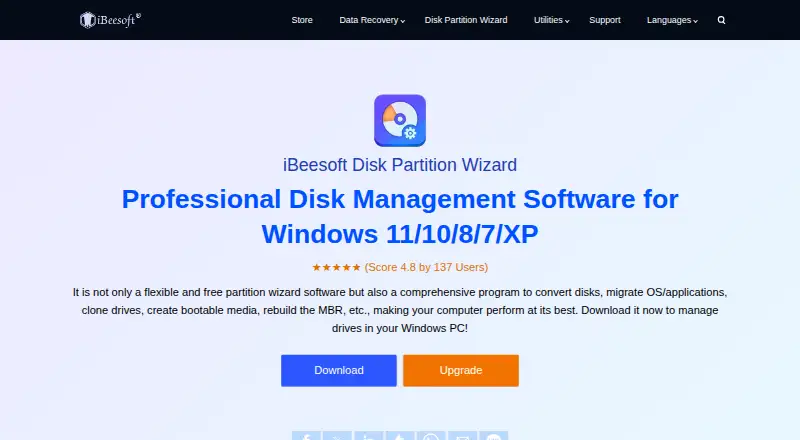
What iBeesoft Disk Partition Wizard is
iBeesoft Disk Partition Wizard is a Windows utility for managing partitions and disks, recovering partitions, moving a Windows installation, and creating bootable media. It can create, resize, merge, split, clone, hide, show, format, and check partitions. Disk tools include cloning, MBR rebuilding, bad-sector scanning, 4K alignment, and conversion between Basic and Dynamic disks or MBR and GPT. It can recover RAW, deleted, or lost partitions, with two modes for deleted or disappeared partitions. The software can migrate Windows and installed programs from a system disk to another hard disk or SSD. Its monitoring covers temperature, rotation speed, read and write times, UDC errors, working hours, and more than 30 other parameters, with alerts when it finds a problem. Supported file systems include NTFS, exFAT, FAT32/16/12, EXT4/3/2, and ReFS-based storage devices. The product lists Windows 12, 11, 10, 8, 7, Vista, XP, and Server. Basic is free and described as covering more than 90% of features. Paid annual plans start at $39.95 for one computer.
Who it suits
It suits Windows users who need partition management, disk conversion, recovery, or migration tools. The free Basic plan is described as covering more than 90% of features, while paid plans support different computer counts.
What it does well
- Basic plan is free for unlimited computers.
- Supports multiple partition and disk operations.
- Can migrate Windows and installed programs.
- Monitors more than 30 disk parameters.
What to know first
- Available only for Windows PCs.
- Interrupting a resize may cause data loss.
- Paid licenses are annual.
Limits
The free Basic plan is described as covering more than 90% of features. Pro costs $39.95 a year for one computer, Home costs $59.95 a year for one to three computers, and Server costs $199.95 a year for unlimited computers.
Plans
| Plan | Billed and limits | Price |
|---|---|---|
| Basic | Unlimited computers · Basic features covering over 90% of functions | Free |
| Server | 1 Year License · Unlimited computers | $199.95 a year |
| Pro | 1 Year License · 1 computer | $39.95 a year |
| Home | 1 Year License · 1–3 computers | $59.95 a year |
As ibeesoft.com lists them, read 15 Oct 2026. The maker's own page has the final word.
Getting started
- Visit the iBeesoft Disk Partition Wizard website.
- Choose the free Basic plan or a paid plan.
- Select the license that matches the number of computers: Basic, Pro, Home, or Server.
- Install and use it on a supported Windows PC.
iBeesoft Disk Partition Wizard is a Windows utility for partition administration, disk maintenance, recovery, cloning, and Windows migration. It suits home users, technicians, and businesses that want these jobs in one package, especially those who can stay on Windows and use the generous free edition. Its breadth is the main attraction; the chief caution is the possibility of data loss if a resize is interrupted.
Overview
This is a broad disk toolkit rather than a narrow partition editor. It creates, resizes, merges, splits, clones, hides, shows, formats, and checks partitions, and it can move Windows and installed applications from one system disk to another hard disk or SSD. Bootable-media creation is useful when the installed system cannot be relied on for maintenance.
Beyond routine changes, it converts Basic and Dynamic disks and MBR and GPT partition tables, rebuilds MBRs, scans for bad sectors, and provides 4K alignment. Recovery covers RAW, deleted, and lost partitions, with two modes for deleted or disappeared partitions. Supported storage formats include NTFS, exFAT, FAT32/16/12, EXT4/3/2, and ReFS-based devices, giving it practical reach across common Windows-connected media.
Its monitoring function is unusually wide for a partition utility. It watches temperature, rotation speed, read and write times, UDC errors, working hours, and more than 30 other parameters, then can alert on detected problems. That makes it more useful for ongoing disk oversight than a tool limited to one-off repartitioning.
Key features
Partition work and recovery
The operation set covers ordinary reorganization and more consequential repairs in one interface. Merging and splitting help redistribute space; cloning and migration support upgrades to a larger or faster disk; hiding and showing partitions provide control over visibility. Recovery modes for deleted or missing partitions add a possible route back from accidental loss, while RAW recovery targets drives that no longer present a usable file system.
Disk conversion and monitoring
MBR/GPT and Basic/Dynamic conversion can support changes in partitioning scheme or disk type without sourcing a separate converter. MBR rebuilding, bad-sector scans, and 4K alignment address maintenance and performance concerns. Monitoring and alerts are a strong fit for administrators who want early warning signals, not just a tool opened during an upgrade.
The operational warning matters: a power outage, crash, or other interruption during partition resizing may cause data loss. Plan resizing around stable power and backups; readers unwilling to accept that risk should avoid making this their primary choice for high-stakes changes.
Pricing
The Basic plan costs free, is described as covering more than 90% of features, and permits unlimited computers for personal and enterprise use. It is the sensible starting point for most individual users and for organizations evaluating the workflow, although the paid tiers are the route when the remaining features or formal licensing matter.
Pro costs $39.95 a year on a one-year license for one computer. It fits a single personal or professional workstation. Home is $59.95 a year on a one-year license for one to three computers, making it the practical household or small-office option. Server costs $199.95 a year on a one-year license for unlimited computers and is aimed at administrators managing multiple machines. The plans are annual licenses; choose by computer count as well as feature needs.
Platforms
iBeesoft lists support for Windows 12, 11, 10, 8, 7, Vista, XP, and Server. The FAQ says the product is currently Windows-PC only, with a macOS version planned. That rules it out for a Mac-first setup today, even though it can work with several non-NTFS file systems on connected storage.
Who it's for
Choose it if you need partition editing, disk conversion, Windows migration, cloning, recovery, bootable media, and health monitoring together. The free Basic plan is particularly compelling for users who need most core operations on unlimited computers. It is also a reasonable fit for technicians and server administrators who value broad format and disk-type support, subject to the relevant paid license.
Look elsewhere if you require macOS support now, prefer a tool focused only on simple partition edits, or cannot tolerate interruption-related resize risk. Anyone handling irreplaceable data should make a backup and schedule disruptive operations carefully.
Pros and cons
Pros
- Broad free coverage: Basic is free, supports unlimited computers, and includes more than 90% of the feature set.
- Wide disk toolkit: Partition operations, cloning, migration, conversion, recovery, MBR repair, scanning, alignment, and bootable media reduce the need for separate utilities.
- Strong format coverage: NTFS, exFAT, FAT variants, EXT2/3/4, and ReFS-based devices are supported.
- Detailed monitoring: More than 30 monitored parameters and alerts add ongoing disk-health value.
Cons
- Windows-only today: Mac users cannot use it natively yet.
- Resize interruption risk: Power loss or a crash during resizing may cause data loss.
- Paid tiers are annual: Pro, Home, and Server require one-year licenses, with computer limits on the first two.
Alternatives
Disk Partition Software is the broader category list to consult when you want to compare several partition tools.
GParted is a free partition editor with Linux, macOS, self-hosted, and Windows listings; its native installation requires Linux, so choose it when that environment and no payment are priorities.
Active@ Partition Manager is another free Windows-only option for users who want freeware rather than a freemium product.
AOMEI Partition Assistant suits readers seeking a free Windows tier plus a free trial and a $49.95 yearly Professional plan.
DiskGenius is worth comparing when you want a freemium Windows tool with a free edition and trial-based paid options.
IM-Magic Partition Resizer is another freemium Windows choice with a free tier and trial.
Macrorit Partition Expert is a Windows freemium alternative whose Pro Standard edition is sold for $39.99 once rather than annually.
MiniTool Partition Wizard offers a free Windows tier and trial, with Pro at $59.00 per year; consider it when that pricing and product line fit better.
Microsoft Quick Assist is a free support utility, not a partition manager, so choose it only for remote assistance needs.
Verdict
iBeesoft Disk Partition Wizard is a strong choice for Windows users who want extensive partition, migration, recovery, cloning, conversion, and monitoring tools, with an unusually capable free plan. Pick it for broad coverage and unlimited-computer Basic use; look elsewhere if you need macOS support or want to avoid the consequences of an interrupted resize.
Verdict
iBeesoft Disk Partition Wizard covers a broad set of Windows disk and partition tasks, including recovery and monitoring. Before resizing partitions, note the stated risk of data loss if the process is interrupted.
Questions
Is iBeesoft Disk Partition Wizard free?
Yes. The Basic plan costs nothing and covers unlimited computers. It is described as including more than 90% of features.
How much do the paid plans cost?
Pro is $39.95 a year for one computer. Home is $59.95 a year for one to three computers, and Server is $199.95 a year for unlimited computers.
Which operating systems does it support?
It is currently available only for Windows PCs. The product lists Windows 12, 11, 10, 8, 7, Vista, XP, and Server.
Can it recover lost partitions or move Windows to another drive?
It offers recovery for RAW, deleted, or lost partitions, with two modes for deleted or disappeared partitions. It can also migrate Windows and installed programs from a system disk to another hard disk or SSD.
What file systems does it support?
Supported storage devices include NTFS, exFAT, FAT32/16/12, EXT4/3/2, and ReFS.
Who makes iBeesoft Disk Partition Wizard?
iBeesoft says it was established in 2011 and serves users in over 120 countries.
Facts from iBeesoft Disk Partition Wizard's own pages
- API and self-hosting
- Official materials provide a Windows executable, guides, and FAQs but publish no public API, SDK, integration interface, or self-hosting deployment. · ibeesoft.com, 15 Oct 2026
- Bootable media
- It can create bootable media, Windows ISO media, and additional boot options for recovery work. · ibeesoft.com, 15 Oct 2026
- Company history
- iBeesoft says it was established in 2011 by two programmers. · ibeesoft.com, 15 Oct 2026
- Company reach
- The company says its software is used in more than 120 countries and installed on millions of computers. · ibeesoft.com, 15 Oct 2026
- Data-loss warning
- The FAQ warns that interrupting a resize because of a crash, outage, or similar event may cause data loss. · ibeesoft.com, 15 Oct 2026
- Disk conversion
- The tool converts Basic and Dynamic disks and converts MBR and GPT layouts. · ibeesoft.com, 15 Oct 2026
- Disk monitoring
- Monitoring covers temperature, rotation speed, read/write activity, UDC errors, operating hours, and more than 30 parameters, with alerts. · ibeesoft.com, 15 Oct 2026
- Disk tools
- Disk functions include cloning, MBR rebuilding, bad-sector scanning, 4K alignment, disk initialization, and write-protection control. · ibeesoft.com, 15 Oct 2026
- Feature breadth
- The product page claims more than 40 practical disk-management functions. · ibeesoft.com, 15 Oct 2026
- File-system conversion
- It advertises conversion among FAT, NTFS, and exFAT without formatting data. · ibeesoft.com, 15 Oct 2026
- File systems
- It lists NTFS, exFAT, FAT32/16/12, EXT4/3/2, and ReFS-based storage devices as supported. · ibeesoft.com, 7 Oct 2026
- Founded
- 2011 · ibeesoft.com, 28 Sept 2026
- Independent review pricing
- CHIP.cz reported the full version as normally costing 1,000 Kč annually for one noncommercial PC, with updates but no technical support. · chip.cz, 15 Oct 2026
- Languages
- The product supports English, German, French, Italian, Spanish, Russian, Japanese, and at least 16 languages overall. · ibeesoft.com, 15 Oct 2026
- Licence terms
- The EULA names iBeesoft Technology Co., Ltd.; one licence code is for one user and one computer at a time, and reverse engineering, resale, and redistribution are prohibited. · ibeesoft.com, 15 Oct 2026
- Limit: billing and refunds
- Trustpilot complaints repeatedly mention unexpected annual renewals, difficulty cancelling, and delayed or disputed refunds. · trustpilot.com, 15 Oct 2026
- Limit: complex recovery evidence
- An independent Amagicsoft test of iBeesoft Data Recovery, another product from the same maker, reported weak performance on complex loss, poor exFAT reconstruction, large-preview errors, and no sector-by-sector imaging. · amagicsoft.com, 15 Oct 2026
- Limit: customer support
- Reviewers also report slow or absent support responses and license keys expiring or failing to activate. · trustpilot.com, 15 Oct 2026
- Limit: marketplace licence
- The GGsel listing describes a one-personal-computer key and says updates to new versions are not included. · ggsel.net, 15 Oct 2026
- Limit: recovery results
- Negative Trustpilot reviews report failed or incomplete recovery, missing files, and damaged or incorrect file names. · trustpilot.com, 15 Oct 2026
- Maker and history
- iBeesoft says it was established in 2011 and serves users in over 120 countries. · ibeesoft.com, 7 Oct 2026
- Official rating
- The product page shows 4.8 out of 5 from 137 user ratings. · ibeesoft.com, 15 Oct 2026
- Operational limitation
- The FAQ warns that interrupting partition resizing because of a power outage, crash, or other circumstance may cause data loss. · ibeesoft.com, 7 Oct 2026
- OS migration
- It migrates Windows installations and installed programs to another HDD or SSD. · ibeesoft.com, 15 Oct 2026
Where iBeesoft Disk Partition Wizard stands on Freedom251
- Disk Partition Software#9 of 22