Freedom251 › Disk Partition Software

GNOME Disks
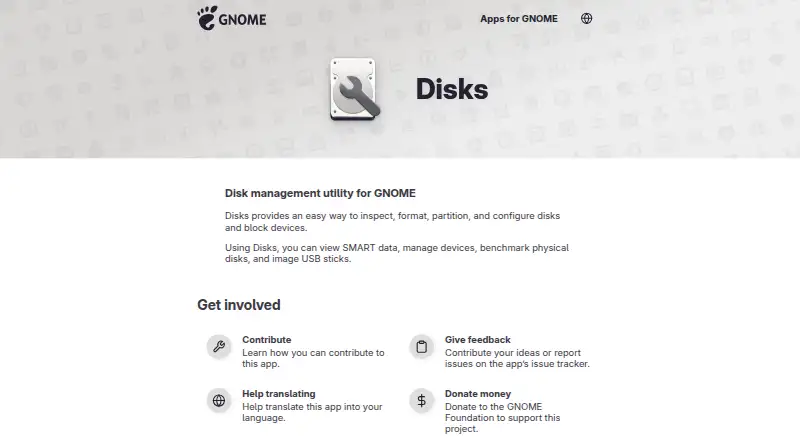
What GNOME Disks is
GNOME Disks is a free disk management utility for Linux. It provides tools to inspect, format, partition, and configure disks and other block devices. A visual view shows the volumes and partitions on a selected device, helping users see how its storage is arranged. The utility can display SMART data and run benchmarks on physical disks to check their speed. It can also create images of USB sticks, check a filesystem for damage, and restore a damaged filesystem to a usable state. Supported examples of mounted volumes include hard drives, USB drives, DVD-RWs, and SD cards. Formatting can wipe removable disks, and disk utilities can erase data completely, so operations that change or format a device may remove its contents. GNOME Disks is available for Linux and as bootable media. Its app-specific content is licensed under GPL-2.0+, and Kai Lüke is named as its maintainer. The app page links to online help and an issue tracker for support and feedback. Its listed Free plan costs nothing and includes disk inspection, formatting, partitioning, configuration, SMART data, disk benchmarking, and USB imaging.
Who it suits
GNOME Disks suits Linux users who need to inspect or manage disks and block devices, view volumes and partitions, or check storage health and speed. It can also suit users creating USB stick images or working with mounted hard drives, USB drives, DVD-RWs, and SD cards.
What it does well
- Inspects, formats, partitions, and configures disks and block devices.
- Shows a visual breakdown of volumes and partitions.
- Displays SMART data and benchmarks physical disks.
- Checks damaged filesystems and can restore them to usable condition.
- Creates images of USB sticks and is available as bootable media.
- Free plan includes the listed disk management features.
What to know first
- Formatting removable disks can erase their data.
- Listed platform support is Linux.
Plans
| Plan | Billed and limits | Price |
|---|---|---|
| Free | Inspect, format, partition, and configure disks and block devices · SMART data · benchmark disks · image USB sticks | Free |
As apps.gnome.org lists them, read 9 Oct 2026. The maker's own page has the final word.
Getting started
- Visit the GNOME Disks website.
- Use a Linux system or bootable media.
- Choose the Free plan at no cost.
- Open online help for guidance or use the issue tracker for feedback and issue reports.
Verdict
Choose GNOME Disks if you use Linux and need a free utility for disk management, SMART data, benchmarking, filesystem checks, or USB imaging. Look elsewhere if you need a listed platform beyond Linux; take care with formatting because it can erase data.
Questions
How much does GNOME Disks cost?
Its listed Free plan costs nothing.
Is there a free plan or trial?
A Free plan is listed, and the facts say there is no free trial.
Which platforms does GNOME Disks support?
The listed platform and operating system are Linux. It is also available as bootable media.
What can GNOME Disks do?
It can inspect, format, partition, and configure disks and block devices, display SMART data, benchmark physical disks, and create USB stick images. It can also check a filesystem for damage and restore it to a usable state.
Is GNOME Disks open source?
The app-specific content is listed as GPL-2.0+.
Who maintains GNOME Disks?
Kai Lüke is named as its maintainer. The app page links to online help and an issue tracker.
Facts from GNOME Disks's own pages
- Data erasure
- GNOME Help says removable disks can be wiped by formatting them and warns that disk utilities can completely erase data. · help.gnome.org, 9 Oct 2026
- Disk benchmarking
- The app can benchmark physical disks. · apps.gnome.org, 9 Oct 2026
- Disk operations
- It provides a way to inspect, format, partition, and configure disks and block devices. · apps.gnome.org, 9 Oct 2026
- License
- The app page lists the app-specific content as GPL-2.0+. · apps.gnome.org, 9 Oct 2026
- Maintainer
- The app page names Kai Lüke as its maintainer. · apps.gnome.org, 9 Oct 2026
- Performance testing
- GNOME Help describes running hard disk benchmarks to check speed. · help.gnome.org, 9 Oct 2026
- Project background
- The GNOME Project says it was founded in 1997 by Miguel de Icaza and Federico Mena. · gnome.org, 9 Oct 2026
- Purpose
- Disks is a disk management utility for GNOME. · apps.gnome.org, 9 Oct 2026
- Repair
- GNOME Help describes checking a filesystem for damage and restoring it to a usable state. · help.gnome.org, 9 Oct 2026
- SMART data
- The app can display SMART data. · apps.gnome.org, 9 Oct 2026
- Support and feedback
- The app page links to its online help and issue tracker for feedback and issue reports. · apps.gnome.org, 9 Oct 2026
- Supported media
- GNOME Help lists hard drives, USB drives, DVD-RWs, and SD cards as examples of mounted volumes. · help.gnome.org, 9 Oct 2026
- USB imaging
- The app can create images of USB sticks. · apps.gnome.org, 9 Oct 2026
- Volume management
- GNOME Help says the disk utility can show and modify storage volumes, with a visual breakdown of volumes and partitions on a selected device. · help.gnome.org, 9 Oct 2026
Where GNOME Disks stands on Freedom251
- Disk Partition Software#7 of 22